Files
import {
  ArrowRight,
} from "@designali/icons"

import { Button } from "@/components/ui/button"
import { Input } from "@/components/ui/input"
import { Label } from "@/components/ui/label"
import { Textarea } from "@/components/ui/textarea"

const budgets = ["< $10k", "$10k – $25k", "$25k – $50k", "$50k +"]

export function Forms01() {
  return (
    <section className="w-full border-y border-border bg-background py-20">
      <div className="mx-auto grid max-w-6xl gap-12 px-6 lg:grid-cols-[1fr_1.4fr]">
        <div className="space-y-6">
          <p className="text-xs font-medium tracking-widest text-muted-foreground uppercase">
            New project
          </p>
          <h2 className="text-4xl font-semibold tracking-tight md:text-5xl">
            Tell Designali about the thing you want to build.
          </h2>
          <p className="max-w-sm text-sm leading-6 text-muted-foreground">
            A short brief helps Ali Imam come to the first call prepared. Brand
            identity, UI/UX and Next.js development, start to finish.
          </p>
          <dl className="grid grid-cols-2 gap-px border border-border bg-border">
            <div className="bg-background p-4">
              <dt className="text-xs text-muted-foreground">Avg. reply</dt>
              <dd className="mt-1 text-2xl font-semibold">18h</dd>
            </div>
            <div className="bg-background p-4">
              <dt className="text-xs text-muted-foreground">Projects shipped</dt>
              <dd className="mt-1 text-2xl font-semibold">240+</dd>
            </div>
          </dl>
        </div>

        <form className="space-y-6 border border-border bg-card p-6 md:p-8">
          <div className="grid gap-6 sm:grid-cols-2">
            <div className="space-y-2">
              <Label htmlFor="f1-name">Full name</Label>
              <Input id="f1-name" placeholder="Your name" className="h-10" />
            </div>
            <div className="space-y-2">
              <Label htmlFor="f1-email">Work email</Label>
              <Input
                id="f1-email"
                type="email"
                placeholder="you@example.com"
                className="h-10"
              />
            </div>
          </div>
          <div className="space-y-2">
            <Label htmlFor="f1-company">Company</Label>
            <Input id="f1-company" placeholder="Your company" className="h-10" />
          </div>
          <fieldset className="space-y-3">
            <legend className="text-xs">Estimated budget</legend>
            <div className="grid grid-cols-2 gap-2 md:grid-cols-4">
              {budgets.map((budget, index) => (
                <label
                  key={budget}
                  className="flex cursor-pointer items-center justify-center border border-border px-3 py-2.5 text-xs transition-colors hover:bg-muted has-checked:border-foreground has-checked:bg-foreground has-checked:text-background"
                >
                  <input
                    type="radio"
                    name="budget"
                    value={budget}
                    defaultChecked={index === 1}
                    className="sr-only"
                  />
                  {budget}
                </label>
              ))}
            </div>
          </fieldset>
          <div className="space-y-2">
            <Label htmlFor="f1-brief">Project brief</Label>
            <Textarea
              id="f1-brief"
              rows={5}
              placeholder="We need a new brand identity and a production-ready Next.js website that feels like us…"
              className="min-h-32"
            />
          </div>
          <div className="flex flex-col gap-4 border-t border-border pt-6 sm:flex-row sm:items-center sm:justify-between">
            <p className="text-xs text-muted-foreground">
              Prefer email? Write to hello@designali.com.
            </p>
            <Button type="submit" size="lg">
              Send inquiry
              <ArrowRight />
            </Button>
          </div>
        </form>
      </div>
    </section>
  )
}
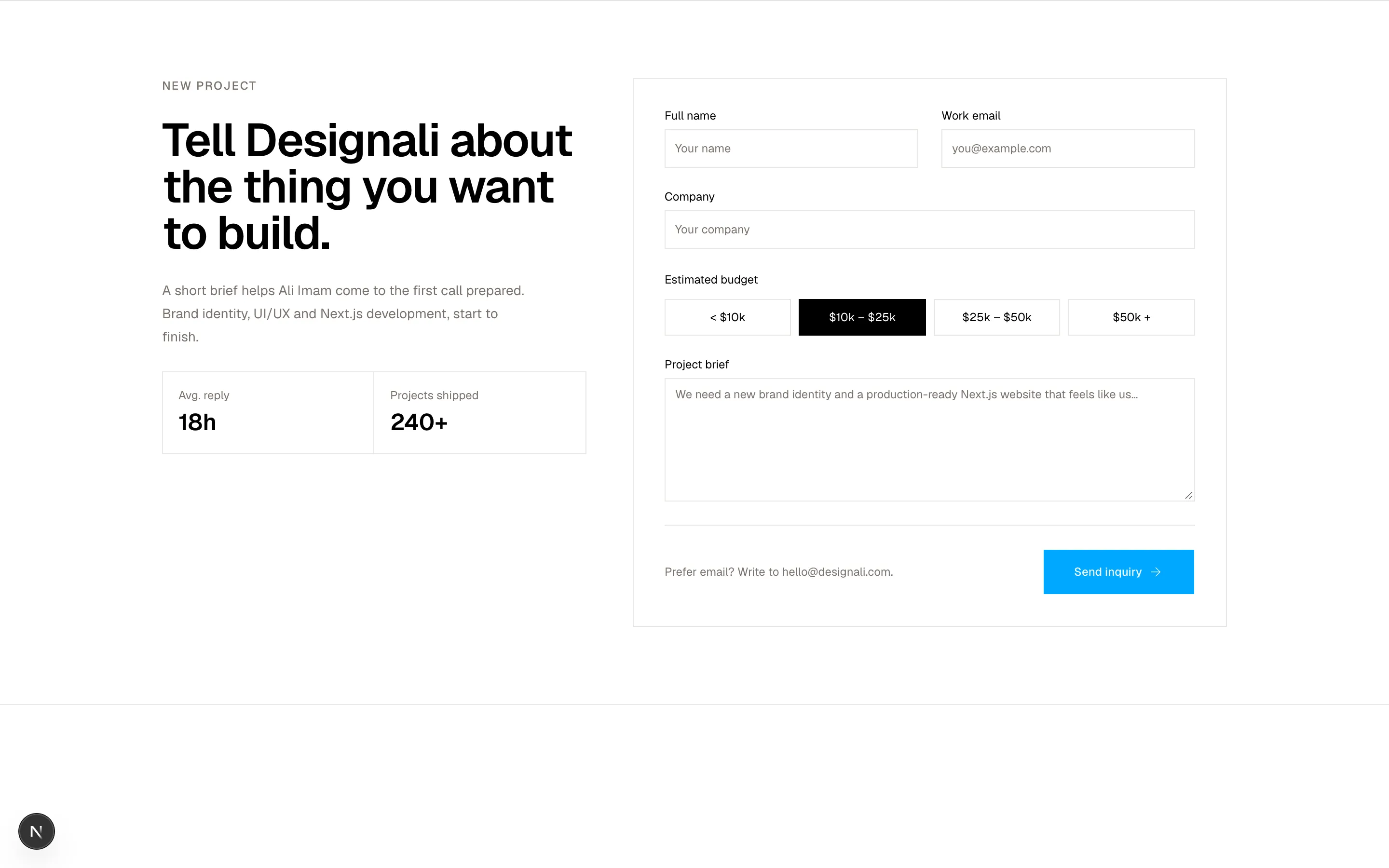
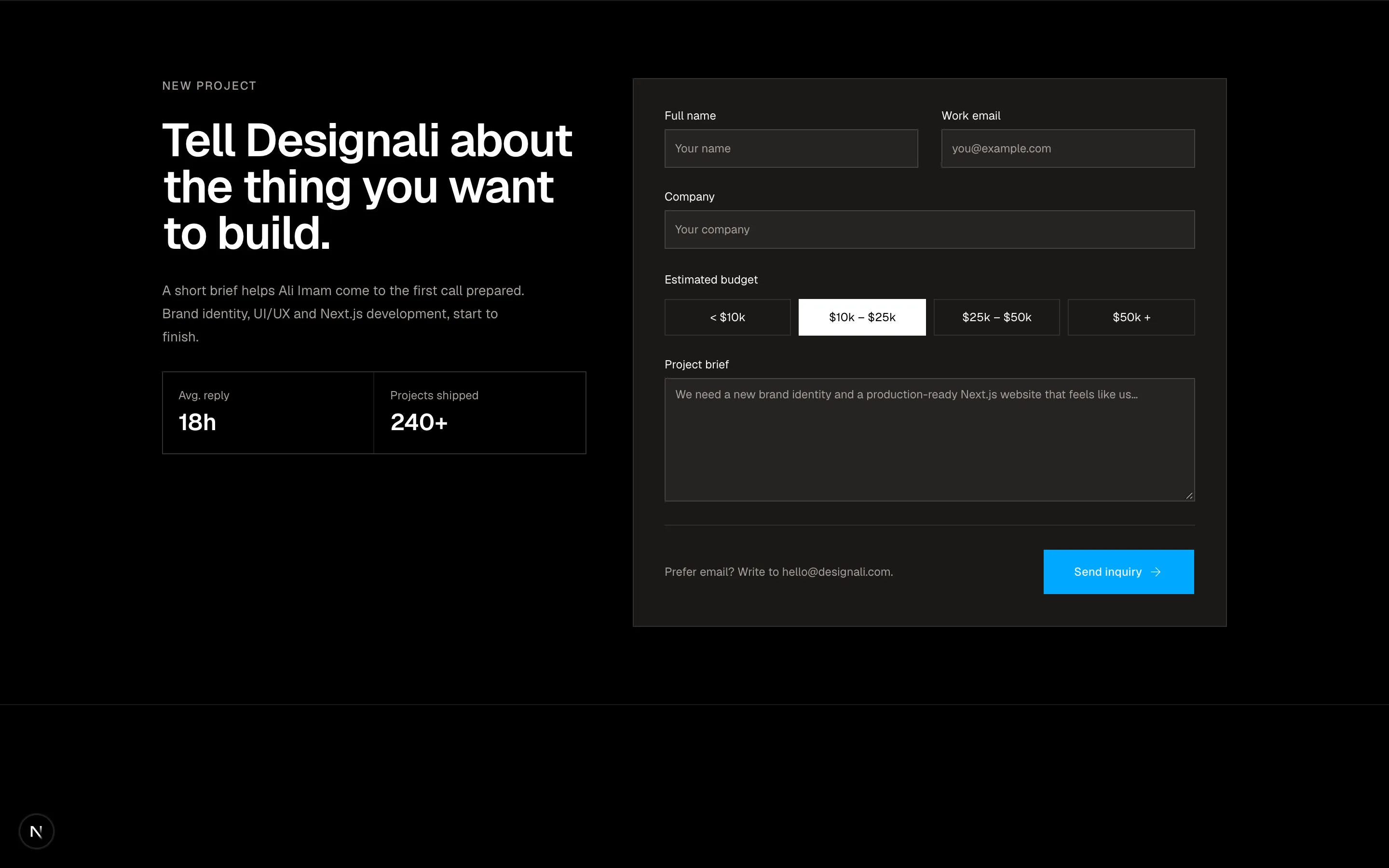
A project brief form with grouped fields and budget options.
forms-01
Files
"use client"

import { useState } from "react"
import {
  ArrowLeft,
  ArrowRight,
  Check,
} from "@designali/icons"

import { Button } from "@/components/ui/button"
import { Input } from "@/components/ui/input"
import { Label } from "@/components/ui/label"
import { cn } from "@/lib/utils"

const steps = ["Account", "Workspace", "Invite team"]

const roles = ["Designer", "Developer", "Design engineer", "Founder"]

export function Forms02() {
  const [step, setStep] = useState(0)
  const [role, setRole] = useState("Designer")

  return (
    <section className="w-full bg-muted/40 py-20">
      <div className="mx-auto max-w-xl px-6">
        <ol className="mb-10 grid grid-cols-3 border border-border bg-background">
          {steps.map((label, index) => (
            <li
              key={label}
              className={cn(
                "flex items-center gap-2 border-border px-3 py-3 text-xs not-last:border-r",
                index === step ? "text-foreground" : "text-muted-foreground"
              )}
            >
              <span
                className={cn(
                  "flex size-5 shrink-0 items-center justify-center border text-[10px]",
                  index < step && "border-foreground bg-foreground text-background",
                  index === step && "border-foreground",
                  index > step && "border-border"
                )}
              >
                {index < step ? <Check className="size-3" /> : index + 1}
              </span>
              <span className="truncate">{label}</span>
            </li>
          ))}
        </ol>

        <div className="border border-border bg-background p-6 md:p-8">
          {step === 0 && (
            <div className="space-y-5">
              <h2 className="text-2xl font-semibold tracking-tight">
                Create your Designali account
              </h2>
              <div className="space-y-2">
                <Label htmlFor="f2-email">Email</Label>
                <Input id="f2-email" type="email" placeholder="you@example.com" className="h-10" />
              </div>
              <div className="space-y-2">
                <Label htmlFor="f2-password">Password</Label>
                <Input id="f2-password" type="password" placeholder="At least 12 characters" className="h-10" />
              </div>
            </div>
          )}

          {step === 1 && (
            <div className="space-y-5">
              <h2 className="text-2xl font-semibold tracking-tight">
                Set up your Designali workspace
              </h2>
              <div className="space-y-2">
                <Label htmlFor="f2-workspace">Workspace name</Label>
                <div className="flex">
                  <span className="flex h-10 items-center border border-r-0 border-input bg-muted px-3 text-xs text-muted-foreground">
                    designali.com/
                  </span>
                  <Input id="f2-workspace" placeholder="your-studio" className="h-10" />
                </div>
              </div>
              <div className="space-y-2">
                <p className="text-xs">What best describes you?</p>
                <div className="grid grid-cols-2 gap-2">
                  {roles.map((item) => (
                    <button
                      key={item}
                      type="button"
                      onClick={() => setRole(item)}
                      className={cn(
                        "border px-3 py-2.5 text-left text-xs transition-colors",
                        role === item
                          ? "border-foreground bg-muted"
                          : "border-border hover:bg-muted/60"
                      )}
                    >
                      {item}
                    </button>
                  ))}
                </div>
              </div>
            </div>
          )}

          {step === 2 && (
            <div className="space-y-5">
              <h2 className="text-2xl font-semibold tracking-tight">
                Invite your teammates
              </h2>
              {["sara@example.com", "dev@example.com", ""].map((email, index) => (
                <Input
                  key={index}
                  type="email"
                  defaultValue={email}
                  placeholder="teammate@example.com"
                  className="h-10"
                />
              ))}
              <p className="text-xs text-muted-foreground">
                You can always invite more people later from settings.
              </p>
            </div>
          )}

          <div className="mt-8 flex items-center justify-between border-t border-border pt-6">
            <Button
              variant="ghost"
              disabled={step === 0}
              onClick={() => setStep((s) => Math.max(0, s - 1))}
            >
              <ArrowLeft />
              Back
            </Button>
            <Button onClick={() => setStep((s) => Math.min(steps.length - 1, s + 1))}>
              {step === steps.length - 1 ? "Finish setup" : "Continue"}
              <ArrowRight />
            </Button>
          </div>
        </div>
      </div>
    </section>
  )
}
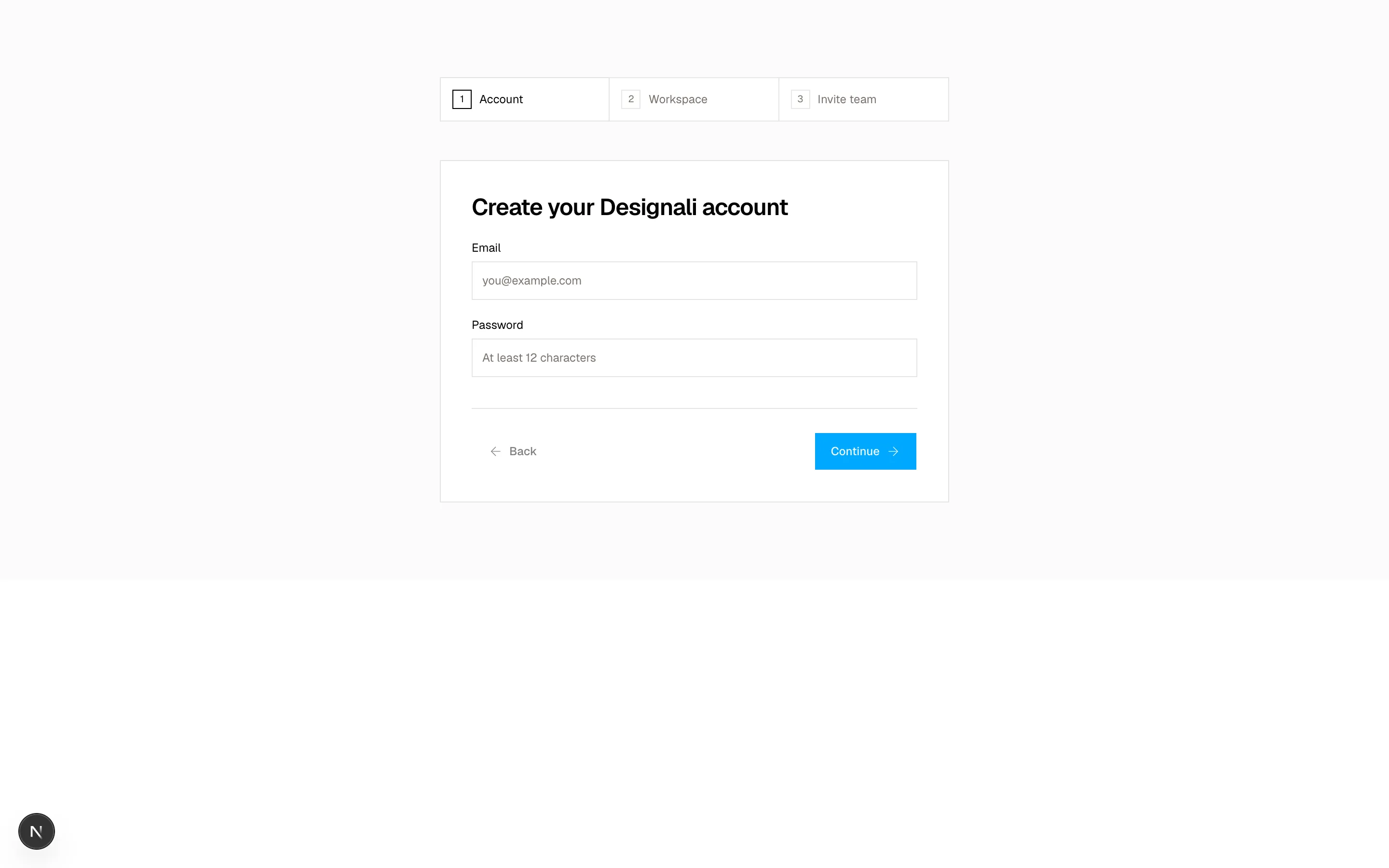
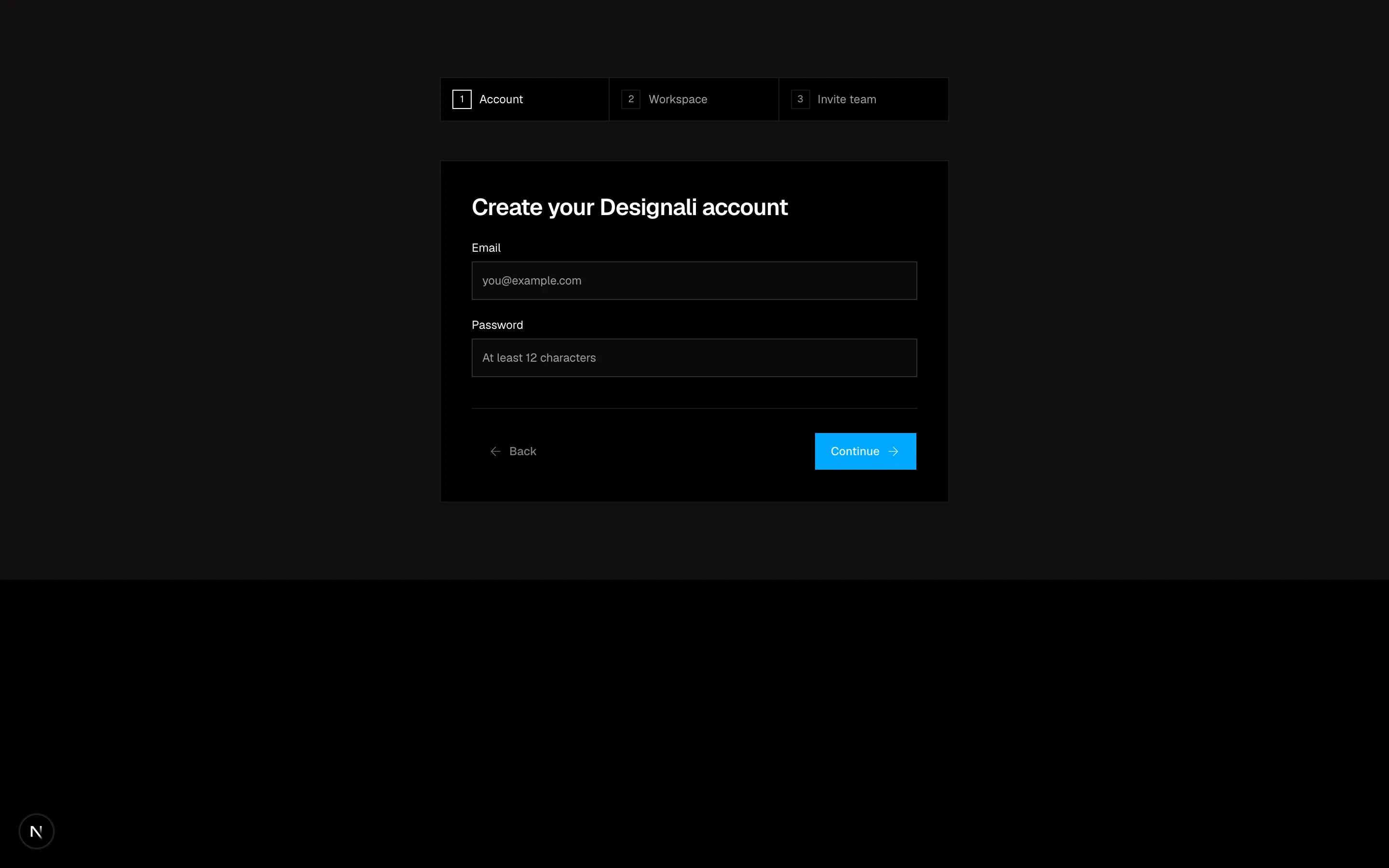
A multi-step account creation form with progress indicator.
forms-02
Files
"use client"

import { Button } from "@/components/ui/button"
import { Input } from "@/components/ui/input"
import { Label } from "@/components/ui/label"
import {
  NativeSelect,
  NativeSelectOption,
} from "@/components/ui/native-select"
import { Switch } from "@/components/ui/switch"
import { Textarea } from "@/components/ui/textarea"

const notifications = [
  {
    title: "Product updates",
    description: "New Designali templates, blocks and icons, once a month.",
    enabled: true,
  },
  {
    title: "Comment mentions",
    description: "When Ali Imam or a teammate mentions you on a project.",
    enabled: true,
  },
  {
    title: "Weekly digest",
    description: "A summary of activity across your Designali projects.",
    enabled: false,
  },
]

export function Forms03() {
  return (
    <section className="w-full bg-background py-20">
      <div className="mx-auto max-w-5xl px-6">
        <div className="mb-10 border-b border-border pb-6">
          <h2 className="text-3xl font-semibold tracking-tight">Settings</h2>
          <p className="mt-2 text-sm text-muted-foreground">
            Manage your Designali profile and how we contact you.
          </p>
        </div>

        <form className="divide-y divide-border">
          <div className="grid gap-6 py-8 md:grid-cols-3">
            <div>
              <h3 className="text-sm font-medium">Profile</h3>
              <p className="mt-1 text-xs leading-5 text-muted-foreground">
                This information appears on your public portfolio page.
              </p>
            </div>
            <div className="space-y-5 md:col-span-2">
              <div className="grid gap-5 sm:grid-cols-2">
                <div className="space-y-2">
                  <Label htmlFor="f3-first">First name</Label>
                  <Input id="f3-first" defaultValue="Ali" className="h-10" />
                </div>
                <div className="space-y-2">
                  <Label htmlFor="f3-last">Last name</Label>
                  <Input id="f3-last" defaultValue="Imam" className="h-10" />
                </div>
              </div>
              <div className="space-y-2">
                <Label htmlFor="f3-bio">Bio</Label>
                <Textarea
                  id="f3-bio"
                  rows={4}
                  defaultValue="Design engineer and founder of Designali. I design and build digital experiences that look great, feel intuitive, and work beautifully."
                />
              </div>
              <div className="space-y-2">
                <Label htmlFor="f3-timezone">Timezone</Label>
                <NativeSelect id="f3-timezone" className="w-full" defaultValue="ist">
                  <NativeSelectOption value="gmt">GMT (London)</NativeSelectOption>
                  <NativeSelectOption value="ist">IST (Kolkata)</NativeSelectOption>
                  <NativeSelectOption value="est">EST (New York)</NativeSelectOption>
                  <NativeSelectOption value="jst">JST (Tokyo)</NativeSelectOption>
                </NativeSelect>
              </div>
            </div>
          </div>

          <div className="grid gap-6 py-8 md:grid-cols-3">
            <div>
              <h3 className="text-sm font-medium">Notifications</h3>
              <p className="mt-1 text-xs leading-5 text-muted-foreground">
                Choose which emails land in your inbox.
              </p>
            </div>
            <ul className="divide-y divide-border border border-border md:col-span-2">
              {notifications.map((item) => (
                <li
                  key={item.title}
                  className="flex items-center justify-between gap-6 p-4"
                >
                  <div>
                    <p className="text-sm font-medium">{item.title}</p>
                    <p className="text-xs text-muted-foreground">
                      {item.description}
                    </p>
                  </div>
                  <Switch defaultChecked={item.enabled} aria-label={item.title} />
                </li>
              ))}
            </ul>
          </div>

          <div className="flex justify-end gap-2 py-8">
            <Button variant="outline" type="button">
              Cancel
            </Button>
            <Button type="submit">Save changes</Button>
          </div>
        </form>
      </div>
    </section>
  )
}
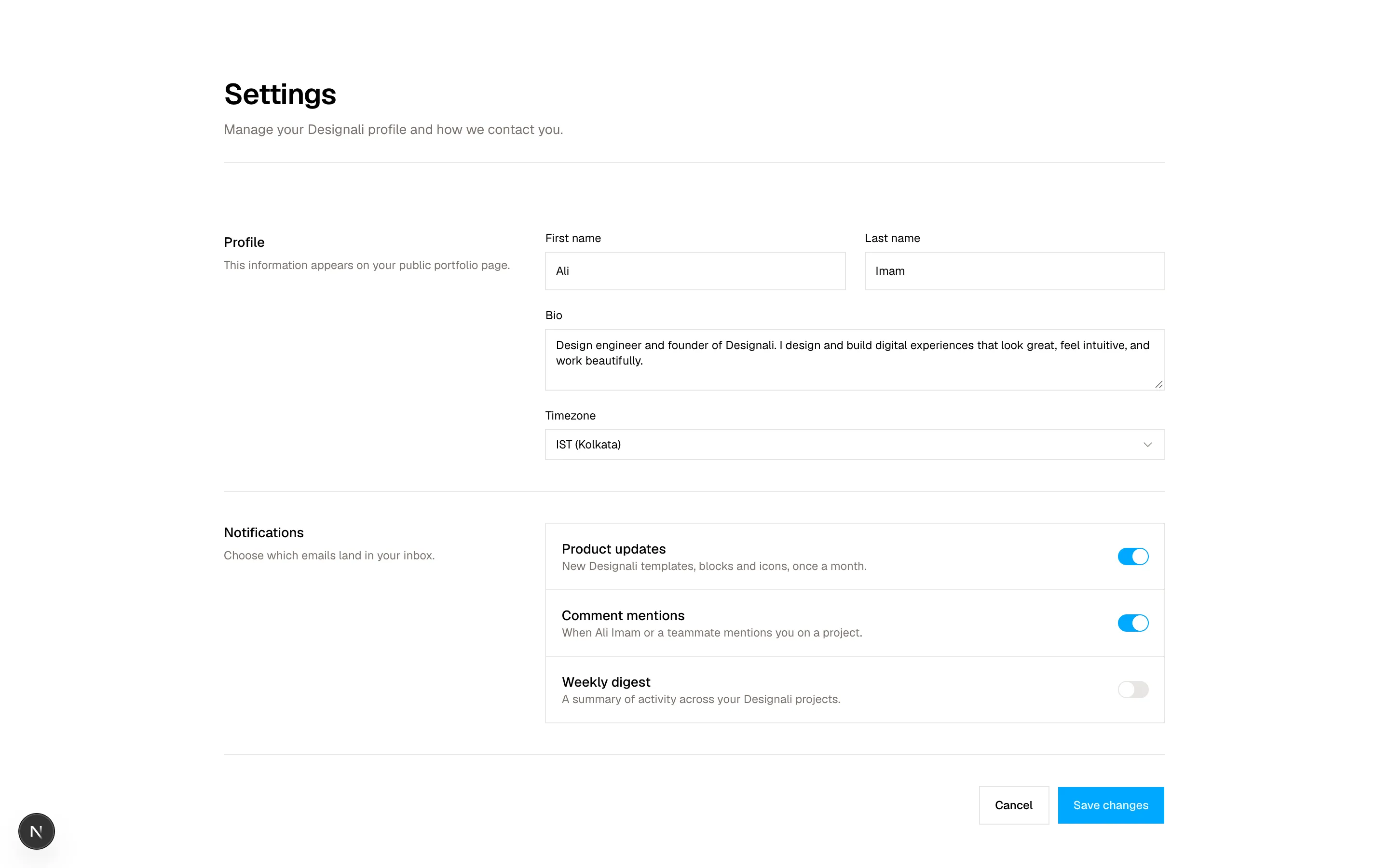
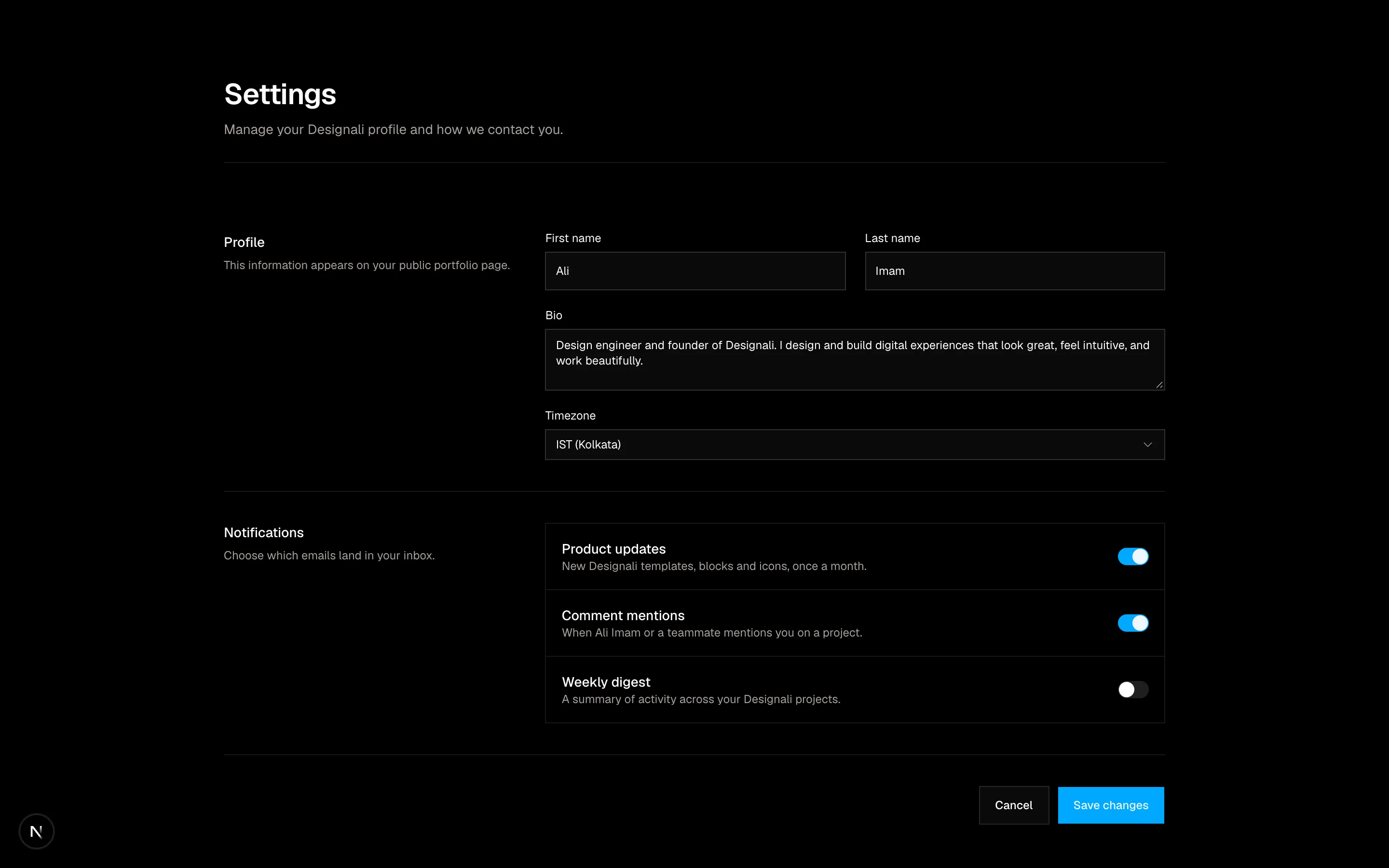
A profile settings form with selects, toggles and a bio field.
forms-03
Files
"use client"

import { useState } from "react"

import { Button } from "@/components/ui/button"
import { Textarea } from "@/components/ui/textarea"
import { cn } from "@/lib/utils"

const scores = Array.from({ length: 11 }, (_, index) => index)

const topics = ["Templates", "Blocks", "Icons", "Docs", "Pricing"]

export function Forms04() {
  const [score, setScore] = useState<number | null>(8)
  const [selected, setSelected] = useState<string[]>(["Docs"])

  const toggleTopic = (topic: string) =>
    setSelected((current) =>
      current.includes(topic)
        ? current.filter((item) => item !== topic)
        : [...current, topic]
    )

  return (
    <section className="w-full bg-background py-24">
      <div className="mx-auto max-w-3xl px-6 text-center">
        <p className="text-xs tracking-widest text-muted-foreground uppercase">
          Quarterly survey · 2 minutes
        </p>
        <h2 className="mt-4 text-3xl font-semibold tracking-tight md:text-4xl">
          How likely are you to recommend Designali to a colleague?
        </h2>

        <div className="mt-10 grid grid-cols-11 border border-border">
          {scores.map((value) => (
            <button
              key={value}
              type="button"
              onClick={() => setScore(value)}
              className={cn(
                "border-border py-3 text-sm transition-colors not-last:border-r md:py-4",
                score === value
                  ? "bg-foreground text-background"
                  : "hover:bg-muted"
              )}
            >
              {value}
            </button>
          ))}
        </div>
        <div className="mt-2 flex justify-between text-xs text-muted-foreground">
          <span>Not likely</span>
          <span>Extremely likely</span>
        </div>

        <div className="mt-12 text-left">
          <p className="text-sm font-medium">What should we improve first?</p>
          <div className="mt-3 flex flex-wrap gap-2">
            {topics.map((topic) => (
              <button
                key={topic}
                type="button"
                onClick={() => toggleTopic(topic)}
                className={cn(
                  "border px-3 py-1.5 text-xs transition-colors",
                  selected.includes(topic)
                    ? "border-foreground bg-muted"
                    : "border-border text-muted-foreground hover:text-foreground"
                )}
              >
                {topic}
              </button>
            ))}
          </div>

          <p className="mt-8 text-sm font-medium">Anything else?</p>
          <Textarea
            rows={4}
            className="mt-3"
            placeholder="I would love more dashboard blocks and Figma files for each template…"
          />
        </div>

        <div className="mt-8 flex items-center justify-between border-t border-border pt-6">
          <button
            type="button"
            className="text-xs text-muted-foreground underline-offset-4 hover:underline"
          >
            Skip for now
          </button>
          <Button size="lg" disabled={score === null}>
            Submit feedback
          </Button>
        </div>
      </div>
    </section>
  )
}
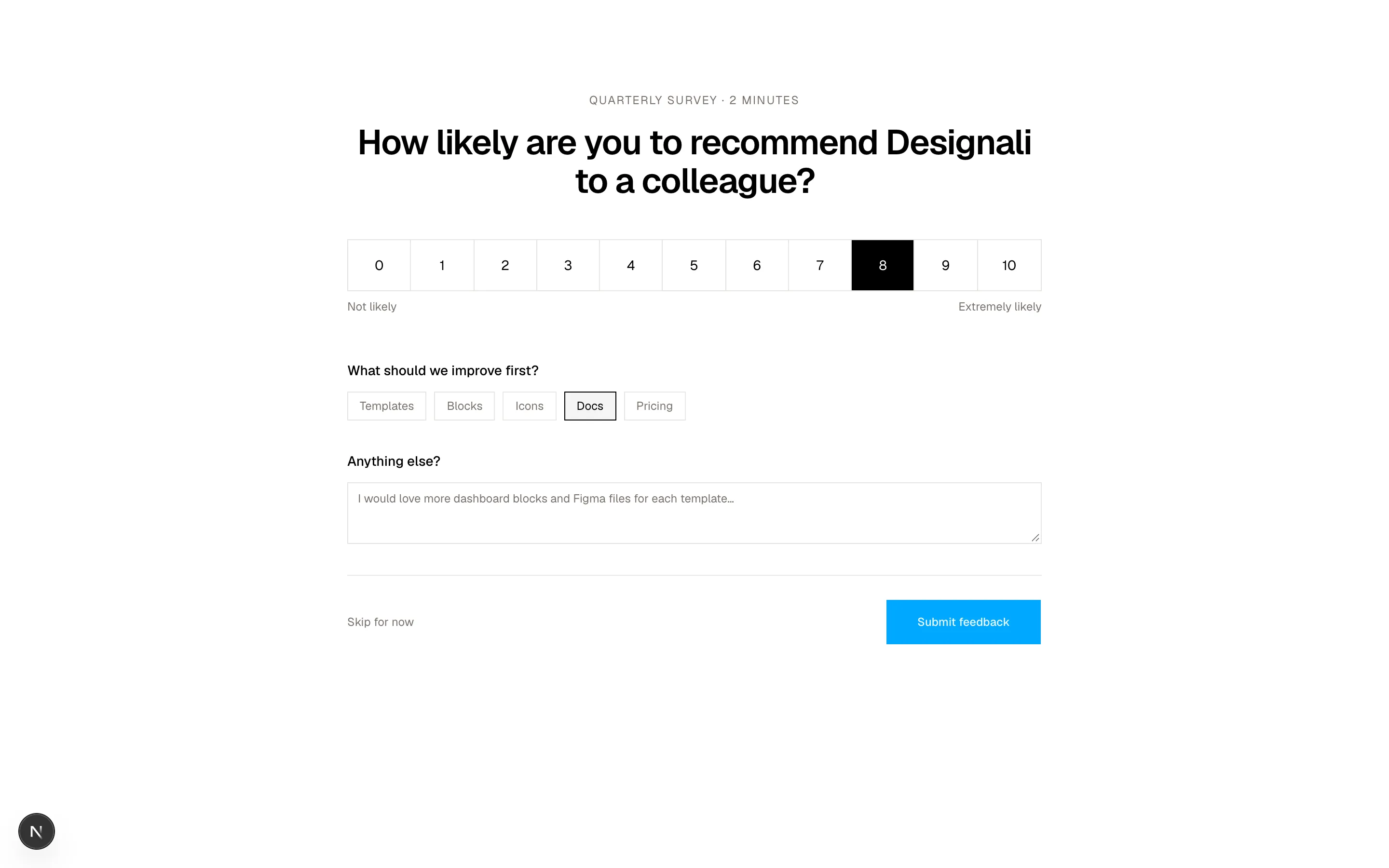
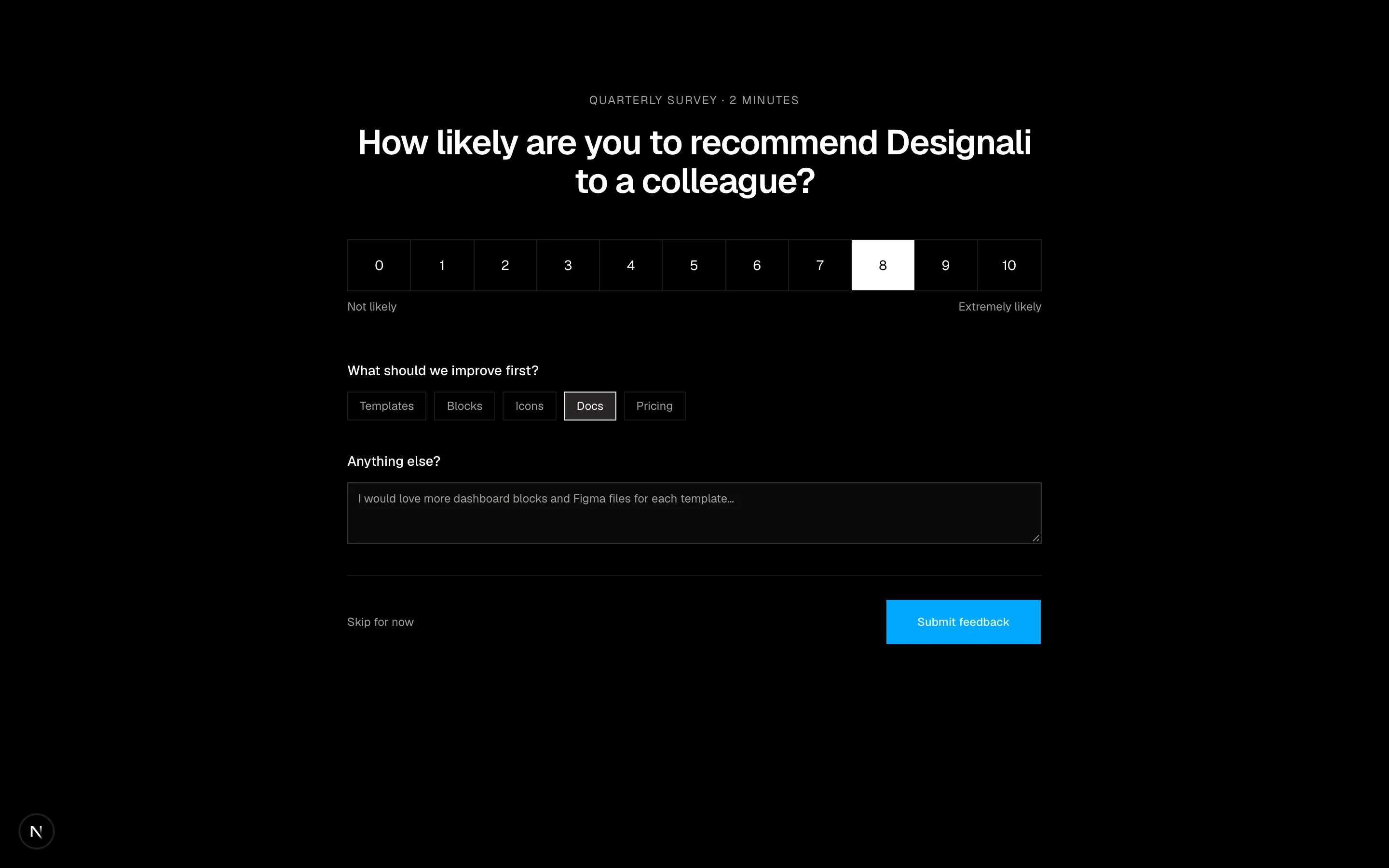
An NPS survey form with a 0 to 10 scale and follow-up comment.
forms-04
Files
"use client"
import {
CalendarDays,
Clock,
MapPin,
} from "@designali/icons"
import { Button } from "@/components/ui/button"
import { Checkbox } from "@/components/ui/checkbox"
import { Input } from "@/components/ui/input"
import { Label } from "@/components/ui/label"
const sessions = [
{ id: "keynote", time: "09:30", title: "Intro: Design se code tak with Ali Imam" },
{ id: "type", time: "11:00", title: "Workshop: From Figma to Next.js" },
{ id: "systems", time: "14:00", title: "Session: Building a design system with Tailwind CSS" },
{ id: "motion", time: "16:30", title: "Talk: Motion and 3D for brand websites" },
]
const details = [
{ icon: CalendarDays, label: "Thursday, 12 March 2026" },
{ icon: Clock, label: "09:00 – 18:00 IST" },
{ icon: MapPin, label: "Online, hosted by Designali" },
]
export function Forms05() {
return (
<section className="w-full bg-background">
<div className="mx-auto grid max-w-6xl border-x border-border lg:grid-cols-2">
<div className="flex flex-col justify-between gap-10 border-b border-border bg-foreground p-8 text-background md:p-12 lg:border-r lg:border-b-0">
<div>
<p className="text-xs tracking-widest uppercase opacity-60">
Workshop registration
</p>
<h2 className="mt-6 text-5xl leading-none font-semibold tracking-tight md:text-6xl">
Designali Live 2026
</h2>
<p className="mt-6 max-w-sm text-sm leading-6 opacity-70">
One day of sessions with Ali Imam on brand identity, UI/UX design
and production-ready code.
</p>
</div>
<ul className="space-y-3 text-sm">
{details.map((item) => (
<li key={item.label} className="flex items-center gap-3">
<item.icon className="size-4 opacity-60" />
{item.label}
</li>
))}
</ul>
</div>
<form className="space-y-8 p-8 md:p-12">
<div className="grid gap-5 sm:grid-cols-2">
<div className="space-y-2">
<Label htmlFor="f5-name">Name</Label>
<Input id="f5-name" placeholder="Your name" className="h-10" />
</div>
<div className="space-y-2">
<Label htmlFor="f5-email">Email</Label>
<Input id="f5-email" type="email" placeholder="you@example.com" className="h-10" />
</div>
<div className="space-y-2 sm:col-span-2">
<Label htmlFor="f5-role">Role & company</Label>
<Input id="f5-role" placeholder="Designer, Your Studio" className="h-10" />
</div>
</div>
<fieldset>
<legend className="text-sm font-medium">Reserve sessions</legend>
<p className="mt-1 text-xs text-muted-foreground">
Sessions are limited to 40 attendees.
</p>
<div className="mt-4 divide-y divide-border border border-border">
{sessions.map((session) => (
<Label
key={session.id}
className="flex cursor-pointer items-start gap-4 p-4 hover:bg-muted/50"
>
<Checkbox defaultChecked={session.id === "keynote"} className="mt-0.5" />
<span className="w-12 font-sans text-muted-foreground">
{session.time}
</span>
<span className="flex-1 text-sm leading-5">{session.title}</span>
</Label>
))}
</div>
</fieldset>
<div className="flex items-center justify-between gap-4">
<p className="text-sm">
<span className="text-2xl font-semibold">$49</span>
<span className="text-muted-foreground"> / ticket</span>
</p>
<Button type="submit" size="lg">
Register
</Button>
</div>
</form>
</div>
</section>
)
}
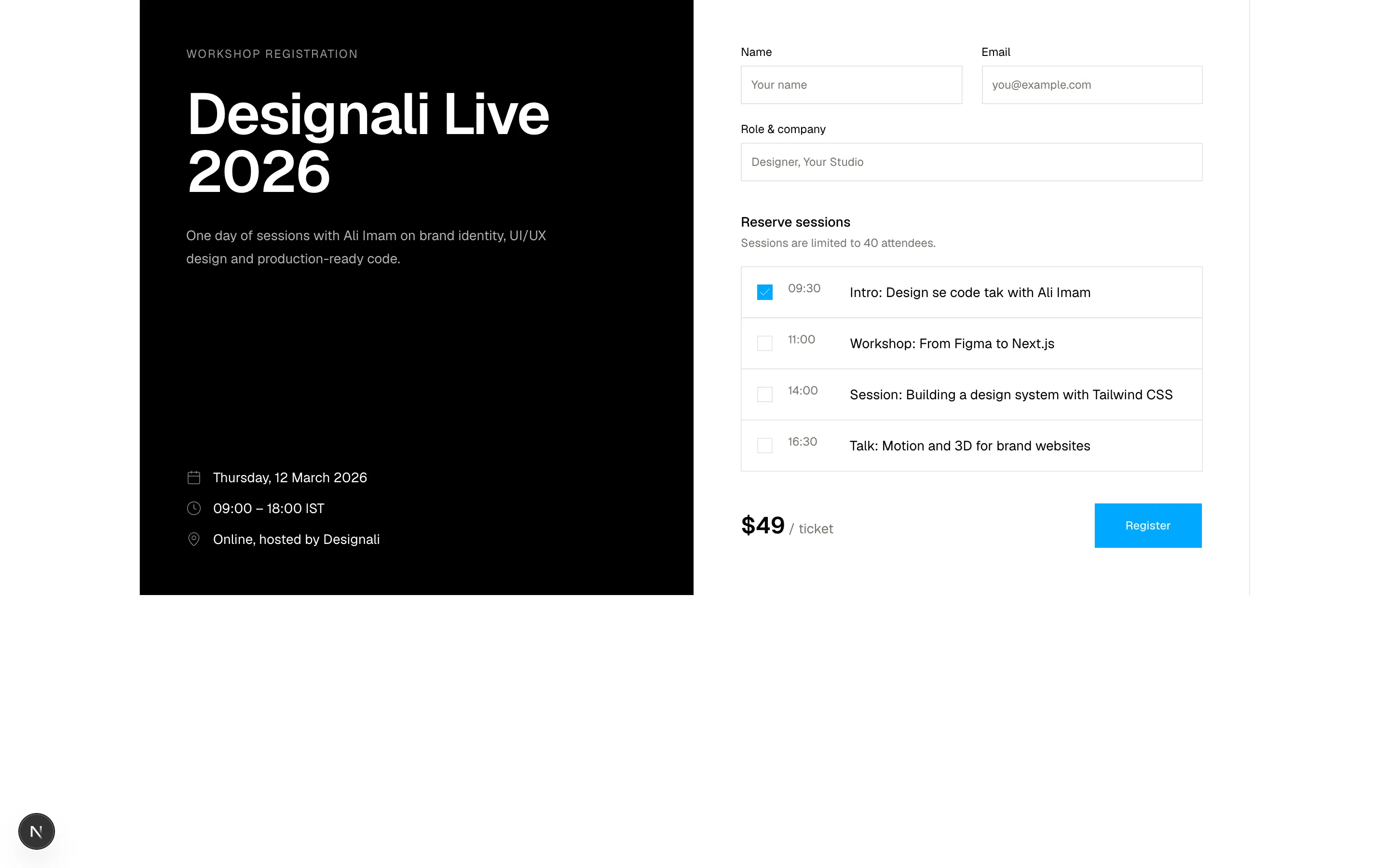
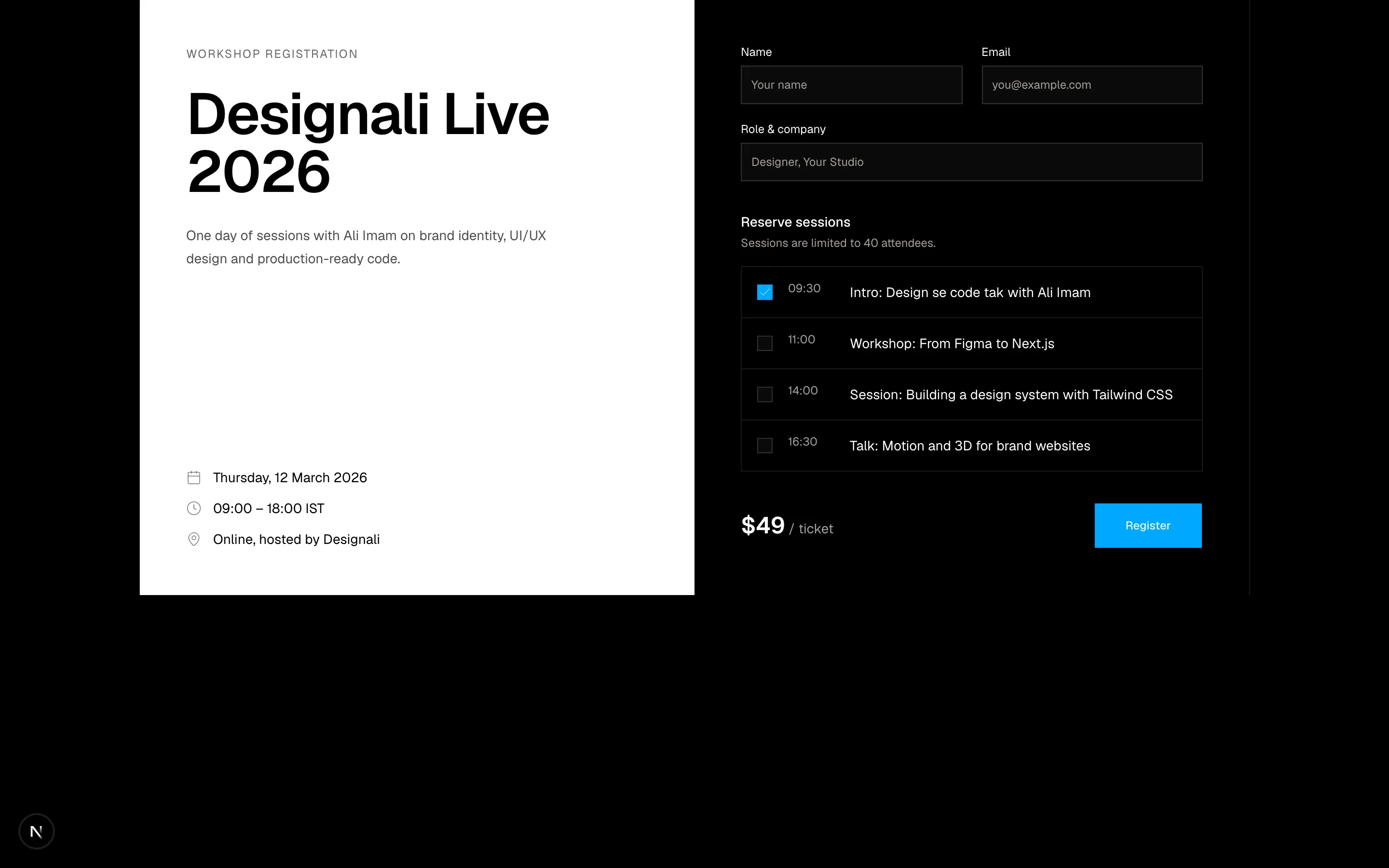
An event registration form with ticket type and agreement checkbox.
forms-05
Files
import {
  ArrowRight,
  Mail,
} from "@designali/icons"

import { Button } from "@/components/ui/button"
import { Checkbox } from "@/components/ui/checkbox"
import { Input } from "@/components/ui/input"
import { Label } from "@/components/ui/label"

const topics = [
  { id: "craft", title: "New blocks and templates", cadence: "Weekly", checked: true },
  { id: "teardowns", title: "Design se code tak notes", cadence: "Biweekly", checked: true },
  { id: "jobs", title: "Icons, logos and vectors drops", cadence: "Monthly", checked: false },
]

export function Forms06() {
  return (
    <section className="w-full bg-foreground py-20 text-background">
      <div className="mx-auto grid max-w-7xl gap-12 px-6 lg:grid-cols-2 lg:items-end">
        <div>
          <div className="flex size-10 items-center justify-center border border-background/20">
            <Mail className="size-4" />
          </div>
          <h2 className="mt-8 text-4xl leading-tight font-semibold tracking-tight md:text-6xl">
            The Designali Letter
          </h2>
          <p className="mt-6 max-w-md text-sm leading-6 opacity-70">
            Short notes from Ali Imam on design and code, plus the newest
            Designali templates, blocks and resources. No sponsors, ever.
          </p>
        </div>

        <form className="space-y-6">
          <fieldset className="divide-y divide-background/15 border border-background/15">
            <legend className="sr-only">Choose what you receive</legend>
            {topics.map((topic) => (
              <Label
                key={topic.id}
                className="flex cursor-pointer items-center gap-4 p-4 hover:bg-background/5"
              >
                <Checkbox
                  defaultChecked={topic.checked}
                  className="border-background/40 data-checked:border-background data-checked:bg-background data-checked:text-foreground dark:data-checked:bg-background"
                />
                <span className="flex-1 text-sm">{topic.title}</span>
                <span className="font-sans text-[10px] tracking-wider uppercase opacity-60">
                  {topic.cadence}
                </span>
              </Label>
            ))}
          </fieldset>
          <div className="flex flex-col gap-2 sm:flex-row">
            <Label htmlFor="f6-email" className="sr-only">
              Email address
            </Label>
            <Input
              id="f6-email"
              type="email"
              required
              placeholder="you@example.com"
              className="h-12 border-background/20 bg-transparent text-background placeholder:text-background/50 dark:bg-transparent"
            />
            <Button
              type="submit"
              size="lg"
              className="bg-background text-foreground hover:bg-background/90"
            >
              Subscribe
              <ArrowRight />
            </Button>
          </div>
          <p className="text-xs opacity-60">
            One click to unsubscribe. We never share your address.
          </p>
        </form>
      </div>
    </section>
  )
}
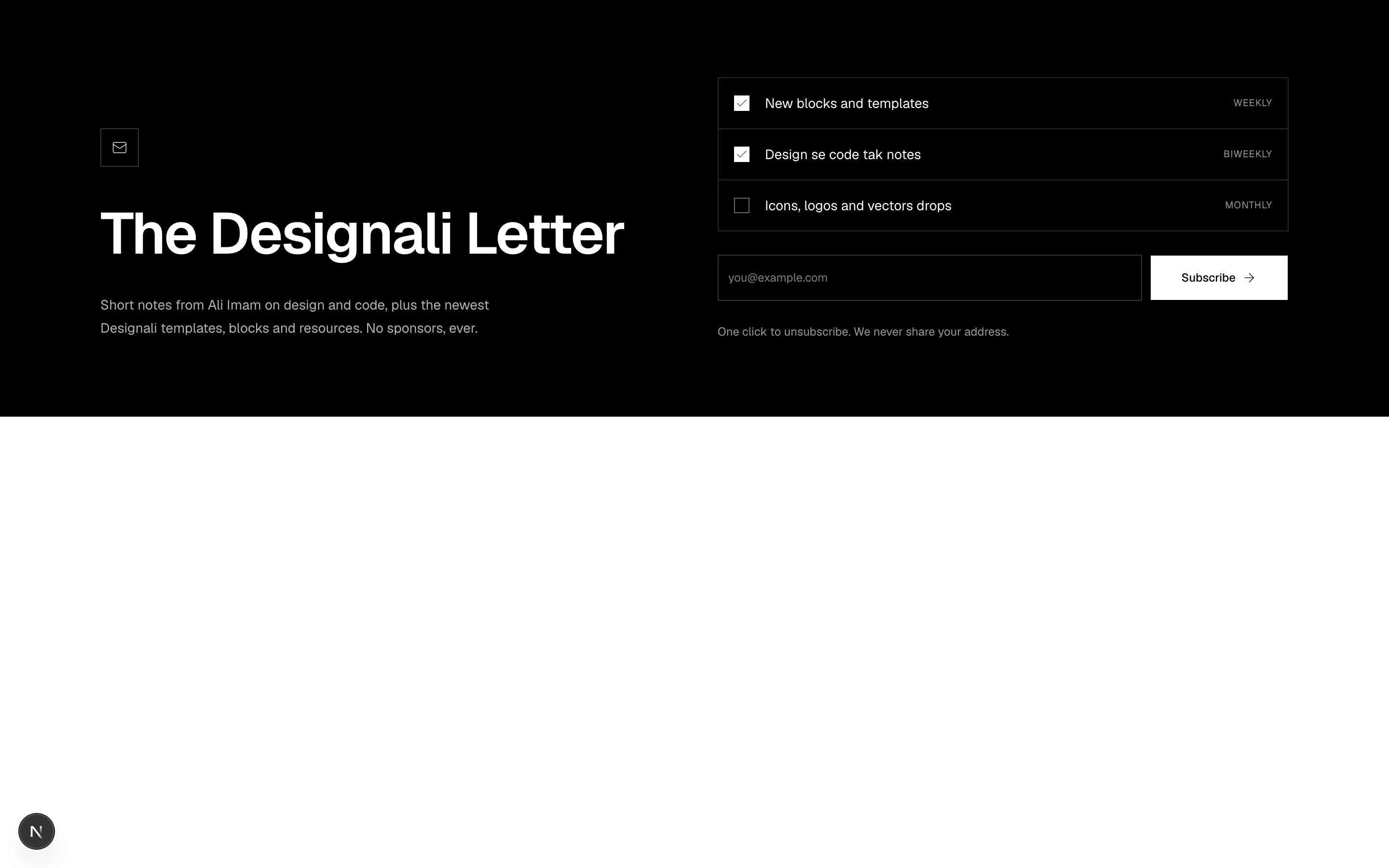
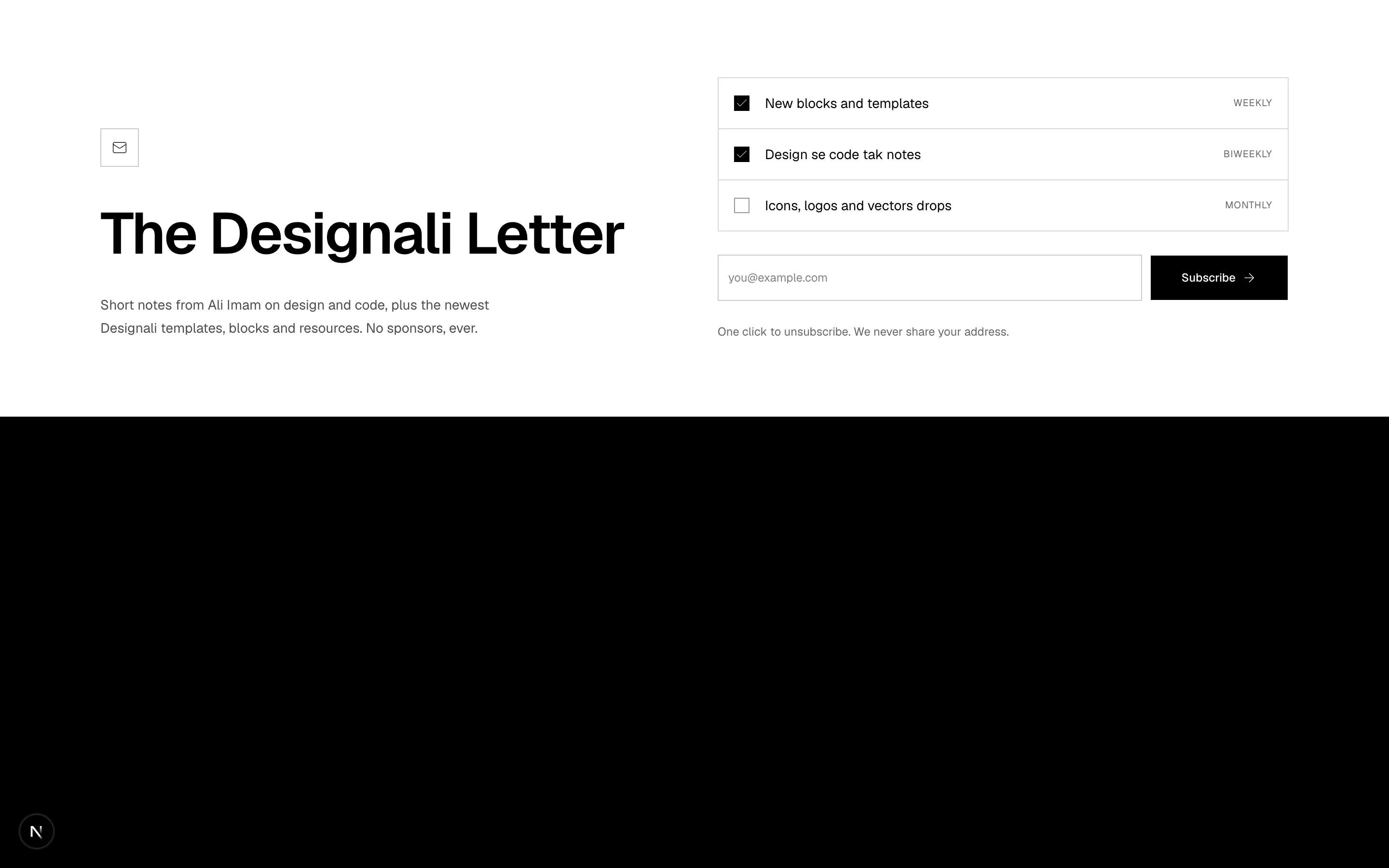
Inverted newsletter band with topic checkboxes and inline email signup.
forms-06
Files
import {
  KeyRound,
  Lock,
} from "@designali/icons"

import { Button } from "@/components/ui/button"
import { Checkbox } from "@/components/ui/checkbox"
import { Input } from "@/components/ui/input"
import { Label } from "@/components/ui/label"

function GlyphMark({ letter }: { letter: string }) {
  return (
    <span className="flex size-5 items-center justify-center bg-foreground text-[10px] font-semibold text-background">
      {letter}
    </span>
  )
}

const providers = [
  { name: "Continue with GitHub", letter: "G" },
  { name: "Continue with Figma", letter: "F" },
]

export function Forms07() {
  return (
    <section className="w-full bg-muted/40 py-20">
      <div className="mx-auto max-w-md px-6">
        <div className="border border-border bg-background p-6 shadow-sm md:p-10">
          <div className="flex items-center gap-2 text-sm font-semibold">
            <span className="flex size-7 items-center justify-center bg-primary text-primary-foreground">
              <Lock className="size-3.5" />
            </span>
            designali
          </div>
          <h2 className="mt-8 text-2xl font-semibold tracking-tight">
            Sign in to Designali
          </h2>
          <p className="mt-2 text-sm text-muted-foreground">
            New here?{" "}
            <a href="#" className="text-foreground underline underline-offset-4">
              Create an account
            </a>
          </p>

          <div className="mt-8 grid gap-2">
            {providers.map((provider) => (
              <Button key={provider.name} variant="outline" size="lg" className="w-full">
                <GlyphMark letter={provider.letter} />
                {provider.name}
              </Button>
            ))}
            <Button variant="outline" size="lg" className="w-full">
              <KeyRound />
              Sign in with a passkey
            </Button>
          </div>

          <div className="my-8 flex items-center gap-4 text-xs text-muted-foreground">
            <span className="h-px flex-1 bg-border" />
            or with email
            <span className="h-px flex-1 bg-border" />
          </div>

          <form className="space-y-5">
            <div className="space-y-2">
              <Label htmlFor="f7-email">Email</Label>
              <Input id="f7-email" type="email" autoComplete="email" placeholder="you@example.com" className="h-10" />
            </div>
            <div className="space-y-2">
              <div className="flex items-center justify-between">
                <Label htmlFor="f7-password">Password</Label>
                <a href="#" className="text-xs text-muted-foreground hover:text-foreground">
                  Forgot password?
                </a>
              </div>
              <Input id="f7-password" type="password" autoComplete="current-password" className="h-10" />
            </div>
            <Label className="flex items-center gap-2 text-xs font-normal text-muted-foreground">
              <Checkbox defaultChecked />
              Keep me signed in for 30 days
            </Label>
            <Button type="submit" size="lg" className="w-full">
              Sign in
            </Button>
          </form>
        </div>
        <p className="mt-6 text-center text-xs text-muted-foreground">
          By signing in you agree to the Designali terms of use.
        </p>
      </div>
    </section>
  )
}
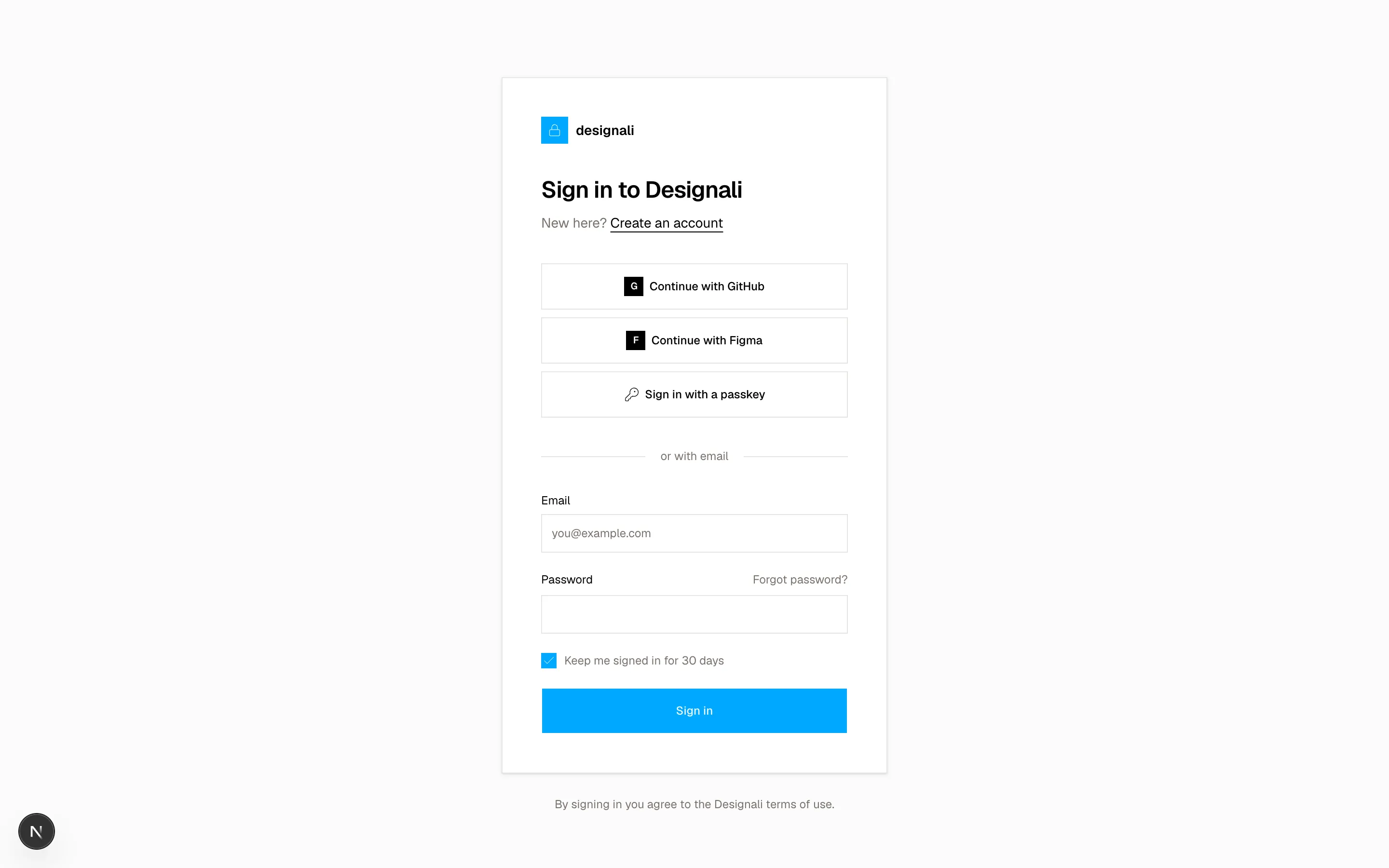
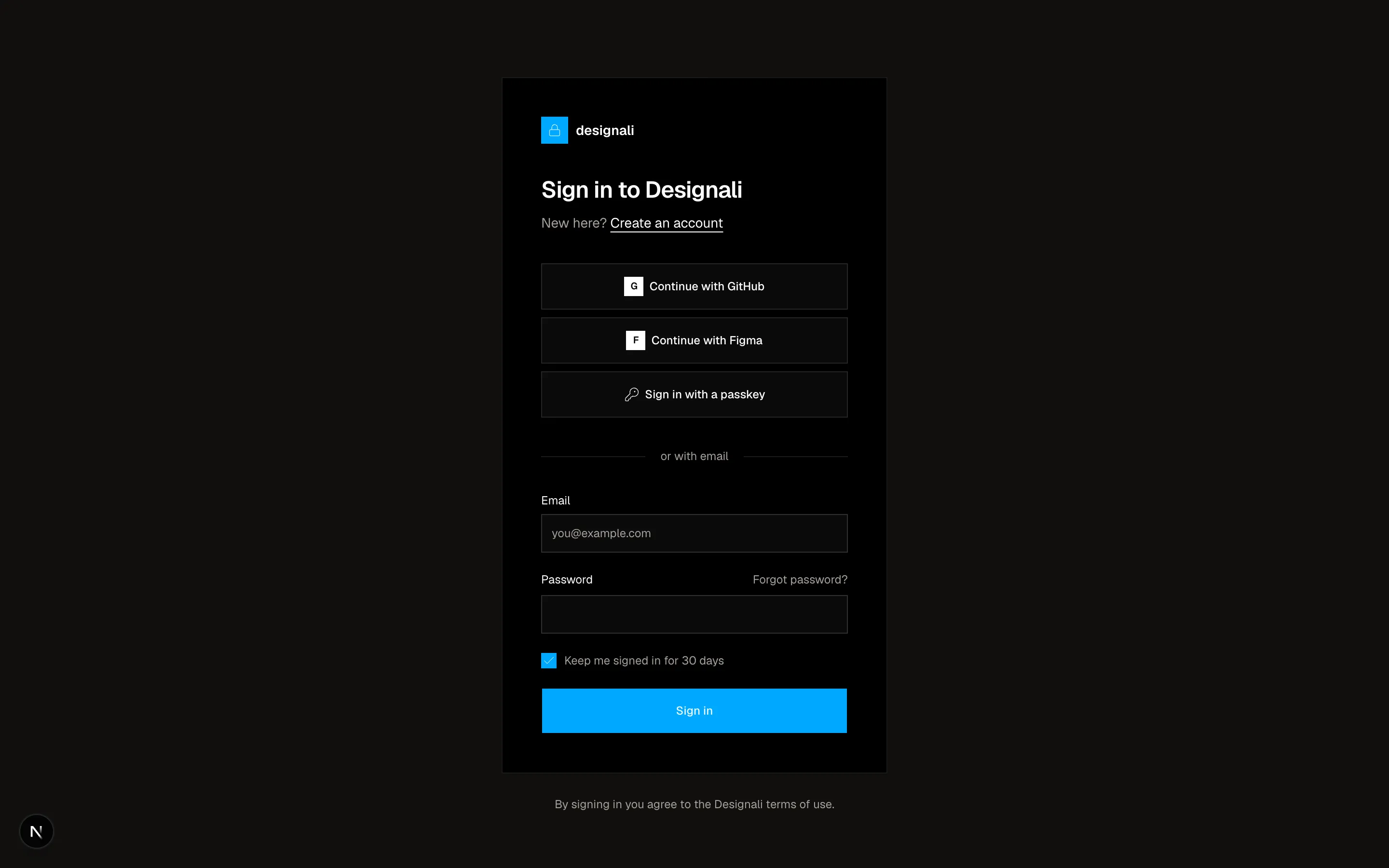
Centered sign-in card with SSO providers, passkey option and email login.
forms-07
Files
"use client"
import { useState } from "react"
import {
Check,
X,
} from "@designali/icons"
import { Button } from "@/components/ui/button"
import { Input } from "@/components/ui/input"
import { Label } from "@/components/ui/label"
import { cn } from "@/lib/utils"
const rules = [
{ label: "At least 12 characters", test: (v: string) => v.length >= 12 },
{ label: "One uppercase letter", test: (v: string) => /[A-Z]/.test(v) },
{ label: "One number", test: (v: string) => /\d/.test(v) },
{ label: "One symbol", test: (v: string) => /[^A-Za-z0-9]/.test(v) },
]
const strengthLabels = ["Too weak", "Weak", "Fair", "Good", "Strong"]
export function Forms08() {
const [password, setPassword] = useState("Designali2026")
const passed = rules.filter((rule) => rule.test(password)).length
return (
<section className="w-full bg-background">
<div className="mx-auto grid max-w-7xl lg:grid-cols-[1fr_1.1fr]">
<div className="relative flex flex-col justify-between gap-16 overflow-hidden bg-muted p-8 md:p-12">
<div
className="absolute -top-24 -right-24 size-80 rounded-full bg-gradient-to-br from-chart-1/60 to-primary/40 blur-3xl dark:from-primary/30 dark:to-chart-2/20"
aria-hidden
/>
<p className="relative text-sm font-semibold">designali</p>
<figure className="relative">
<blockquote className="text-2xl leading-snug font-medium tracking-tight md:text-3xl">
“Where thoughtful design meets production-ready code. I
design and build digital experiences that look great, feel
intuitive, and work beautifully.”
</blockquote>
<figcaption className="mt-8 flex items-center gap-3">
<span className="flex size-10 items-center justify-center bg-foreground text-xs font-medium text-background">
AI
</span>
<span className="text-sm">
<span className="block font-medium">Ali Imam</span>
<span className="text-muted-foreground">Founder, Designali</span>
</span>
</figcaption>
</figure>
</div>
<form className="space-y-6 p-8 md:p-12">
<div>
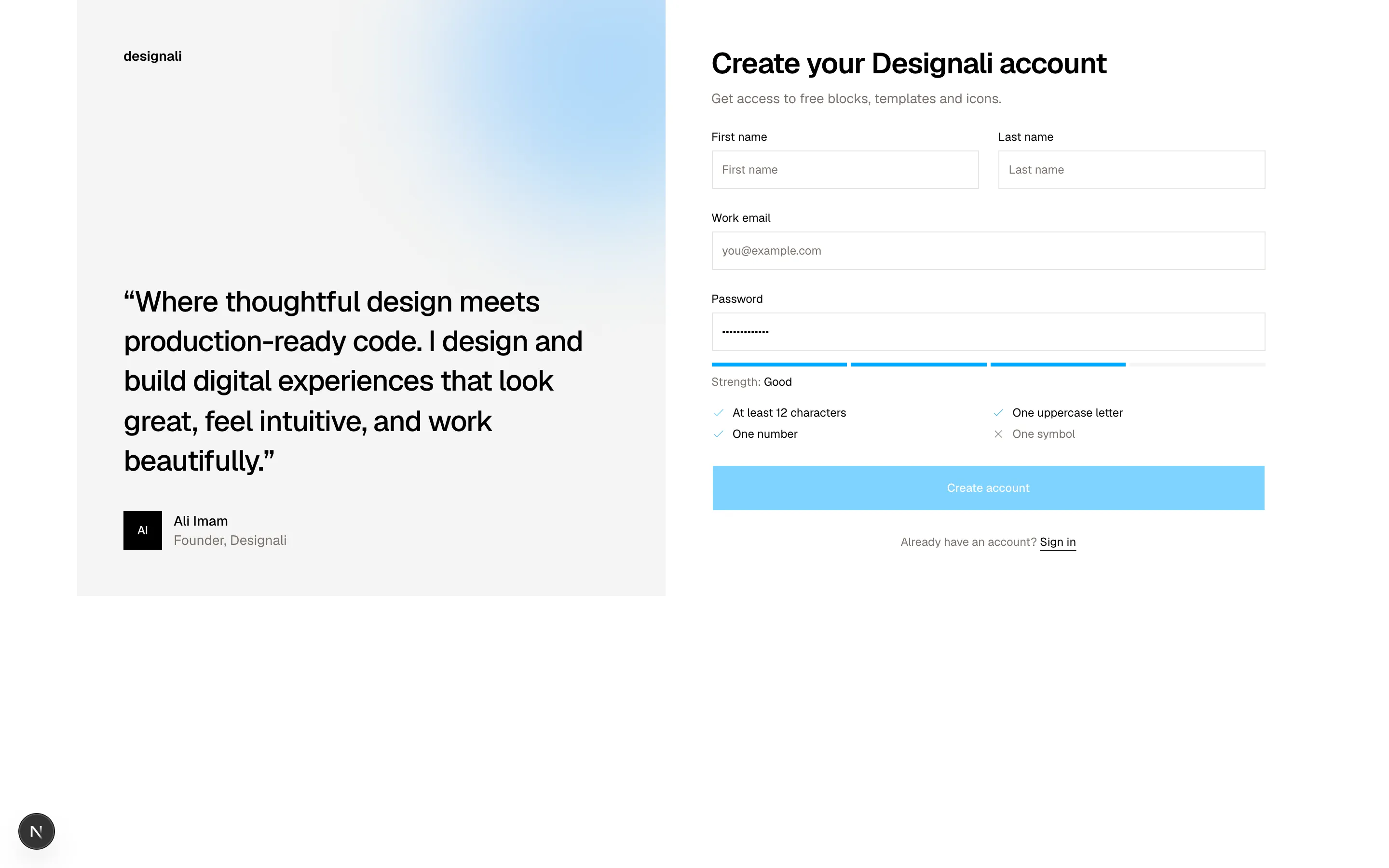
<h2 className="text-3xl font-semibold tracking-tight">Create your Designali account</h2>
<p className="mt-2 text-sm text-muted-foreground">Get access to free blocks, templates and icons.</p>
</div>
<div className="grid gap-5 sm:grid-cols-2">
<div className="space-y-2">
<Label htmlFor="f8-first">First name</Label>
<Input id="f8-first" placeholder="First name" className="h-10" />
</div>
<div className="space-y-2">
<Label htmlFor="f8-last">Last name</Label>
<Input id="f8-last" placeholder="Last name" className="h-10" />
</div>
</div>
<div className="space-y-2">
<Label htmlFor="f8-email">Work email</Label>
<Input id="f8-email" type="email" placeholder="you@example.com" className="h-10" />
</div>
<div className="space-y-2">
<Label htmlFor="f8-password">Password</Label>
<Input
id="f8-password"
type="password"
value={password}
onChange={(event) => setPassword(event.target.value)}
className="h-10"
/>
<div className="flex gap-1 pt-1" aria-hidden>
{Array.from({ length: 4 }, (_, index) => (
<span
key={index}
className={cn(
"h-1 flex-1 bg-muted transition-colors",
index < passed &&
(passed <= 1
? "bg-destructive"
: passed <= 2
? "bg-primary"
: passed <= 3
? "bg-primary"
: "bg-primary")
)}
/>
))}
</div>
<p className="text-xs text-muted-foreground" aria-live="polite">
Strength: <span className="text-foreground">{strengthLabels[passed]}</span>
</p>
<ul className="grid gap-1.5 pt-2 sm:grid-cols-2">
{rules.map((rule) => {
const ok = rule.test(password)
return (
<li
key={rule.label}
className={cn(
"flex items-center gap-2 text-xs",
ok ? "text-foreground" : "text-muted-foreground"
)}
>
{ok ? (
<Check className="size-3.5 text-primary dark:text-primary" />
) : (
<X className="size-3.5" />
)}
{rule.label}
</li>
)
})}
</ul>
</div>
<Button type="submit" size="lg" className="w-full" disabled={passed < 4}>
Create account
</Button>
<p className="text-center text-xs text-muted-foreground">
Already have an account?{" "}
<a href="#" className="text-foreground underline underline-offset-4">
Sign in
</a>
</p>
</form>
</div>
</section>
)
}
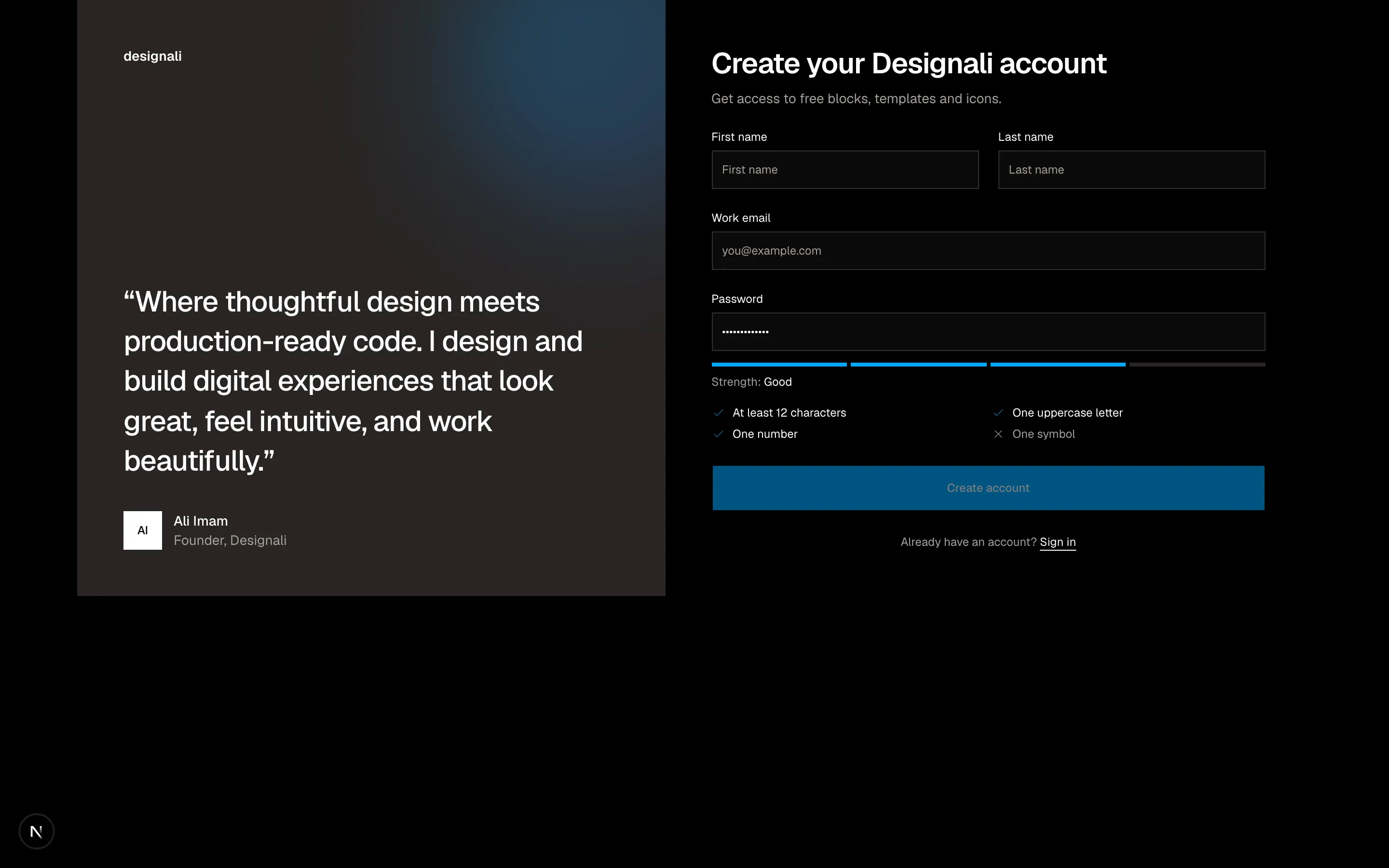
Split trial sign-up with testimonial panel and live password strength meter.
forms-08
Files
"use client"

import { useEffect, useState } from "react"
import {
  ArrowLeft,
  ShieldCheck,
} from "@designali/icons"

import { Button } from "@/components/ui/button"
import {
  InputOTP,
  InputOTPGroup,
  InputOTPSeparator,
  InputOTPSlot,
} from "@/components/ui/input-otp"

export function Forms09() {
  const [code, setCode] = useState("")
  const [seconds, setSeconds] = useState(45)

  useEffect(() => {
    if (seconds <= 0) return
    const timer = setTimeout(() => setSeconds((s) => s - 1), 1000)
    return () => clearTimeout(timer)
  }, [seconds])

  return (
    <section className="w-full bg-background py-24">
      <div className="mx-auto flex max-w-lg flex-col items-center px-6 text-center">
        <div className="flex size-14 items-center justify-center border border-border bg-muted">
          <ShieldCheck className="size-6" />
        </div>
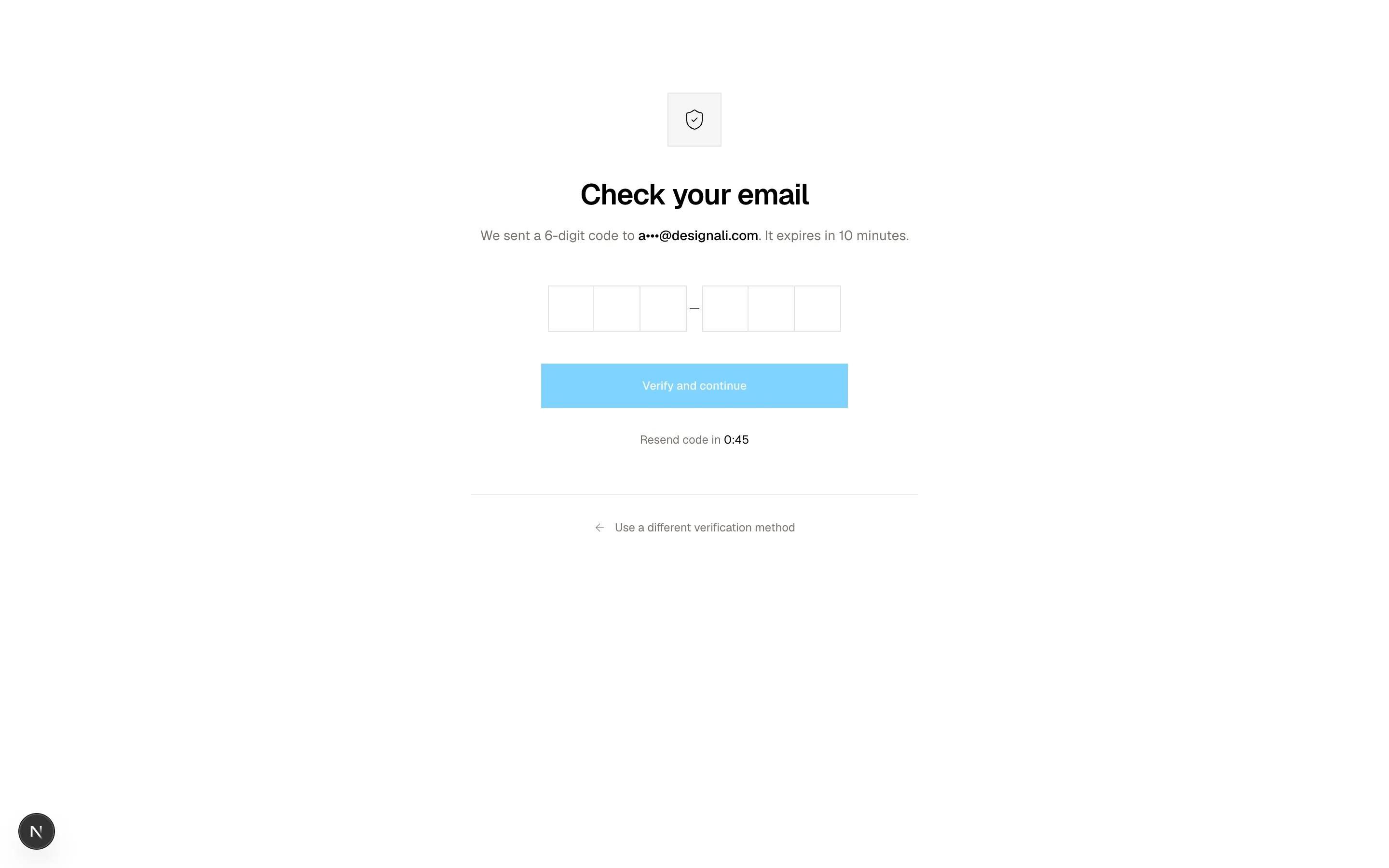
        <h2 className="mt-8 text-3xl font-semibold tracking-tight">Check your email</h2>
        <p className="mt-3 text-sm leading-6 text-muted-foreground">
          We sent a 6-digit code to{" "}
          <span className="font-medium text-foreground">a•••@designali.com</span>.
          It expires in 10 minutes.
        </p>

        <form className="mt-10 flex w-full flex-col items-center gap-8">
          <InputOTP maxLength={6} value={code} onChange={setCode} aria-label="Verification code">
            <InputOTPGroup>
              {[0, 1, 2].map((index) => (
                <InputOTPSlot key={index} index={index} className="size-11 text-base sm:size-12" />
              ))}
            </InputOTPGroup>
            <InputOTPSeparator />
            <InputOTPGroup>
              {[3, 4, 5].map((index) => (
                <InputOTPSlot key={index} index={index} className="size-11 text-base sm:size-12" />
              ))}
            </InputOTPGroup>
          </InputOTP>

          <Button type="submit" size="lg" className="w-full max-w-xs" disabled={code.length < 6}>
            Verify and continue
          </Button>
        </form>

        <div className="mt-6 text-xs text-muted-foreground">
          {seconds > 0 ? (
            <span>
              Resend code in <span className="font-sans text-foreground">0:{String(seconds).padStart(2, "0")}</span>
            </span>
          ) : (
            <button
              type="button"
              onClick={() => setSeconds(45)}
              className="text-foreground underline underline-offset-4"
            >
              Resend code
            </button>
          )}
        </div>

        <div className="mt-12 w-full border-t border-border pt-6">
          <a
            href="#"
            className="inline-flex items-center gap-2 text-xs text-muted-foreground hover:text-foreground"
          >
            <ArrowLeft className="size-3.5" />
            Use a different verification method
          </a>
        </div>
      </div>
    </section>
  )
}
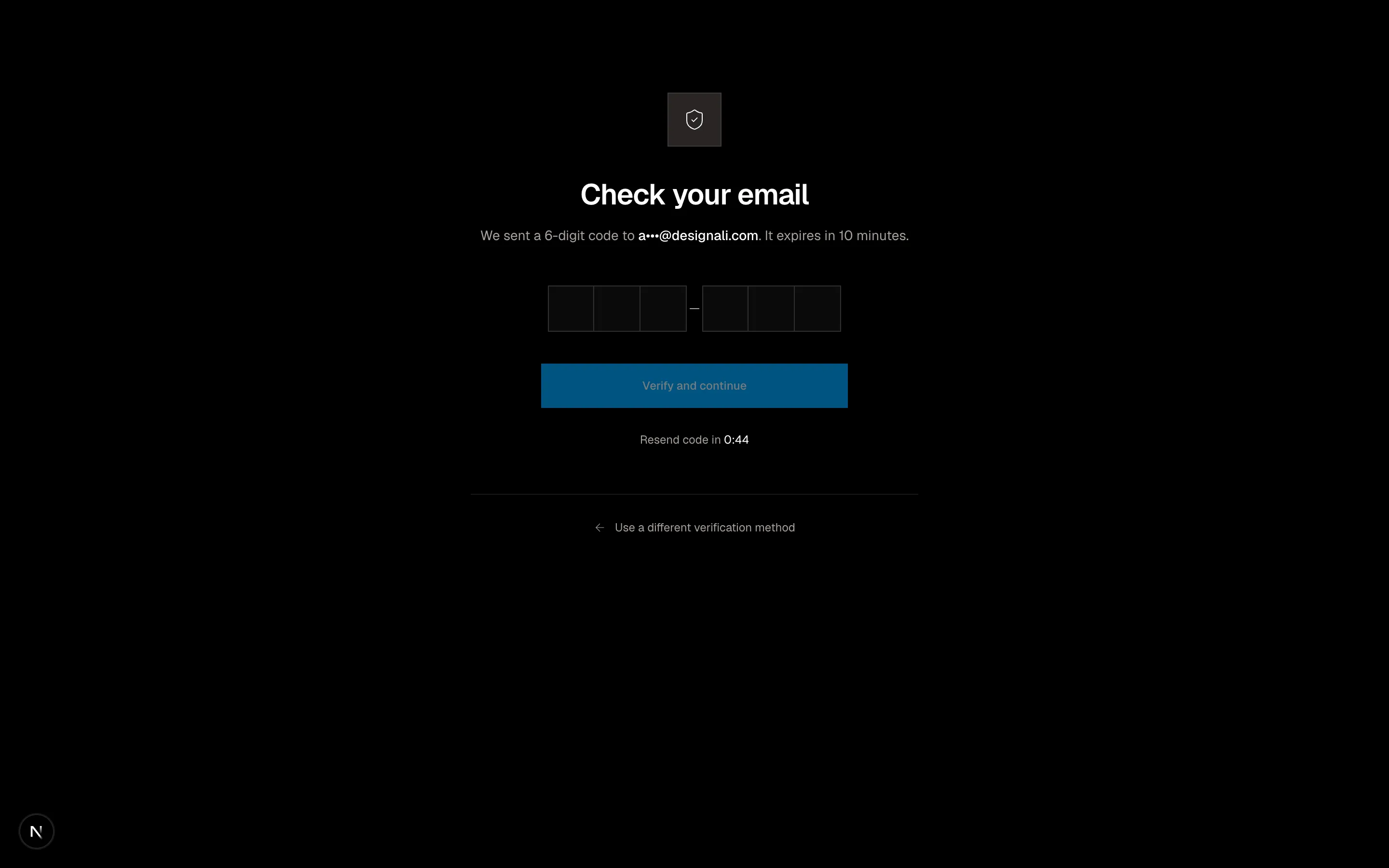
Centered two-factor verification with six-digit OTP input and resend countdown.
forms-09
Files
import {
  CreditCard,
  Lock,
} from "@designali/icons"

import { Button } from "@/components/ui/button"
import { Checkbox } from "@/components/ui/checkbox"
import { Input } from "@/components/ui/input"
import { Label } from "@/components/ui/label"
import {
  NativeSelect,
  NativeSelectOption,
} from "@/components/ui/native-select"

const items = [
  { name: "Designali Pro, All Templates", meta: "Personal licence", price: 149, tone: "from-primary to-chart-2" },
  { name: "Designali Icons Pro", meta: "4000+ icons / Figma + React", price: 49, tone: "from-chart-3 to-chart-5" },
]

const subtotal = items.reduce((sum, item) => sum + item.price, 0)
const shipping = 0
const tax = Math.round(subtotal * 0.08)

export function Forms10() {
  return (
    <section className="w-full bg-background py-20">
      <div className="mx-auto grid max-w-7xl gap-10 px-6 lg:grid-cols-[1.4fr_1fr]">
        <form className="space-y-10">
          <div>
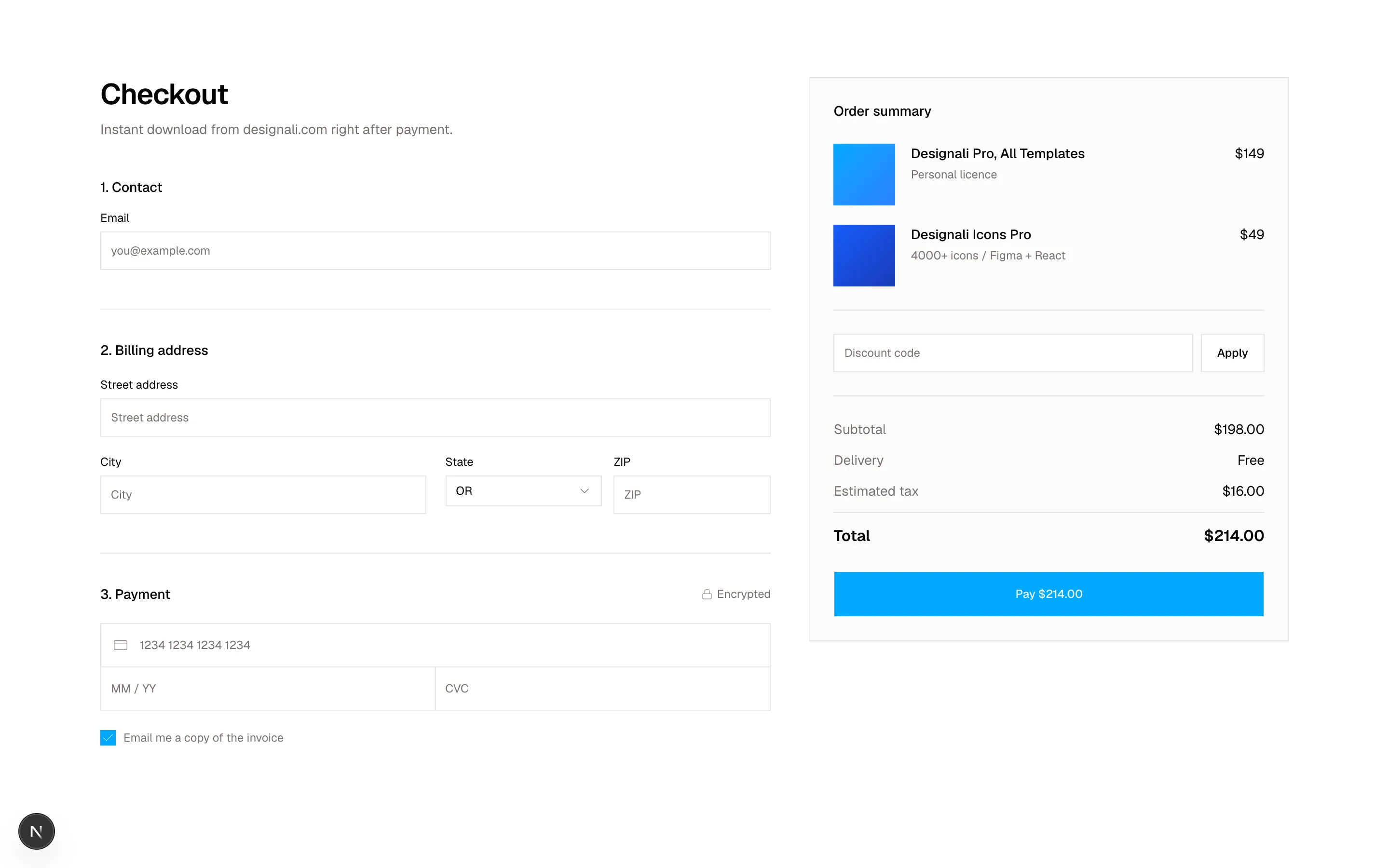
            <h2 className="text-3xl font-semibold tracking-tight">Checkout</h2>
            <p className="mt-2 text-sm text-muted-foreground">
              Instant download from designali.com right after payment.
            </p>
          </div>

          <fieldset className="space-y-5">
            <legend className="mb-4 text-sm font-medium">1. Contact</legend>
            <div className="space-y-2">
              <Label htmlFor="f10-email">Email</Label>
              <Input id="f10-email" type="email" placeholder="you@example.com" className="h-10" />
            </div>
          </fieldset>

          <fieldset className="space-y-5 border-t border-border pt-8">
            <legend className="sr-only">Billing</legend>
            <p className="text-sm font-medium">2. Billing address</p>
            <div className="grid gap-5 sm:grid-cols-2">
              <div className="space-y-2 sm:col-span-2">
                <Label htmlFor="f10-address">Street address</Label>
                <Input id="f10-address" placeholder="Street address" className="h-10" />
              </div>
              <div className="space-y-2">
                <Label htmlFor="f10-city">City</Label>
                <Input id="f10-city" placeholder="City" className="h-10" />
              </div>
              <div className="grid grid-cols-2 gap-3">
                <div className="space-y-2">
                  <Label htmlFor="f10-state">State</Label>
                  <NativeSelect id="f10-state" className="w-full" defaultValue="OR">
                    <NativeSelectOption value="OR">OR</NativeSelectOption>
                    <NativeSelectOption value="WA">WA</NativeSelectOption>
                    <NativeSelectOption value="CA">CA</NativeSelectOption>
                  </NativeSelect>
                </div>
                <div className="space-y-2">
                  <Label htmlFor="f10-zip">ZIP</Label>
                  <Input id="f10-zip" inputMode="numeric" placeholder="ZIP" className="h-10" />
                </div>
              </div>
            </div>
          </fieldset>

          <fieldset className="space-y-5 border-t border-border pt-8">
            <legend className="sr-only">Payment</legend>
            <p className="flex items-center justify-between text-sm font-medium">
              3. Payment
              <span className="flex items-center gap-1 text-xs font-normal text-muted-foreground">
                <Lock className="size-3" /> Encrypted
              </span>
            </p>
            <div className="border border-border">
              <div className="relative border-b border-border">
                <Label htmlFor="f10-card" className="sr-only">Card number</Label>
                <CreditCard className="absolute top-1/2 left-3 size-4 -translate-y-1/2 text-muted-foreground" />
                <Input
                  id="f10-card"
                  inputMode="numeric"
                  placeholder="1234 1234 1234 1234"
                  className="h-11 border-0 pl-10 focus-visible:ring-0"
                />
              </div>
              <div className="grid grid-cols-2">
                <Label htmlFor="f10-exp" className="sr-only">Expiry</Label>
                <Input id="f10-exp" placeholder="MM / YY" className="h-11 border-0 border-r border-border focus-visible:ring-0" />
                <Label htmlFor="f10-cvc" className="sr-only">CVC</Label>
                <Input id="f10-cvc" inputMode="numeric" placeholder="CVC" className="h-11 border-0 focus-visible:ring-0" />
              </div>
            </div>
            <Label className="flex items-center gap-2 text-xs font-normal text-muted-foreground">
              <Checkbox defaultChecked />
              Email me a copy of the invoice
            </Label>
          </fieldset>
        </form>

        <aside className="h-fit border border-border bg-muted/40 p-6 lg:sticky lg:top-6">
          <h3 className="text-sm font-medium">Order summary</h3>
          <ul className="mt-6 space-y-5">
            {items.map((item) => (
              <li key={item.name} className="flex gap-4">
                <span className={`size-16 shrink-0 bg-gradient-to-br ${item.tone}`} aria-hidden />
                <div className="min-w-0 flex-1">
                  <p className="text-sm leading-5 font-medium">{item.name}</p>
                  <p className="mt-1 text-xs text-muted-foreground">{item.meta}</p>
                </div>
                <p className="text-sm">${item.price}</p>
              </li>
            ))}
          </ul>
          <div className="mt-6 flex gap-2 border-t border-border pt-6">
            <Label htmlFor="f10-code" className="sr-only">Discount code</Label>
            <Input id="f10-code" placeholder="Discount code" className="h-10 bg-background" />
            <Button variant="outline" type="button">Apply</Button>
          </div>
          <dl className="mt-6 space-y-3 border-t border-border pt-6 text-sm">
            <div className="flex justify-between">
              <dt className="text-muted-foreground">Subtotal</dt>
              <dd>${subtotal}.00</dd>
            </div>
            <div className="flex justify-between">
              <dt className="text-muted-foreground">Delivery</dt>
              <dd>{shipping === 0 ? "Free" : `$${shipping}`}</dd>
            </div>
            <div className="flex justify-between">
              <dt className="text-muted-foreground">Estimated tax</dt>
              <dd>${tax}.00</dd>
            </div>
            <div className="flex justify-between border-t border-border pt-3 text-base font-semibold">
              <dt>Total</dt>
              <dd>${subtotal + shipping + tax}.00</dd>
            </div>
          </dl>
          <Button type="submit" size="lg" className="mt-6 w-full">
            Pay ${subtotal + shipping + tax}.00
          </Button>
        </aside>
      </div>
    </section>
  )
}
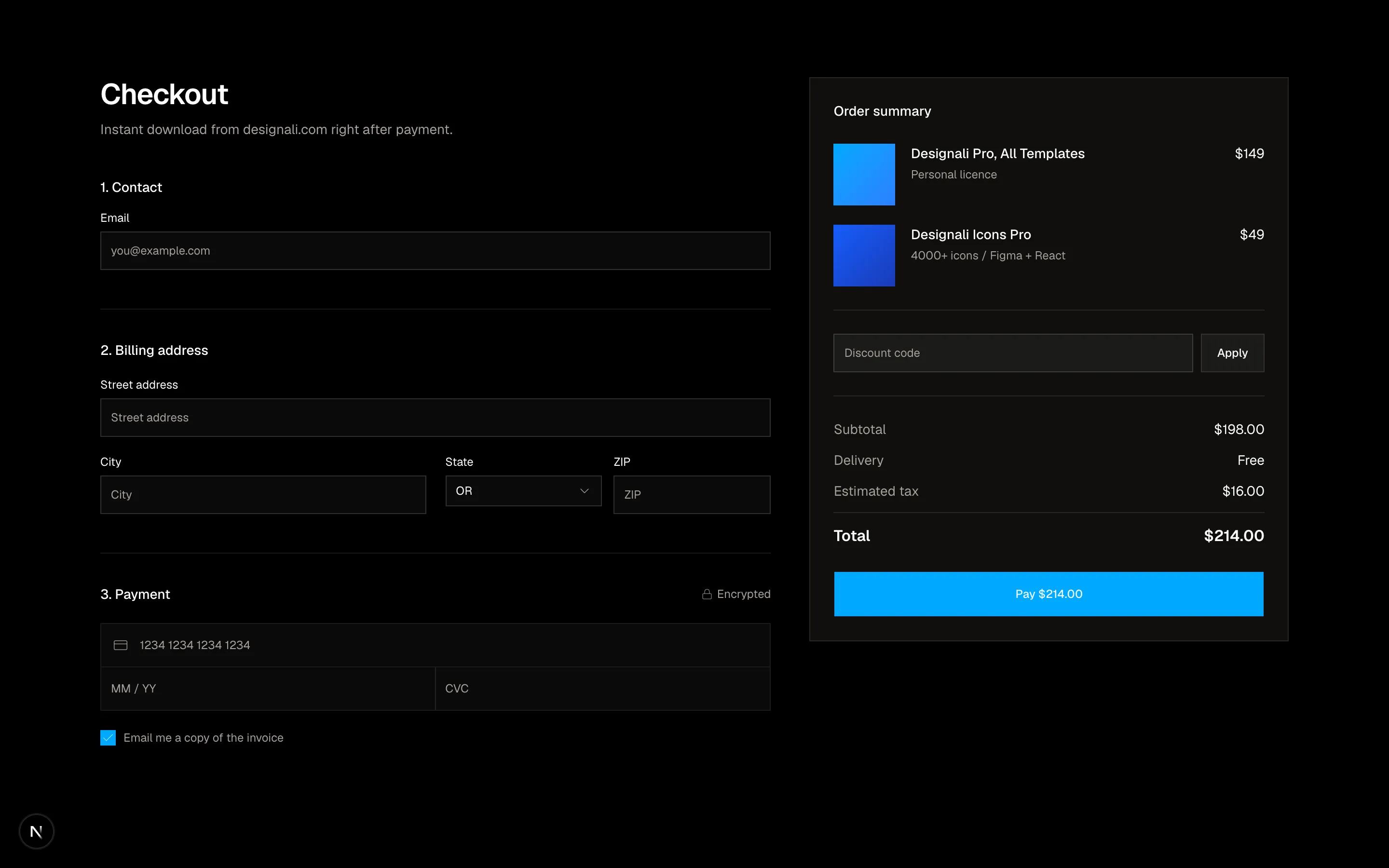
Checkout with stepped contact, shipping and card fields beside a sticky order summary.
forms-10
Files
"use client"

import { useState } from "react"
import {
  ArrowRight,
} from "@designali/icons"

import { Button } from "@/components/ui/button"
import { Input } from "@/components/ui/input"
import { Label } from "@/components/ui/label"
import { Slider } from "@/components/ui/slider"
import { Switch } from "@/components/ui/switch"
import { cn } from "@/lib/utils"

const projectTypes = [
  { id: "landing", label: "Landing page", base: 6000 },
  { id: "site", label: "Marketing site", base: 18000 },
  { id: "app", label: "Web app", base: 42000 },
]

const toNumber = (value: number | readonly number[]) =>
  Array.isArray(value) ? value[0] : (value as number)

export function Forms11() {
  const [type, setType] = useState("site")
  const [pages, setPages] = useState(8)
  const [weeks, setWeeks] = useState(8)
  const [cms, setCms] = useState(true)
  const [copy, setCopy] = useState(false)

  const base = projectTypes.find((item) => item.id === type)?.base ?? 0
  const rush = weeks < 6 ? 1.25 : 1
  const estimate = Math.round(
    (base + pages * 900 + (cms ? 4500 : 0) + (copy ? pages * 350 : 0)) * rush
  )
  const low = Math.round((estimate * 0.9) / 500) * 500
  const high = Math.round((estimate * 1.15) / 500) * 500

  return (
    <section className="w-full bg-muted/40 py-20">
      <div className="mx-auto max-w-7xl px-6">
        <div className="max-w-2xl">
          <p className="text-xs tracking-widest text-muted-foreground uppercase">Project estimator</p>
          <h2 className="mt-4 text-4xl font-semibold tracking-tight md:text-5xl">
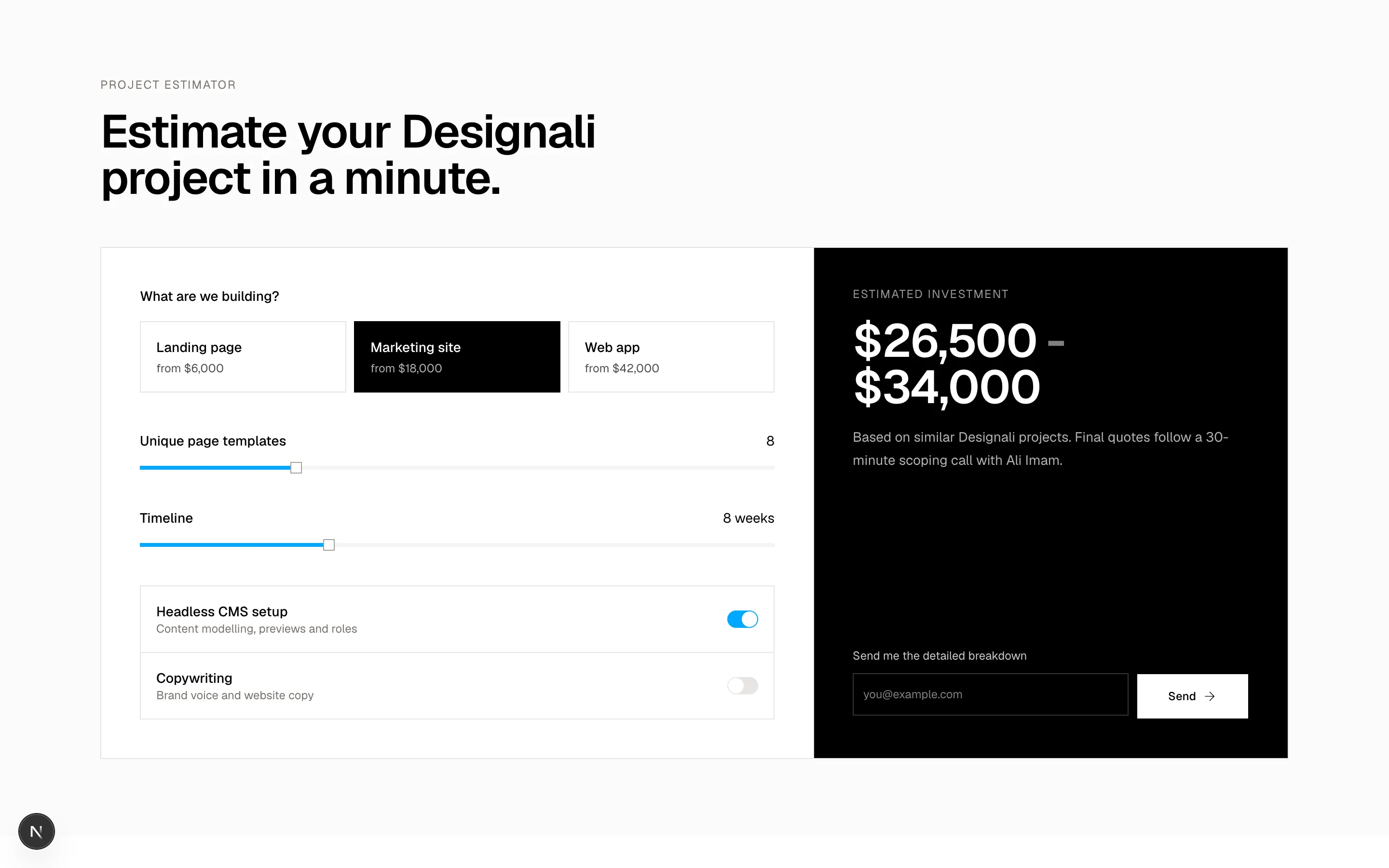
            Estimate your Designali project in a minute.
          </h2>
        </div>

        <div className="mt-12 grid border border-border bg-background lg:grid-cols-[1.5fr_1fr]">
          <form className="space-y-10 p-6 md:p-10">
            <fieldset>
              <legend className="text-sm font-medium">What are we building?</legend>
              <div className="mt-4 grid gap-2 sm:grid-cols-3">
                {projectTypes.map((item) => (
                  <button
                    key={item.id}
                    type="button"
                    onClick={() => setType(item.id)}
                    aria-pressed={type === item.id}
                    className={cn(
                      "border p-4 text-left transition-colors",
                      type === item.id
                        ? "border-foreground bg-foreground text-background"
                        : "border-border hover:bg-muted"
                    )}
                  >
                    <span className="block text-sm font-medium">{item.label}</span>
                    <span className="mt-1 block text-xs opacity-70">
                      from ${item.base.toLocaleString()}
                    </span>
                  </button>
                ))}
              </div>
            </fieldset>

            <div className="space-y-4">
              <div className="flex items-center justify-between text-sm">
                <span className="font-medium">Unique page templates</span>
                <span className="font-sans">{pages}</span>
              </div>
              <Slider
                value={[pages]}
                min={1}
                max={30}
                onValueChange={(value) => setPages(toNumber(value))}
                aria-label="Unique page templates"
              />
            </div>

            <div className="space-y-4">
              <div className="flex items-center justify-between text-sm">
                <span className="font-medium">Timeline</span>
                <span className="font-sans">
                  {weeks} weeks{weeks < 6 && <span className="ml-2 text-primary dark:text-primary">rush</span>}
                </span>
              </div>
              <Slider
                value={[weeks]}
                min={3}
                max={20}
                onValueChange={(value) => setWeeks(toNumber(value))}
                aria-label="Timeline in weeks"
              />
            </div>

            <div className="divide-y divide-border border border-border">
              <Label className="flex items-center justify-between gap-4 p-4">
                <span>
                  <span className="block text-sm font-medium">Headless CMS setup</span>
                  <span className="text-xs font-normal text-muted-foreground">Content modelling, previews and roles</span>
                </span>
                <Switch checked={cms} onCheckedChange={setCms} />
              </Label>
              <Label className="flex items-center justify-between gap-4 p-4">
                <span>
                  <span className="block text-sm font-medium">Copywriting</span>
                  <span className="text-xs font-normal text-muted-foreground">Brand voice and website copy</span>
                </span>
                <Switch checked={copy} onCheckedChange={setCopy} />
              </Label>
            </div>
          </form>

          <div className="flex flex-col justify-between gap-10 border-t border-border bg-foreground p-6 text-background md:p-10 lg:border-t-0 lg:border-l">
            <div>
              <p className="text-xs tracking-widest uppercase opacity-60">Estimated investment</p>
              <p className="mt-4 text-4xl font-semibold tracking-tight md:text-5xl" aria-live="polite">
                ${low.toLocaleString()}
                <span className="opacity-50"> - </span>
                ${high.toLocaleString()}
              </p>
              <p className="mt-4 text-sm leading-6 opacity-70">
                Based on similar Designali projects. Final quotes follow a
                30-minute scoping call with Ali Imam.
              </p>
            </div>
            <div className="space-y-3">
              <Label htmlFor="f11-email" className="text-background/80">
                Send me the detailed breakdown
              </Label>
              <div className="flex flex-col gap-2 sm:flex-row lg:flex-col xl:flex-row">
                <Input
                  id="f11-email"
                  type="email"
                  placeholder="you@example.com"
                  className="h-11 border-background/20 bg-transparent text-background placeholder:text-background/50 dark:bg-transparent"
                />
                <Button size="lg" className="bg-background text-foreground hover:bg-background/90">
                  Send
                  <ArrowRight />
                </Button>
              </div>
            </div>
          </div>
        </div>
      </div>
    </section>
  )
}
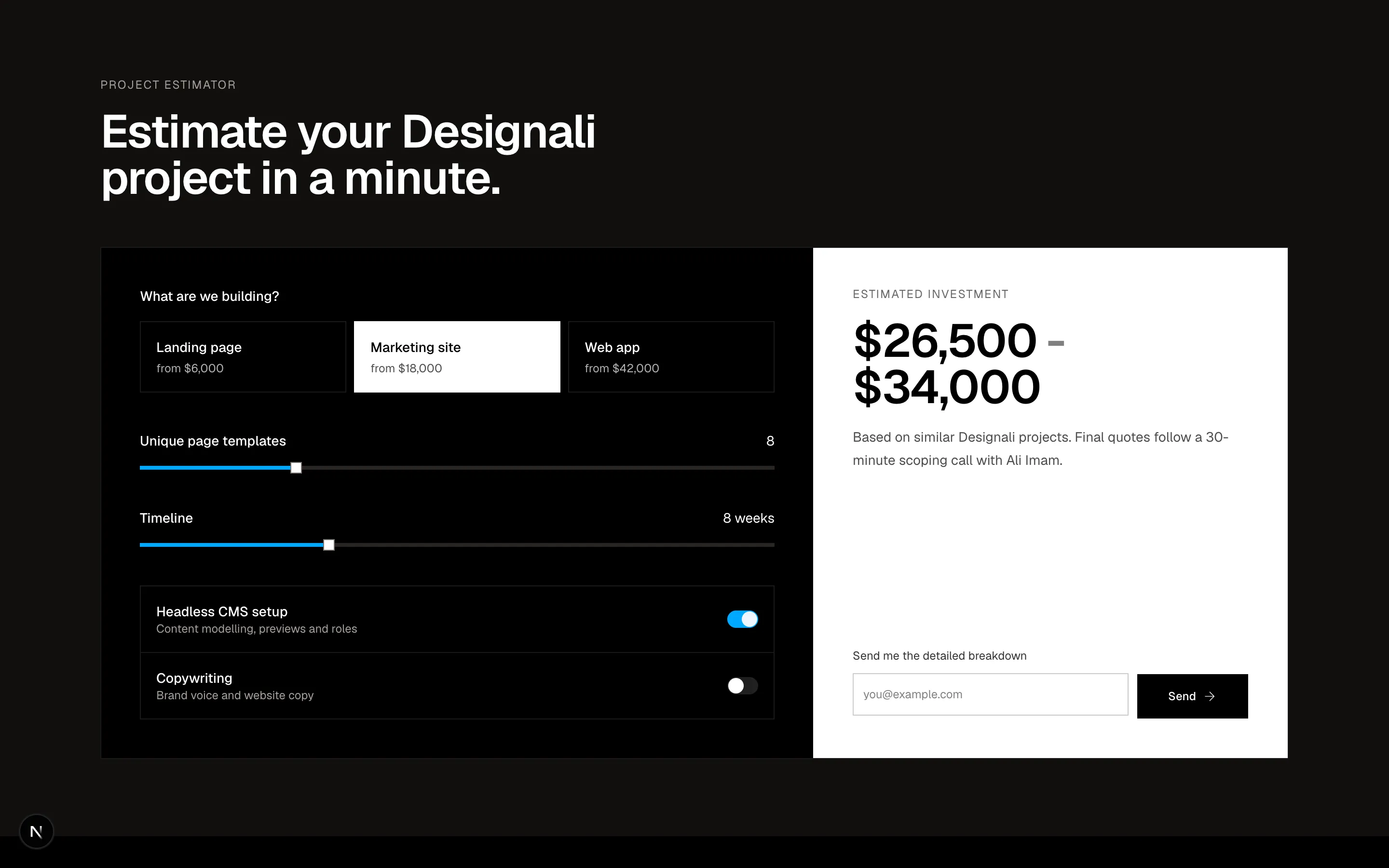
Project cost estimator with type cards, sliders and toggles driving a live price range.
forms-11
Files
import {
Link2,
Upload,
} from "@designali/icons"
import { Button } from "@/components/ui/button"
import { Input } from "@/components/ui/input"
import { Label } from "@/components/ui/label"
import { Textarea } from "@/components/ui/textarea"
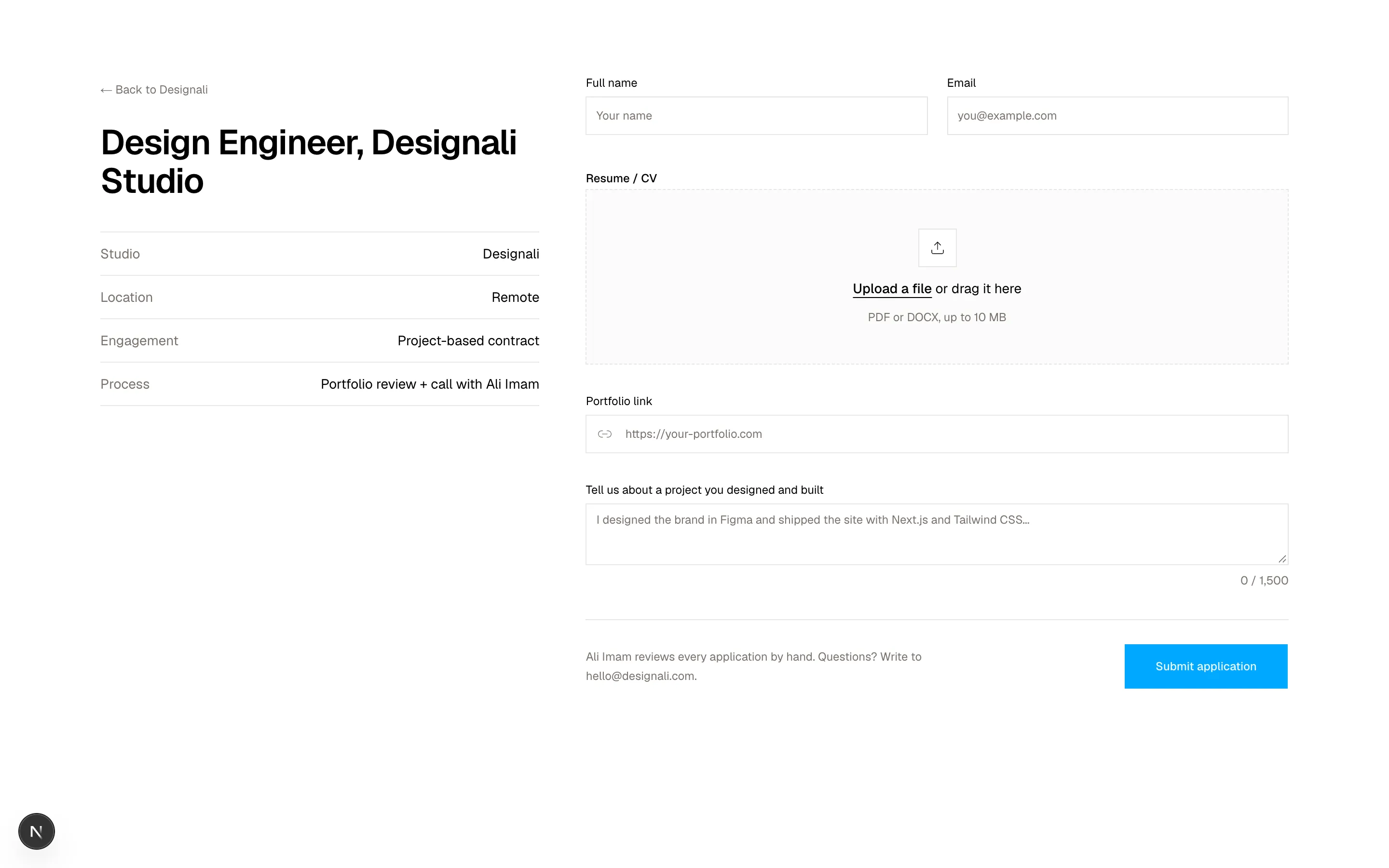
const facts = [
{ label: "Studio", value: "Designali" },
{ label: "Location", value: "Remote" },
{ label: "Engagement", value: "Project-based contract" },
{ label: "Process", value: "Portfolio review + call with Ali Imam" },
]
export function Forms12() {
return (
<section className="w-full bg-background py-20">
<div className="mx-auto max-w-7xl px-6">
<div className="grid gap-12 lg:grid-cols-[1fr_1.6fr]">
<div className="lg:sticky lg:top-6 lg:h-fit">
<a href="#" className="text-xs text-muted-foreground hover:text-foreground">
← Back to Designali
</a>
<h2 className="mt-6 text-3xl font-semibold tracking-tight md:text-4xl">
Design Engineer, Designali Studio
</h2>
<dl className="mt-8 divide-y divide-border border-y border-border">
{facts.map((fact) => (
<div key={fact.label} className="flex justify-between gap-4 py-3 text-sm">
<dt className="text-muted-foreground">{fact.label}</dt>
<dd className="text-right">{fact.value}</dd>
</div>
))}
</dl>
</div>
<form className="space-y-8">
<div className="grid gap-5 sm:grid-cols-2">
<div className="space-y-2">
<Label htmlFor="f12-name">Full name</Label>
<Input id="f12-name" placeholder="Your name" className="h-10" />
</div>
<div className="space-y-2">
<Label htmlFor="f12-email">Email</Label>
<Input id="f12-email" type="email" placeholder="you@example.com" className="h-10" />
</div>
</div>
<div className="space-y-2">
<span className="text-xs font-medium">Resume / CV</span>
<label
htmlFor="f12-resume"
className="flex cursor-pointer flex-col items-center justify-center gap-3 border border-dashed border-border bg-muted/40 px-6 py-10 text-center transition-colors hover:bg-muted"
>
<span className="flex size-10 items-center justify-center border border-border bg-background">
<Upload className="size-4" />
</span>
<span className="text-sm">
<span className="font-medium underline underline-offset-4">Upload a file</span>{" "}
or drag it here
</span>
<span className="text-xs text-muted-foreground">PDF or DOCX, up to 10 MB</span>
<input id="f12-resume" type="file" accept=".pdf,.docx" className="sr-only" />
</label>
</div>
<div className="space-y-2">
<Label htmlFor="f12-portfolio">Portfolio link</Label>
<div className="relative">
<Link2 className="absolute top-1/2 left-3 size-4 -translate-y-1/2 text-muted-foreground" />
<Input id="f12-portfolio" type="url" placeholder="https://your-portfolio.com" className="h-10 pl-10" />
</div>
</div>
<div className="space-y-2">
<Label htmlFor="f12-why">Tell us about a project you designed and built</Label>
<Textarea
id="f12-why"
rows={6}
placeholder="I designed the brand in Figma and shipped the site with Next.js and Tailwind CSS..."
/>
<p className="text-right text-xs text-muted-foreground">0 / 1,500</p>
</div>
<div className="flex flex-col gap-4 border-t border-border pt-6 sm:flex-row sm:items-center sm:justify-between">
<p className="max-w-sm text-xs leading-5 text-muted-foreground">
Ali Imam reviews every application by hand. Questions? Write to
hello@designali.com.
</p>
<Button type="submit" size="lg">Submit application</Button>
</div>
</form>
</div>
</div>
</section>
)
}
Job application form with sticky role facts, resume dropzone and portfolio link.
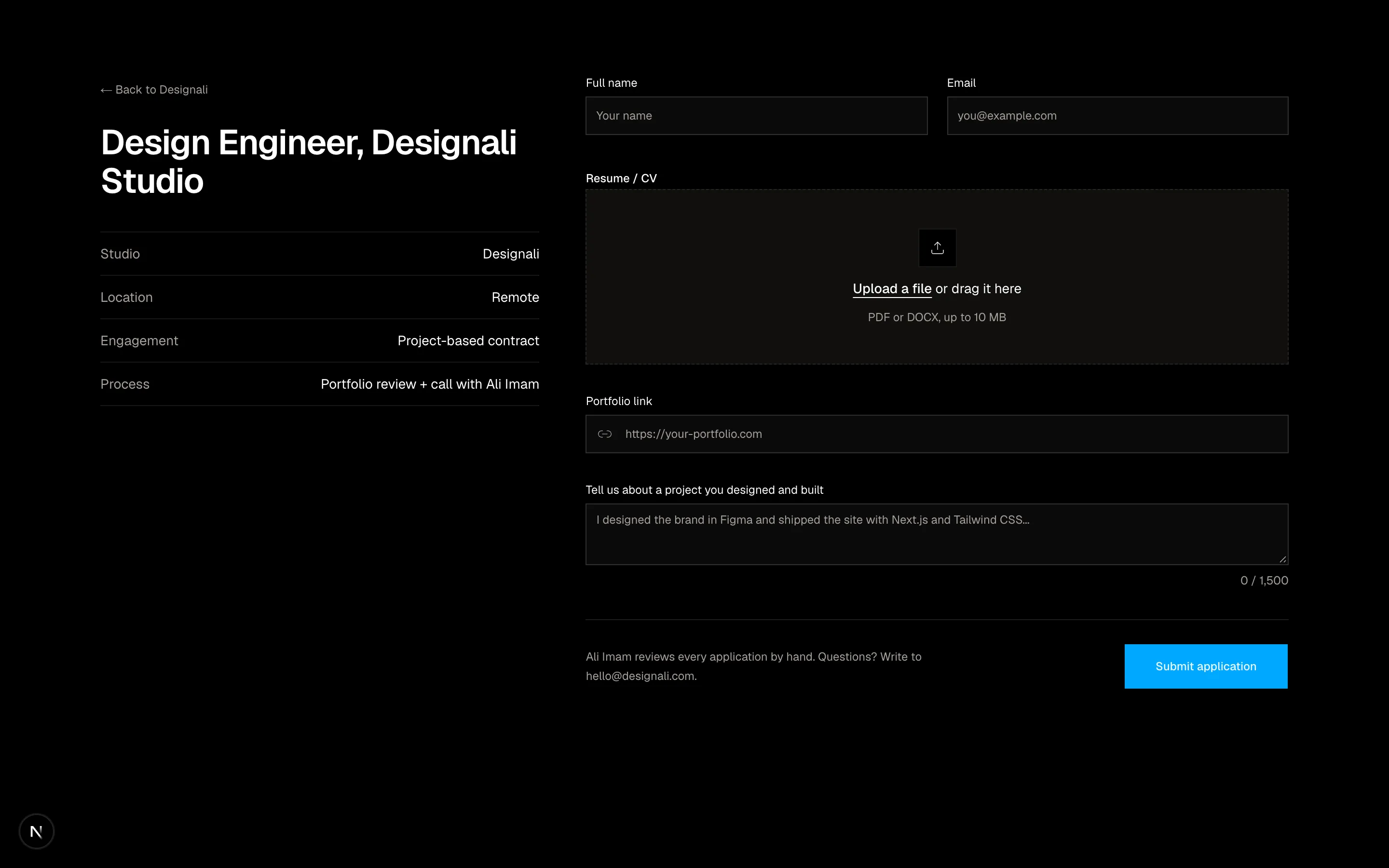
forms-12
Files
"use client"

import { useState } from "react"
import {
  Clock,
  Globe,
  Video,
} from "@designali/icons"

import { Button } from "@/components/ui/button"
import { cn } from "@/lib/utils"

const days = [
  { id: "mon", weekday: "Mon", date: "16", open: true },
  { id: "tue", weekday: "Tue", date: "17", open: true },
  { id: "wed", weekday: "Wed", date: "18", open: false },
  { id: "thu", weekday: "Thu", date: "19", open: true },
  { id: "fri", weekday: "Fri", date: "20", open: true },
  { id: "sat", weekday: "Sat", date: "21", open: false },
  { id: "sun", weekday: "Sun", date: "22", open: false },
]

const slots: Record<string, string[]> = {
  mon: ["09:00", "09:30", "11:00", "13:30", "15:00", "16:30"],
  tue: ["10:00", "10:30", "14:00", "14:30"],
  thu: ["09:00", "12:00", "12:30", "15:30", "16:00", "17:00"],
  fri: ["09:30", "10:00", "11:30"],
}

export function Forms13() {
  const [day, setDay] = useState("mon")
  const [slot, setSlot] = useState<string | null>("11:00")
  const selectedDay = days.find((item) => item.id === day)

  return (
    <section className="w-full bg-background py-20">
      <div className="mx-auto max-w-5xl px-6">
        <div className="grid border border-border md:grid-cols-[280px_1fr]">
          <div className="space-y-6 border-b border-border p-6 md:border-r md:border-b-0 md:p-8">
            <img
              src="/ali.jpg"
              alt="Ali Imam"
              className="size-12 object-cover"
            />
            <div>
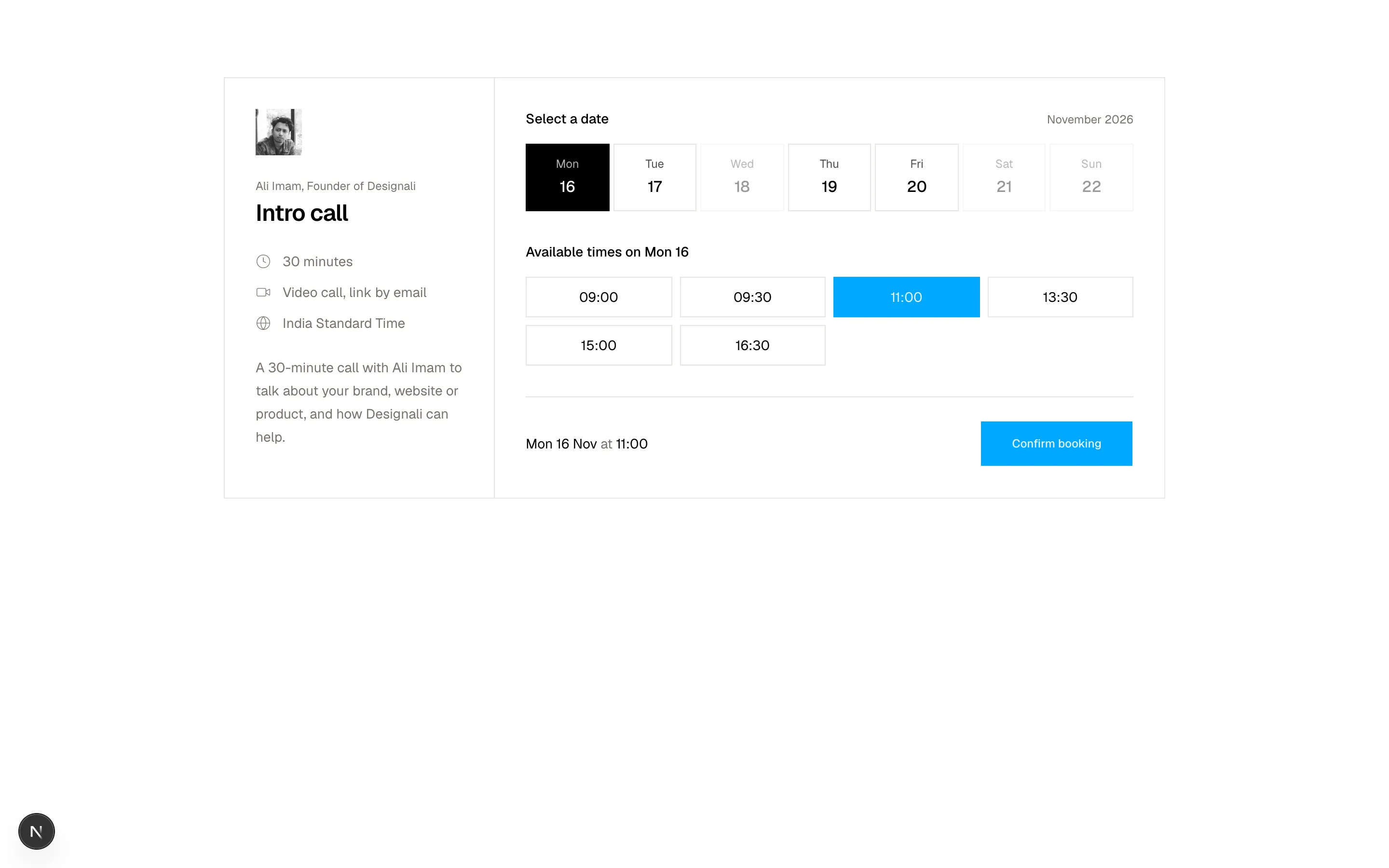
              <p className="text-xs text-muted-foreground">Ali Imam, Founder of Designali</p>
              <h2 className="mt-1 text-2xl font-semibold tracking-tight">Intro call</h2>
            </div>
            <ul className="space-y-3 text-sm text-muted-foreground">
              <li className="flex items-center gap-3"><Clock className="size-4" /> 30 minutes</li>
              <li className="flex items-center gap-3"><Video className="size-4" /> Video call, link by email</li>
              <li className="flex items-center gap-3"><Globe className="size-4" /> India Standard Time</li>
            </ul>
            <p className="text-sm leading-6 text-muted-foreground">
              A 30-minute call with Ali Imam to talk about your brand, website
              or product, and how Designali can help.
            </p>
          </div>

          <div className="p-6 md:p-8">
            <div className="flex items-baseline justify-between">
              <h3 className="text-sm font-medium">Select a date</h3>
              <p className="text-xs text-muted-foreground">November 2026</p>
            </div>
            <div className="mt-4 grid grid-cols-7 gap-1">
              {days.map((item) => (
                <button
                  key={item.id}
                  type="button"
                  disabled={!item.open}
                  onClick={() => {
                    setDay(item.id)
                    setSlot(null)
                  }}
                  aria-pressed={day === item.id}
                  className={cn(
                    "flex flex-col items-center gap-1 border py-3 text-xs transition-colors disabled:cursor-not-allowed disabled:opacity-40",
                    day === item.id
                      ? "border-foreground bg-foreground text-background"
                      : "border-border hover:bg-muted"
                  )}
                >
                  <span className="opacity-70">{item.weekday}</span>
                  <span className="text-base font-medium">{item.date}</span>
                </button>
              ))}
            </div>

            <h3 className="mt-8 text-sm font-medium">
              Available times on {selectedDay?.weekday} {selectedDay?.date}
            </h3>
            <div className="mt-4 grid grid-cols-3 gap-2 sm:grid-cols-4">
              {(slots[day] ?? []).map((time) => (
                <button
                  key={time}
                  type="button"
                  onClick={() => setSlot(time)}
                  aria-pressed={slot === time}
                  className={cn(
                    "border py-2.5 font-sans text-sm transition-colors",
                    slot === time
                      ? "border-primary bg-primary text-primary-foreground"
                      : "border-border hover:border-foreground"
                  )}
                >
                  {time}
                </button>
              ))}
            </div>

            <div className="mt-8 flex flex-col gap-4 border-t border-border pt-6 sm:flex-row sm:items-center sm:justify-between">
              <p className="text-sm text-muted-foreground" aria-live="polite">
                {slot ? (
                  <>
                    <span className="text-foreground">{selectedDay?.weekday} {selectedDay?.date} Nov</span> at{" "}
                    <span className="text-foreground">{slot}</span>
                  </>
                ) : (
                  "Pick a time to continue"
                )}
              </p>
              <Button size="lg" disabled={!slot}>Confirm booking</Button>
            </div>
          </div>
        </div>
      </div>
    </section>
  )
}
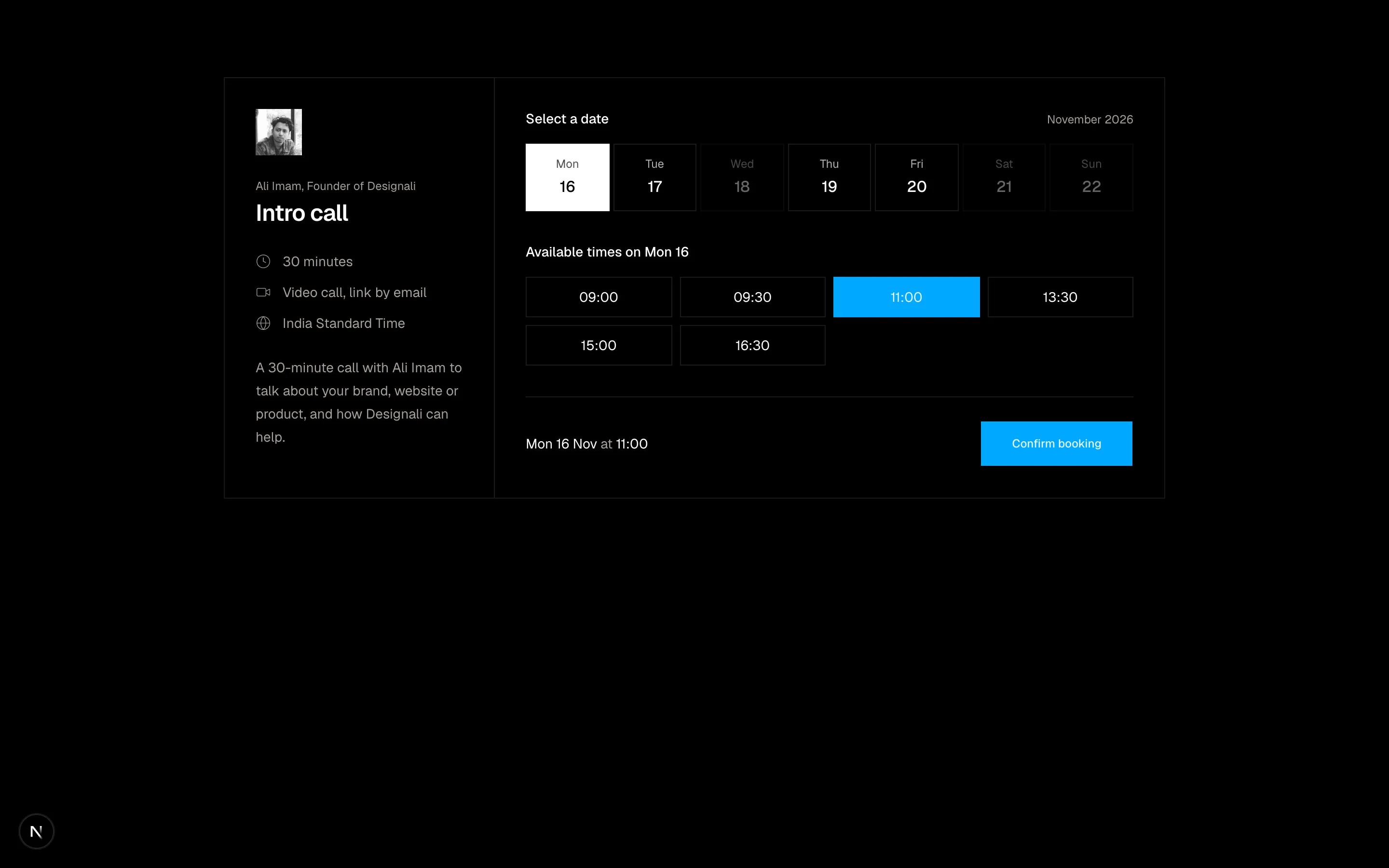
Meeting booking widget with host details, date strip and selectable time slots.
forms-13
Files
"use client"

import { useState } from "react"
import {
  Bug,
  CreditCard,
  Lightbulb,
  UserCog,
} from "@designali/icons"

import { Button } from "@/components/ui/button"
import { Input } from "@/components/ui/input"
import { Label } from "@/components/ui/label"
import { Textarea } from "@/components/ui/textarea"
import { cn } from "@/lib/utils"

const categories = [
  { id: "bug", icon: Bug, title: "Something is broken", hint: "Blocks, templates or downloads" },
  { id: "billing", icon: CreditCard, title: "Billing", hint: "Invoices, plans, licences" },
  { id: "account", icon: UserCog, title: "Account access", hint: "Login, email, team seats" },
  { id: "idea", icon: Lightbulb, title: "Feature request", hint: "Request a new block or icon" },
]

const priorities = [
  { id: "low", label: "Low", dot: "bg-primary" },
  { id: "normal", label: "Normal", dot: "bg-primary" },
  { id: "high", label: "High", dot: "bg-primary" },
  { id: "urgent", label: "Urgent", dot: "bg-destructive" },
]

export function Forms14() {
  const [category, setCategory] = useState("bug")
  const [priority, setPriority] = useState("normal")

  return (
    <section className="w-full bg-muted/40 py-20">
      <div className="mx-auto max-w-3xl px-6">
        <div className="flex flex-col gap-2 sm:flex-row sm:items-end sm:justify-between">
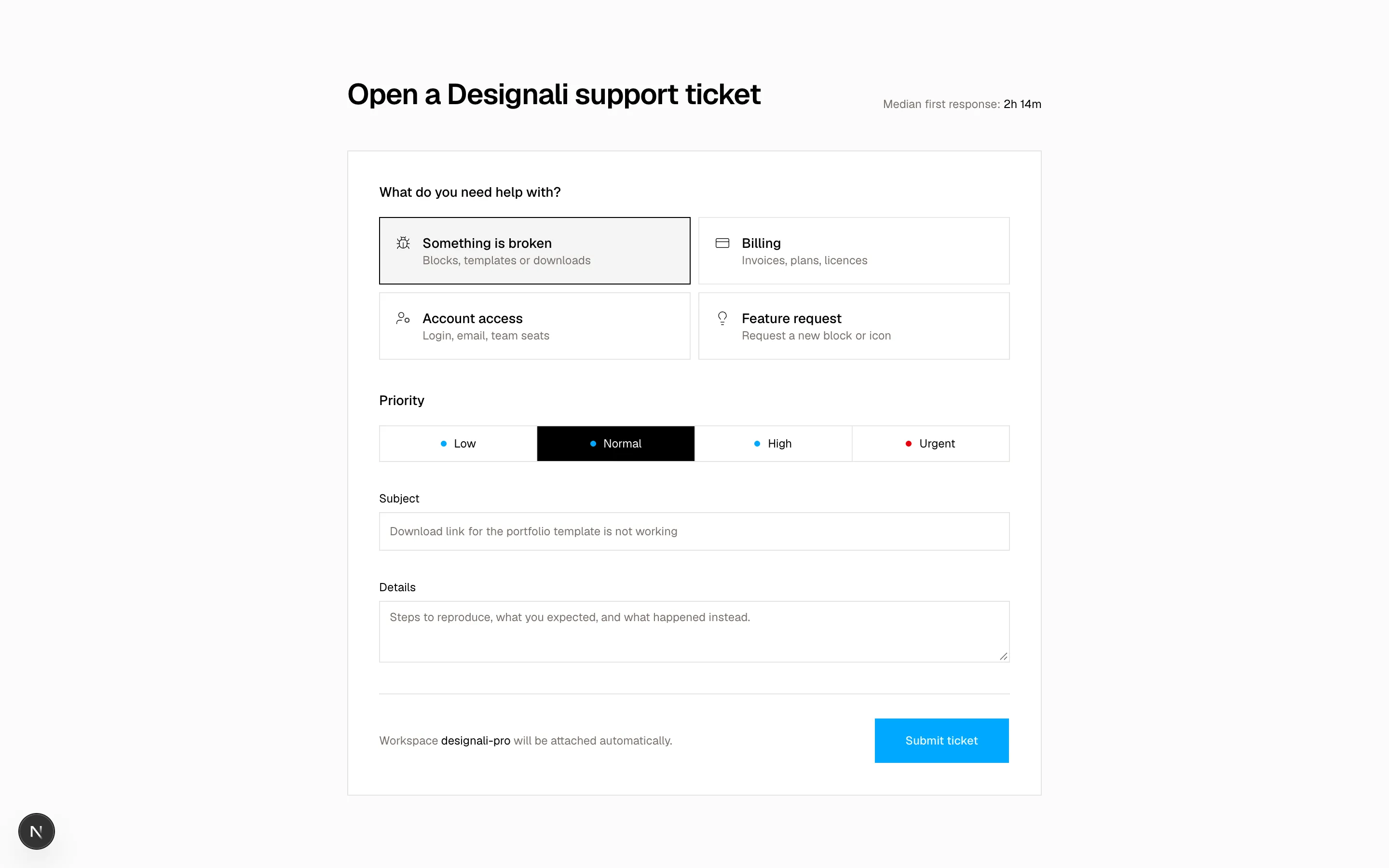
          <h2 className="text-3xl font-semibold tracking-tight">Open a Designali support ticket</h2>
          <p className="text-xs text-muted-foreground">
            Median first response: <span className="text-foreground">2h 14m</span>
          </p>
        </div>

        <form className="mt-10 space-y-8 border border-border bg-background p-6 md:p-8">
          <fieldset>
            <legend className="text-sm font-medium">What do you need help with?</legend>
            <div className="mt-4 grid gap-2 sm:grid-cols-2">
              {categories.map((item) => (
                <button
                  key={item.id}
                  type="button"
                  onClick={() => setCategory(item.id)}
                  aria-pressed={category === item.id}
                  className={cn(
                    "flex items-start gap-3 border p-4 text-left transition-colors",
                    category === item.id
                      ? "border-foreground bg-muted"
                      : "border-border hover:bg-muted/60"
                  )}
                >
                  <item.icon className="mt-0.5 size-4 shrink-0" />
                  <span>
                    <span className="block text-sm font-medium">{item.title}</span>
                    <span className="block text-xs text-muted-foreground">{item.hint}</span>
                  </span>
                </button>
              ))}
            </div>
          </fieldset>

          <fieldset>
            <legend className="text-sm font-medium">Priority</legend>
            <div className="mt-4 grid grid-cols-2 gap-px border border-border bg-border sm:grid-cols-4">
              {priorities.map((item) => (
                <button
                  key={item.id}
                  type="button"
                  onClick={() => setPriority(item.id)}
                  aria-pressed={priority === item.id}
                  className={cn(
                    "flex items-center justify-center gap-2 py-2.5 text-xs transition-colors",
                    priority === item.id ? "bg-foreground text-background" : "bg-background hover:bg-muted"
                  )}
                >
                  <span className={cn("size-1.5 rounded-full", item.dot)} />
                  {item.label}
                </button>
              ))}
            </div>
          </fieldset>

          <div className="space-y-2">
            <Label htmlFor="f14-subject">Subject</Label>
            <Input id="f14-subject" placeholder="Download link for the portfolio template is not working" className="h-10" />
          </div>
          <div className="space-y-2">
            <Label htmlFor="f14-details">Details</Label>
            <Textarea
              id="f14-details"
              rows={5}
              placeholder="Steps to reproduce, what you expected, and what happened instead."
            />
          </div>

          <div className="flex flex-col gap-4 border-t border-border pt-6 sm:flex-row sm:items-center sm:justify-between">
            <p className="text-xs text-muted-foreground">
              Workspace <span className="font-sans text-foreground">designali-pro</span> will be attached automatically.
            </p>
            <Button type="submit" size="lg">Submit ticket</Button>
          </div>
        </form>
      </div>
    </section>
  )
}
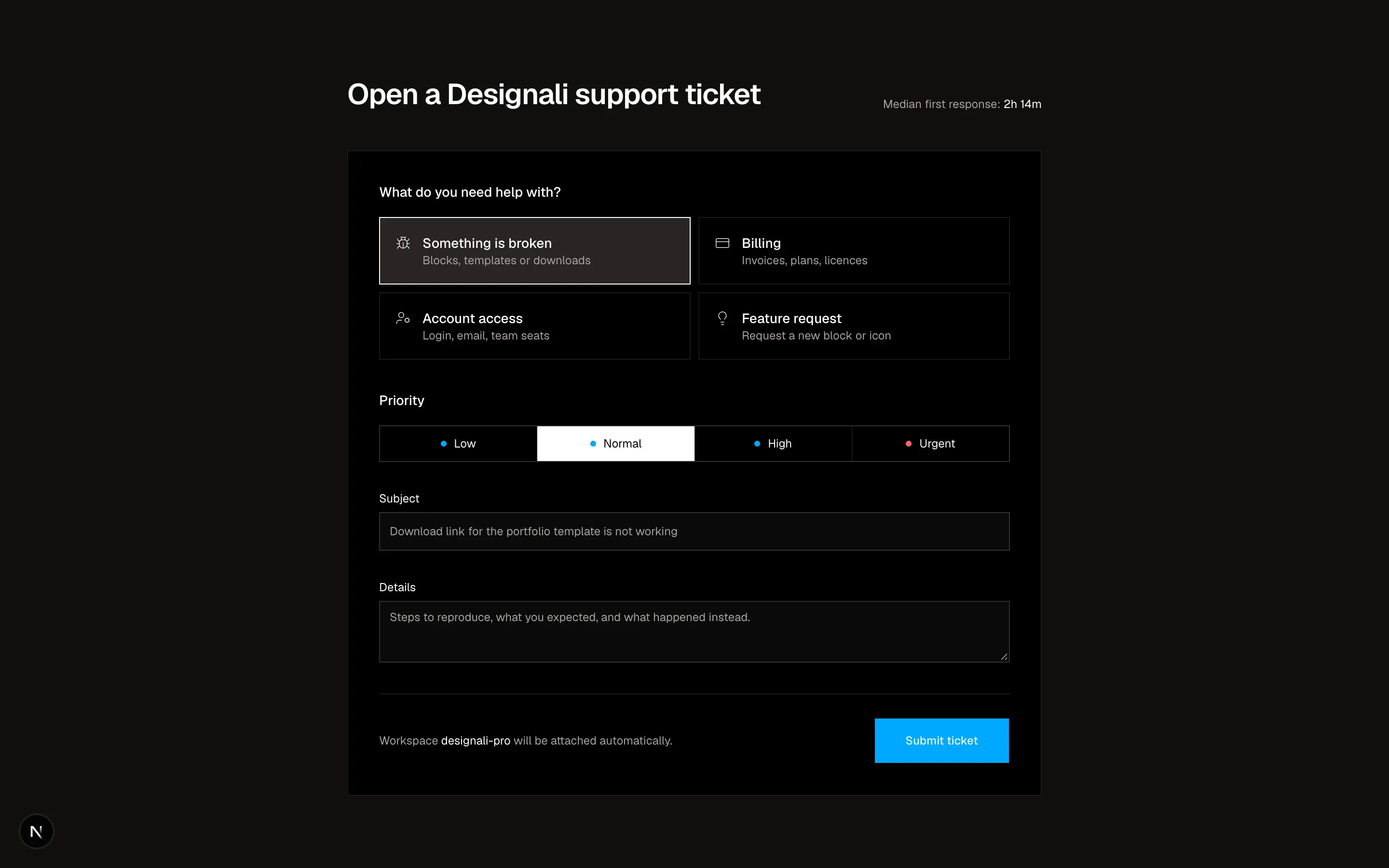
Support ticket form with icon category cards, segmented priority and details.
forms-14
Files
"use client"

import { useState } from "react"
import {
  ArrowRight,
  Check,
  Copy,
} from "@designali/icons"

import { Button } from "@/components/ui/button"
import { Input } from "@/components/ui/input"
import { Label } from "@/components/ui/label"

const initials = ["AK", "LM", "RT", "SO", "BW"]

export function Forms15() {
  const [email, setEmail] = useState("")
  const [joined, setJoined] = useState(false)
  const [copied, setCopied] = useState(false)

  return (
    <section className="relative w-full overflow-hidden bg-background py-28">
      <div
        className="absolute inset-x-0 top-0 h-full bg-[radial-gradient(60%_50%_at_50%_0%,var(--muted),transparent)]"
        aria-hidden
      />
      <div className="relative mx-auto flex max-w-2xl flex-col items-center px-6 text-center">
        <span className="border border-border bg-background px-3 py-1 font-sans text-[10px] tracking-wider text-muted-foreground uppercase">
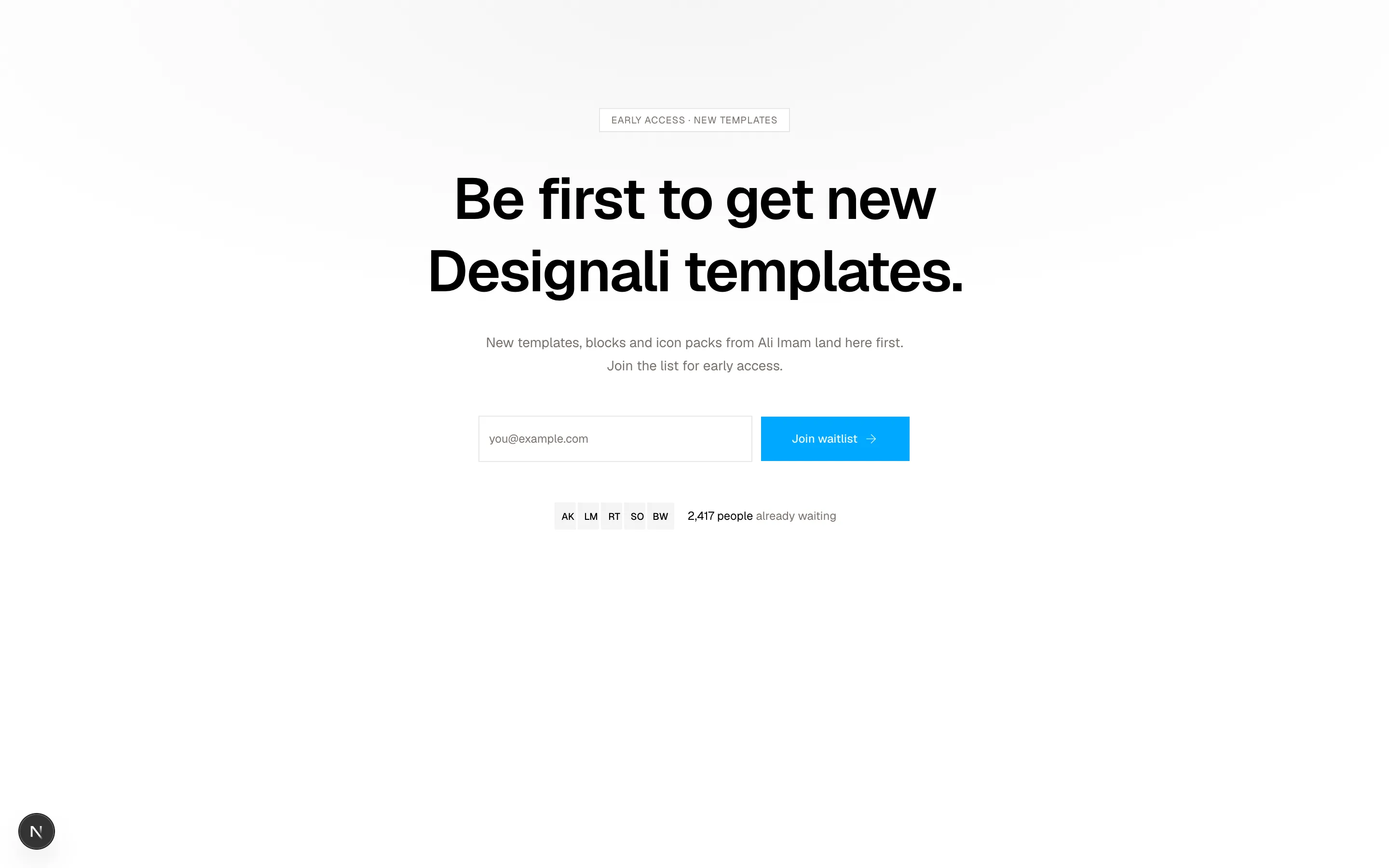
          Early access · New templates
        </span>
        <h2 className="mt-8 text-4xl leading-tight font-semibold tracking-tight md:text-6xl">
          Be first to get new Designali templates.
        </h2>
        <p className="mt-6 max-w-md text-sm leading-6 text-muted-foreground">
          New templates, blocks and icon packs from Ali Imam land here first.
          Join the list for early access.
        </p>

        {joined ? (
          <div className="mt-10 w-full max-w-md border border-border bg-card p-6 text-left" aria-live="polite">
            <p className="flex items-center gap-2 text-sm font-medium">
              <Check className="size-4 text-primary dark:text-primary" />
              You are #2,418 on the list
            </p>
            <p className="mt-2 text-xs leading-5 text-muted-foreground">
              Move up 100 spots for every friend who joins with your link.
            </p>
            <div className="mt-4 flex">
              <span className="flex h-10 min-w-0 flex-1 items-center truncate border border-r-0 border-border bg-muted px-3 font-sans text-xs">
                designali.com/r/k7f2q
              </span>
              <Button
                variant="outline"
                onClick={() => {
                  setCopied(true)
                  setTimeout(() => setCopied(false), 1500)
                }}
              >
                {copied ? <Check /> : <Copy />}
                {copied ? "Copied" : "Copy"}
              </Button>
            </div>
          </div>
        ) : (
          <form
            className="mt-10 flex w-full max-w-md flex-col gap-2 sm:flex-row"
            onSubmit={(event) => {
              event.preventDefault()
              if (email.includes("@")) setJoined(true)
            }}
          >
            <Label htmlFor="f15-email" className="sr-only">Email</Label>
            <Input
              id="f15-email"
              type="email"
              required
              value={email}
              onChange={(event) => setEmail(event.target.value)}
              placeholder="you@example.com"
              className="h-12 bg-background"
            />
            <Button type="submit" size="lg">
              Join waitlist
              <ArrowRight />
            </Button>
          </form>
        )}

        <div className="mt-10 flex items-center gap-3">
          <div className="flex -space-x-2">
            {initials.map((item) => (
              <span
                key={item}
                className="flex size-8 items-center justify-center border-2 border-background bg-muted text-[10px] font-medium"
              >
                {item}
              </span>
            ))}
          </div>
          <p className="text-xs text-muted-foreground">
            <span className="text-foreground">2,417 people</span> already waiting
          </p>
        </div>
      </div>
    </section>
  )
}
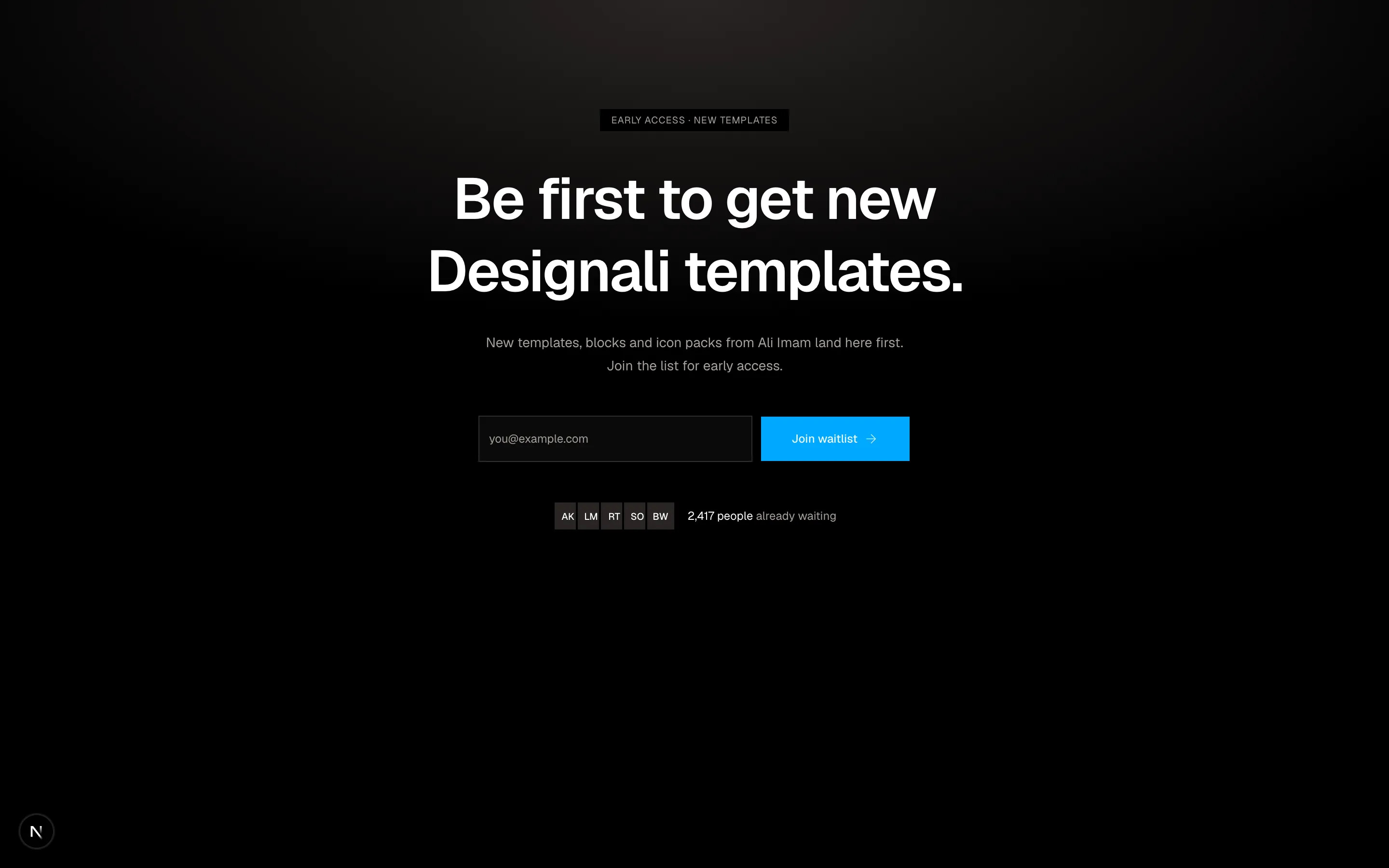
Centered waitlist signup that swaps to a queue position and referral link on submit.
forms-15
Files
import {
  Package,
  Truck,
  Zap,
} from "@designali/icons"

import { Button } from "@/components/ui/button"
import { Input } from "@/components/ui/input"
import { Label } from "@/components/ui/label"
import {
  NativeSelect,
  NativeSelectOption,
} from "@/components/ui/native-select"
import { RadioGroup, RadioGroupItem } from "@/components/ui/radio-group"

const methods = [
  { id: "standard", icon: Package, title: "Instant download", eta: "Available right after payment", price: "Free" },
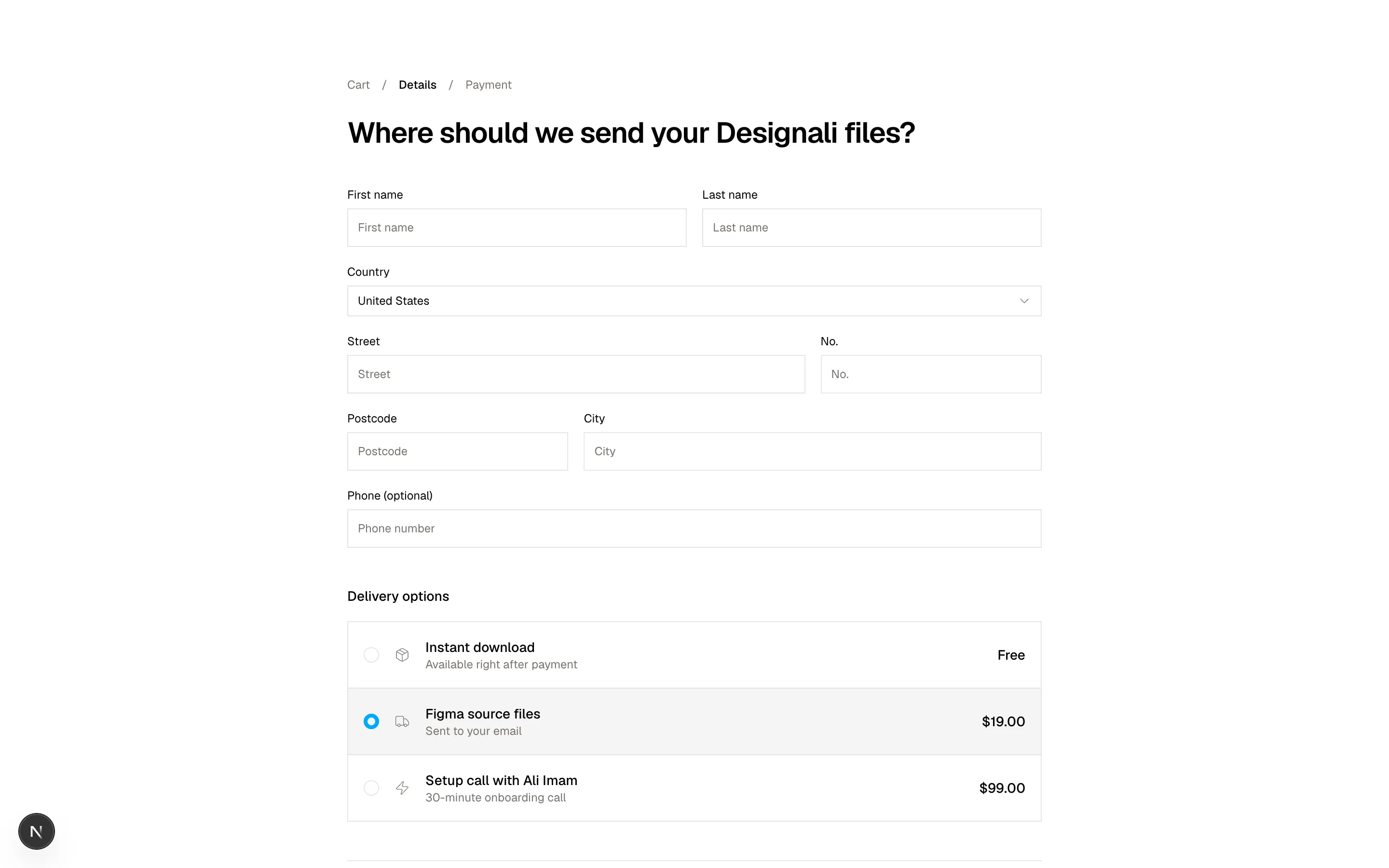
  { id: "express", icon: Truck, title: "Figma source files", eta: "Sent to your email", price: "$19.00" },
  { id: "same-day", icon: Zap, title: "Setup call with Ali Imam", eta: "30-minute onboarding call", price: "$99.00" },
]

const countries = ["India", "United States", "United Kingdom", "Germany", "Canada"]

export function Forms16() {
  return (
    <section className="w-full bg-background py-20">
      <div className="mx-auto max-w-3xl px-6">
        <ol className="flex items-center gap-3 text-xs text-muted-foreground">
          <li>Cart</li>
          <li aria-hidden>/</li>
          <li className="font-medium text-foreground">Details</li>
          <li aria-hidden>/</li>
          <li>Payment</li>
        </ol>
        <h2 className="mt-6 text-3xl font-semibold tracking-tight">Where should we send your Designali files?</h2>

        <form className="mt-10 space-y-10">
          <div className="grid grid-cols-6 gap-x-4 gap-y-5">
            <div className="col-span-6 space-y-2 sm:col-span-3">
              <Label htmlFor="f16-first">First name</Label>
              <Input id="f16-first" autoComplete="given-name" placeholder="First name" className="h-10" />
            </div>
            <div className="col-span-6 space-y-2 sm:col-span-3">
              <Label htmlFor="f16-last">Last name</Label>
              <Input id="f16-last" autoComplete="family-name" placeholder="Last name" className="h-10" />
            </div>
            <div className="col-span-6 space-y-2">
              <Label htmlFor="f16-country">Country</Label>
              <NativeSelect id="f16-country" className="w-full" defaultValue="United States">
                {countries.map((country) => (
                  <NativeSelectOption key={country} value={country}>{country}</NativeSelectOption>
                ))}
              </NativeSelect>
            </div>
            <div className="col-span-4 space-y-2">
              <Label htmlFor="f16-street">Street</Label>
              <Input id="f16-street" autoComplete="address-line1" placeholder="Street" className="h-10" />
            </div>
            <div className="col-span-2 space-y-2">
              <Label htmlFor="f16-number">No.</Label>
              <Input id="f16-number" placeholder="No." className="h-10" />
            </div>
            <div className="col-span-3 space-y-2 sm:col-span-2">
              <Label htmlFor="f16-postal">Postcode</Label>
              <Input id="f16-postal" autoComplete="postal-code" placeholder="Postcode" className="h-10" />
            </div>
            <div className="col-span-3 space-y-2 sm:col-span-4">
              <Label htmlFor="f16-city">City</Label>
              <Input id="f16-city" autoComplete="address-level2" placeholder="City" className="h-10" />
            </div>
            <div className="col-span-6 space-y-2">
              <Label htmlFor="f16-phone">Phone (optional)</Label>
              <Input id="f16-phone" type="tel" autoComplete="tel" placeholder="Phone number" className="h-10" />
            </div>
          </div>

          <fieldset>
            <legend className="text-sm font-medium">Delivery options</legend>
            <RadioGroup defaultValue="express" className="mt-4 gap-0 divide-y divide-border border border-border">
              {methods.map((method) => (
                <Label
                  key={method.id}
                  className="flex cursor-pointer items-center gap-4 p-4 font-normal transition-colors hover:bg-muted/50 has-data-checked:bg-muted"
                >
                  <RadioGroupItem value={method.id} />
                  <method.icon className="size-4 shrink-0 text-muted-foreground" />
                  <span className="min-w-0 flex-1">
                    <span className="block text-sm font-medium">{method.title}</span>
                    <span className="block text-xs text-muted-foreground">{method.eta}</span>
                  </span>
                  <span className="text-sm font-medium">{method.price}</span>
                </Label>
              ))}
            </RadioGroup>
          </fieldset>

          <div className="flex flex-col-reverse gap-3 border-t border-border pt-6 sm:flex-row sm:justify-between">
            <Button variant="ghost" type="button">Back to cart</Button>
            <Button type="submit" size="lg">Continue to payment</Button>
          </div>
        </form>
      </div>
    </section>
  )
}
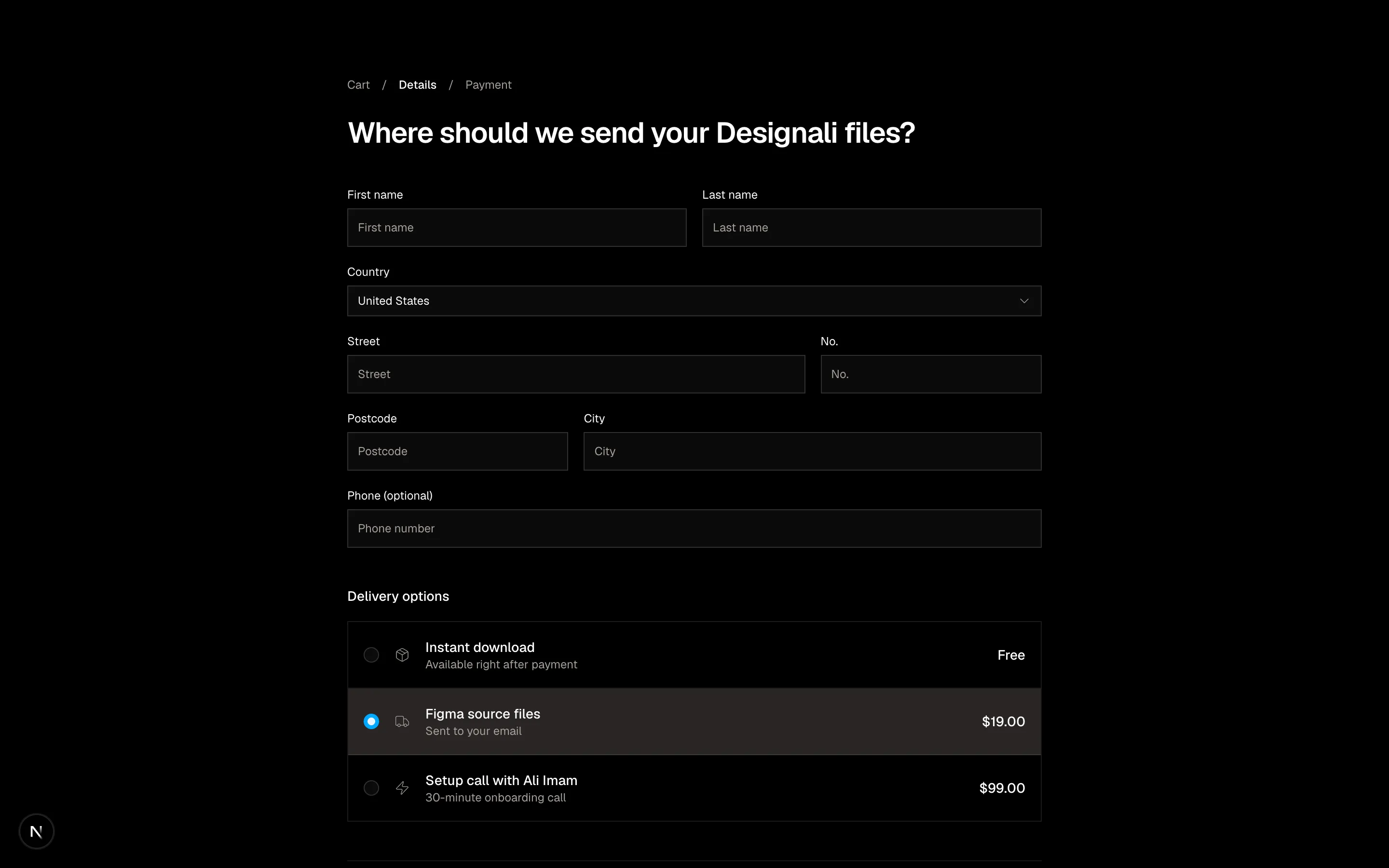
Dense delivery address grid with breadcrumb steps and radio shipping methods.
forms-16
Files
"use client"

import { useState } from "react"
import {
  ArrowLeft,
  ArrowRight,
  CornerDownLeft,
} from "@designali/icons"

import { Button } from "@/components/ui/button"
import { Input } from "@/components/ui/input"
import { cn } from "@/lib/utils"

type Question =
  | { id: string; kind: "text"; prompt: string; placeholder: string }
  | { id: string; kind: "choice"; prompt: string; options: string[] }

const questions: Question[] = [
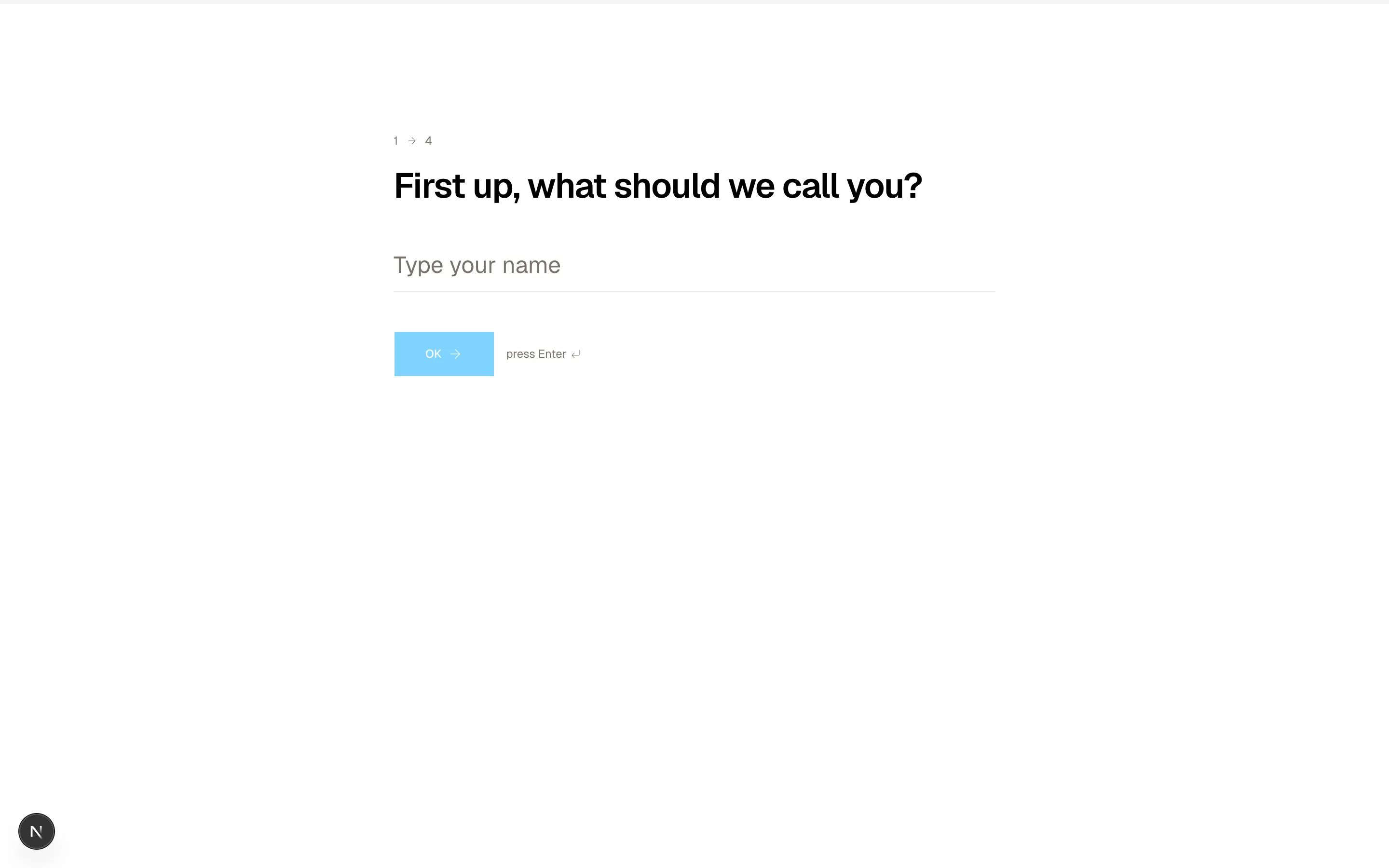
  { id: "name", kind: "text", prompt: "First up, what should we call you?", placeholder: "Type your name" },
  {
    id: "team",
    kind: "choice",
    prompt: "How big is the team working with Designali?",
    options: ["Just me", "2 - 10", "11 - 50", "51 - 250", "250+"],
  },
  {
    id: "goal",
    kind: "choice",
    prompt: "What do you need help with first?",
    options: ["Brand identity", "UI/UX design", "Next.js website", "Design system"],
  },
  { id: "email", kind: "text", prompt: "Where can Ali Imam send your project plan?", placeholder: "you@example.com" },
]

export function Forms17() {
  const [index, setIndex] = useState(0)
  const [answers, setAnswers] = useState<Record<string, string>>({})
  const done = index >= questions.length
  const question = questions[Math.min(index, questions.length - 1)]!
  const value = answers[question.id] ?? ""
  const progress = Math.round((Math.min(index, questions.length) / questions.length) * 100)

  const next = () => setIndex((i) => Math.min(questions.length, i + 1))
  const setValue = (v: string) => setAnswers((a) => ({ ...a, [question.id]: v }))

  return (
    <section className="w-full bg-background">
      <div className="h-1 w-full bg-muted">
        <div className="h-full bg-primary transition-all duration-500" style={{ width: `${progress}%` }} />
      </div>
      <div className="mx-auto flex min-h-[520px] max-w-2xl flex-col justify-center px-6 py-20">
        {done ? (
          <div aria-live="polite">
            <p className="font-sans text-xs text-muted-foreground">All done</p>
            <h2 className="mt-4 text-3xl font-semibold tracking-tight md:text-4xl">
              Thanks, {answers.name || "friend"}. Your plan is on its way.
            </h2>
            <p className="mt-4 text-sm leading-6 text-muted-foreground">
              Designali will email {answers.email || "you"} a project plan tailored
              to a {answers.team || "small"} person team.
            </p>
            <Button variant="outline" className="mt-8" onClick={() => setIndex(0)}>
              Start over
            </Button>
          </div>
        ) : (
          <form
            onSubmit={(event) => {
              event.preventDefault()
              if (value) next()
            }}
          >
            <p className="flex items-center gap-2 font-sans text-xs text-muted-foreground">
              {index + 1} <ArrowRight className="size-3" /> {questions.length}
            </p>
            <h2 className="mt-4 text-3xl leading-tight font-semibold tracking-tight md:text-4xl">
              <label htmlFor={`f17-${question.id}`}>{question.prompt}</label>
            </h2>

            {question.kind === "text" ? (
              <Input
                key={question.id}
                id={`f17-${question.id}`}
                value={value}
                onChange={(event) => setValue(event.target.value)}
                placeholder={question.placeholder}
                className="mt-8 h-14 border-0 border-b border-border bg-transparent px-0 text-xl focus-visible:border-foreground focus-visible:ring-0 md:text-2xl dark:bg-transparent"
              />
            ) : (
              <div className="mt-8 grid gap-2" id={`f17-${question.id}`} role="radiogroup">
                {question.options.map((option, optionIndex) => (
                  <button
                    key={option}
                    type="button"
                    role="radio"
                    aria-checked={value === option}
                    onClick={() => setValue(option)}
                    className={cn(
                      "flex items-center gap-3 border px-4 py-3 text-left text-sm transition-colors",
                      value === option ? "border-foreground bg-muted" : "border-border hover:bg-muted/60"
                    )}
                  >
                    <span
                      className={cn(
                        "flex size-6 items-center justify-center border font-sans text-[10px]",
                        value === option ? "border-foreground bg-foreground text-background" : "border-border"
                      )}
                    >
                      {String.fromCharCode(65 + optionIndex)}
                    </span>
                    {option}
                  </button>
                ))}
              </div>
            )}

            <div className="mt-10 flex items-center gap-3">
              <Button type="submit" size="lg" disabled={!value}>
                {index === questions.length - 1 ? "Submit" : "OK"}
                <ArrowRight />
              </Button>
              <span className="hidden items-center gap-1 text-xs text-muted-foreground sm:flex">
                press Enter <CornerDownLeft className="size-3" />
              </span>
              {index > 0 && (
                <Button
                  type="button"
                  variant="ghost"
                  className="ml-auto"
                  onClick={() => setIndex((i) => Math.max(0, i - 1))}
                >
                  <ArrowLeft />
                  Back
                </Button>
              )}
            </div>
          </form>
        )}
      </div>
    </section>
  )
}
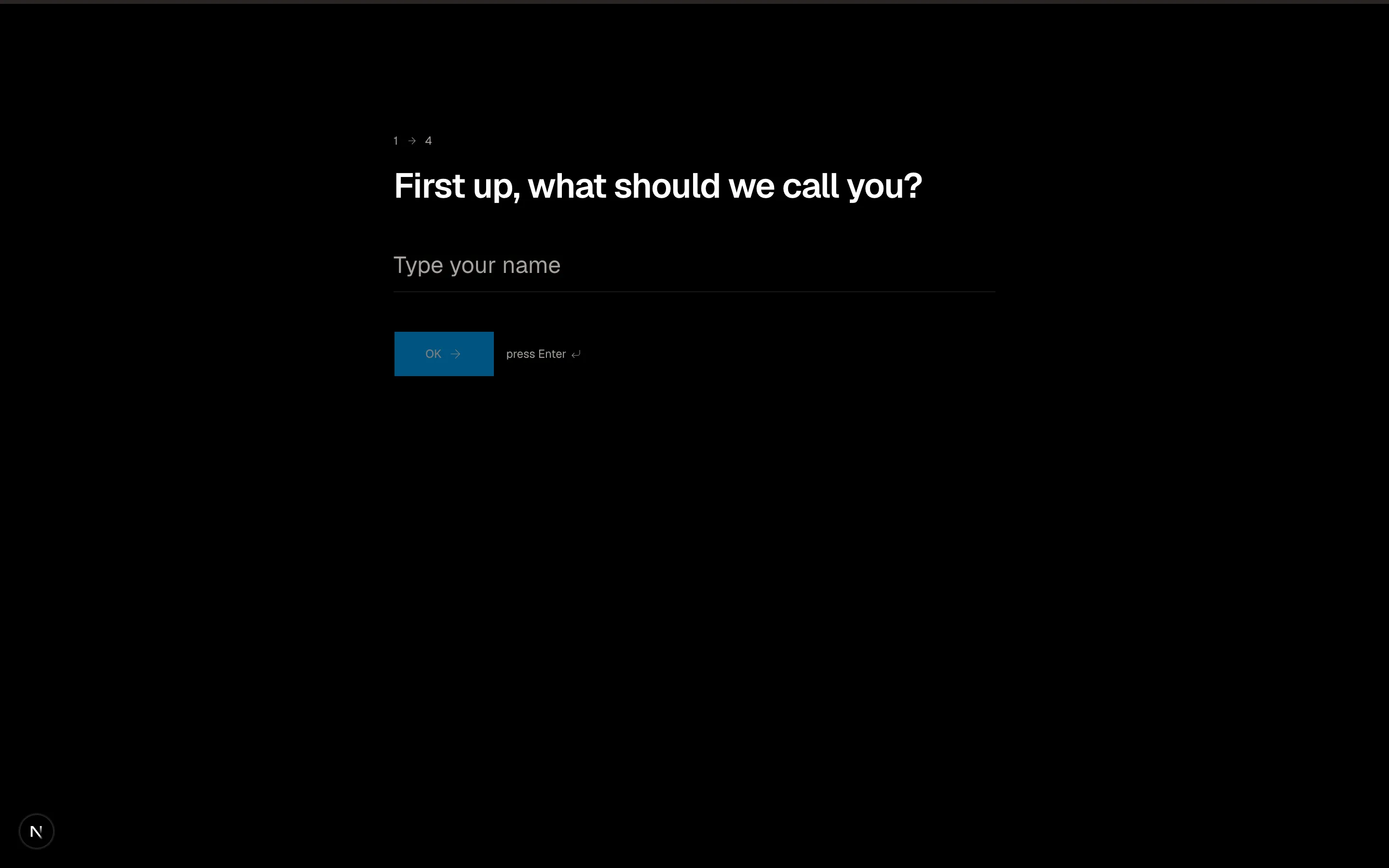
One-question-at-a-time conversational form with progress bar and lettered choices.
forms-17
Files
import {
  Bell,
  Mail,
  MessageSquare,
} from "@designali/icons"

import { Button } from "@/components/ui/button"
import { Checkbox } from "@/components/ui/checkbox"

const channels = [
  { id: "email", label: "Email", icon: Mail },
  { id: "push", label: "Push", icon: Bell },
  { id: "sms", label: "SMS", icon: MessageSquare },
]

const groups = [
  {
    title: "Activity",
    rows: [
      { id: "mentions", label: "Comments on my Designali projects", defaults: ["email", "push"] },
      { id: "assigned", label: "Design reviews from Ali Imam", defaults: ["email", "push", "sms"] },
      { id: "status", label: "Project status changes", defaults: ["push"] },
    ],
  },
  {
    title: "Workspace",
    rows: [
      { id: "invites", label: "New teammates join", defaults: ["email"] },
      { id: "billing", label: "Billing and invoices", defaults: ["email"] },
      { id: "security", label: "New sign-in from unknown device", defaults: ["email", "sms"] },
    ],
  },
  {
    title: "From Designali",
    rows: [
      { id: "product", label: "New templates and blocks", defaults: [] as string[] },
      { id: "tips", label: "Design se code tak tips", defaults: [] as string[] },
    ],
  },
]

export function Forms18() {
  return (
    <section className="w-full bg-background py-20">
      <div className="mx-auto max-w-4xl px-6">
        <h2 className="text-3xl font-semibold tracking-tight">Notification preferences</h2>
        <p className="mt-2 text-sm text-muted-foreground">
          Choose where each kind of update reaches you. Security alerts by email cannot be turned off.
        </p>

        <form className="mt-10">
          <div className="border border-border">
            <div className="grid grid-cols-[1fr_repeat(3,56px)] border-b border-border bg-muted/50 text-xs font-medium sm:grid-cols-[1fr_repeat(3,96px)]">
              <div className="p-3 sm:p-4">Event</div>
              {channels.map((channel) => (
                <div key={channel.id} className="flex flex-col items-center justify-center gap-1 border-l border-border p-2 sm:flex-row sm:gap-2">
                  <channel.icon className="size-3.5 text-muted-foreground" />
                  <span className="hidden sm:inline">{channel.label}</span>
                  <span className="sr-only sm:hidden">{channel.label}</span>
                </div>
              ))}
            </div>
            {groups.map((group) => (
              <div key={group.title}>
                <div className="border-b border-border px-3 py-2 font-sans text-[10px] tracking-wider text-muted-foreground uppercase sm:px-4">
                  {group.title}
                </div>
                {group.rows.map((row) => (
                  <div
                    key={row.id}
                    className="grid grid-cols-[1fr_repeat(3,56px)] border-b border-border text-sm last:border-b-0 sm:grid-cols-[1fr_repeat(3,96px)]"
                  >
                    <div className="p-3 leading-5 sm:p-4">{row.label}</div>
                    {channels.map((channel) => {
                      const locked = row.id === "security" && channel.id === "email"
                      return (
                        <div key={channel.id} className="flex items-center justify-center border-l border-border">
                          <Checkbox
                            defaultChecked={row.defaults.includes(channel.id)}
                            disabled={locked}
                            aria-label={`${row.label} via ${channel.label}`}
                          />
                        </div>
                      )
                    })}
                  </div>
                ))}
              </div>
            ))}
          </div>

          <div className="mt-6 flex flex-col-reverse gap-3 sm:flex-row sm:items-center sm:justify-between">
            <button type="button" className="text-xs text-muted-foreground underline-offset-4 hover:text-foreground hover:underline">
              Pause all notifications for 24 hours
            </button>
            <Button type="submit">Save preferences</Button>
          </div>
        </form>
      </div>
    </section>
  )
}
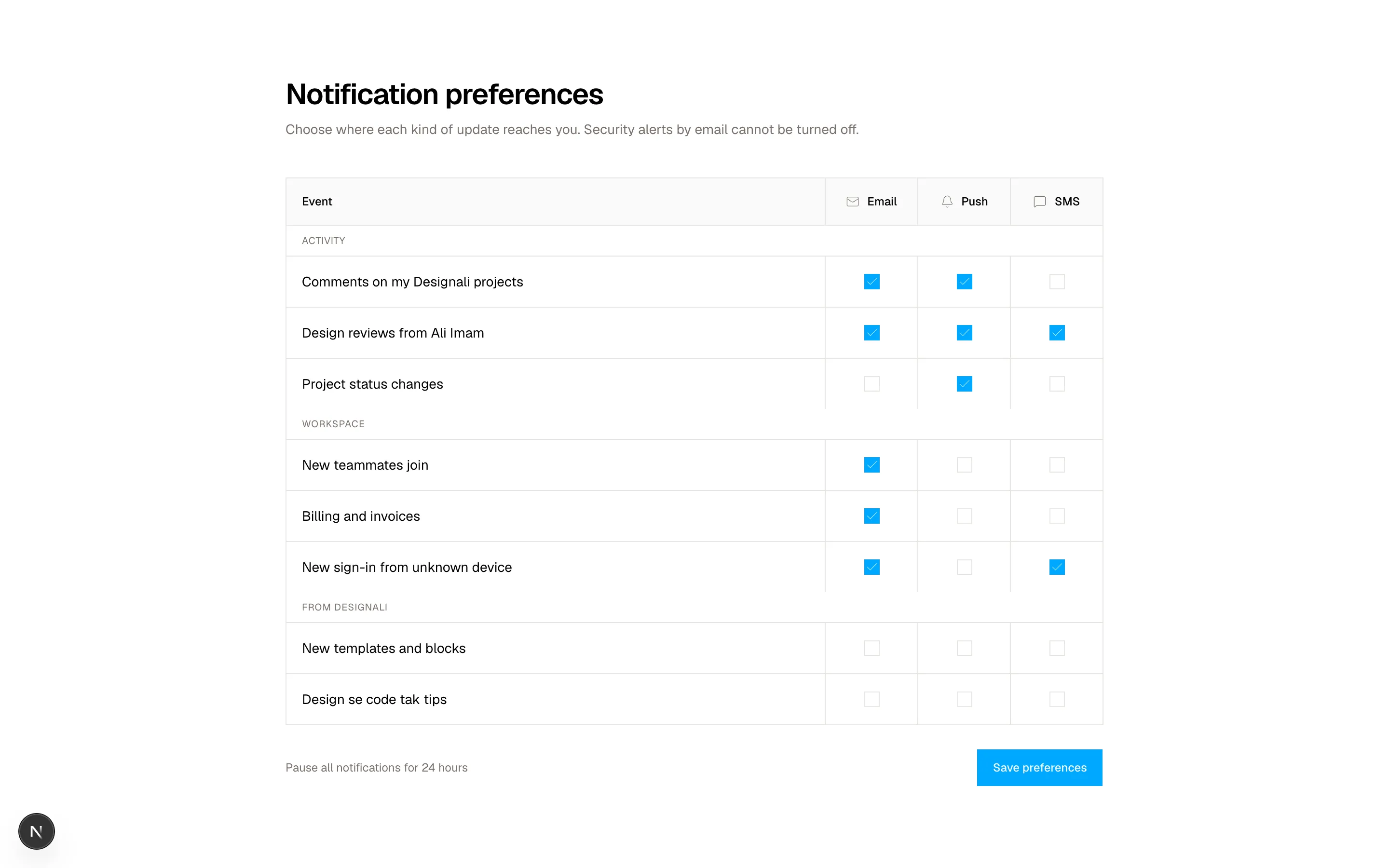
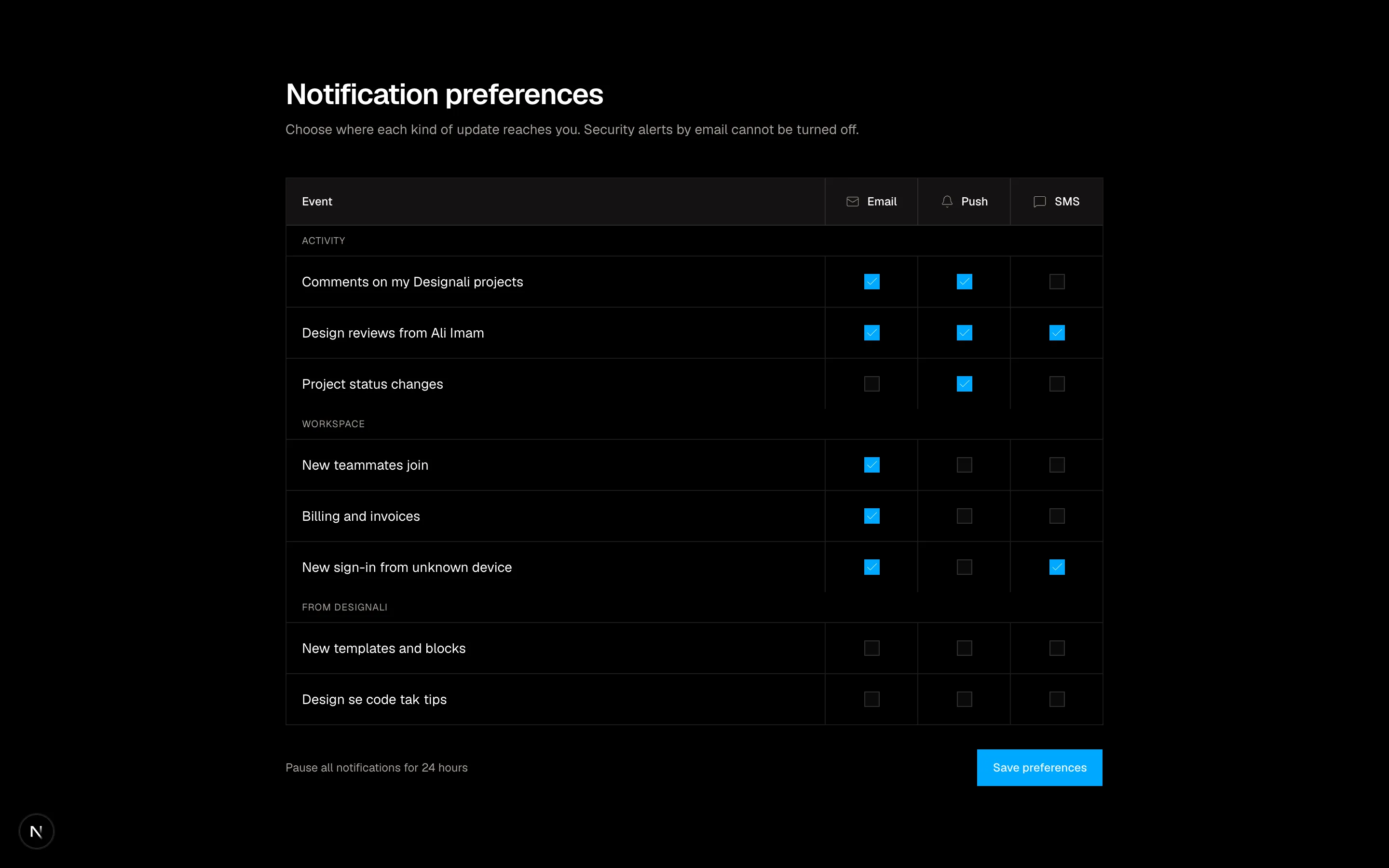
Notification preferences matrix of events by email, push and SMS checkboxes.
forms-18
Files
"use client"

import { useState } from "react"
import {
  Star,
} from "@designali/icons"

import { Button } from "@/components/ui/button"
import { Checkbox } from "@/components/ui/checkbox"
import { Input } from "@/components/ui/input"
import { Label } from "@/components/ui/label"
import { Textarea } from "@/components/ui/textarea"
import { cn } from "@/lib/utils"

const ratingLabels = ["", "Disappointing", "Below expectations", "It is fine", "Really good", "Exceptional"]

const fitOptions = ["Easier than expected", "As expected", "Harder than expected"]

const tags = ["Clean code", "Responsive", "Dark mode", "Easy to customise", "Great docs", "Fast"]

export function Forms19() {
  const [rating, setRating] = useState(4)
  const [hover, setHover] = useState(0)
  const [fit, setFit] = useState("As expected")
  const [picked, setPicked] = useState<string[]>(["Clean code", "Dark mode"])
  const shown = hover || rating

  return (
    <section className="w-full bg-muted/40 py-20">
      <div className="mx-auto grid max-w-6xl gap-8 px-6 lg:grid-cols-[320px_1fr]">
        <div className="h-fit border border-border bg-background p-6">
          <img
            src="/images/templates/portfolio-simple.jpg"
            alt="Designali Portfolio Simple template"
            className="aspect-square w-full object-cover"
          />
          <p className="mt-5 text-xs text-muted-foreground">Order #48213 · Purchased 9 Nov</p>
          <h2 className="mt-1 text-lg font-semibold tracking-tight">Portfolio Simple Template</h2>
          <p className="text-sm text-muted-foreground">Next.js / Tailwind CSS</p>
        </div>

        <form className="space-y-8 border border-border bg-background p-6 md:p-8">
          <div>
            <h3 className="text-2xl font-semibold tracking-tight">How was your Designali template?</h3>
            <div className="mt-5 flex flex-wrap items-center gap-4">
              <div className="flex" onMouseLeave={() => setHover(0)} role="radiogroup" aria-label="Rating">
                {[1, 2, 3, 4, 5].map((value) => (
                  <button
                    key={value}
                    type="button"
                    role="radio"
                    aria-checked={rating === value}
                    aria-label={`${value} star${value > 1 ? "s" : ""}`}
                    onMouseEnter={() => setHover(value)}
                    onClick={() => setRating(value)}
                    className="p-1"
                  >
                    <Star
                      className={cn(
                        "size-8 transition-colors",
                        value <= shown ? "fill-primary text-primary" : "text-muted-foreground/40"
                      )}
                    />
                  </button>
                ))}
              </div>
              <span className="text-sm text-muted-foreground" aria-live="polite">{ratingLabels[shown]}</span>
            </div>
          </div>

          <fieldset>
            <legend className="text-sm font-medium">How was the setup?</legend>
            <div className="mt-3 grid grid-cols-3 border border-border">
              {fitOptions.map((option) => (
                <button
                  key={option}
                  type="button"
                  onClick={() => setFit(option)}
                  aria-pressed={fit === option}
                  className={cn(
                    "border-border px-2 py-2.5 text-xs transition-colors not-last:border-r",
                    fit === option ? "bg-foreground text-background" : "hover:bg-muted"
                  )}
                >
                  {option}
                </button>
              ))}
            </div>
          </fieldset>

          <fieldset>
            <legend className="text-sm font-medium">What stood out?</legend>
            <div className="mt-3 flex flex-wrap gap-2">
              {tags.map((tag) => {
                const on = picked.includes(tag)
                return (
                  <button
                    key={tag}
                    type="button"
                    aria-pressed={on}
                    onClick={() =>
                      setPicked((list) => (on ? list.filter((t) => t !== tag) : [...list, tag]))
                    }
                    className={cn(
                      "rounded-full border px-3 py-1.5 text-xs transition-colors",
                      on ? "border-foreground bg-muted" : "border-border text-muted-foreground hover:text-foreground"
                    )}
                  >
                    {tag}
                  </button>
                )
              })}
            </div>
          </fieldset>

          <div className="space-y-2">
            <Label htmlFor="f19-title">Headline</Label>
            <Input id="f19-title" placeholder="Shipped my portfolio in an afternoon" className="h-10" />
          </div>
          <div className="space-y-2">
            <Label htmlFor="f19-body">Your review</Label>
            <Textarea id="f19-body" rows={4} placeholder="Swapped in my content, deployed on Vercel and it just worked..." />
          </div>

          <div className="flex flex-col gap-4 border-t border-border pt-6 sm:flex-row sm:items-center sm:justify-between">
            <Label className="flex items-center gap-2 text-xs font-normal text-muted-foreground">
              <Checkbox />
              Post with my first name only
            </Label>
            <Button type="submit" size="lg">Publish review</Button>
          </div>
        </form>
      </div>
    </section>
  )
}
Product review form with hover star rating, fit selector and tag chips.
forms-19
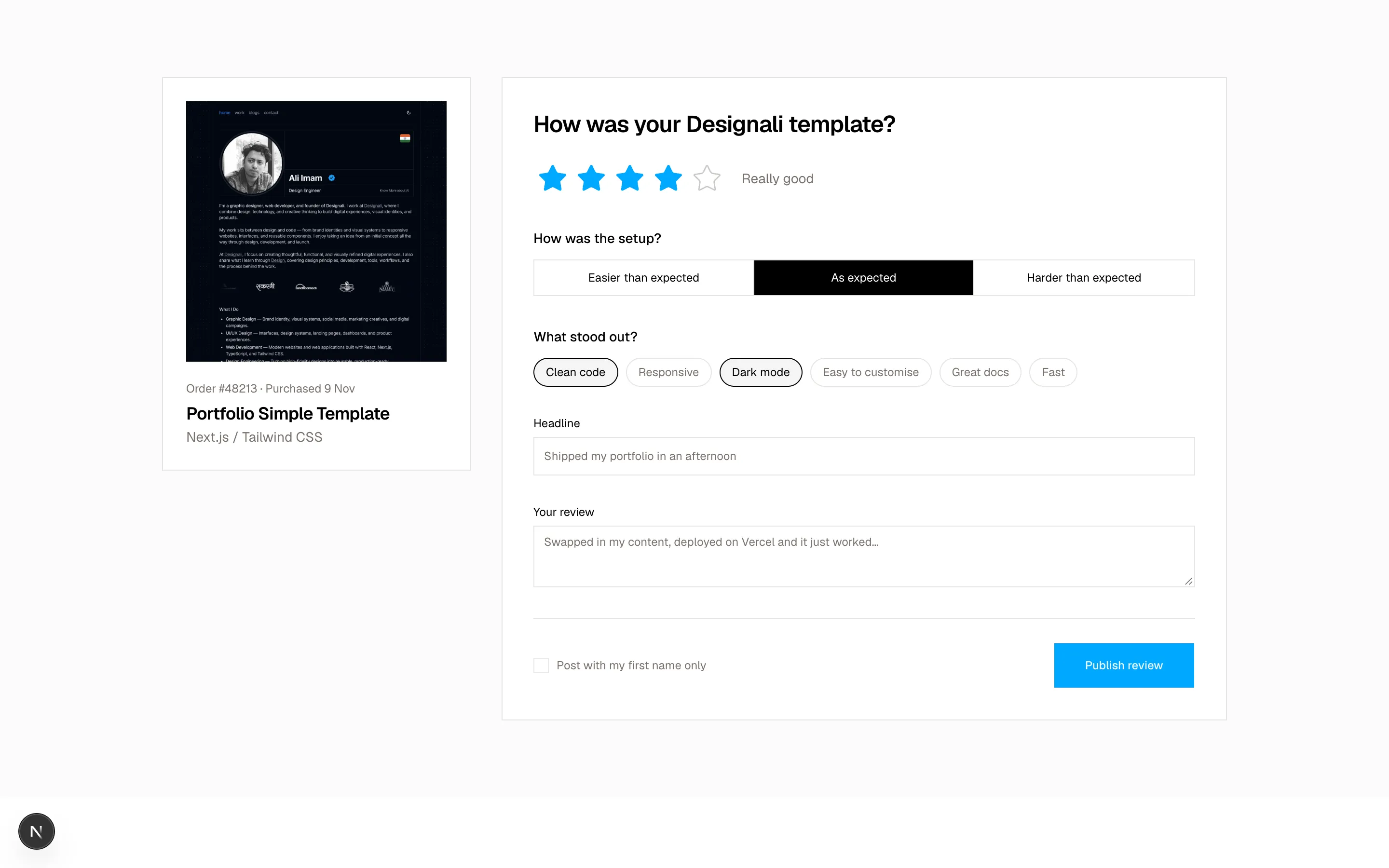
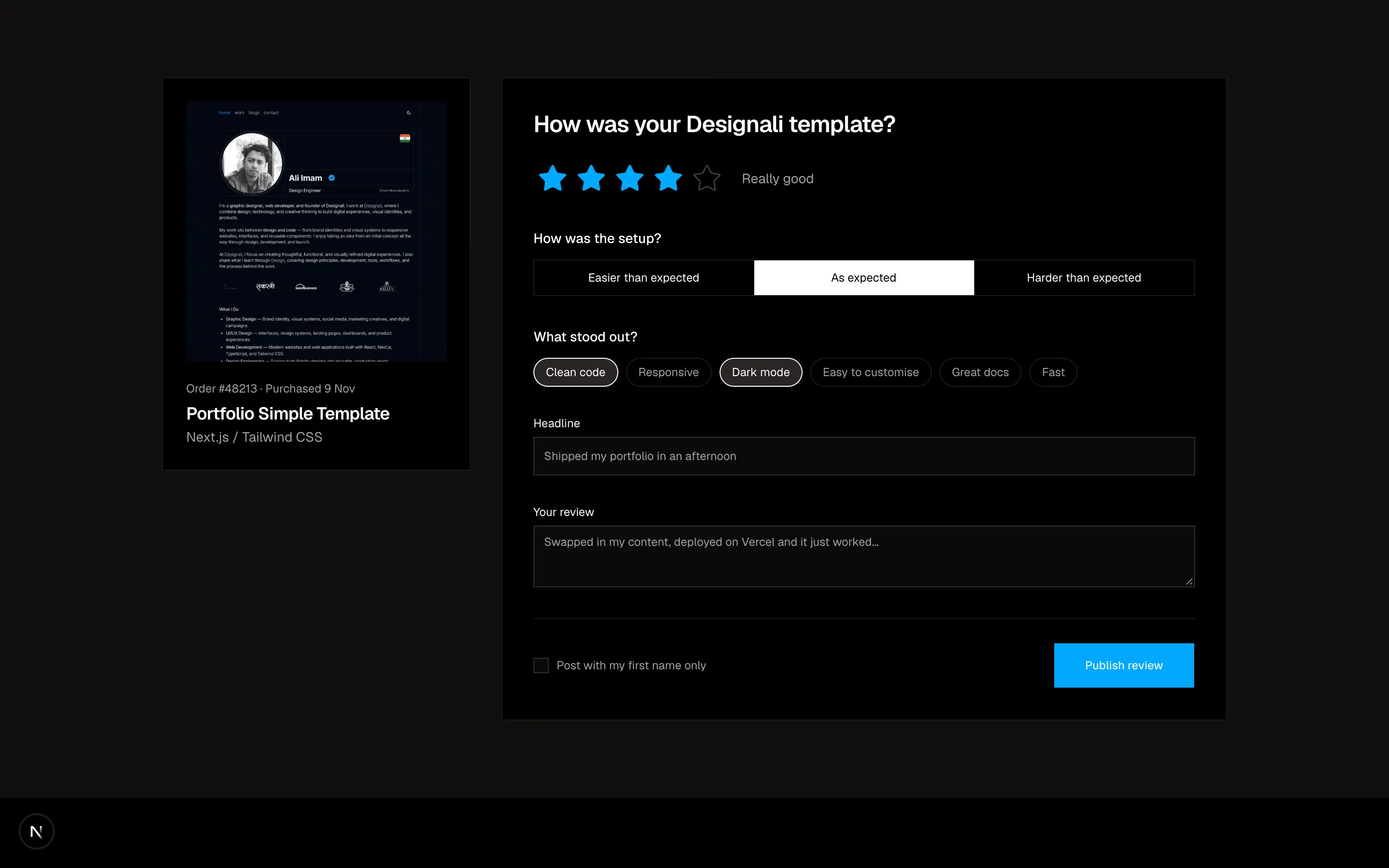
Files
"use client"

import { useState } from "react"
import {
  ArrowRight,
  Building2,
  LifeBuoy,
  Newspaper,
} from "@designali/icons"

import { Button } from "@/components/ui/button"
import { Input } from "@/components/ui/input"
import { Label } from "@/components/ui/label"
import {
  NativeSelect,
  NativeSelectOption,
} from "@/components/ui/native-select"
import { Textarea } from "@/components/ui/textarea"
import { cn } from "@/lib/utils"

const departments = [
  {
    id: "sales",
    label: "Projects",
    icon: Building2,
    heading: "Start a project with Designali",
    blurb: "Brand identity, UI/UX design and Next.js development for brands that want to stand out.",
    contact: "hello@designali.com",
  },
  {
    id: "support",
    label: "Support",
    icon: LifeBuoy,
    heading: "Get help with templates and blocks",
    blurb: "Questions about installing or customising Designali products? We are happy to help.",
    contact: "support@designali.com",
  },
  {
    id: "press",
    label: "Billing",
    icon: Newspaper,
    heading: "Billing and licences",
    blurb: "Invoices, plan changes and licence questions for designali.com purchases.",
    contact: "billing@designali.com",
  },
]

const offices = [
  { city: "Instagram", address: "@designali.code" },
  { city: "X", address: "@designali_com" },
]

export function Forms20() {
  const [active, setActive] = useState("sales")
  const department = departments.find((item) => item.id === active) ?? departments[0]!

  return (
    <section className="w-full bg-background py-20">
      <div className="mx-auto max-w-7xl px-6">
        <h2 className="max-w-2xl text-4xl font-semibold tracking-tight md:text-5xl">
          How can Designali help?
        </h2>

        <div className="mt-10 grid grid-cols-3 border border-border" role="tablist" aria-label="Department">
          {departments.map((item) => (
            <button
              key={item.id}
              type="button"
              role="tab"
              aria-selected={active === item.id}
              onClick={() => setActive(item.id)}
              className={cn(
                "flex items-center justify-center gap-2 border-border px-2 py-4 text-sm transition-colors not-last:border-r sm:justify-start sm:px-6",
                active === item.id ? "bg-foreground text-background" : "hover:bg-muted"
              )}
            >
              <item.icon className="size-4 shrink-0" />
              {item.label}
            </button>
          ))}
        </div>

        <div className="grid border-x border-b border-border lg:grid-cols-[1fr_1.5fr]">
          <div className="flex flex-col justify-between gap-10 border-b border-border p-6 md:p-10 lg:border-r lg:border-b-0">
            <div>
              <h3 className="text-2xl font-semibold tracking-tight">{department.heading}</h3>
              <p className="mt-3 text-sm leading-6 text-muted-foreground">{department.blurb}</p>
              <a href={`mailto:${department.contact}`} className="mt-6 inline-block font-sans text-sm underline underline-offset-4">
                {department.contact}
              </a>
            </div>
            <ul className="grid gap-6 sm:grid-cols-2">
              {offices.map((office) => (
                <li key={office.city}>
                  <p className="text-sm font-medium">{office.city}</p>
                  <p className="mt-1 text-xs text-muted-foreground">{office.address}</p>
                </li>
              ))}
            </ul>
          </div>

          <form key={active} className="space-y-5 p-6 md:p-10">
            <div className="grid gap-5 sm:grid-cols-2">
              <div className="space-y-2">
                <Label htmlFor="f20-name">Name</Label>
                <Input id="f20-name" placeholder="Your name" className="h-10" />
              </div>
              <div className="space-y-2">
                <Label htmlFor="f20-email">Email</Label>
                <Input id="f20-email" type="email" placeholder="you@example.com" className="h-10" />
              </div>
            </div>

            {active === "sales" && (
              <div className="grid gap-5 sm:grid-cols-2">
                <div className="space-y-2">
                  <Label htmlFor="f20-company">Company</Label>
                  <Input id="f20-company" placeholder="Your company" className="h-10" />
                </div>
                <div className="space-y-2">
                  <Label htmlFor="f20-size">Team size</Label>
                  <NativeSelect id="f20-size" className="w-full" defaultValue="51-200">
                    <NativeSelectOption value="1-50">1 - 50</NativeSelectOption>
                    <NativeSelectOption value="51-200">51 - 200</NativeSelectOption>
                    <NativeSelectOption value="201-1000">201 - 1,000</NativeSelectOption>
                    <NativeSelectOption value="1000+">1,000+</NativeSelectOption>
                  </NativeSelect>
                </div>
              </div>
            )}

            {active === "support" && (
              <div className="space-y-2">
                <Label htmlFor="f20-workspace">Your site URL</Label>
                <div className="flex">
                  <span className="flex h-10 items-center border border-r-0 border-input bg-muted px-3 text-xs text-muted-foreground">
                    https://
                  </span>
                  <Input id="f20-workspace" placeholder="your-site.vercel.app" className="h-10" />
                </div>
              </div>
            )}

            {active === "press" && (
              <div className="space-y-2">
                <Label htmlFor="f20-outlet">Invoice number</Label>
                <Input id="f20-outlet" placeholder="INV-2026-0042" className="h-10" />
              </div>
            )}

            <div className="space-y-2">
              <Label htmlFor="f20-message">Message</Label>
              <Textarea id="f20-message" rows={5} placeholder="A few lines about what you need..." />
            </div>
            <div className="flex justify-end">
              <Button type="submit" size="lg">
                Send to {department.label.toLowerCase()}
                <ArrowRight />
              </Button>
            </div>
          </form>
        </div>
      </div>
    </section>
  )
}
Department-tabbed contact form whose fields change for sales, support and press.
forms-20