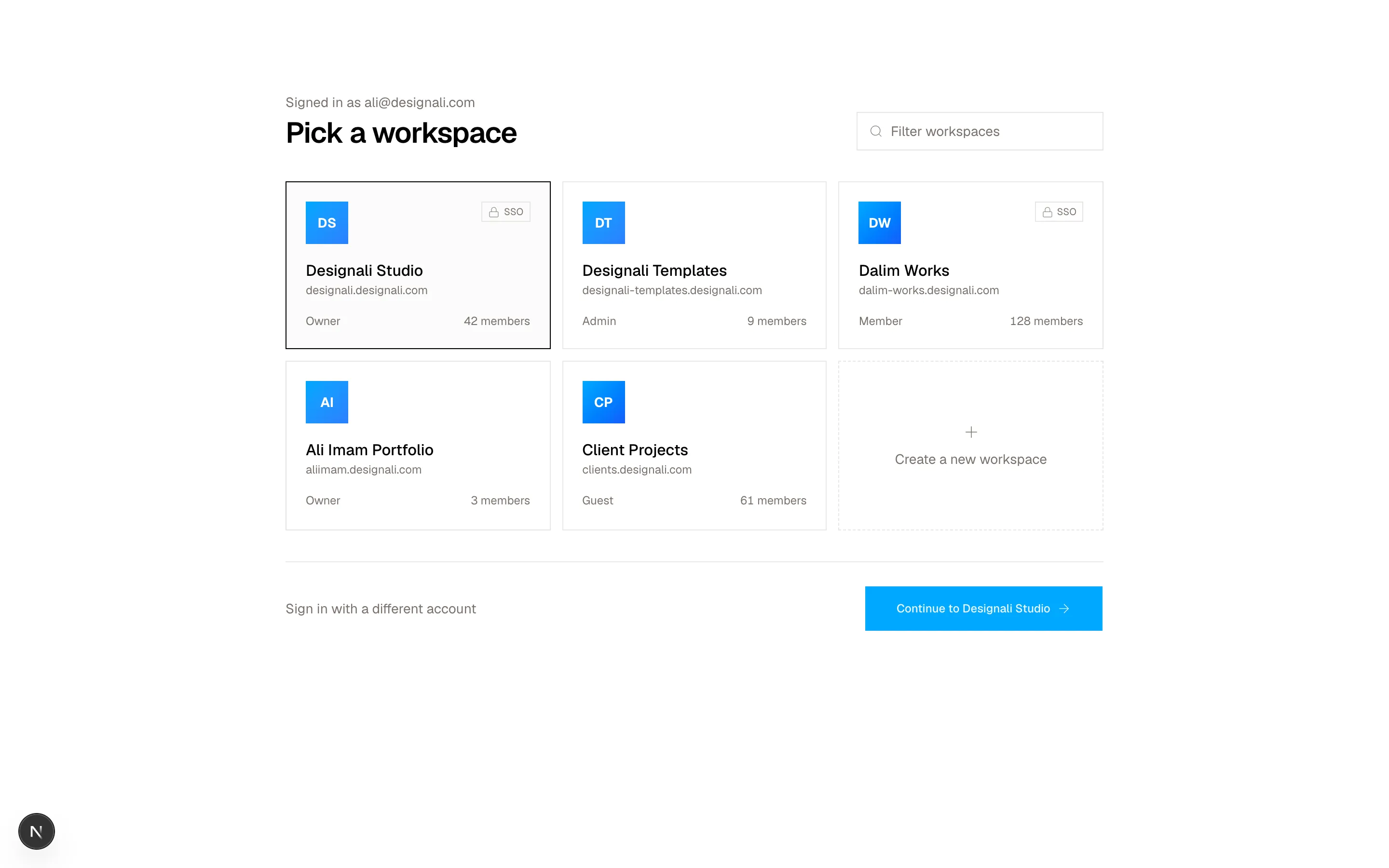
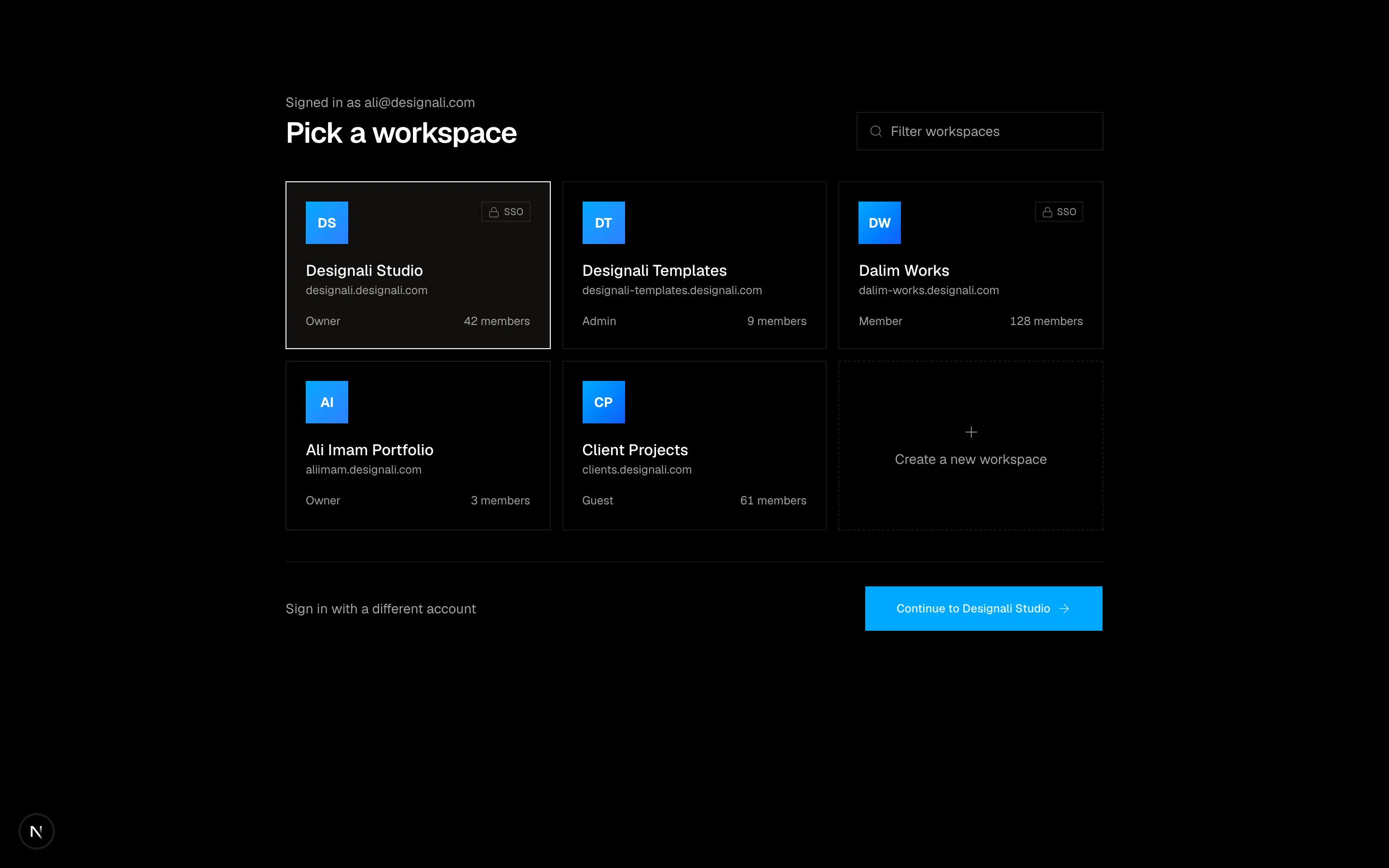
Files
import {
ArrowRight,
} from "@designali/icons"
import { Button } from "@/components/ui/button"
import { Checkbox } from "@/components/ui/checkbox"
import { Input } from "@/components/ui/input"
import { Label } from "@/components/ui/label"
import { Macbook } from "@/components/ui/apple/macbook"
import { GridPattern } from "@/components/ui/grid-pattern"
export function Authentication01() {
return (
<section className="grid min-h-[720px] w-full bg-background lg:grid-cols-2">
<div className="relative hidden flex-col justify-between overflow-hidden border-e bg-foreground p-12 text-background lg:flex">
<GridPattern
width={56}
height={56}
className="stroke-background/20"
/>
<a href="#" className="relative flex items-center gap-2 font-semibold">
<span className="size-5 bg-background" />
designali
</a>
<div className="relative flex justify-center">
<Macbook variant="macbook-pro" color="silver" size="sm" className="max-w-full">
<img
src="/img/dashboard-1-light.jpg"
alt="Designali dashboard"
className="size-full object-cover"
/>
</Macbook>
</div>
<blockquote className="relative space-y-6">
<p className="text-3xl leading-snug font-medium tracking-tight">
“Where thoughtful design meets production-ready code.
Design se code tak.”
</p>
<footer className="text-sm text-background/60">
Ali Imam · Founder, Designali
</footer>
</blockquote>
</div>
<div className="flex items-center justify-center px-6 py-16">
<div className="w-full max-w-sm space-y-8">
<div className="space-y-2">
<h2 className="text-3xl font-semibold tracking-tight">Welcome back</h2>
<p className="text-sm text-muted-foreground">
Sign in to your Designali account.
</p>
</div>
<form className="space-y-5">
<div className="space-y-2">
<Label htmlFor="auth-01-email">Email</Label>
<Input
id="auth-01-email"
type="email"
placeholder="you@designali.com"
className="h-10"
/>
</div>
<div className="space-y-2">
<div className="flex items-center justify-between">
<Label htmlFor="auth-01-password">Password</Label>
<a href="#" className="text-xs text-muted-foreground hover:text-foreground">
Forgot password?
</a>
</div>
<Input id="auth-01-password" type="password" className="h-10" />
</div>
<Label className="text-sm font-normal text-muted-foreground">
<Checkbox defaultChecked />
Keep me signed in for 30 days
</Label>
<Button type="submit" size="lg" className="w-full">
Sign in
<ArrowRight />
</Button>
</form>
<p className="text-center text-sm text-muted-foreground">
New to Designali?{" "}
<a href="#" className="font-medium text-foreground underline-offset-4 hover:underline">
Create an account
</a>
</p>
</div>
</div>
</section>
)
}
A split sign-in screen with email, password and remember me.
authentication-01
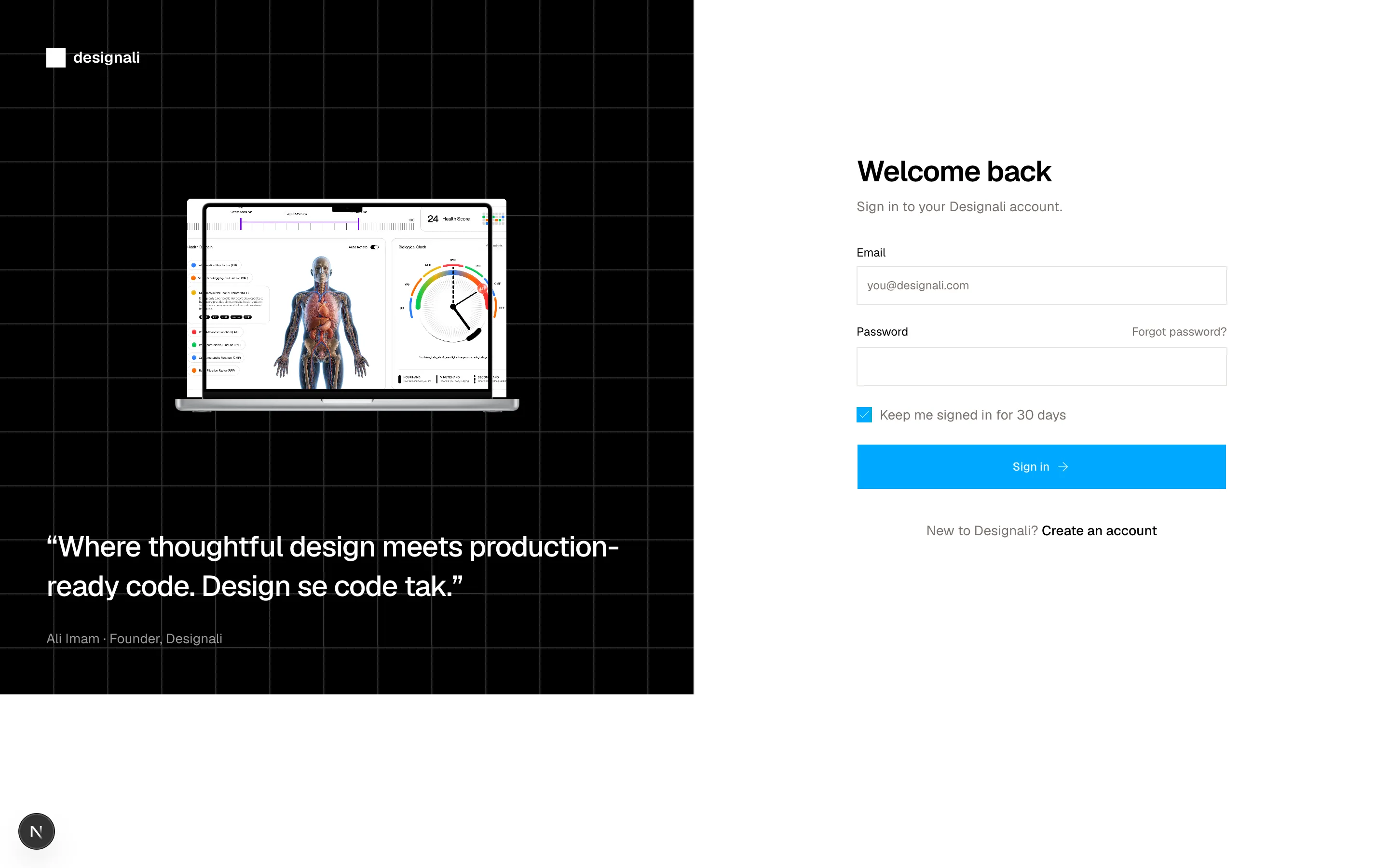
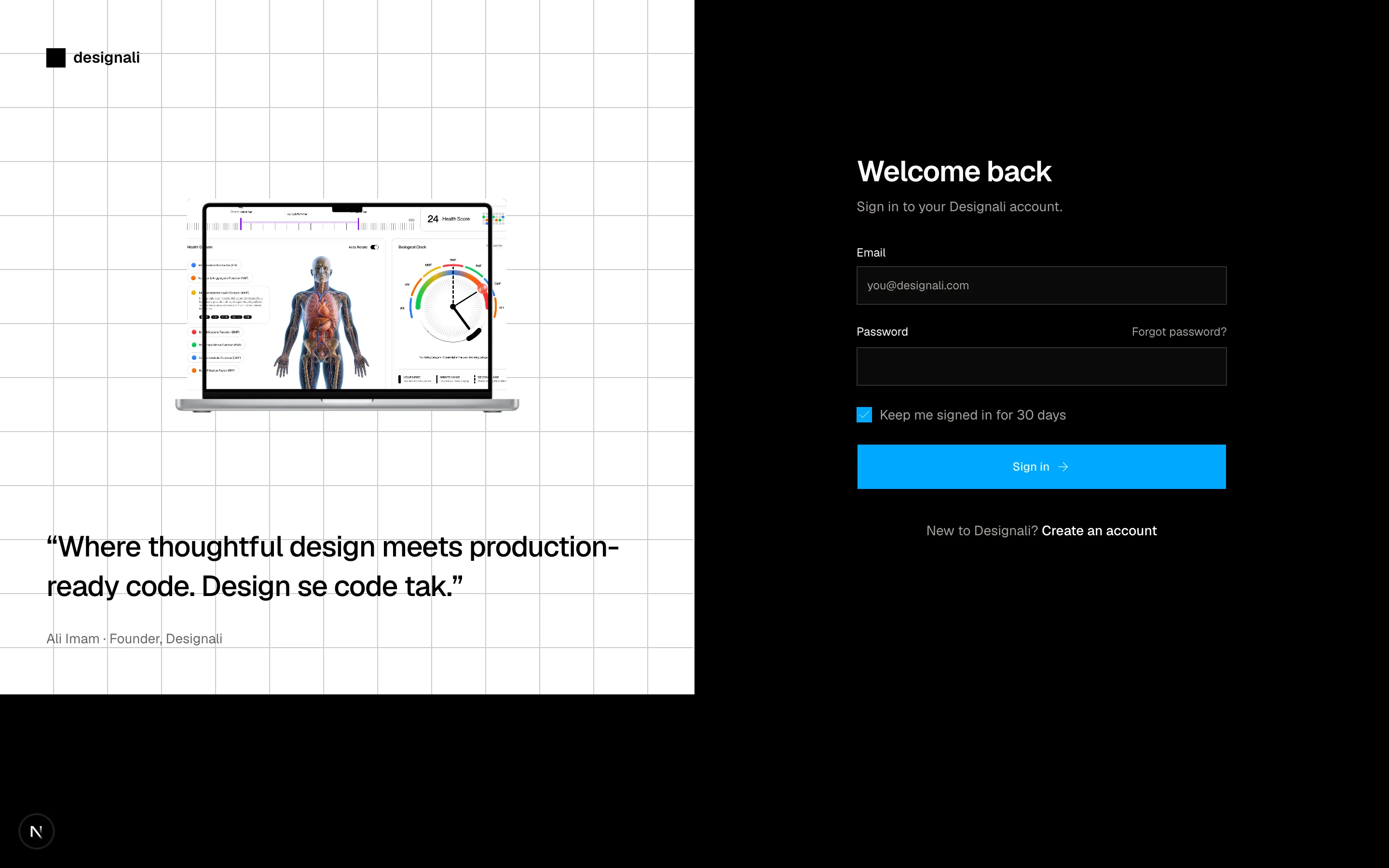
Files
import { Github, GoogleIcon } from "@designali/logos"
import { Button } from "@/components/ui/button"
import { Input } from "@/components/ui/input"
import { Label } from "@/components/ui/label"

export function Authentication02() {
  return (
    <section className="flex min-h-[720px] w-full items-center justify-center bg-muted/40 px-6 py-16">
      <div className="w-full max-w-md border bg-background">
        <div className="space-y-2 border-b p-8 text-center">
          <span className="mx-auto mb-4 flex size-10 items-center justify-center bg-primary text-sm font-semibold text-primary-foreground">
            da
          </span>
          <h2 className="text-2xl font-semibold tracking-tight">Create your Designali account</h2>
          <p className="text-sm text-muted-foreground">
            Get free blocks, icons and templates from designali.com.
          </p>
        </div>
        <div className="space-y-6 p-8">
          <div className="grid grid-cols-2 gap-3">
            <Button variant="outline" className="h-10">
              <GoogleIcon className="size-4" />
              Google
            </Button>
            <Button variant="outline" className="h-10">
              <Github className="size-4" />
              GitHub
            </Button>
          </div>
          <div className="flex items-center gap-3 text-xs text-muted-foreground">
            <span className="h-px flex-1 bg-border" />
            or with email
            <span className="h-px flex-1 bg-border" />
          </div>
          <form className="space-y-4">
            <div className="space-y-2">
              <Label htmlFor="auth-02-name">Full name</Label>
              <Input id="auth-02-name" placeholder="Ali Imam" className="h-10" />
            </div>
            <div className="space-y-2">
              <Label htmlFor="auth-02-email">Work email</Label>
              <Input id="auth-02-email" type="email" placeholder="you@designali.com" className="h-10" />
            </div>
            <div className="space-y-2">
              <Label htmlFor="auth-02-password">Password</Label>
              <Input id="auth-02-password" type="password" placeholder="At least 8 characters" className="h-10" />
            </div>
            <Button type="submit" size="lg" className="w-full">
              Create account
            </Button>
          </form>
        </div>
        <p className="border-t p-5 text-center text-xs text-muted-foreground">
          By continuing you agree to the{" "}
          <a href="https://www.designali.com/docs/legal/terms" className="underline underline-offset-4">Terms</a> and{" "}
          <a href="#" className="underline underline-offset-4">Privacy Policy</a>.
        </p>
      </div>
    </section>
  )
}
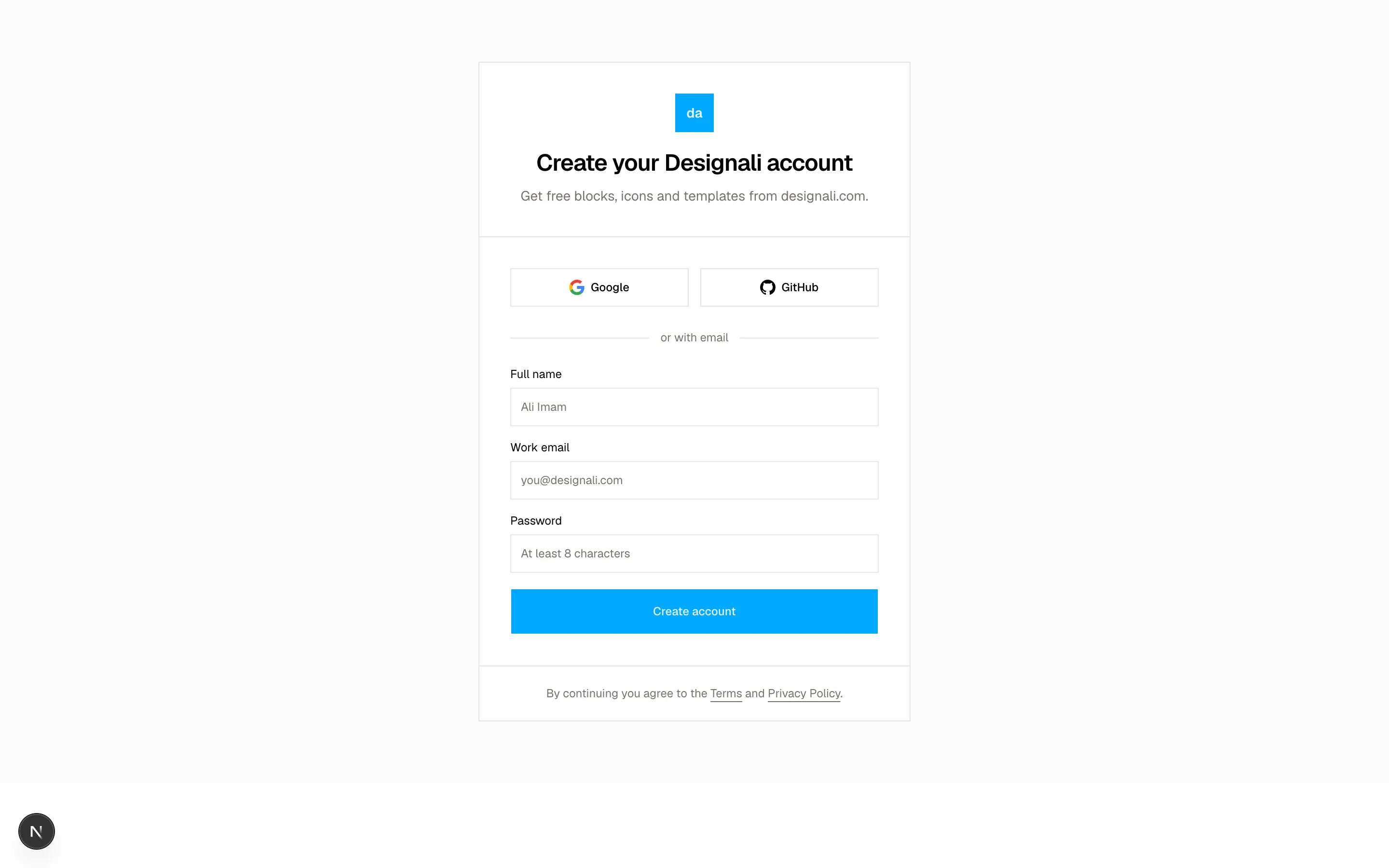
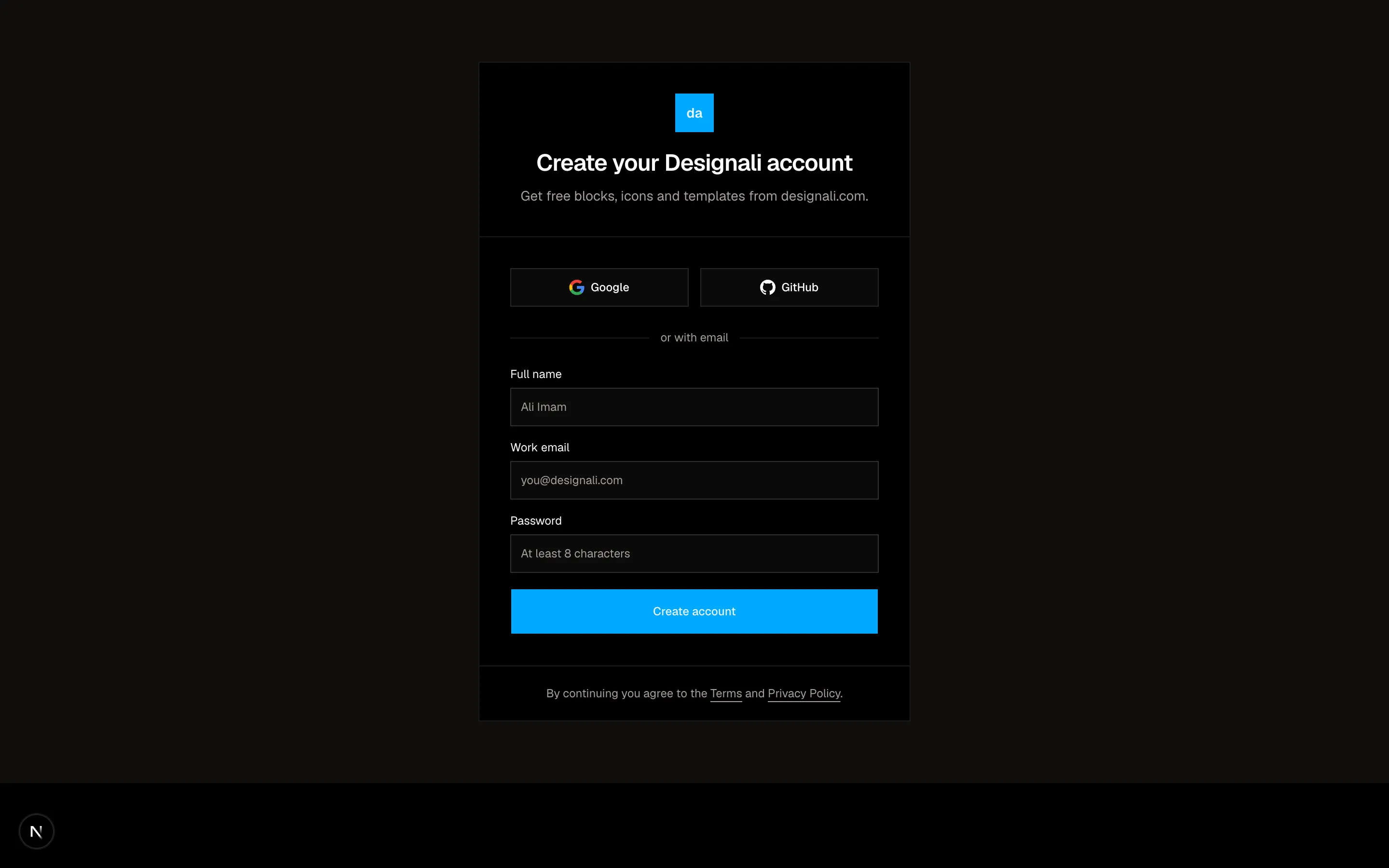
A sign-up form with social providers and a brand panel.
authentication-02
Files
"use client"
import { useRef, useState } from "react"
import {
ShieldCheck,
} from "@designali/icons"
import { Button } from "@/components/ui/button"
const LENGTH = 6
export function Authentication03() {
const [code, setCode] = useState<string[]>(Array(LENGTH).fill(""))
const inputs = useRef<(HTMLInputElement | null)[]>([])
function update(index: number, value: string) {
const digit = value.replace(/\D/g, "").slice(-1)
const next = [...code]
next[index] = digit
setCode(next)
if (digit && index < LENGTH - 1) inputs.current[index + 1]?.focus()
}
function onKeyDown(index: number, event: React.KeyboardEvent<HTMLInputElement>) {
if (event.key === "Backspace" && !code[index] && index > 0) {
inputs.current[index - 1]?.focus()
}
}
const complete = code.every(Boolean)
return (
<section className="flex min-h-[640px] w-full items-center justify-center bg-background px-6 py-16">
<div className="w-full max-w-md text-center">
<span className="mx-auto flex size-12 items-center justify-center border">
<ShieldCheck className="size-5" />
</span>
<h2 className="mt-6 text-3xl font-semibold tracking-tight">Check your inbox</h2>
<p className="mt-2 text-sm text-muted-foreground">
We sent a 6-digit code to <span className="text-foreground">you@designali.com</span>.
It expires in 10 minutes.
</p>
<form className="mt-10 space-y-6" onSubmit={(event) => event.preventDefault()}>
<div className="flex justify-center gap-2">
{code.map((digit, index) => (
<input
key={index}
ref={(element) => {
inputs.current[index] = element
}}
value={digit}
onChange={(event) => update(index, event.target.value)}
onKeyDown={(event) => onKeyDown(index, event)}
inputMode="numeric"
aria-label={`Digit ${index + 1}`}
className="size-12 border bg-background text-center font-sans text-xl outline-none focus:border-foreground sm:size-14 dark:bg-input/30"
/>
))}
</div>
<Button type="submit" size="lg" disabled={!complete} className="w-full">
Verify and continue
</Button>
</form>
<p className="mt-6 text-sm text-muted-foreground">
Didn't get it?{" "}
<button type="button" className="font-medium text-foreground underline-offset-4 hover:underline">
Resend code
</button>
</p>
</div>
</section>
)
}
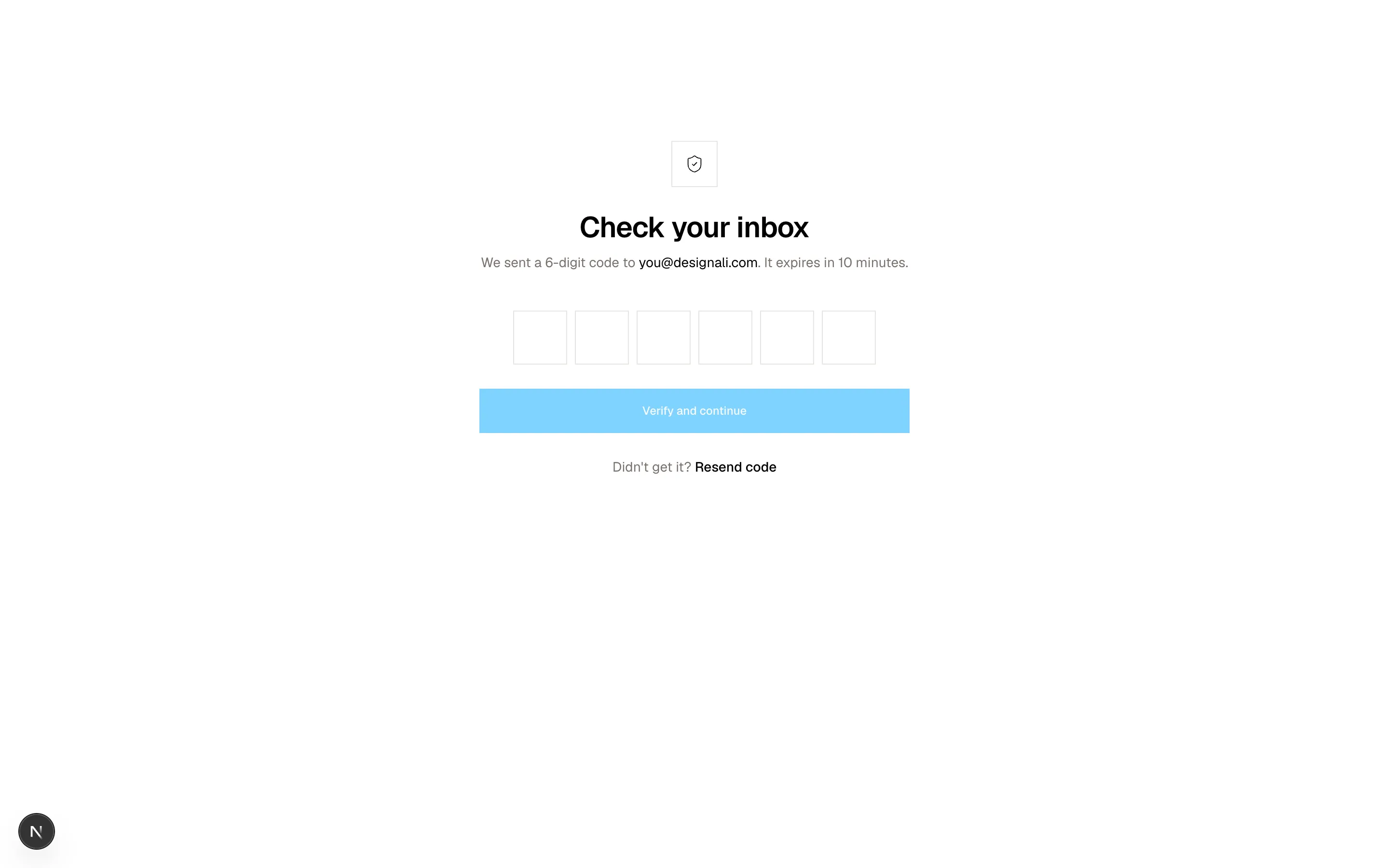
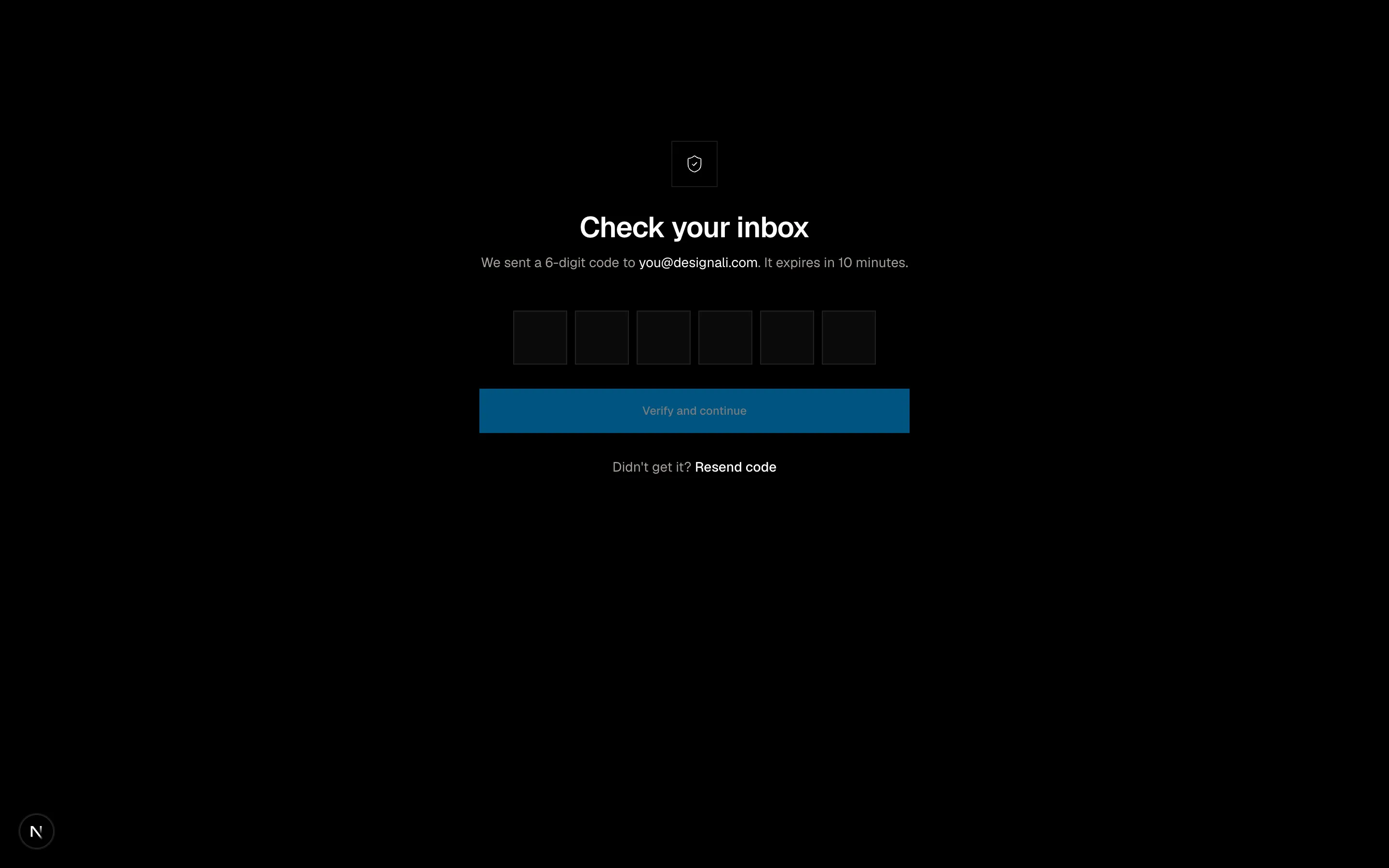
A one-time code verification screen with six digit inputs.
authentication-03
Files
"use client"

import { useState } from "react"
import {
  ArrowLeft,
  FingerprintPattern as Fingerprint,
  Mail,
} from "@designali/icons"

import { Button } from "@/components/ui/button"
import { Input } from "@/components/ui/input"

export function Authentication04() {
  const [sent, setSent] = useState(false)
  const [email, setEmail] = useState("")

  return (
    <section className="w-full bg-background py-20 md:py-28">
      <div className="mx-auto grid max-w-5xl border md:grid-cols-2">
        <div className="flex flex-col justify-between gap-12 border-b p-8 md:border-e md:border-b-0 md:p-12">
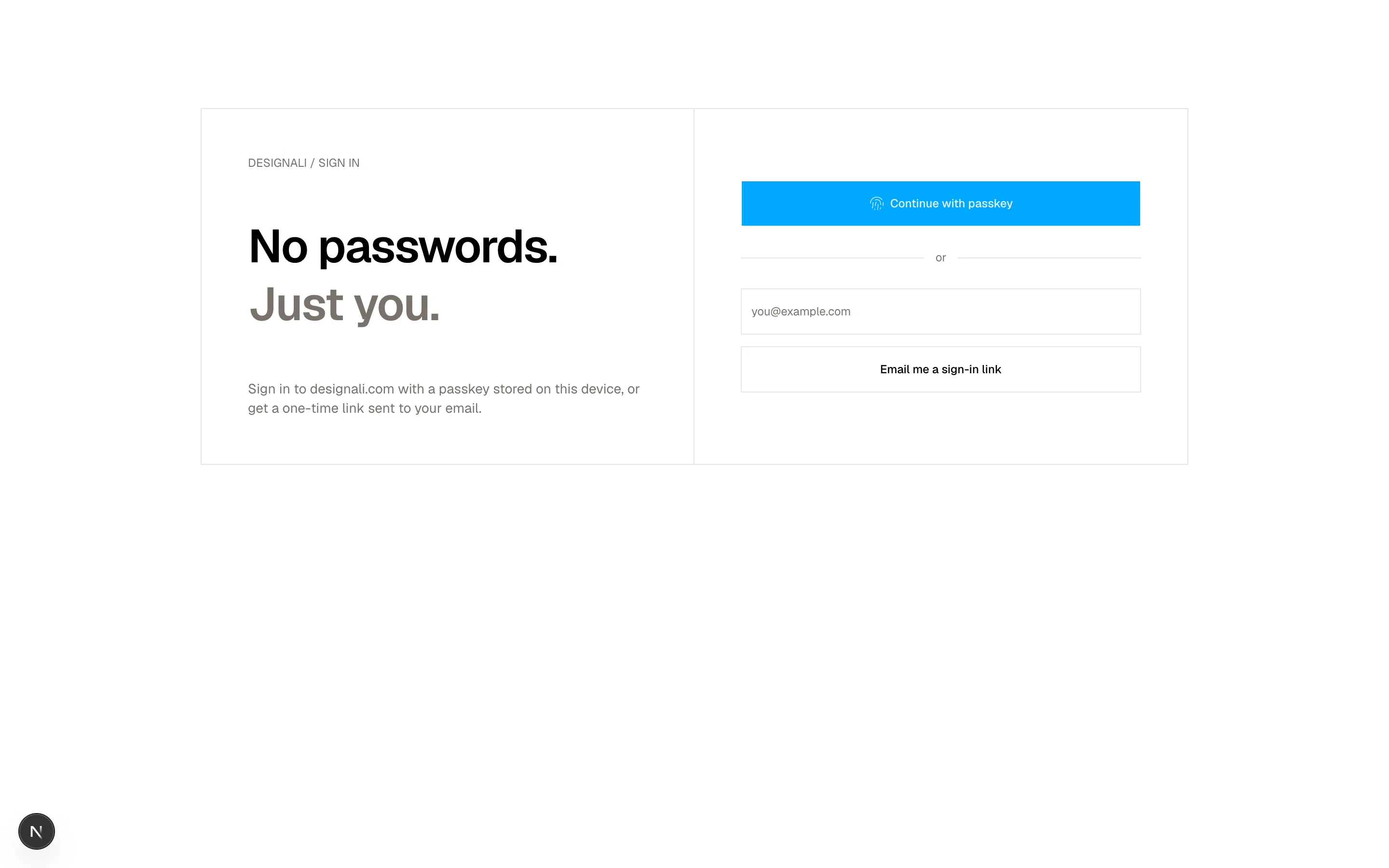
          <p className="font-sans text-xs text-muted-foreground">DESIGNALI / SIGN IN</p>
          <h2 className="text-4xl leading-tight font-semibold tracking-tight md:text-5xl">
            No passwords.
            <br />
            <span className="text-muted-foreground">Just you.</span>
          </h2>
          <p className="text-sm text-muted-foreground">
            Sign in to designali.com with a passkey stored on this device, or get
            a one-time link sent to your email.
          </p>
        </div>

        <div className="flex flex-col justify-center gap-6 p-8 md:p-12">
          {sent ? (
            <div className="space-y-4">
              <Mail className="size-6" />
              <h3 className="text-xl font-medium">Magic link sent</h3>
              <p className="text-sm text-muted-foreground">
                Open the email we sent to {email || "your inbox"} and tap the
                link to continue. You can close this tab.
              </p>
              <Button variant="ghost" onClick={() => setSent(false)} className="-ms-4">
                <ArrowLeft />
                Use a different email
              </Button>
            </div>
          ) : (
            <>
              <Button size="lg" className="w-full">
                <Fingerprint />
                Continue with passkey
              </Button>
              <div className="flex items-center gap-3 text-xs text-muted-foreground">
                <span className="h-px flex-1 bg-border" />
                or
                <span className="h-px flex-1 bg-border" />
              </div>
              <form
                className="space-y-3"
                onSubmit={(event) => {
                  event.preventDefault()
                  setSent(true)
                }}
              >
                <Input
                  type="email"
                  required
                  value={email}
                  onChange={(event) => setEmail(event.target.value)}
                  placeholder="you@example.com"
                  className="h-12 text-sm"
                />
                <Button type="submit" variant="outline" size="lg" className="w-full">
                  Email me a sign-in link
                </Button>
              </form>
            </>
          )}
        </div>
      </div>
    </section>
  )
}
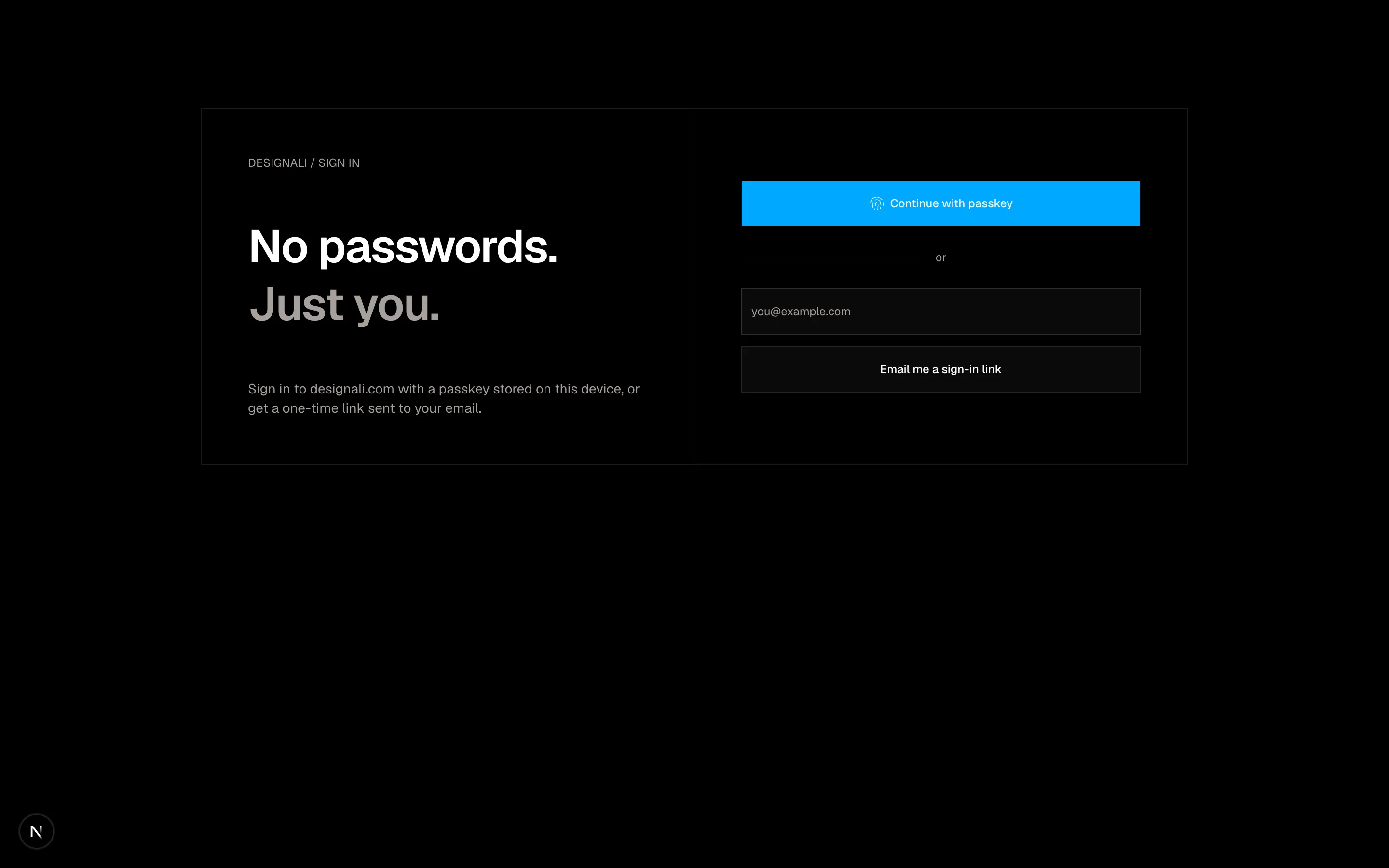
A passwordless magic-link sign-in with a split layout.
authentication-04
Files
"use client"
import { useState } from "react"
import {
Check,
Eye,
EyeOff,
KeyRound,
} from "@designali/icons"
import { Button } from "@/components/ui/button"
import { Input } from "@/components/ui/input"
import { Label } from "@/components/ui/label"
import { cn } from "@/lib/utils"
const rules = [
{ label: "At least 10 characters", test: (value: string) => value.length >= 10 },
{ label: "One uppercase letter", test: (value: string) => /[A-Z]/.test(value) },
{ label: "One number", test: (value: string) => /\d/.test(value) },
{ label: "One symbol", test: (value: string) => /[^A-Za-z0-9]/.test(value) },
]
const strengthLabels = ["Too weak", "Weak", "Fair", "Good", "Strong"]
export function Authentication05() {
const [password, setPassword] = useState("")
const [visible, setVisible] = useState(false)
const passed = rules.filter((rule) => rule.test(password)).length
return (
<section className="flex min-h-[680px] w-full items-center justify-center bg-background px-6 py-16">
<div className="w-full max-w-sm">
<KeyRound className="size-6" />
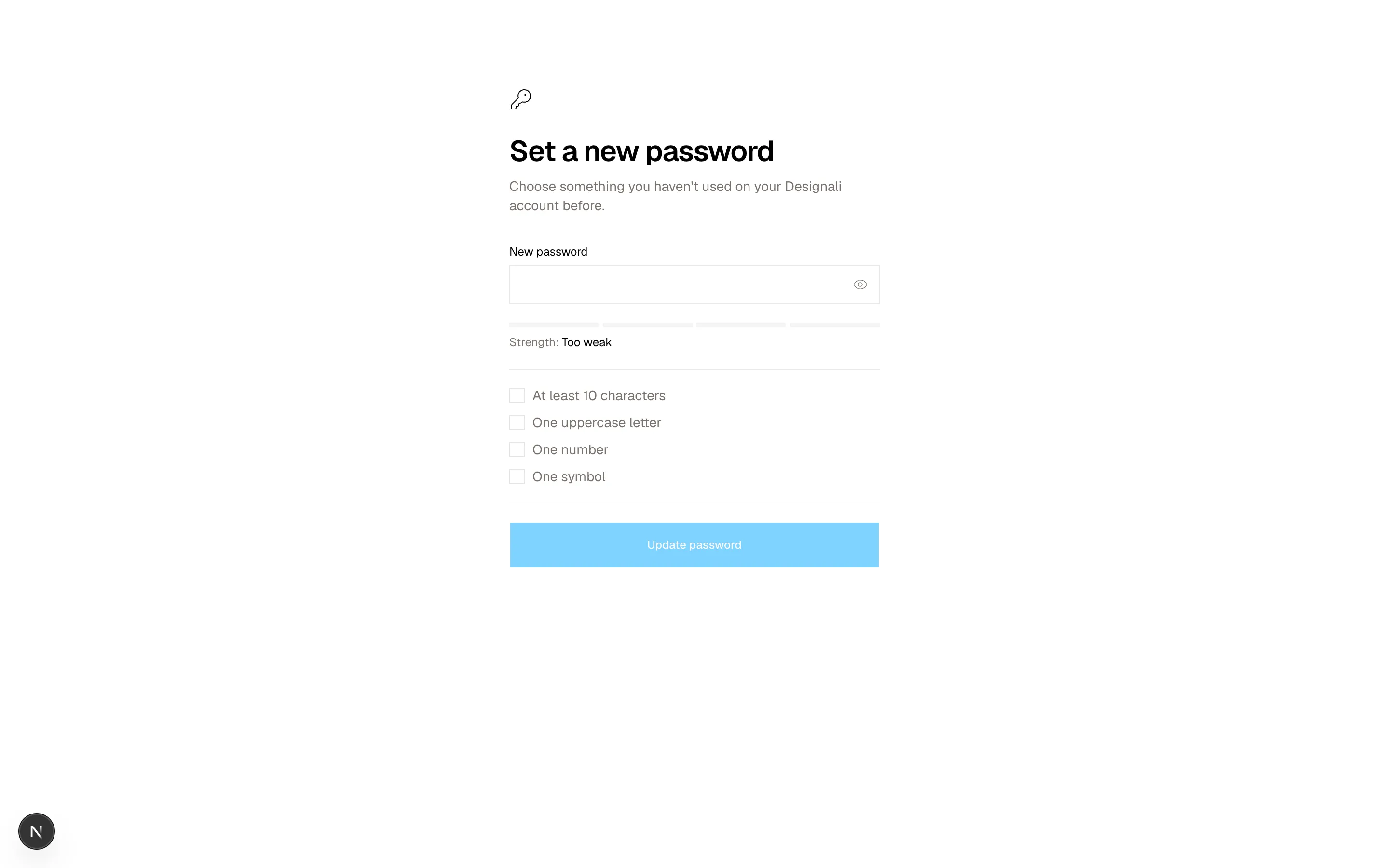
<h2 className="mt-6 text-3xl font-semibold tracking-tight">Set a new password</h2>
<p className="mt-2 text-sm text-muted-foreground">
Choose something you haven't used on your Designali account before.
</p>
<form className="mt-8 space-y-5">
<div className="space-y-2">
<Label htmlFor="auth-05-password">New password</Label>
<div className="relative">
<Input
id="auth-05-password"
type={visible ? "text" : "password"}
value={password}
onChange={(event) => setPassword(event.target.value)}
className="h-10 pe-10"
/>
<button
type="button"
onClick={() => setVisible(!visible)}
aria-label={visible ? "Hide password" : "Show password"}
className="absolute end-0 top-0 flex h-10 w-10 items-center justify-center text-muted-foreground hover:text-foreground"
>
{visible ? <EyeOff className="size-4" /> : <Eye className="size-4" />}
</button>
</div>
</div>
<div className="space-y-2">
<div className="grid grid-cols-4 gap-1">
{rules.map((rule, index) => (
<span
key={rule.label}
className={cn("h-1 transition-colors", index < passed ? "bg-foreground" : "bg-muted")}
/>
))}
</div>
<p className="text-xs text-muted-foreground">
Strength: <span className="text-foreground">{strengthLabels[passed]}</span>
</p>
</div>
<ul className="space-y-2 border-y py-4">
{rules.map((rule) => {
const ok = rule.test(password)
return (
<li
key={rule.label}
className={cn("flex items-center gap-2 text-sm", ok ? "text-foreground" : "text-muted-foreground")}
>
<span
className={cn(
"flex size-4 items-center justify-center border",
ok && "border-foreground bg-foreground text-background"
)}
>
{ok && <Check className="size-3" />}
</span>
{rule.label}
</li>
)
})}
</ul>
<Button type="submit" size="lg" className="w-full" disabled={passed < rules.length}>
Update password
</Button>
</form>
</div>
</section>
)
}
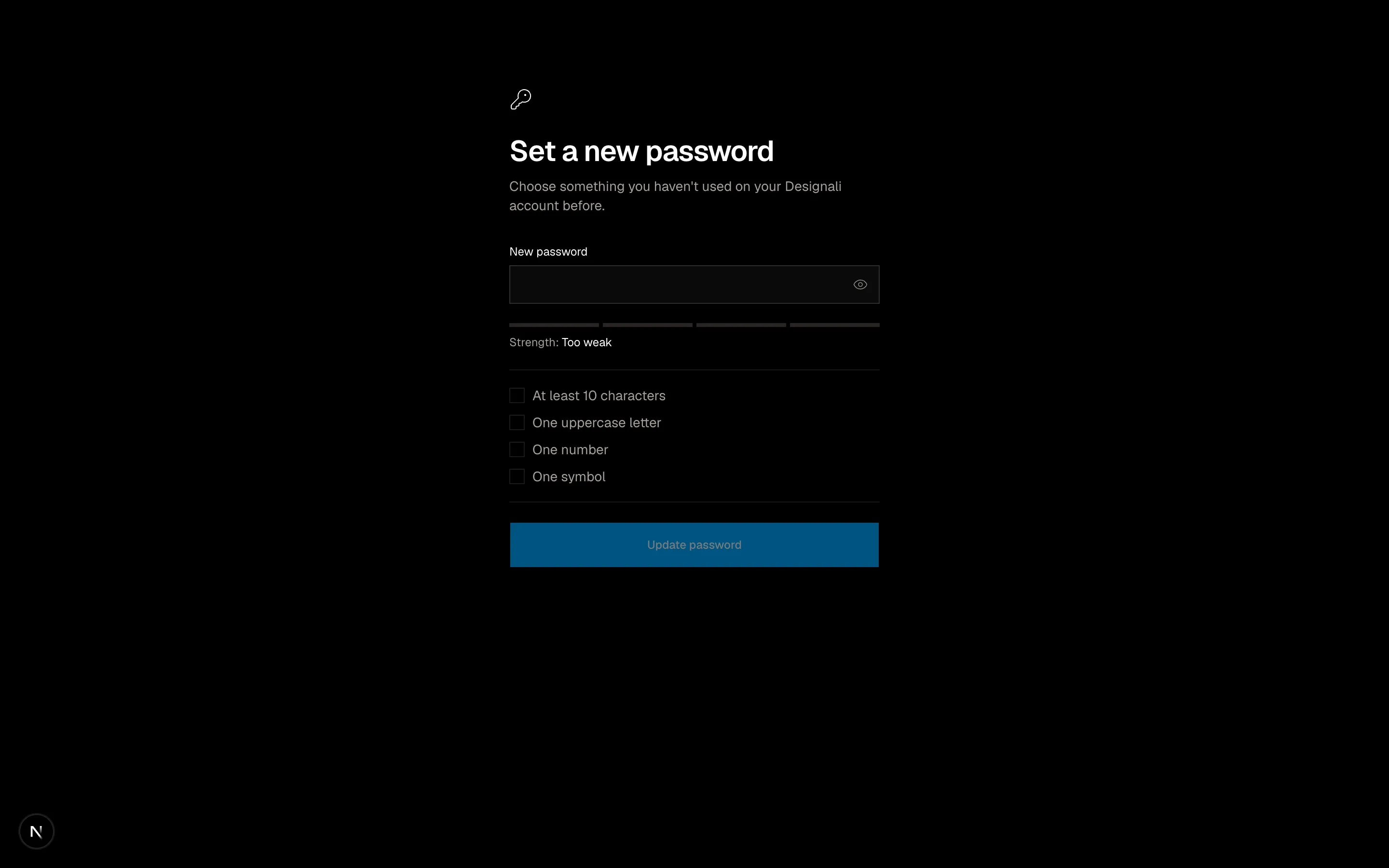
A reset password form with a live strength meter and requirements.
authentication-05
Files
"use client"
import { useState } from "react"
import {
Check,
Copy,
Download,
Smartphone,
} from "@designali/icons"
import { Button } from "@/components/ui/button"
import { Input } from "@/components/ui/input"
import { cn } from "@/lib/utils"
const SIZE = 25
function isFinder(x: number, y: number) {
const inBox = (ox: number, oy: number) => x >= ox && x < ox + 7 && y >= oy && y < oy + 7
return inBox(0, 0) || inBox(SIZE - 7, 0) || inBox(0, SIZE - 7)
}
function QrCode() {
const cells: { x: number; y: number }[] = []
for (let y = 0; y < SIZE; y++) {
for (let x = 0; x < SIZE; x++) {
if (isFinder(x, y)) continue
if (((x * 7 + y * 13 + x * y * 3) % 5) < 2) cells.push({ x, y })
}
}
const finders = [
[0, 0],
[SIZE - 7, 0],
[0, SIZE - 7],
] as const
return (
<svg viewBox={`-1 -1 ${SIZE + 2} ${SIZE + 2}`} className="size-full" aria-label="Authenticator QR code">
<rect x={-1} y={-1} width={SIZE + 2} height={SIZE + 2} fill="white" />
{cells.map((cell) => (
<rect key={`${cell.x}-${cell.y}`} x={cell.x} y={cell.y} width={1} height={1} fill="black" />
))}
{finders.map(([fx, fy]) => (
<g key={`${fx}-${fy}`}>
<rect x={fx + 0.5} y={fy + 0.5} width={6} height={6} fill="none" stroke="black" strokeWidth={1} />
<rect x={fx + 2} y={fy + 2} width={3} height={3} fill="black" />
</g>
))}
</svg>
)
}
const secret = "JBSW Y3DP EHPK 3PXP"
const backupCodes = ["8f3k-2m9q", "p7xd-41ac", "zq62-mn8r", "c4vw-0t5e", "h9ly-3bks", "u2fj-7rpn"]
export function Authentication06() {
const [step, setStep] = useState(0)
const [copied, setCopied] = useState(false)
const [code, setCode] = useState("")
const steps = ["Scan", "Verify", "Save codes"]
return (
<section className="flex min-h-[720px] w-full items-center justify-center bg-muted/40 px-6 py-16">
<div className="w-full max-w-lg border bg-background">
<ol className="grid grid-cols-3 border-b text-xs">
{steps.map((label, index) => (
<li
key={label}
className={cn(
"flex items-center justify-center gap-2 border-e py-3 last:border-e-0",
index === step ? "text-foreground" : "text-muted-foreground"
)}
>
<span
className={cn(
"flex size-5 items-center justify-center border text-[10px]",
index < step && "border-foreground bg-foreground text-background",
index === step && "border-foreground"
)}
>
{index < step ? <Check className="size-3" /> : index + 1}
</span>
{label}
</li>
))}
</ol>
<div className="p-6 sm:p-8">
{step === 0 && (
<div className="space-y-6">
<div>
<h2 className="text-2xl font-semibold tracking-tight">Set up two-factor authentication</h2>
<p className="mt-2 text-sm text-muted-foreground">
Scan this code with an authenticator app like 1Password, Authy or your phone's built-in passwords app.
</p>
</div>
<div className="flex flex-col items-center gap-6 sm:flex-row sm:items-start">
<div className="size-44 shrink-0 border p-2">
<QrCode />
</div>
<div className="w-full space-y-3 text-sm">
<p className="flex items-center gap-2 text-muted-foreground">
<Smartphone className="size-4" />
Can't scan? Enter this key manually.
</p>
<div className="flex items-center justify-between gap-2 border bg-muted/50 px-3 py-2">
<code className="font-mono text-sm tracking-wider">{secret}</code>
<button
type="button"
aria-label="Copy setup key"
onClick={() => setCopied(true)}
className="text-muted-foreground hover:text-foreground"
>
{copied ? <Check className="size-4" /> : <Copy className="size-4" />}
</button>
</div>
<p className="text-xs text-muted-foreground">Account: ali@designali.com · Designali</p>
</div>
</div>
<Button className="w-full" onClick={() => setStep(1)}>
I've scanned the code
</Button>
</div>
)}
{step === 1 && (
<form
className="space-y-6"
onSubmit={(event) => {
event.preventDefault()
if (code.length === 6) setStep(2)
}}
>
<div>
<h2 className="text-2xl font-semibold tracking-tight">Enter the 6-digit code</h2>
<p className="mt-2 text-sm text-muted-foreground">
Type the code your authenticator app shows for Designali.
</p>
</div>
<Input
inputMode="numeric"
autoComplete="one-time-code"
value={code}
onChange={(event) => setCode(event.target.value.replace(/\D/g, "").slice(0, 6))}
placeholder="000000"
className="h-14 text-center font-sans text-2xl tracking-[0.5em]"
/>
<div className="flex gap-3">
<Button type="button" variant="outline" onClick={() => setStep(0)}>
Back
</Button>
<Button type="submit" className="flex-1" disabled={code.length !== 6}>
Verify and enable
</Button>
</div>
</form>
)}
{step === 2 && (
<div className="space-y-6">
<div>
<h2 className="text-2xl font-semibold tracking-tight">Save your backup codes</h2>
<p className="mt-2 text-sm text-muted-foreground">
Each code works once. Store them somewhere safe in case you lose your device.
</p>
</div>
<ul className="grid grid-cols-2 gap-px border bg-border font-sans text-sm">
{backupCodes.map((item) => (
<li key={item} className="bg-muted/40 px-4 py-3 text-center tracking-wider">
{item}
</li>
))}
</ul>
<div className="flex flex-col gap-3 sm:flex-row">
<Button variant="outline" className="flex-1">
<Download />
Download .txt
</Button>
<Button className="flex-1">Done</Button>
</div>
</div>
)}
</div>
</div>
</section>
)
}
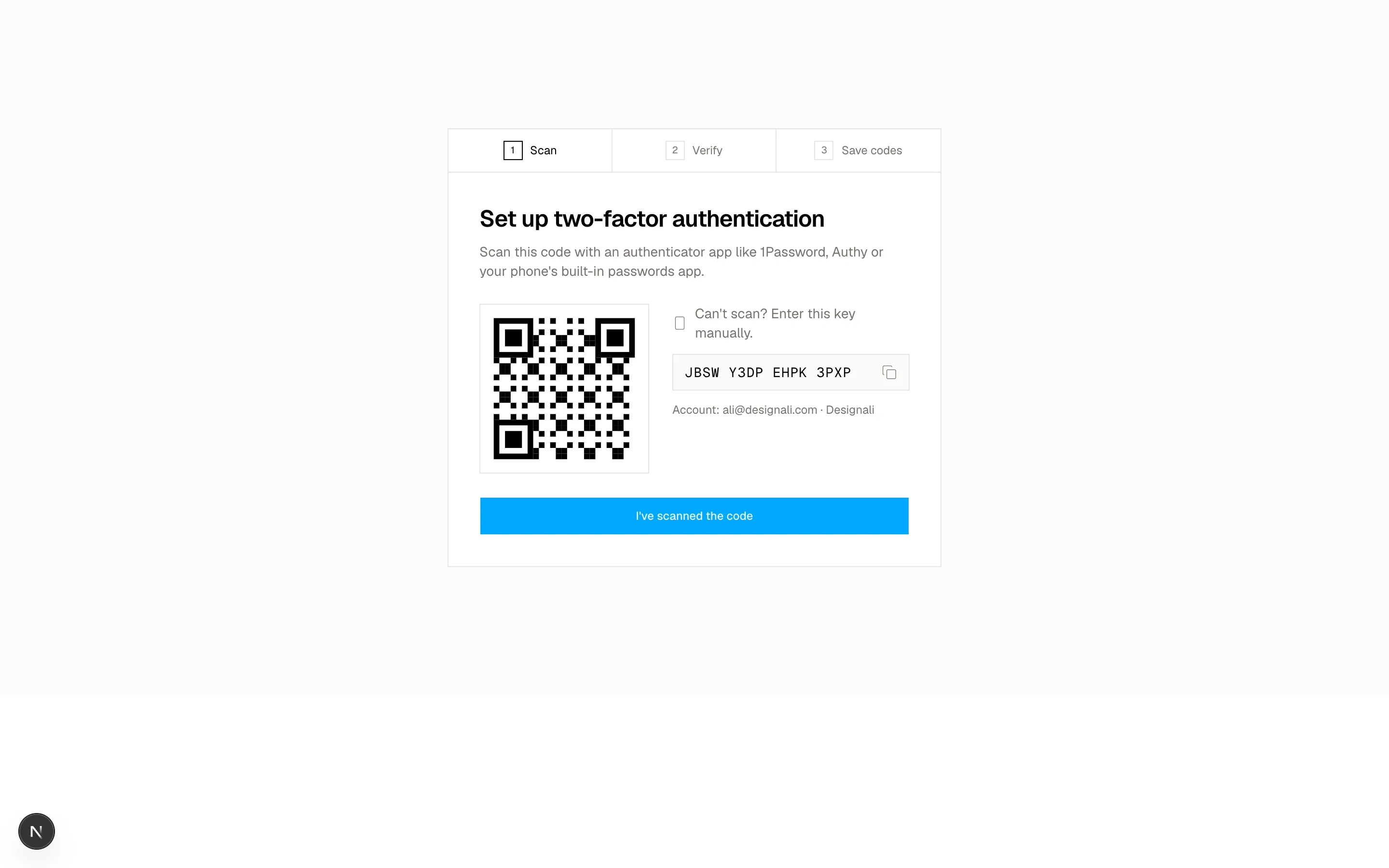
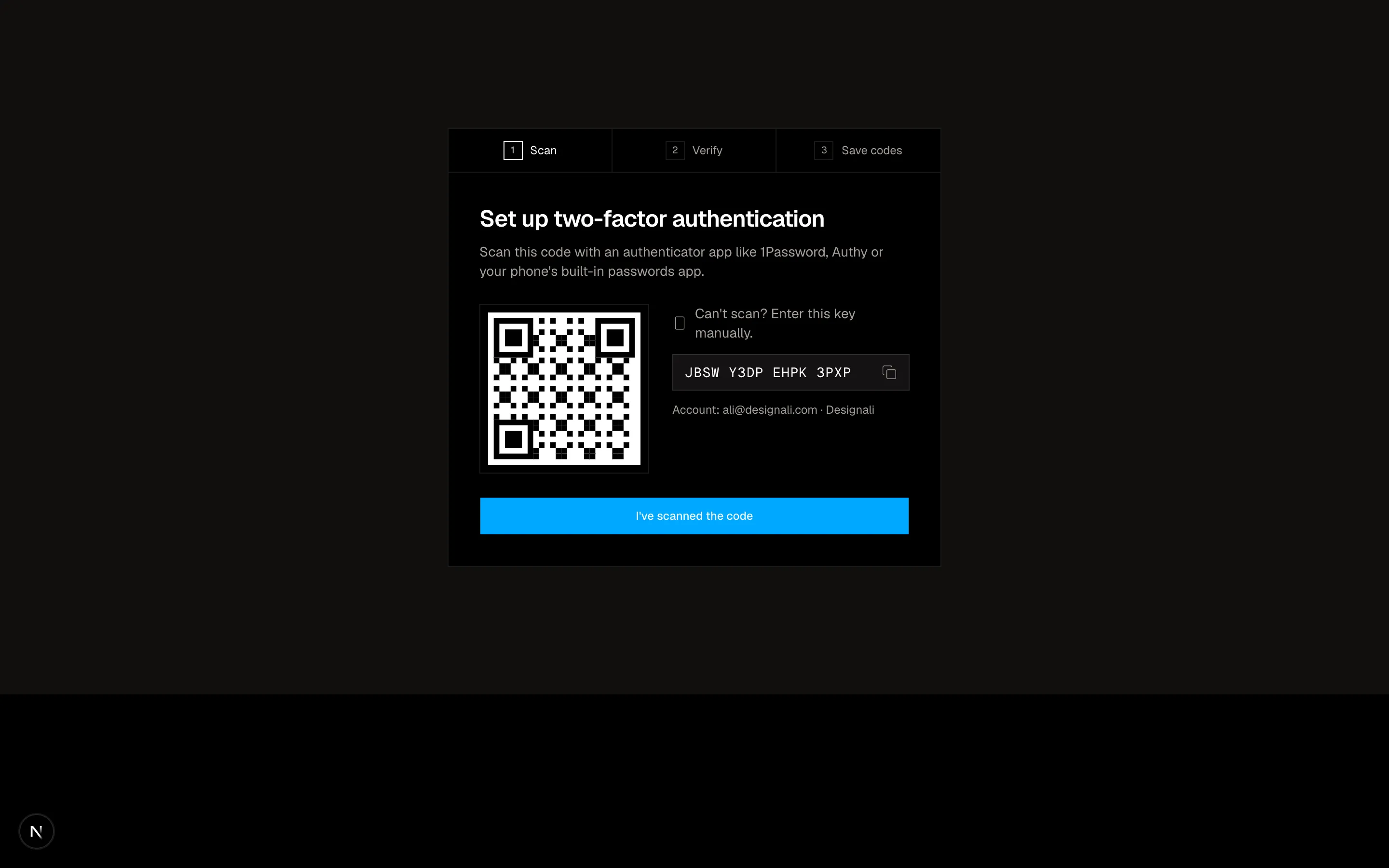
Two-factor setup wizard with an authenticator QR code, 6-digit verification and downloadable backup codes.
authentication-06
Files
"use client"
import { useState } from "react"
import {
ArrowLeft,
ArrowRight,
Building2,
KeyRound,
ShieldCheck,
} from "@designali/icons"
import { Button } from "@/components/ui/button"
import { Input } from "@/components/ui/input"
import { Label } from "@/components/ui/label"
const ssoDomains: Record<string, { org: string; provider: string }> = {
"designali.com": { org: "Designali Studio", provider: "Google Workspace" },
"example.com": { org: "Example Client", provider: "Okta" },
}
export function Authentication07() {
const [email, setEmail] = useState("")
const [stage, setStage] = useState<"email" | "sso" | "password">("email")
const domain = email.split("@")[1]?.toLowerCase() ?? ""
const match = ssoDomains[domain]
return (
<section className="w-full bg-background py-20 md:py-28">
<div className="mx-auto max-w-md px-6">
<div className="flex items-center gap-2 font-semibold">
<ShieldCheck className="size-5" />
designali
</div>
{stage === "email" && (
<form
className="mt-10 space-y-6"
onSubmit={(event) => {
event.preventDefault()
if (!email.includes("@")) return
setStage(match ? "sso" : "password")
}}
>
<div>
<h2 className="text-3xl font-semibold tracking-tight">Sign in</h2>
<p className="mt-2 text-sm text-muted-foreground">
Enter your work email. We'll route you to your company's sign-in if it uses single sign-on.
</p>
</div>
<div className="space-y-2">
<Label htmlFor="auth-07-email">Work email</Label>
<Input
id="auth-07-email"
type="email"
value={email}
onChange={(event) => setEmail(event.target.value)}
placeholder="you@designali.com"
className="h-11"
/>
{match && (
<p className="flex items-center gap-2 text-xs text-chart-3 dark:text-primary">
<Building2 className="size-3.5" />
{match.org} uses single sign-on
</p>
)}
</div>
<Button type="submit" size="lg" className="w-full">
Continue
<ArrowRight />
</Button>
<p className="text-xs text-muted-foreground">
Try <button type="button" className="underline underline-offset-4" onClick={() => setEmail("ali@designali.com")}>ali@designali.com</button> to see the SSO flow.
</p>
</form>
)}
{stage === "sso" && match && (
<div className="mt-10 space-y-6">
<button type="button" onClick={() => setStage("email")} className="flex items-center gap-1.5 text-sm text-muted-foreground hover:text-foreground">
<ArrowLeft className="size-4" />
{email}
</button>
<div className="border">
<div className="flex items-center gap-4 border-b p-5">
<span className="flex size-12 items-center justify-center bg-gradient-to-br from-primary to-chart-3 text-sm font-semibold text-white">
{match.org.split(" ").map((word) => word[0]).join("")}
</span>
<div>
<p className="font-medium">{match.org}</p>
<p className="text-sm text-muted-foreground">Managed by your IT team</p>
</div>
</div>
<div className="space-y-4 p-5">
<p className="text-sm text-muted-foreground">
You'll be redirected to {match.provider} to finish signing in. Password login is disabled for this organization.
</p>
<Button size="lg" className="w-full">
Continue with {match.provider}
</Button>
</div>
</div>
<p className="text-xs text-muted-foreground">
Having trouble? Contact your administrator or <a href="#" className="underline underline-offset-4">read the SSO guide</a>.
</p>
</div>
)}
{stage === "password" && (
<form className="mt-10 space-y-6" onSubmit={(event) => event.preventDefault()}>
<button type="button" onClick={() => setStage("email")} className="flex items-center gap-1.5 text-sm text-muted-foreground hover:text-foreground">
<ArrowLeft className="size-4" />
{email}
</button>
<h2 className="text-3xl font-semibold tracking-tight">Enter your password</h2>
<div className="space-y-2">
<div className="flex items-center justify-between">
<Label htmlFor="auth-07-password">Password</Label>
<a href="#" className="text-xs text-muted-foreground hover:text-foreground">Forgot?</a>
</div>
<Input id="auth-07-password" type="password" className="h-11" autoFocus />
</div>
<Button type="submit" size="lg" className="w-full">Sign in</Button>
<Button type="button" variant="outline" size="lg" className="w-full">
<KeyRound />
Use a passkey instead
</Button>
</form>
)}
</div>
</section>
)
}
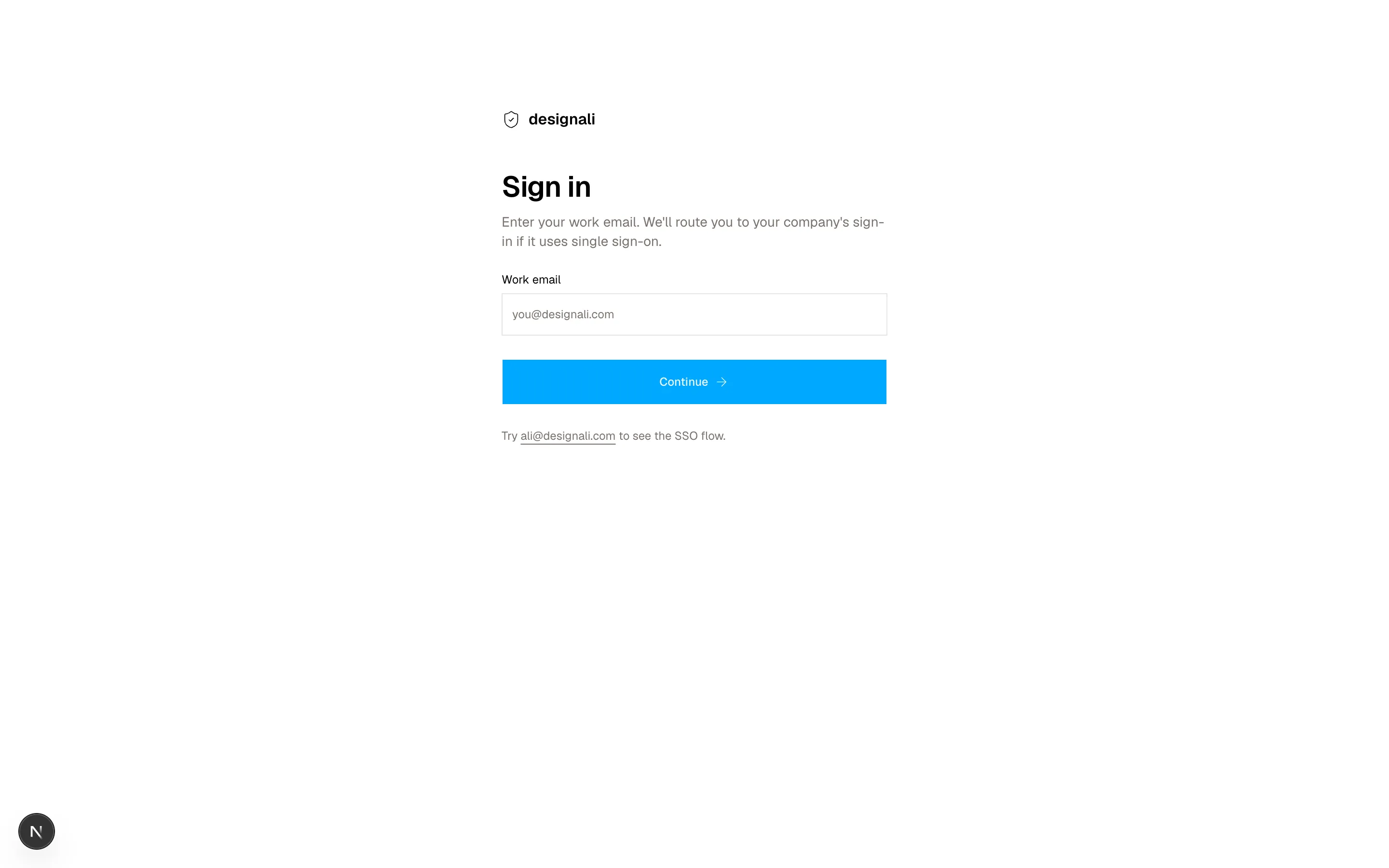
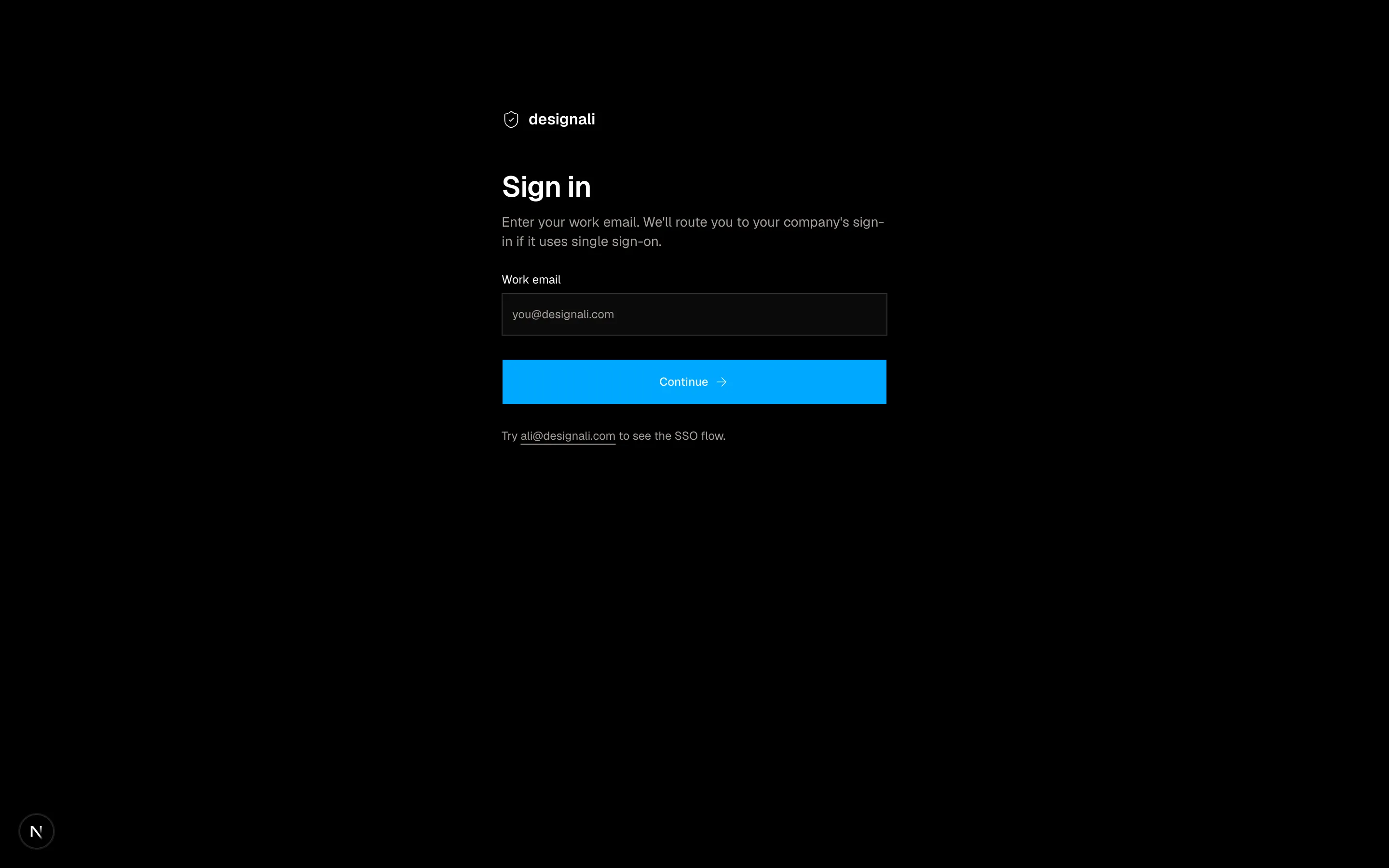
Identifier-first sign-in that checks the work email and routes to SSO or a password step.
authentication-07
Files
"use client"

import { useState } from "react"
import {
  Check,
  Clock,
  Users,
  X,
} from "@designali/icons"

import { Button } from "@/components/ui/button"

import { DotPattern } from "@/components/ui/dot-pattern"

const members = [
  { initials: "AI", color: "from-primary to-primary" },
  { initials: "SD", color: "from-primary to-chart-2" },
  { initials: "DV", color: "from-primary to-chart-2" },
  { initials: "CL", color: "from-primary to-primary" },
]

export function Authentication08() {
  const [status, setStatus] = useState<"pending" | "accepted" | "declined">("pending")

  return (
    <section className="flex min-h-[640px] w-full items-center justify-center bg-muted/40 px-6 py-16">
      <div className="w-full max-w-md border bg-background">
        <div className="relative h-28 overflow-hidden border-b bg-gradient-to-br from-primary via-primary to-primary">
          <DotPattern width={14} height={14} dotSize={1} className="text-white/60" />
        </div>
        <div className="-mt-10 px-6 pb-8 sm:px-8">
          <span className="relative flex size-20 items-center justify-center border-4 border-background bg-foreground text-2xl font-bold text-background">
            da
          </span>

          {status === "pending" && (
            <>
              <p className="mt-5 text-sm text-muted-foreground">
                <span className="font-medium text-foreground">Ali Imam</span> invited you to join
              </p>
              <h2 className="mt-1 text-2xl font-semibold tracking-tight">Designali Studio workspace</h2>

              <dl className="mt-6 grid grid-cols-2 border text-sm">
                <div className="border-e p-4">
                  <dt className="text-xs text-muted-foreground">Your role</dt>
                  <dd className="mt-1 font-medium">Editor</dd>
                </div>
                <div className="p-4">
                  <dt className="text-xs text-muted-foreground">Invited as</dt>
                  <dd className="mt-1 truncate font-medium">you@designali.com</dd>
                </div>
              </dl>

              <div className="mt-6 flex items-center gap-3">
                <div className="flex -space-x-2">
                  {members.map((member) => (
                    <span
                      key={member.initials}
                      className={`flex size-8 items-center justify-center rounded-full bg-gradient-to-br ${member.color} text-[10px] font-semibold text-white ring-2 ring-background`}
                    >
                      {member.initials}
                    </span>
                  ))}
                </div>
                <p className="flex items-center gap-1.5 text-sm text-muted-foreground">
                  <Users className="size-4" />
                  18 studio members
                </p>
              </div>

              <div className="mt-8 flex flex-col gap-3 sm:flex-row-reverse">
                <Button size="lg" className="flex-1" onClick={() => setStatus("accepted")}>
                  Accept invitation
                </Button>
                <Button size="lg" variant="outline" onClick={() => setStatus("declined")}>
                  Decline
                </Button>
              </div>
              <p className="mt-6 flex items-center gap-1.5 text-xs text-muted-foreground">
                <Clock className="size-3.5" />
                This invitation expires in 6 days.
              </p>
            </>
          )}

          {status !== "pending" && (
            <div className="mt-6 space-y-4">
              <span className="flex size-10 items-center justify-center border">
                {status === "accepted" ? <Check className="size-5" /> : <X className="size-5" />}
              </span>
              <h2 className="text-2xl font-semibold tracking-tight">
                {status === "accepted" ? "You're in" : "Invitation declined"}
              </h2>
              <p className="text-sm text-muted-foreground">
                {status === "accepted"
                  ? "Designali Studio is now in your workspace switcher. We've let Ali know you joined."
                  : "Ali won't be notified. You can ask for a new invite any time."}
              </p>
              <div className="flex gap-3">
                {status === "accepted" && <Button>Open workspace</Button>}
                <Button variant="ghost" onClick={() => setStatus("pending")}>
                  Undo
                </Button>
              </div>
            </div>
          )}
        </div>
      </div>
    </section>
  )
}
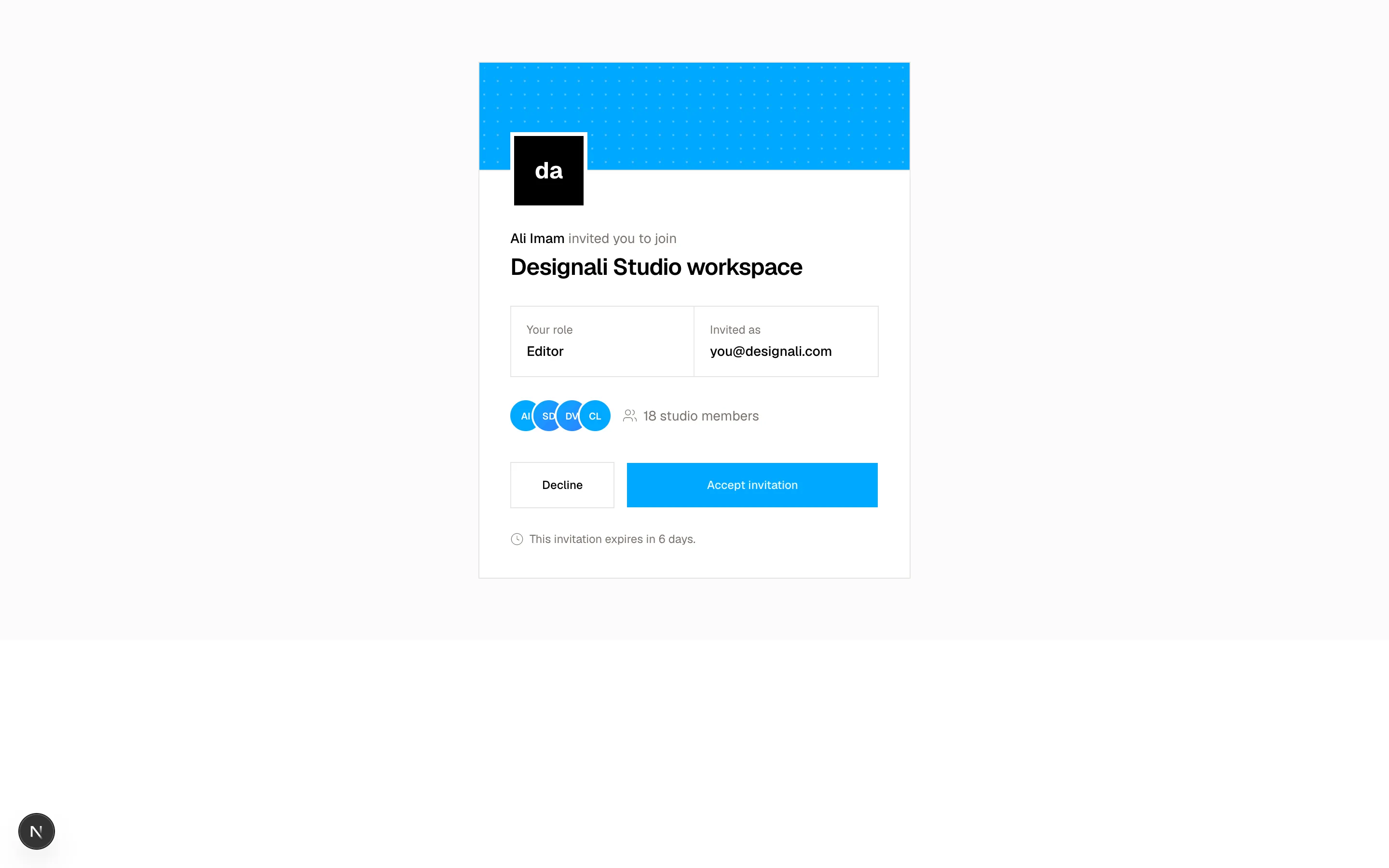
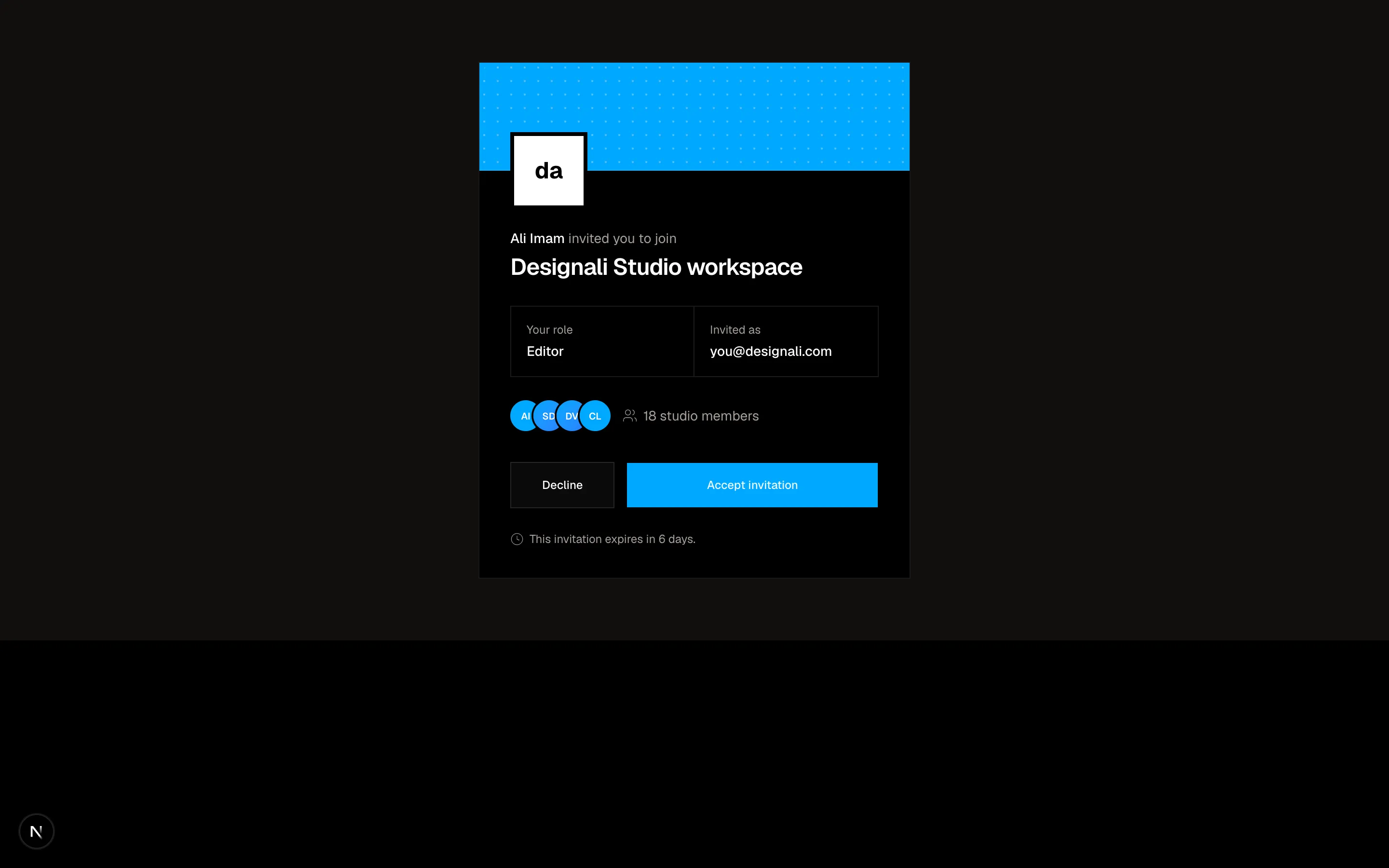
Workspace invitation card showing the inviter, assigned role and accept or decline actions.
authentication-08
Files
"use client"
import { useState } from "react"
import {
ArrowLeft,
ArrowRight,
Check,
CodeXml as Code2,
Megaphone,
Palette,
Plus,
X,
} from "@designali/icons"
import { Button } from "@/components/ui/button"
import { Input } from "@/components/ui/input"
import { Label } from "@/components/ui/label"
import { cn } from "@/lib/utils"
const roles = [
{ id: "design", icon: Palette, label: "Design", text: "UI/UX, brand identity, Figma" },
{ id: "engineering", icon: Code2, label: "Engineering", text: "Next.js, React, Tailwind CSS" },
{ id: "marketing", icon: Megaphone, label: "Marketing", text: "Launches, blogs and socials" },
]
const sizes = ["Just me", "2-10", "11-50", "51-200", "200+"]
export function Authentication09() {
const [step, setStep] = useState(0)
const [role, setRole] = useState("design")
const [size, setSize] = useState("2-10")
const [workspace, setWorkspace] = useState("Designali Studio")
const [invites, setInvites] = useState<string[]>(["ali@designali.com"])
const [draft, setDraft] = useState("")
const total = 3
const slug = workspace.toLowerCase().replace(/[^a-z0-9]+/g, "-").replace(/^-|-$/g, "") || "your-team"
return (
<section className="w-full bg-background">
<div className="h-1 bg-muted">
<div className="h-full bg-foreground transition-all duration-500" style={{ width: `${((step + 1) / total) * 100}%` }} />
</div>
<div className="mx-auto flex min-h-[680px] max-w-xl flex-col px-6 py-12">
<div className="flex items-center justify-between text-sm text-muted-foreground">
<span className="font-semibold text-foreground">Designali</span>
<span className="tabular-nums">Step {step + 1} of {total}</span>
</div>
<div className="flex-1 py-12">
{step === 0 && (
<div className="space-y-8">
<div>
<h2 className="text-3xl font-semibold tracking-tight">What kind of work do you do?</h2>
<p className="mt-2 text-muted-foreground">We'll pick Designali templates and blocks that fit how you work.</p>
</div>
<div className="grid gap-3">
{roles.map((item) => (
<button
key={item.id}
type="button"
onClick={() => setRole(item.id)}
aria-pressed={role === item.id}
className={cn(
"flex items-center gap-4 border p-4 text-start transition-colors",
role === item.id ? "border-foreground bg-muted/50" : "hover:bg-muted/30"
)}
>
<span className="flex size-10 shrink-0 items-center justify-center border bg-background">
<item.icon className="size-4" />
</span>
<span className="flex-1">
<span className="block font-medium">{item.label}</span>
<span className="block text-sm text-muted-foreground">{item.text}</span>
</span>
<span className={cn("flex size-5 items-center justify-center border", role === item.id && "border-foreground bg-foreground text-background")}>
{role === item.id && <Check className="size-3" />}
</span>
</button>
))}
</div>
</div>
)}
{step === 1 && (
<div className="space-y-8">
<div>
<h2 className="text-3xl font-semibold tracking-tight">Name your workspace</h2>
<p className="mt-2 text-muted-foreground">Usually your company or team name.</p>
</div>
<div className="space-y-2">
<Label htmlFor="auth-09-workspace">Workspace name</Label>
<Input id="auth-09-workspace" value={workspace} onChange={(event) => setWorkspace(event.target.value)} className="h-11" />
<p className="text-xs text-muted-foreground">
designali.com/<span className="text-foreground">{slug}</span>
</p>
</div>
<div className="space-y-3">
<p className="text-sm font-medium">Team size</p>
<div className="flex flex-wrap gap-2">
{sizes.map((item) => (
<button
key={item}
type="button"
onClick={() => setSize(item)}
className={cn(
"h-9 border px-4 text-sm transition-colors",
size === item ? "border-foreground bg-foreground text-background" : "text-muted-foreground hover:text-foreground"
)}
>
{item}
</button>
))}
</div>
</div>
</div>
)}
{step === 2 && (
<div className="space-y-8">
<div>
<h2 className="text-3xl font-semibold tracking-tight">Invite your teammates</h2>
<p className="mt-2 text-muted-foreground">Designali works best with your whole team. You can skip this.</p>
</div>
<form
className="flex gap-2"
onSubmit={(event) => {
event.preventDefault()
if (draft.includes("@") && !invites.includes(draft)) setInvites([...invites, draft])
setDraft("")
}}
>
<Input type="email" value={draft} onChange={(event) => setDraft(event.target.value)} placeholder="name@designali.com" className="h-11" />
<Button type="submit" variant="outline" className="h-11">
<Plus />
Add
</Button>
</form>
<ul className="divide-y border">
{invites.length === 0 && <li className="p-4 text-sm text-muted-foreground">No invites yet.</li>}
{invites.map((invite) => (
<li key={invite} className="flex items-center gap-3 p-3 text-sm">
<span className="flex size-8 items-center justify-center bg-muted text-xs font-medium uppercase">{invite[0]}</span>
<span className="min-w-0 flex-1 truncate">{invite}</span>
<span className="text-xs text-muted-foreground">Member</span>
<button type="button" aria-label={`Remove ${invite}`} onClick={() => setInvites(invites.filter((item) => item !== invite))} className="text-muted-foreground hover:text-foreground">
<X className="size-4" />
</button>
</li>
))}
</ul>
</div>
)}
</div>
<div className="flex items-center justify-between border-t pt-6">
<Button variant="ghost" disabled={step === 0} onClick={() => setStep(step - 1)}>
<ArrowLeft />
Back
</Button>
<div className="flex gap-2">
{step === 2 && <Button variant="ghost">Skip</Button>}
<Button onClick={() => setStep(Math.min(step + 1, total - 1))}>
{step === total - 1 ? "Finish setup" : "Continue"}
<ArrowRight />
</Button>
</div>
</div>
</div>
</section>
)
}
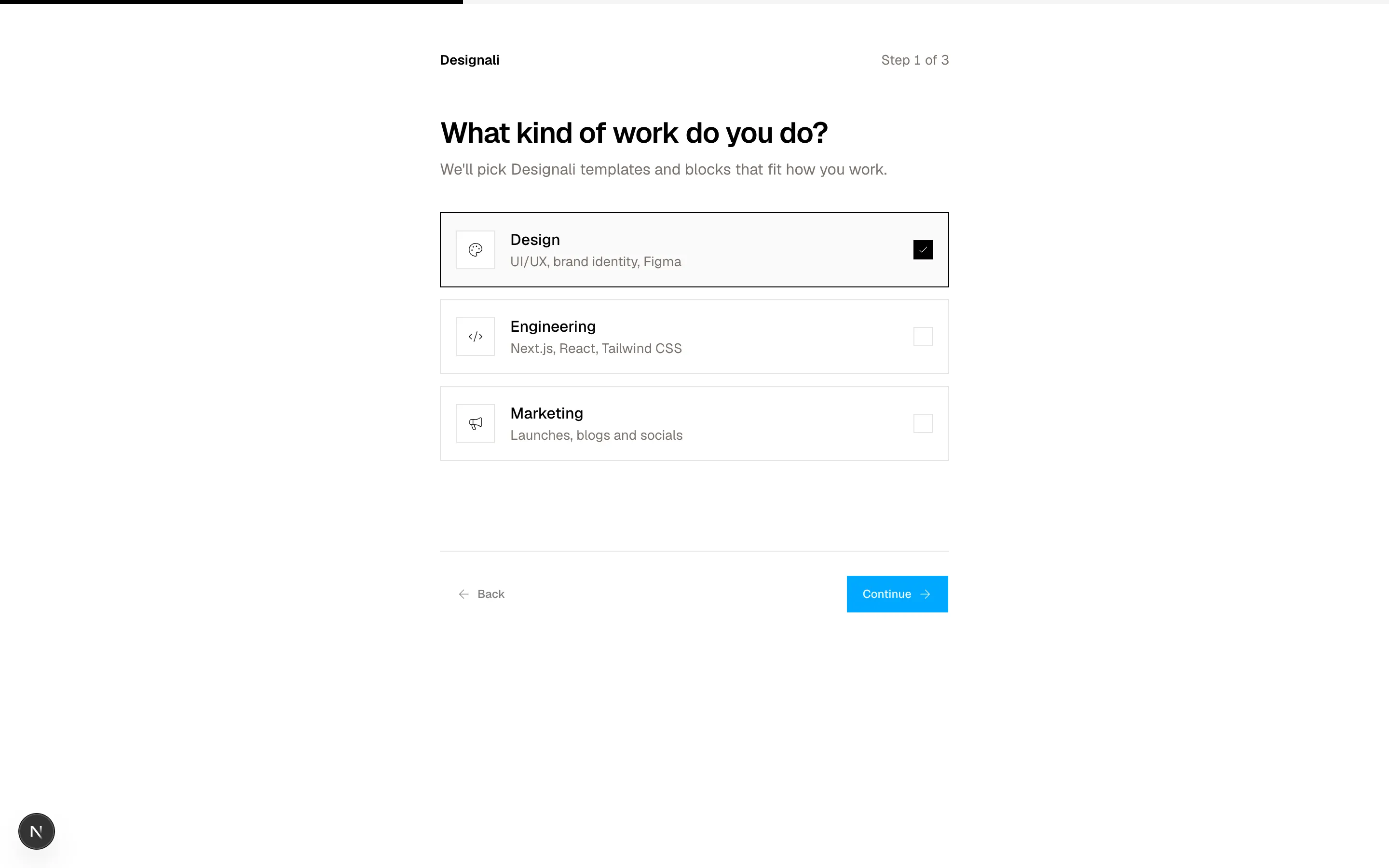
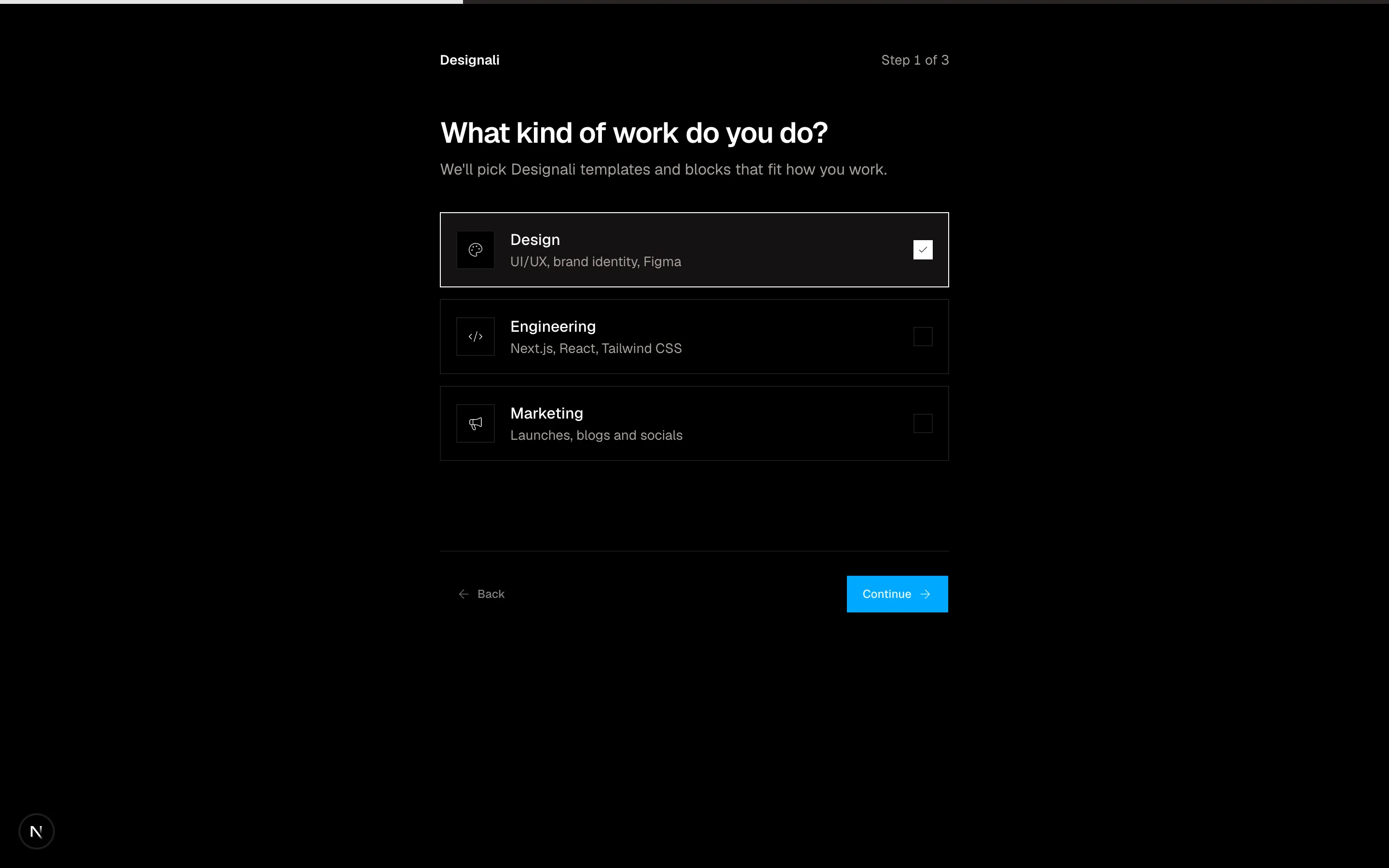
Three-step onboarding flow to pick a work type, name the workspace and invite teammates.
authentication-09
Files
"use client"
import { useState } from "react"
import {
ArrowRight,
KeySquare,
LifeBuoy,
Mail,
MessageSquareText,
} from "@designali/icons"
import { Button } from "@/components/ui/button"
import { cn } from "@/lib/utils"
const methods = [
{
id: "email",
icon: Mail,
title: "Email a reset link",
detail: "To a*****@designali.com",
eta: "Usually under a minute",
},
{
id: "sms",
icon: MessageSquareText,
title: "Text a code",
detail: "To the number ending in 4471",
eta: "Standard rates may apply",
},
{
id: "backup",
icon: KeySquare,
title: "Use a backup code",
detail: "One of the 10 codes you saved during setup",
eta: "Instant",
},
{
id: "admin",
icon: LifeBuoy,
title: "Ask your workspace admin",
detail: "Designali studio admins can reset your access",
eta: "Depends on your admin",
},
]
export function Authentication10() {
const [method, setMethod] = useState("email")
const selected = methods.find((item) => item.id === method)
return (
<section className="w-full bg-background py-20 md:py-28">
<div className="mx-auto grid max-w-5xl gap-12 px-6 md:grid-cols-[1fr_1.3fr]">
<div className="space-y-4">
<p className="font-sans text-xs text-muted-foreground">ACCOUNT RECOVERY</p>
<h2 className="text-4xl font-semibold tracking-tight">Let's get you back in.</h2>
<p className="text-muted-foreground">
Choose how you want to verify it's you. We never ask for your password over email or phone.
</p>
<a href="#" className="inline-block text-sm underline underline-offset-4">Back to sign in</a>
</div>
<div role="radiogroup" aria-label="Recovery method" className="space-y-3">
{methods.map((item) => {
const active = item.id === method
return (
<button
key={item.id}
type="button"
role="radio"
aria-checked={active}
onClick={() => setMethod(item.id)}
className={cn(
"flex w-full items-start gap-4 border p-5 text-start transition-colors",
active ? "border-foreground bg-muted/40" : "hover:bg-muted/30"
)}
>
<span
className={cn(
"mt-0.5 flex size-4 shrink-0 items-center justify-center rounded-full border",
active && "border-foreground"
)}
>
{active && <span className="size-2 rounded-full bg-foreground" />}
</span>
<span className="min-w-0 flex-1">
<span className="flex items-center gap-2 font-medium">
<item.icon className="size-4 shrink-0" />
{item.title}
</span>
<span className="mt-1 block text-sm text-muted-foreground">{item.detail}</span>
</span>
<span className="hidden shrink-0 text-xs text-muted-foreground sm:block">{item.eta}</span>
</button>
)
})}
<Button size="lg" className="mt-3 w-full">
{selected?.id === "admin" ? "Send request to admin" : "Continue"}
<ArrowRight />
</Button>
</div>
</div>
</section>
)
}
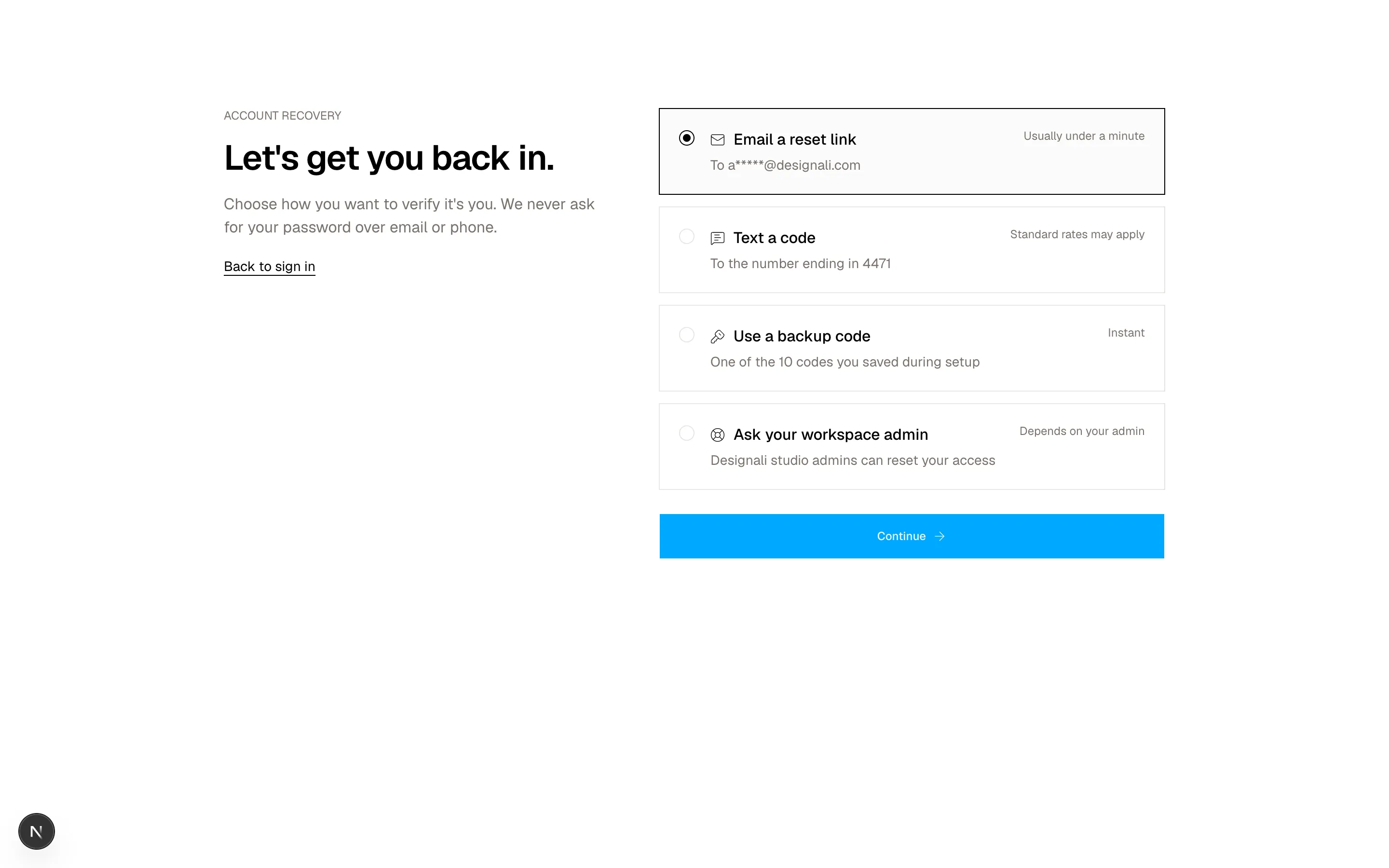
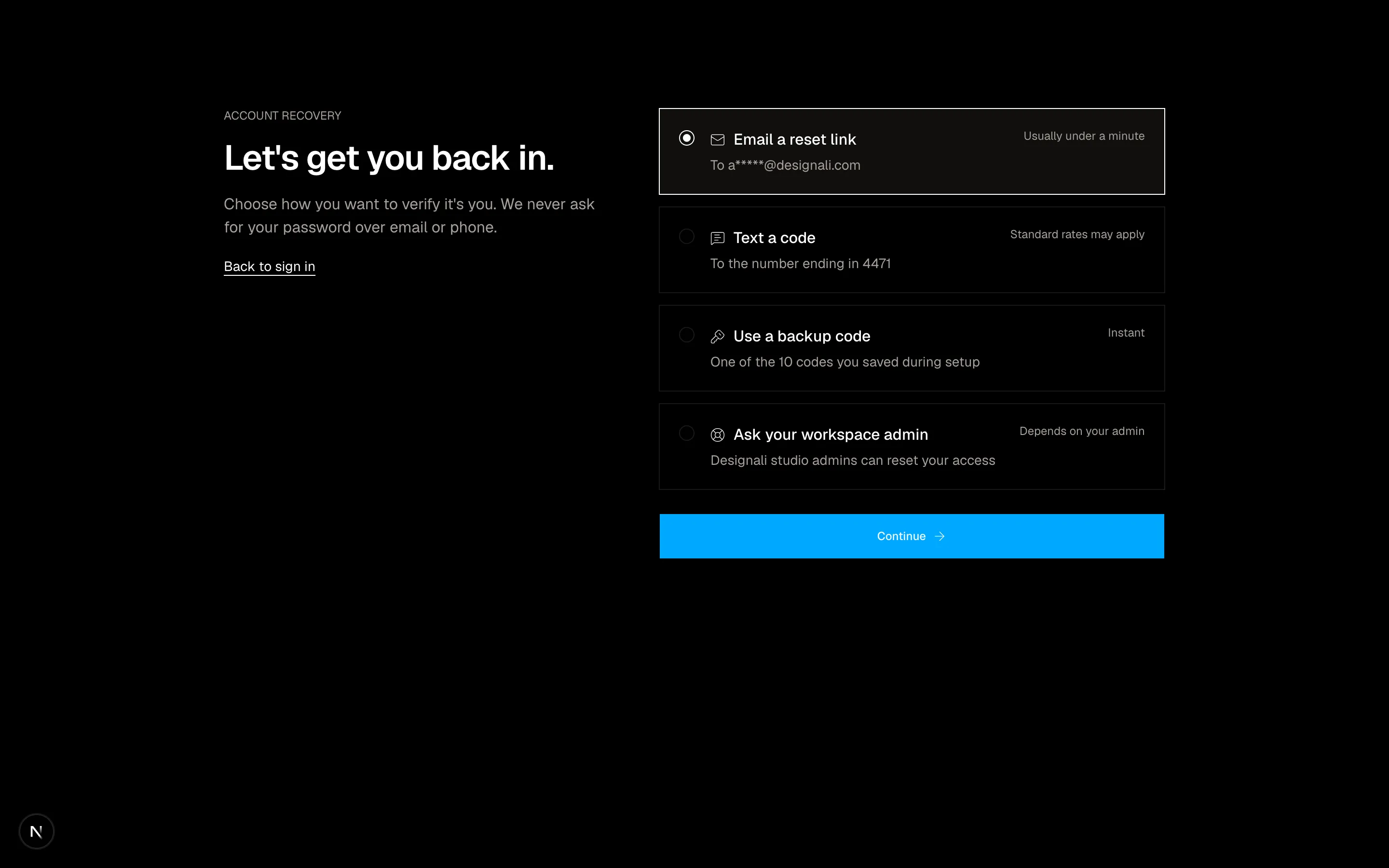
Account recovery page with a radio list of reset methods beside a help and back to sign in panel.
authentication-10
Files
"use client"

import { useState } from "react"
import {
  ArrowRight,
} from "@designali/icons"

import { Button } from "@/components/ui/button"
import { Checkbox } from "@/components/ui/checkbox"
import { Input } from "@/components/ui/input"
import { Label } from "@/components/ui/label"
import { cn } from "@/lib/utils"

type Mode = "signin" | "signup"

export function Authentication11() {
  const [mode, setMode] = useState<Mode>("signin")

  return (
    <section className="flex min-h-[720px] w-full items-center justify-center bg-background px-6 py-16">
      <div className="w-full max-w-sm">
        <div className="mb-8 flex items-center justify-center gap-2 text-lg font-semibold">
          <span className="size-6 rounded-full border-[6px] border-foreground" />
          designali
        </div>

        <div role="tablist" className="relative grid grid-cols-2 border p-1">
          <span
            aria-hidden
            className={cn(
              "absolute inset-y-1 w-[calc(50%-4px)] bg-foreground transition-transform duration-300",
              mode === "signin" ? "translate-x-0" : "translate-x-full"
            )}
            style={{ left: 4 }}
          />
          {(["signin", "signup"] as const).map((value) => (
            <button
              key={value}
              type="button"
              role="tab"
              aria-selected={mode === value}
              onClick={() => setMode(value)}
              className={cn(
                "relative h-9 text-sm font-medium transition-colors",
                mode === value ? "text-background" : "text-muted-foreground hover:text-foreground"
              )}
            >
              {value === "signin" ? "Sign in" : "Create account"}
            </button>
          ))}
        </div>

        <form className="mt-8 space-y-4" onSubmit={(event) => event.preventDefault()}>
          {mode === "signup" && (
            <div className="grid grid-cols-2 gap-3">
              <div className="space-y-2">
                <Label htmlFor="auth-11-first">First name</Label>
                <Input id="auth-11-first" placeholder="Ali" className="h-10" />
              </div>
              <div className="space-y-2">
                <Label htmlFor="auth-11-last">Last name</Label>
                <Input id="auth-11-last" placeholder="Imam" className="h-10" />
              </div>
            </div>
          )}
          <div className="space-y-2">
            <Label htmlFor="auth-11-email">Email</Label>
            <Input id="auth-11-email" type="email" placeholder="you@designali.com" className="h-10" />
          </div>
          <div className="space-y-2">
            <div className="flex items-center justify-between">
              <Label htmlFor="auth-11-password">Password</Label>
              {mode === "signin" && (
                <a href="#" className="text-xs text-muted-foreground hover:text-foreground">Forgot password?</a>
              )}
            </div>
            <Input
              id="auth-11-password"
              type="password"
              placeholder={mode === "signup" ? "10+ characters" : ""}
              className="h-10"
            />
          </div>
          {mode === "signup" && (
            <Label className="items-start text-sm leading-snug font-normal text-muted-foreground">
              <Checkbox className="mt-0.5" />
              Send me new Designali blocks, icons and templates, roughly once a month.
            </Label>
          )}
          <Button type="submit" size="lg" className="w-full">
            {mode === "signin" ? "Sign in" : "Create free account"}
            <ArrowRight />
          </Button>
        </form>

        <p className="mt-6 text-center text-xs text-muted-foreground">
          {mode === "signin" ? (
            <>Protected by device checks. <a href="#" className="underline underline-offset-4">Learn more</a></>
          ) : (
            <>By signing up you agree to our <a href="https://www.designali.com/docs/legal/terms" className="underline underline-offset-4">Terms</a> and <a href="#" className="underline underline-offset-4">Privacy Policy</a>.</>
          )}
        </p>
      </div>
    </section>
  )
}
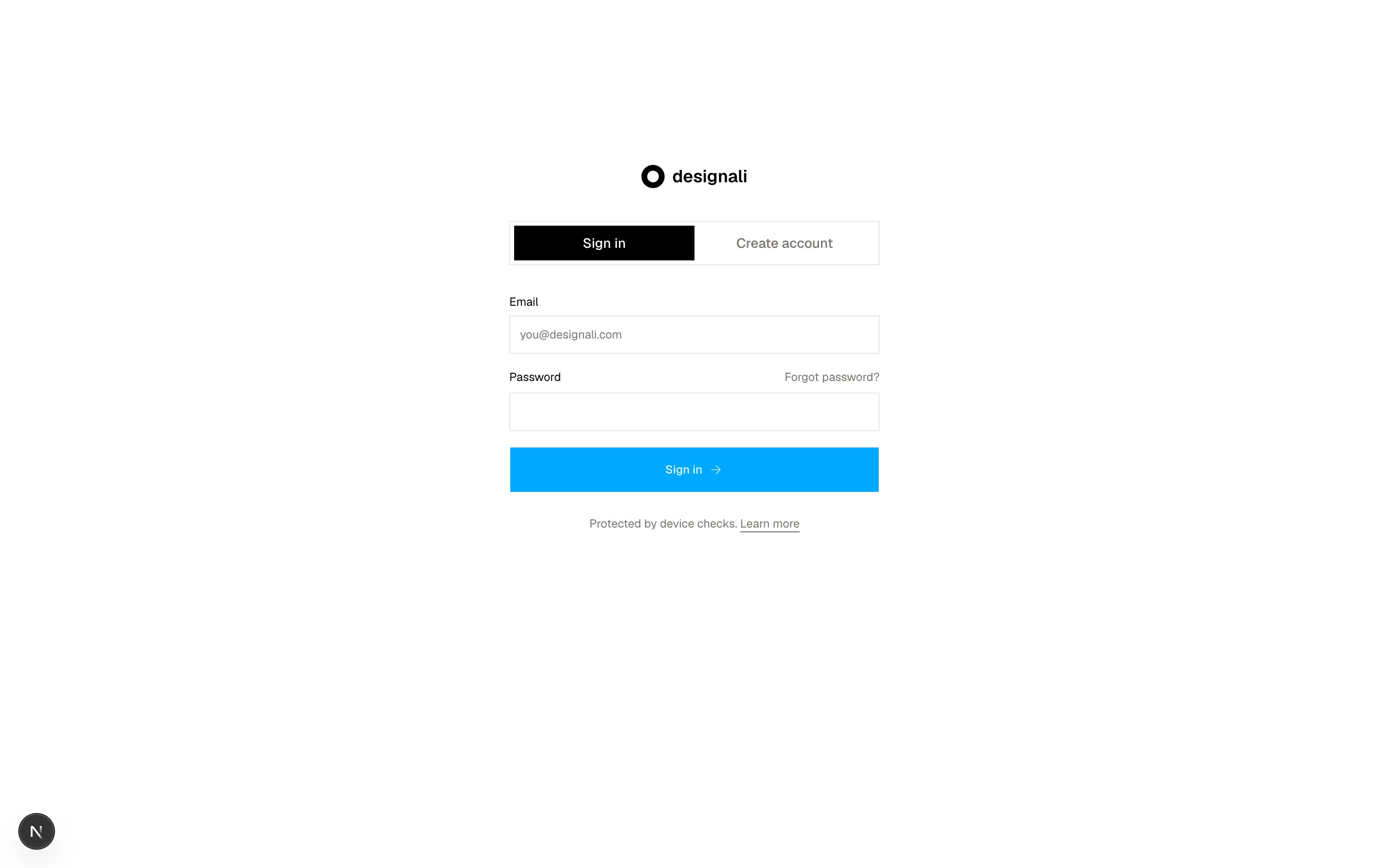
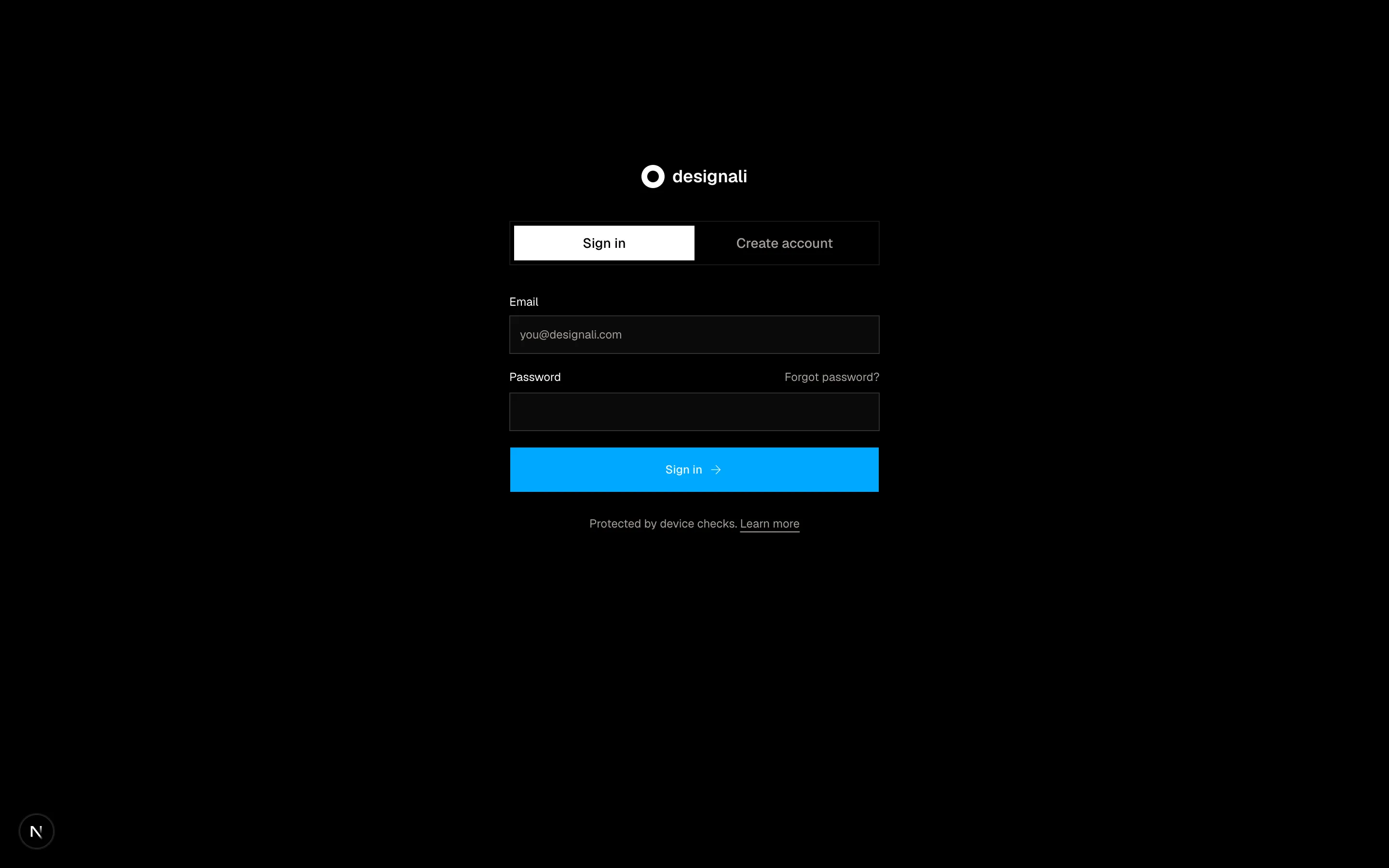
Centred auth card with a sliding Sign in / Sign up tab switch, name and password fields and terms.
authentication-11
Files
"use client"

import { useState } from "react"
import {
  ChevronRight,
  Plus,
  Trash2,
} from "@designali/icons"

import { Button } from "@/components/ui/button"
import { cn } from "@/lib/utils"

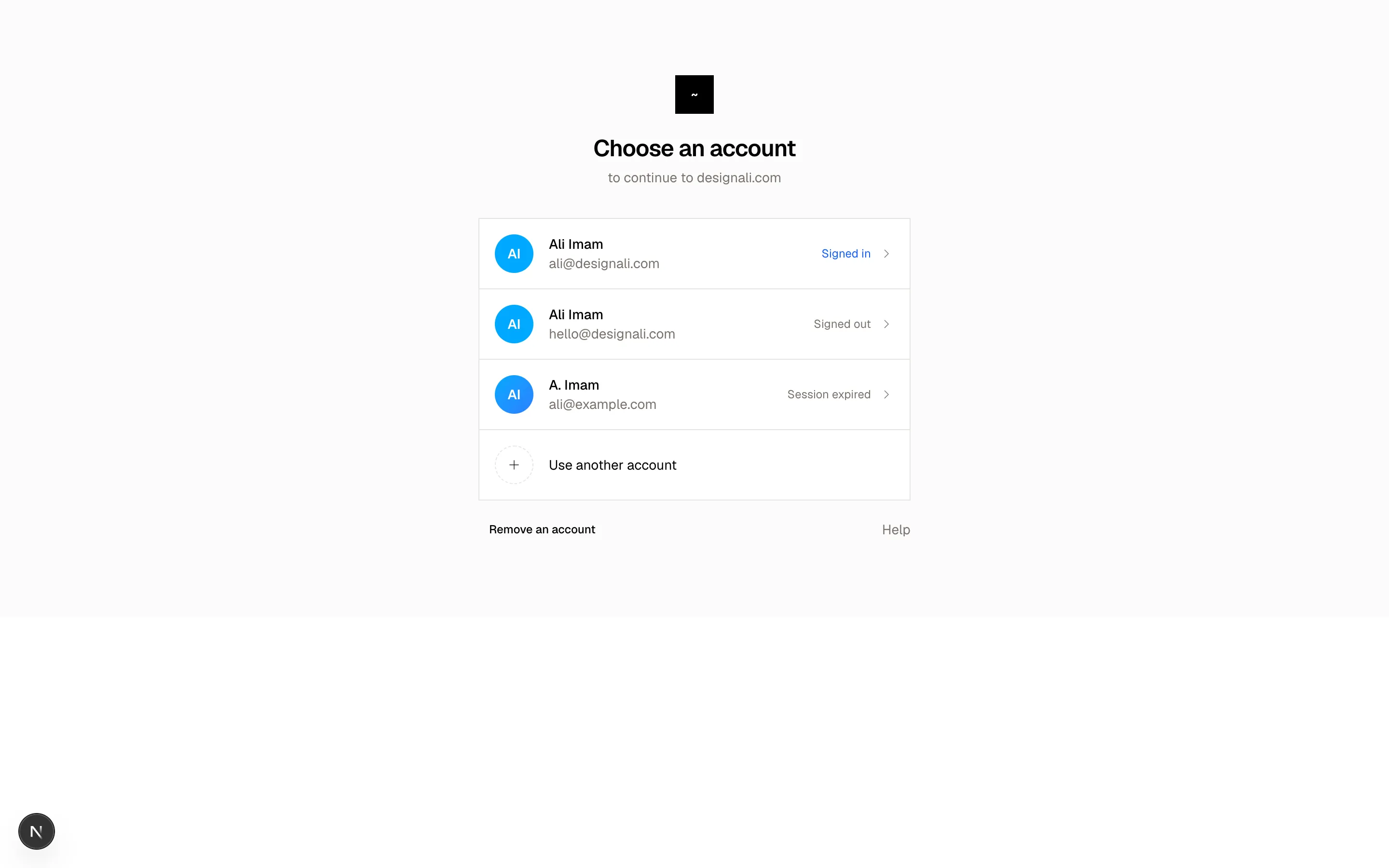
const initialAccounts = [
  {
    name: "Ali Imam",
    email: "ali@designali.com",
    org: "Designali",
    color: "from-primary to-primary",
    status: "Signed in",
  },
  {
    name: "Ali Imam",
    email: "hello@designali.com",
    org: "Personal",
    color: "from-primary to-primary",
    status: "Signed out",
  },
  {
    name: "A. Imam",
    email: "ali@example.com",
    org: "Dalim Works",
    color: "from-primary to-chart-2",
    status: "Session expired",
  },
]

export function Authentication12() {
  const [accounts, setAccounts] = useState(initialAccounts)
  const [editing, setEditing] = useState(false)

  return (
    <section className="flex min-h-[640px] w-full items-center justify-center bg-muted/40 px-6 py-16">
      <div className="w-full max-w-md">
        <div className="text-center">
          <span className="mx-auto flex size-10 items-center justify-center bg-foreground font-sans text-sm font-bold text-background">
            ~
          </span>
          <h2 className="mt-5 text-2xl font-semibold tracking-tight">Choose an account</h2>
          <p className="mt-1 text-sm text-muted-foreground">to continue to designali.com</p>
        </div>

        <ul className="mt-8 divide-y border bg-background">
          {accounts.map((account) => (
            <li key={account.email}>
              <div className="flex items-center gap-4 p-4">
                <span
                  className={cn(
                    "flex size-10 shrink-0 items-center justify-center rounded-full bg-gradient-to-br text-sm font-semibold text-white",
                    account.color
                  )}
                >
                  {account.name
                    .split(" ")
                    .map((part) => part[0])
                    .join("")
                    .replace(".", "")}
                </span>
                <button type="button" disabled={editing} className="min-w-0 flex-1 text-start disabled:cursor-default">
                  <span className="block truncate text-sm font-medium">{account.name}</span>
                  <span className="block truncate text-sm text-muted-foreground">{account.email}</span>
                </button>
                {editing ? (
                  <button
                    type="button"
                    aria-label={`Remove ${account.email}`}
                    onClick={() => setAccounts(accounts.filter((item) => item.email !== account.email))}
                    className="flex size-8 items-center justify-center text-muted-foreground hover:text-destructive dark:hover:text-destructive"
                  >
                    <Trash2 className="size-4" />
                  </button>
                ) : (
                  <span className="flex shrink-0 items-center gap-2">
                    <span
                      className={cn(
                        "hidden text-xs sm:inline",
                        account.status === "Signed in" ? "text-chart-3 dark:text-primary" : "text-muted-foreground"
                      )}
                    >
                      {account.status}
                    </span>
                    <ChevronRight className="size-4 text-muted-foreground" />
                  </span>
                )}
              </div>
            </li>
          ))}
          <li>
            <button type="button" className="flex w-full items-center gap-4 p-4 text-sm hover:bg-muted/50">
              <span className="flex size-10 items-center justify-center rounded-full border border-dashed">
                <Plus className="size-4" />
              </span>
              Use another account
            </button>
          </li>
        </ul>

        <div className="mt-4 flex items-center justify-between text-sm">
          <Button variant="ghost" size="sm" onClick={() => setEditing(!editing)}>
            {editing ? "Done" : "Remove an account"}
          </Button>
          <a href="#" className="text-muted-foreground hover:text-foreground">Help</a>
        </div>
      </div>
    </section>
  )
}
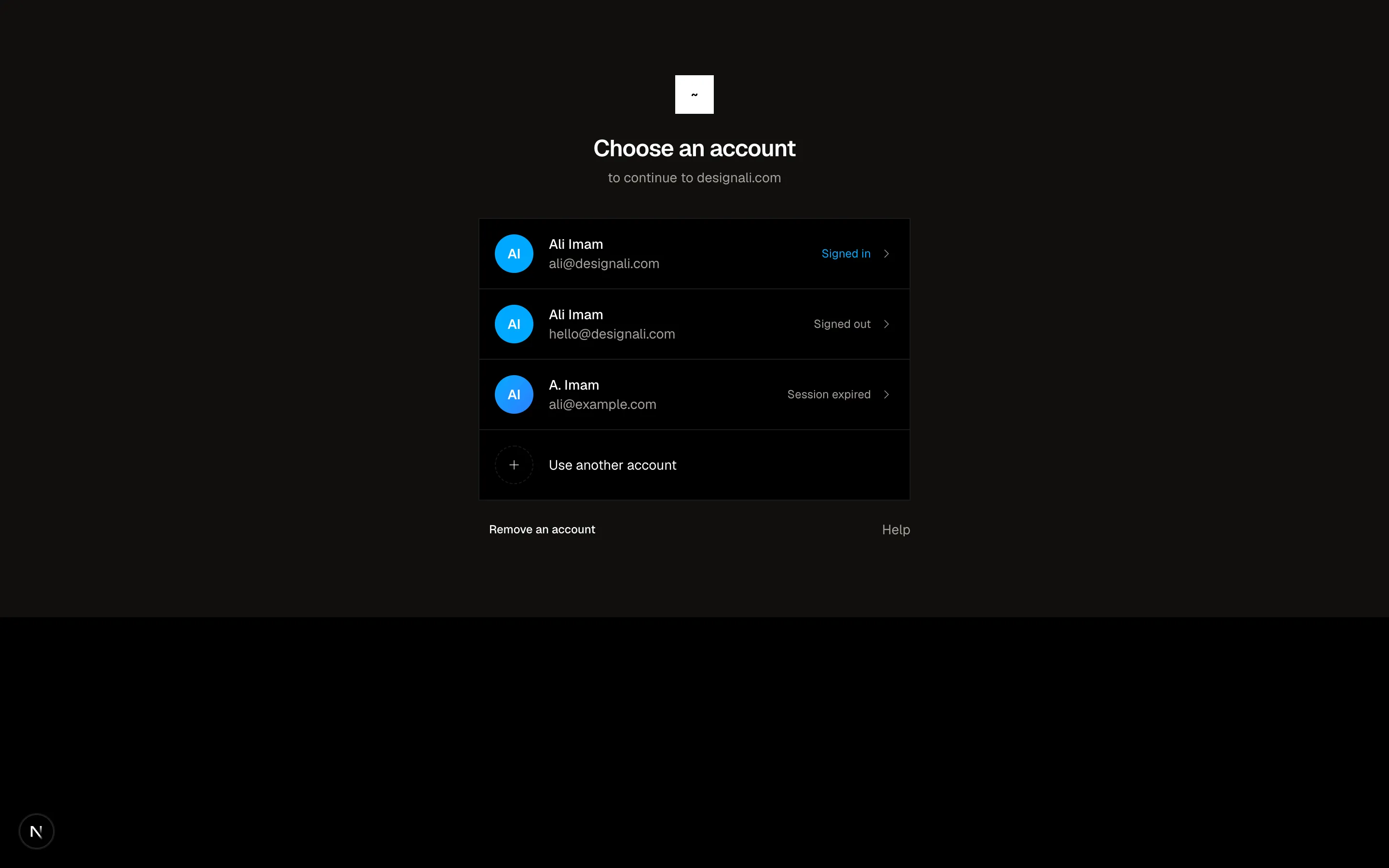
Account chooser listing saved profiles with avatars, remove buttons and an add account row.
authentication-12
Files
"use client"
import { useEffect, useState } from "react"
import {
Check,
FingerprintPattern as Fingerprint,
Laptop,
Smartphone,
Trash2,
} from "@designali/icons"
import { Button } from "@/components/ui/button"
import { cn } from "@/lib/utils"
type Passkey = { id: number; name: string; device: "laptop" | "phone"; added: string; used: string }
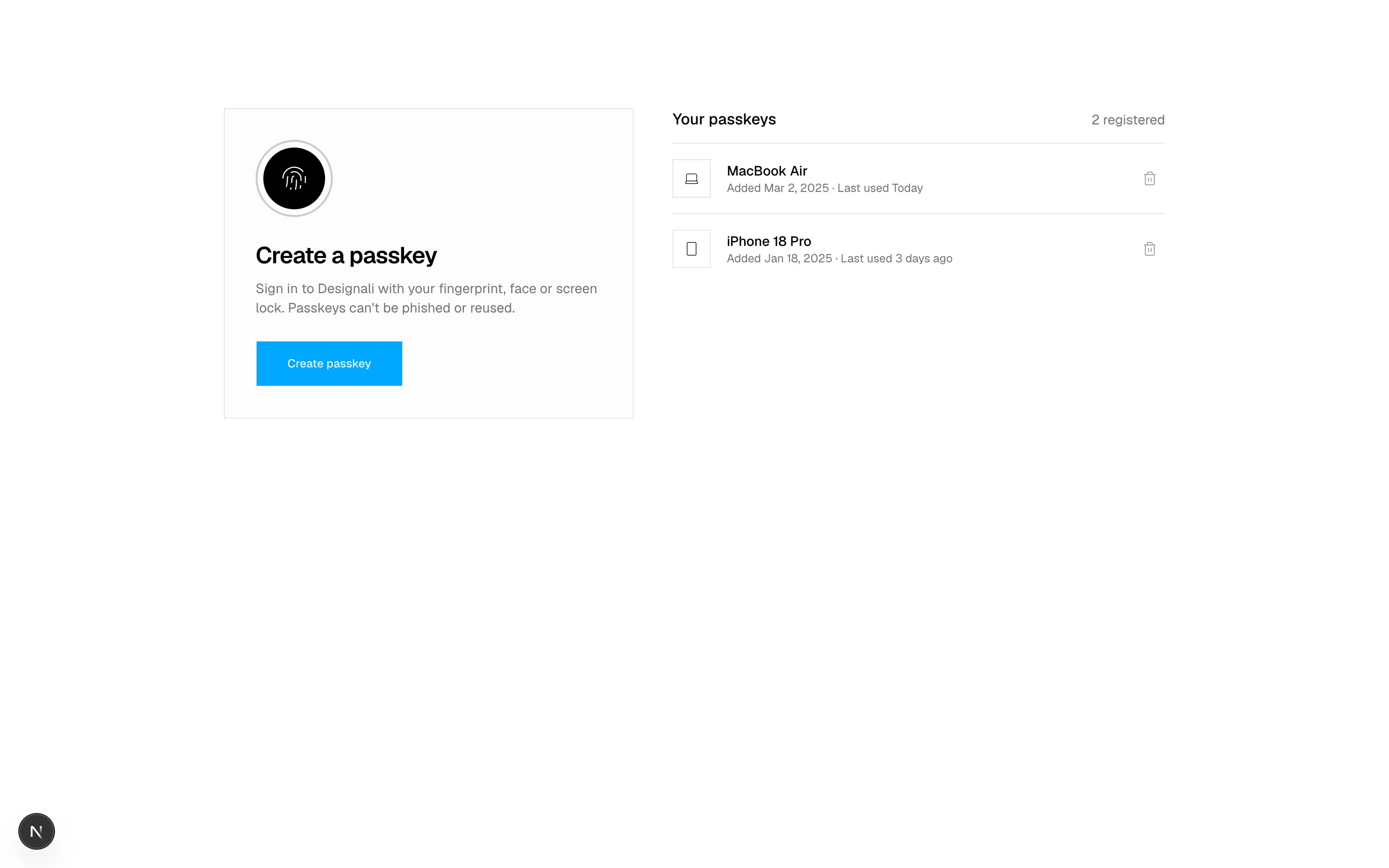
const initial: Passkey[] = [
{ id: 1, name: "MacBook Air", device: "laptop", added: "Mar 2, 2025", used: "Today" },
{ id: 2, name: "iPhone 18 Pro", device: "phone", added: "Jan 18, 2025", used: "3 days ago" },
]
export function Authentication13() {
const [keys, setKeys] = useState(initial)
const [state, setState] = useState<"idle" | "waiting" | "done">("idle")
useEffect(() => {
if (state !== "waiting") return
const timer = setTimeout(() => {
setKeys((current) => [
...current,
{ id: Date.now(), name: "This browser", device: "laptop", added: "Just now", used: "Never" },
])
setState("done")
}, 1800)
return () => clearTimeout(timer)
}, [state])
return (
<section className="w-full bg-background py-20 md:py-28">
<div className="mx-auto grid max-w-5xl gap-10 px-6 md:grid-cols-[1fr_1.2fr]">
<div className="flex flex-col items-start gap-6 border bg-muted/30 p-8">
<span className="relative flex size-20 items-center justify-center">
<span
className={cn(
"absolute inset-0 rounded-full border-2 border-foreground/20",
state === "waiting" && "animate-ping"
)}
/>
<span
className={cn(
"relative flex size-16 items-center justify-center rounded-full transition-colors",
state === "done" ? "bg-chart-2 text-white" : "bg-foreground text-background"
)}
>
{state === "done" ? <Check className="size-7" /> : <Fingerprint className="size-7" />}
</span>
</span>
<div>
<h2 className="text-2xl font-semibold tracking-tight">
{state === "idle" && "Create a passkey"}
{state === "waiting" && "Waiting for your device..."}
{state === "done" && "Passkey saved"}
</h2>
<p className="mt-2 text-sm text-muted-foreground">
{state === "idle" &&
"Sign in to Designali with your fingerprint, face or screen lock. Passkeys can't be phished or reused."}
{state === "waiting" && "Follow the prompt from your browser or operating system to confirm."}
{state === "done" && "Next time, just choose your passkey on the sign-in screen."}
</p>
</div>
<Button
size="lg"
disabled={state === "waiting"}
onClick={() => setState(state === "done" ? "idle" : "waiting")}
>
{state === "done" ? "Add another" : state === "waiting" ? "Confirming..." : "Create passkey"}
</Button>
</div>
<div>
<div className="flex items-baseline justify-between border-b pb-3">
<h3 className="font-medium">Your passkeys</h3>
<span className="text-sm text-muted-foreground tabular-nums">{keys.length} registered</span>
</div>
<ul className="divide-y">
{keys.map((key) => (
<li key={key.id} className="flex items-center gap-4 py-4">
<span className="flex size-10 shrink-0 items-center justify-center border">
{key.device === "laptop" ? <Laptop className="size-4" /> : <Smartphone className="size-4" />}
</span>
<div className="min-w-0 flex-1">
<p className="truncate text-sm font-medium">{key.name}</p>
<p className="text-xs text-muted-foreground">
Added {key.added} · Last used {key.used}
</p>
</div>
<button
type="button"
aria-label={`Remove ${key.name}`}
onClick={() => setKeys(keys.filter((item) => item.id !== key.id))}
className="flex size-8 items-center justify-center text-muted-foreground hover:text-foreground"
>
<Trash2 className="size-4" />
</button>
</li>
))}
{keys.length === 0 && (
<li className="py-6 text-sm text-muted-foreground">No passkeys yet. You're using a password only.</li>
)}
</ul>
</div>
</div>
</section>
)
}
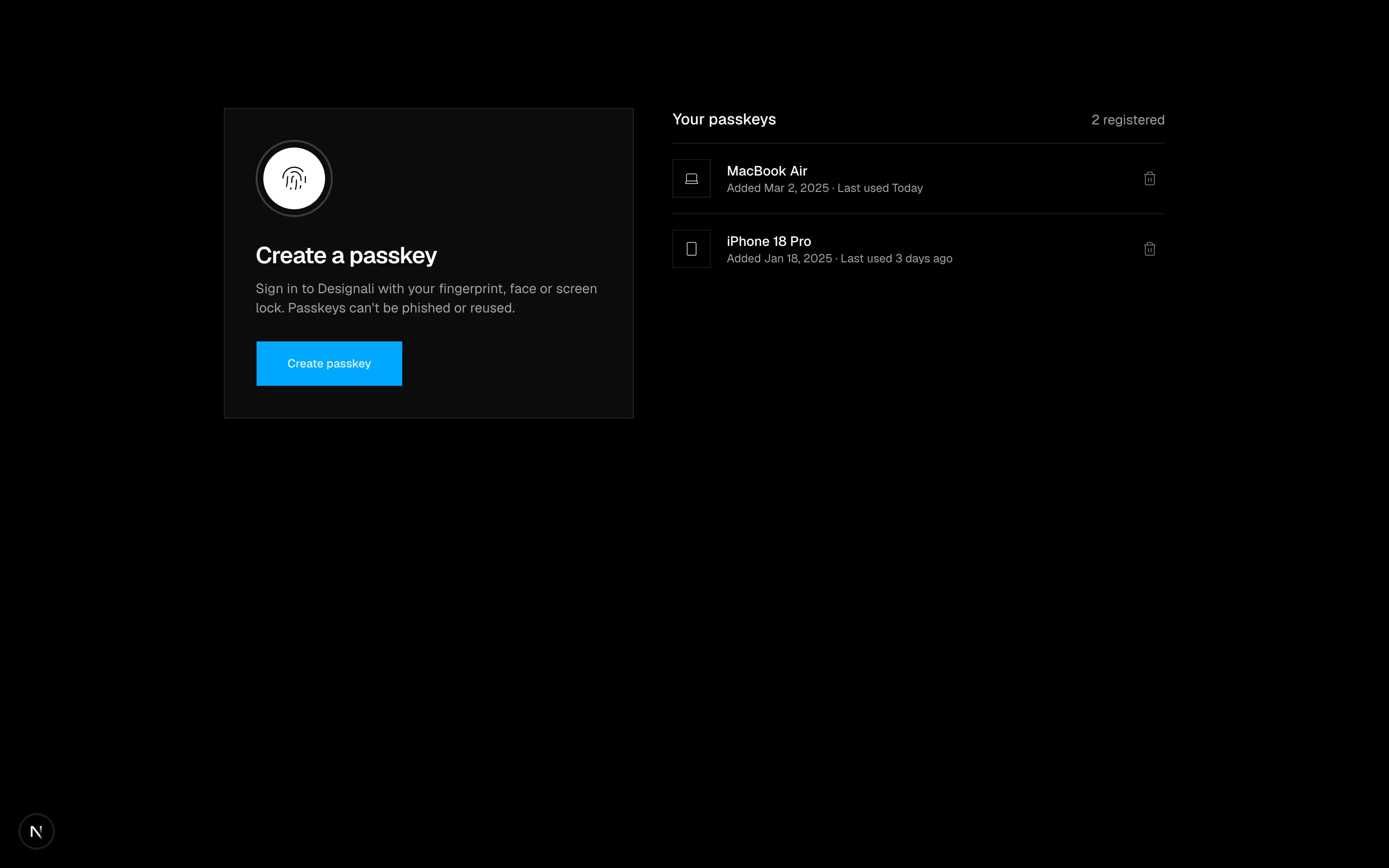
Passkey manager with an explainer beside a list of registered devices and add or remove actions.
authentication-13
Files
"use client"

import { useEffect, useState } from "react"
import {
  ArrowRight,
  Lock,
} from "@designali/icons"

function useClock() {
  const [now, setNow] = useState<Date | null>(null)
  useEffect(() => {
    const first = setTimeout(() => setNow(new Date()), 0)
    const timer = setInterval(() => setNow(new Date()), 30000)
    return () => {
      clearTimeout(first)
      clearInterval(timer)
    }
  }, [])
  return now
}

export function Authentication14() {
  const now = useClock()
  const [password, setPassword] = useState("")

  const time = now ? now.toLocaleTimeString([], { hour: "2-digit", minute: "2-digit" }) : "--:--"
  const date = now ? now.toLocaleDateString([], { weekday: "long", month: "long", day: "numeric" }) : ""

  return (
    <section className="relative flex min-h-[680px] w-full flex-col items-center justify-between overflow-hidden bg-foreground px-6 py-14 text-background">
      <div
        aria-hidden
        className="absolute inset-0 bg-[radial-gradient(circle_at_20%_20%,color-mix(in_oklch,var(--primary)_35%,transparent),transparent_45%),radial-gradient(circle_at_80%_70%,color-mix(in_oklch,var(--chart-3)_25%,transparent),transparent_45%)]"
      />
      <div className="relative text-center">
        <p className="text-6xl font-light tracking-tight tabular-nums md:text-7xl">{time}</p>
        <p className="mt-2 text-sm text-white/60">{date}</p>
      </div>

      <form className="relative flex w-full max-w-xs flex-col items-center" onSubmit={(event) => event.preventDefault()}>
        <span className="flex size-20 items-center justify-center rounded-full bg-gradient-to-br from-chart-1 to-primary text-2xl font-semibold text-foreground ring-4 ring-white/10">
          AI
        </span>
        <p className="mt-4 text-lg font-medium">Ali Imam</p>
        <p className="flex items-center gap-1.5 text-xs text-white/60">
          <Lock className="size-3" />
          Locked after 15 minutes of inactivity
        </p>
        <label className="mt-6 flex h-11 w-full items-center border border-white/20 bg-white/10 backdrop-blur focus-within:border-white/50">
          <span className="sr-only">Password</span>
          <input
            type="password"
            value={password}
            onChange={(event) => setPassword(event.target.value)}
            placeholder="Enter password"
            className="h-full w-full bg-transparent px-4 text-sm text-white outline-none placeholder:text-white/40"
          />
          <button
            type="submit"
            aria-label="Unlock"
            disabled={!password}
            className="flex size-11 shrink-0 items-center justify-center border-s border-white/20 transition-colors hover:bg-white/10 disabled:opacity-40"
          >
            <ArrowRight className="size-4" />
          </button>
        </label>
        <p className="mt-3 text-xs text-white/50">Your unsaved drafts in the Designali studio are kept while locked.</p>
      </form>

      <div className="relative flex gap-6 text-xs text-white/60">
        <a href="#" className="hover:text-white">Switch user</a>
        <a href="#" className="hover:text-white">Sign out</a>
        <a href="#" className="hover:text-white">Forgot password</a>
      </div>
    </section>
  )
}
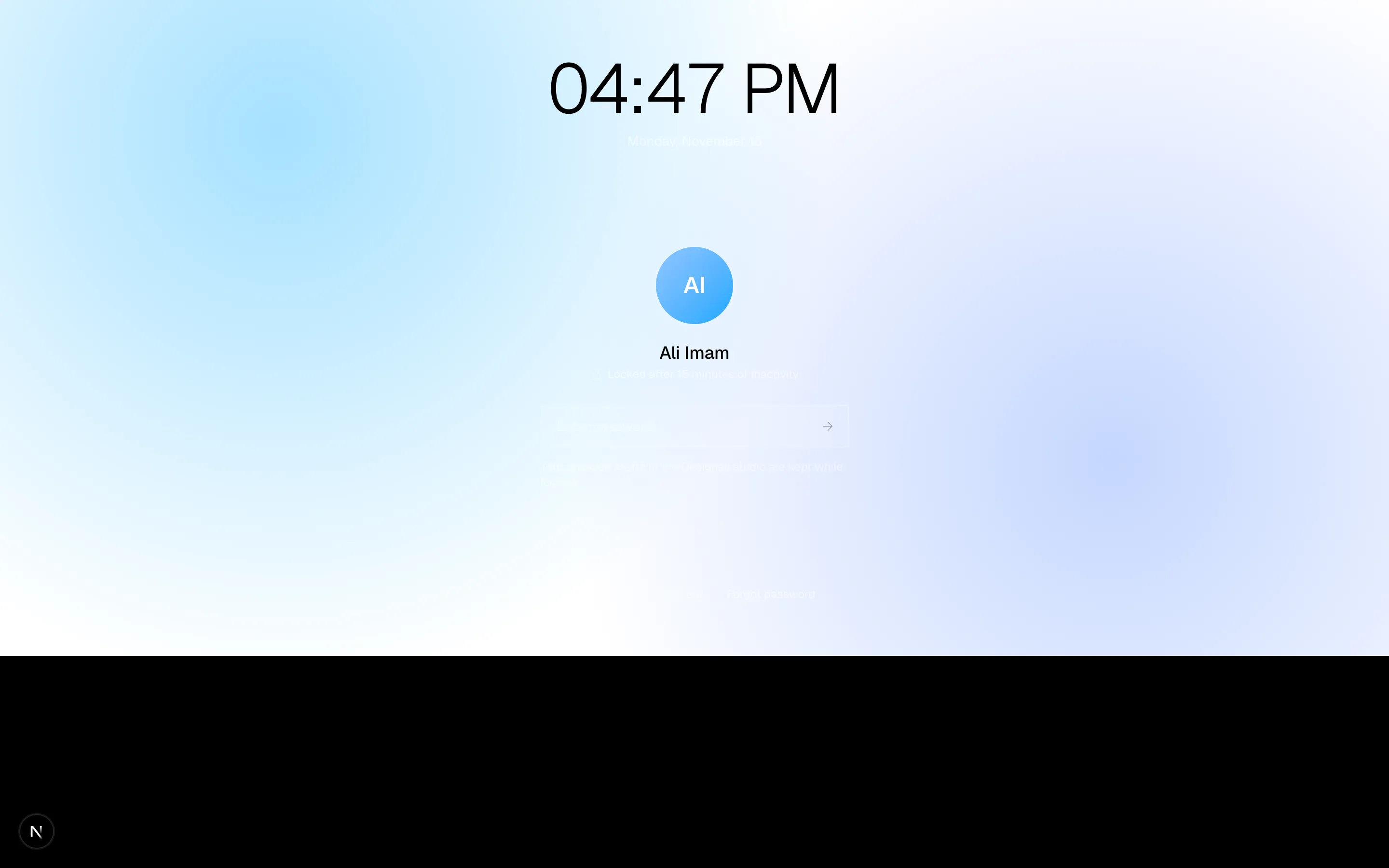
Dark lock screen with the user avatar, password unlock field and switch user or sign out links.
authentication-14
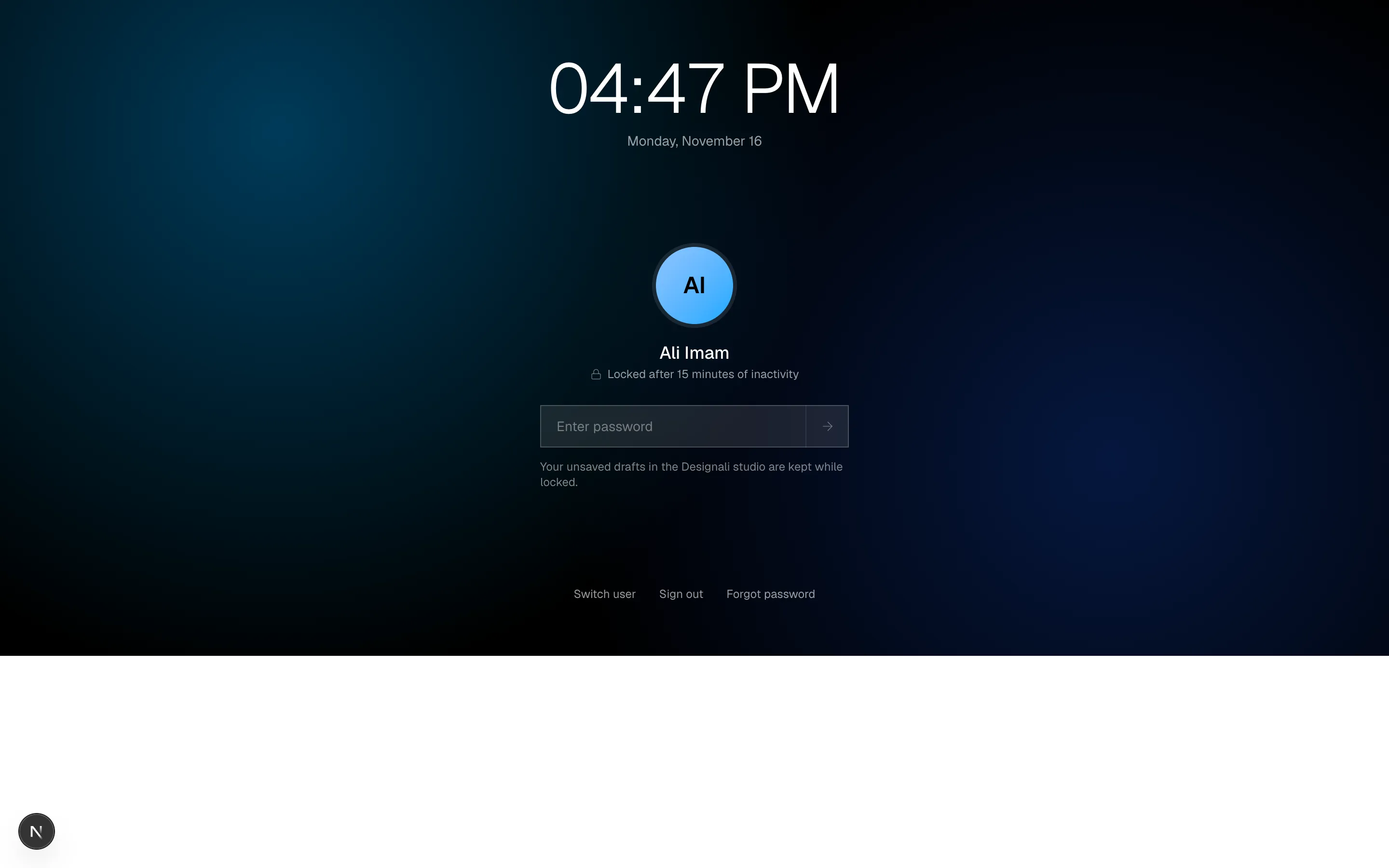
Files
"use client"
import { useState } from "react"
import {
ArrowLeft,
ChevronDown,
MessageSquare,
Phone,
} from "@designali/icons"
import { Button } from "@/components/ui/button"
import { Input } from "@/components/ui/input"
import { Label } from "@/components/ui/label"
import { IPhone } from "@/components/ui/apple/iphone"
const countries = [
{ code: "US", dial: "+1", flag: "US" },
{ code: "GB", dial: "+44", flag: "GB" },
{ code: "IN", dial: "+91", flag: "IN" },
{ code: "BR", dial: "+55", flag: "BR" },
{ code: "NG", dial: "+234", flag: "NG" },
{ code: "DE", dial: "+49", flag: "DE" },
]
function formatPhone(value: string) {
const digits = value.replace(/\D/g, "").slice(0, 10)
const parts = [digits.slice(0, 3), digits.slice(3, 6), digits.slice(6)]
return parts.filter(Boolean).join(" ")
}
export function Authentication15() {
const [country, setCountry] = useState(countries[0]!)
const [phone, setPhone] = useState("")
const [sent, setSent] = useState(false)
const [code, setCode] = useState("")
const valid = phone.replace(/\D/g, "").length >= 9
return (
<section className="w-full bg-background">
<div className="mx-auto grid min-h-[640px] max-w-6xl md:grid-cols-2">
<div className="relative hidden items-center justify-center overflow-hidden bg-gradient-to-br from-chart-1 via-primary to-chart-2 md:flex">
<IPhone size="lg" color="silver" className="max-h-full">
<div className="flex h-full flex-col bg-white p-5 pt-12 text-black">
<p className="text-center text-xs text-black/50">Messages · now</p>
<div className="mt-4 max-w-[85%] rounded-2xl bg-black/5 p-3 text-sm">
Your Designali code is <span className="font-semibold">482 913</span>. It expires in 5 minutes. Don't share it with anyone.
</div>
<div className="mt-3 max-w-[70%] rounded-2xl bg-black/5 p-3 text-sm">Designali will never call you for this code.</div>
</div>
</IPhone>
</div>
<div className="flex items-center px-6 py-16 md:px-16">
<div className="w-full max-w-sm space-y-8">
{!sent ? (
<form
className="space-y-6"
onSubmit={(event) => {
event.preventDefault()
if (valid) setSent(true)
}}
>
<Phone className="size-6" />
<div>
<h2 className="text-3xl font-semibold tracking-tight">Sign in with your phone</h2>
<p className="mt-2 text-sm text-muted-foreground">We'll text you a one-time code. No password needed.</p>
</div>
<div className="space-y-2">
<Label htmlFor="auth-15-phone">Mobile number</Label>
<div className="flex h-11 border focus-within:border-foreground">
<label className="relative flex shrink-0 items-center border-e">
<span className="sr-only">Country code</span>
<select
value={country.code}
onChange={(event) => setCountry(countries.find((item) => item.code === event.target.value) ?? countries[0]!)}
className="h-full appearance-none bg-transparent ps-3 pe-8 text-sm outline-none"
>
{countries.map((item) => (
<option key={item.code} value={item.code}>
{item.flag} {item.dial}
</option>
))}
</select>
<ChevronDown className="pointer-events-none absolute end-2.5 size-3.5 text-muted-foreground" />
</label>
<input
id="auth-15-phone"
type="tel"
inputMode="tel"
value={phone}
onChange={(event) => setPhone(formatPhone(event.target.value))}
placeholder="Mobile number"
className="w-full min-w-0 bg-transparent px-3 text-sm tabular-nums outline-none placeholder:text-muted-foreground"
/>
</div>
</div>
<Button type="submit" size="lg" className="w-full" disabled={!valid}>
<MessageSquare />
Text me a code
</Button>
<p className="text-center text-sm text-muted-foreground">
Prefer email? <a href="#" className="text-foreground underline underline-offset-4">Use email instead</a>
</p>
</form>
) : (
<form className="space-y-6" onSubmit={(event) => event.preventDefault()}>
<button type="button" onClick={() => setSent(false)} className="flex items-center gap-1.5 text-sm text-muted-foreground hover:text-foreground">
<ArrowLeft className="size-4" />
Change number
</button>
<div>
<h2 className="text-3xl font-semibold tracking-tight">Enter the code</h2>
<p className="mt-2 text-sm text-muted-foreground">
Sent to <span className="text-foreground tabular-nums">{country.dial} {phone}</span>
</p>
</div>
<div className="space-y-2">
<Label htmlFor="auth-15-code">6-digit code</Label>
<Input
id="auth-15-code"
inputMode="numeric"
autoComplete="one-time-code"
value={code}
onChange={(event) => setCode(event.target.value.replace(/\D/g, "").slice(0, 6))}
className="h-12 font-sans text-lg tracking-[0.4em]"
/>
</div>
<Button type="submit" size="lg" className="w-full" disabled={code.length !== 6}>
Verify and sign in
</Button>
<p className="text-sm text-muted-foreground">
Didn't get it? <button type="button" className="text-foreground underline underline-offset-4">Resend</button> or{" "}
<button type="button" className="text-foreground underline underline-offset-4">call me instead</button>
</p>
</form>
)}
</div>
</div>
</div>
</section>
)
}
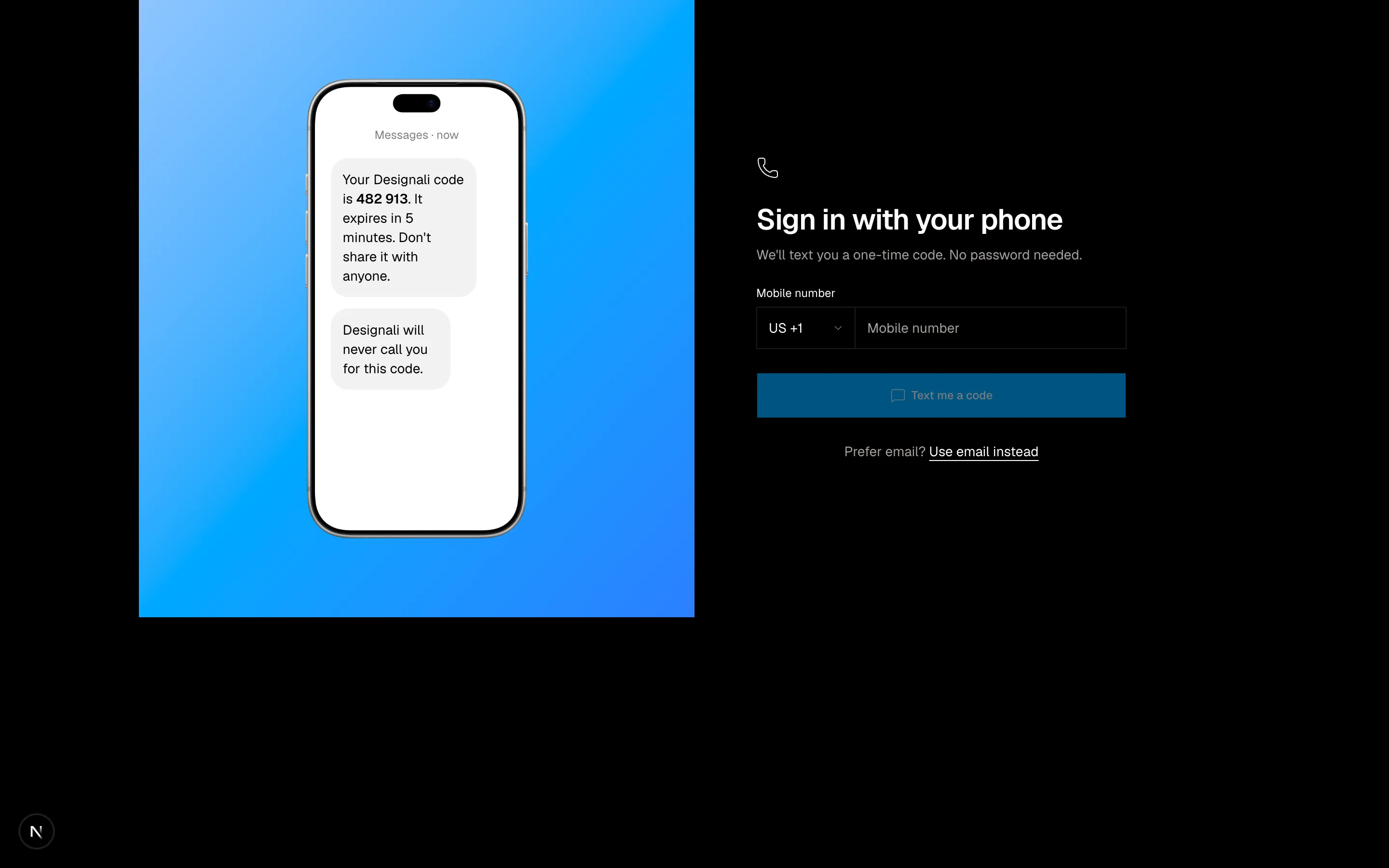
Phone number sign-in with a country code picker, one-time code step and an SMS preview mockup.
authentication-15
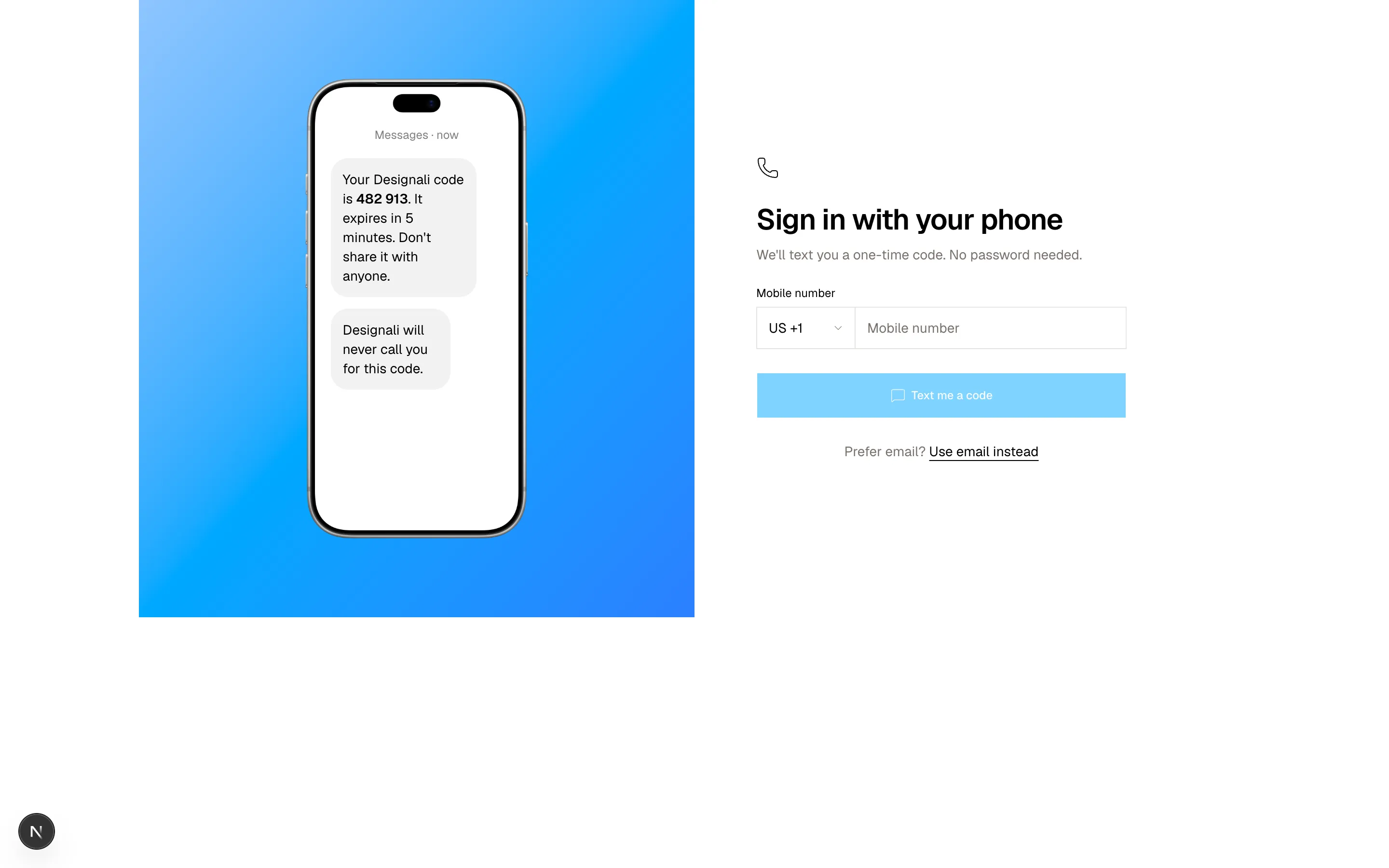
Files
"use client"
import { useState } from "react"
import {
ArrowLeftRight,
Calendar,
Contact,
FileText,
Info,
Mail,
ShieldCheck,
} from "@designali/icons"
import { Figma } from "@designali/logos"
import { Button } from "@/components/ui/button"
import { Checkbox } from "@/components/ui/checkbox"
import { cn } from "@/lib/utils"
const scopes = [
{ id: "profile", icon: Contact, label: "View your name and profile photo", required: true },
{ id: "email", icon: Mail, label: "View your email address", required: true },
{ id: "calendar", icon: Calendar, label: "Read and update your Designali projects", required: false },
{ id: "files", icon: FileText, label: "Read templates and UI kits you choose to share", required: false },
]
export function Authentication16() {
const [granted, setGranted] = useState<string[]>(scopes.map((scope) => scope.id))
function toggle(id: string) {
setGranted((current) => (current.includes(id) ? current.filter((item) => item !== id) : [...current, id]))
}
return (
<section className="flex min-h-[720px] w-full items-center justify-center bg-muted/40 px-6 py-16">
<div className="w-full max-w-md border bg-background">
<div className="flex items-center justify-center gap-4 border-b px-6 py-8">
<span className="flex size-14 items-center justify-center border bg-background">
<Figma className="size-7" />
</span>
<ArrowLeftRight className="size-5 text-muted-foreground" />
<span className="flex size-14 items-center justify-center bg-foreground text-lg font-bold text-background">
da
</span>
</div>
<div className="space-y-6 p-6 sm:p-8">
<div className="text-center">
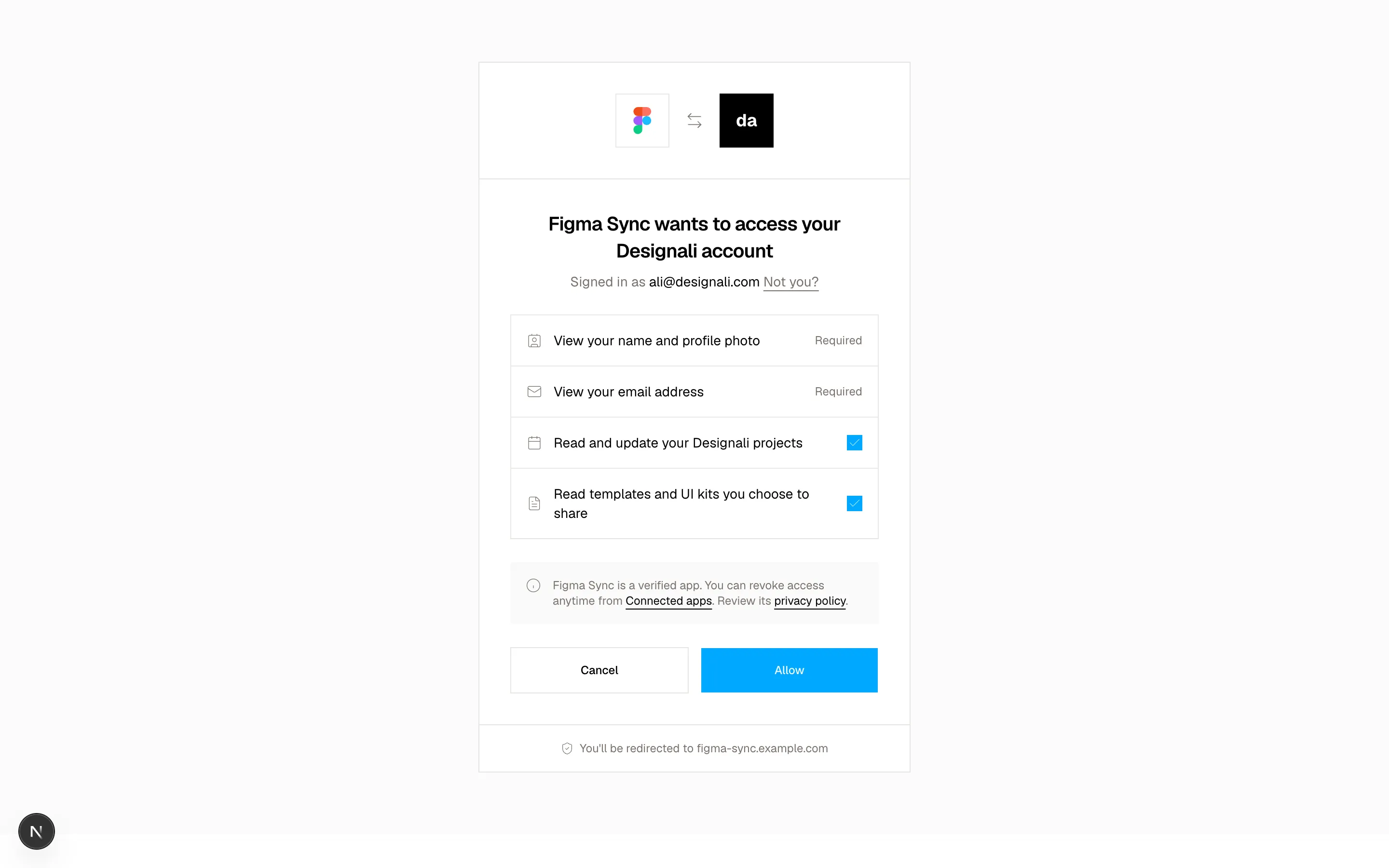
<h2 className="text-xl font-semibold tracking-tight">Figma Sync wants to access your Designali account</h2>
<p className="mt-2 text-sm text-muted-foreground">
Signed in as <span className="text-foreground">ali@designali.com</span>{" "}
<a href="#" className="underline underline-offset-4">Not you?</a>
</p>
</div>
<ul className="divide-y border">
{scopes.map((scope) => (
<li key={scope.id}>
<label
className={cn(
"flex items-center gap-3 p-4 text-sm",
!scope.required && "cursor-pointer hover:bg-muted/40"
)}
>
<scope.icon className="size-4 shrink-0 text-muted-foreground" />
<span className="flex-1">{scope.label}</span>
{scope.required ? (
<span className="text-xs text-muted-foreground">Required</span>
) : (
<Checkbox checked={granted.includes(scope.id)} onCheckedChange={() => toggle(scope.id)} />
)}
</label>
</li>
))}
</ul>
<div className="flex gap-3 bg-muted/50 p-4 text-xs text-muted-foreground">
<Info className="size-4 shrink-0" />
<p>
Figma Sync is a verified app. You can revoke access anytime from{" "}
<a href="#" className="text-foreground underline underline-offset-4">Connected apps</a>. Review its{" "}
<a href="#" className="text-foreground underline underline-offset-4">privacy policy</a>.
</p>
</div>
<div className="grid grid-cols-2 gap-3">
<Button variant="outline" size="lg">Cancel</Button>
<Button size="lg">Allow</Button>
</div>
</div>
<p className="flex items-center justify-center gap-1.5 border-t p-4 text-xs text-muted-foreground">
<ShieldCheck className="size-3.5" />
You'll be redirected to figma-sync.example.com
</p>
</div>
</section>
)
}
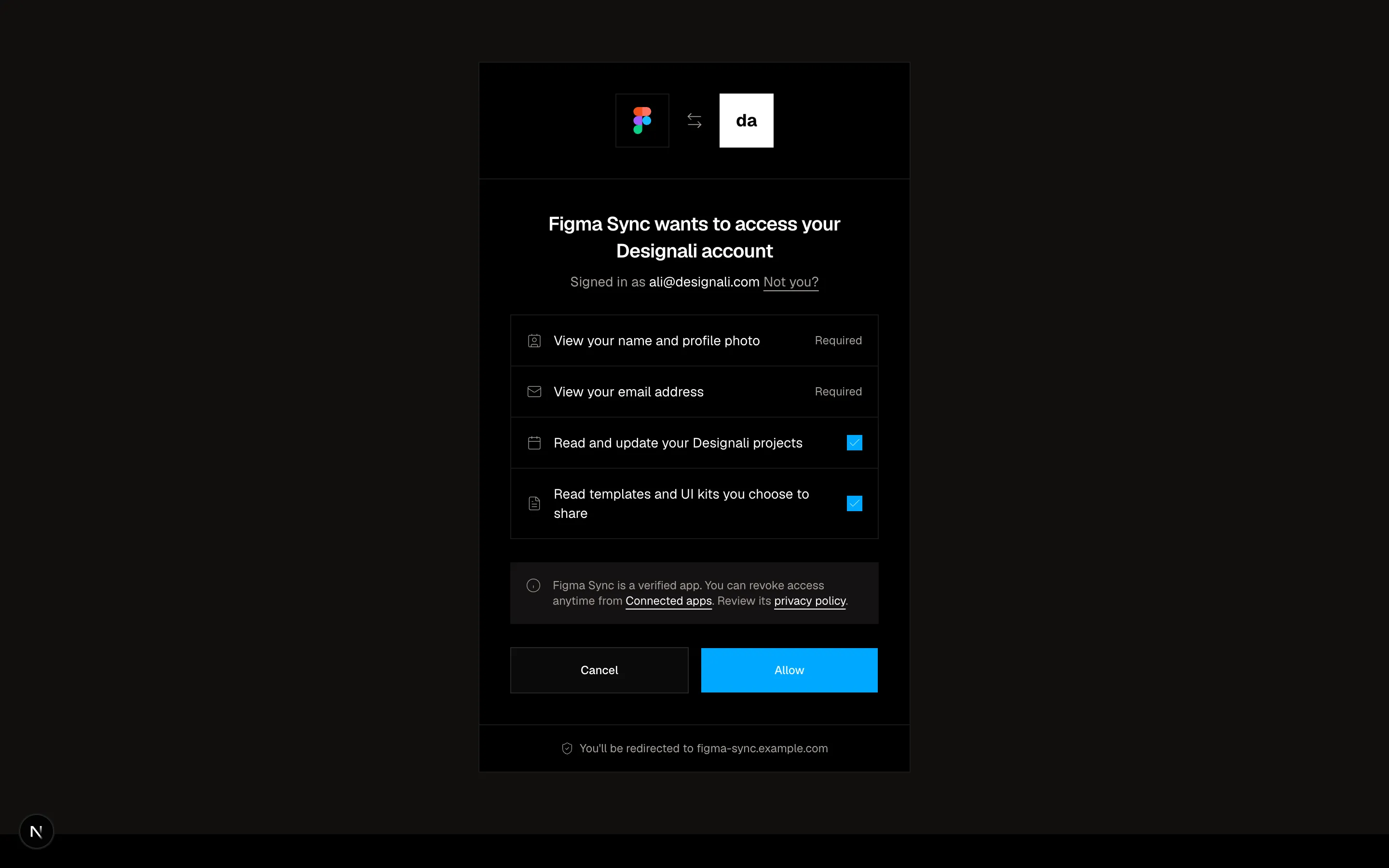
OAuth consent screen listing requested permissions with checkboxes and Allow or Cancel buttons.
authentication-16
Files
"use client"

import { useState } from "react"
import {
  Check,
  Terminal,
} from "@designali/icons"

import { Button } from "@/components/ui/button"

import { Macbook } from "@/components/ui/apple/macbook"

function formatCode(value: string) {
  const clean = value.toUpperCase().replace(/[^A-Z0-9]/g, "").slice(0, 8)
  return clean.length > 4 ? `${clean.slice(0, 4)}-${clean.slice(4)}` : clean
}

export function Authentication17() {
  const [code, setCode] = useState("")
  const [stage, setStage] = useState<"enter" | "confirm" | "done">("enter")

  return (
    <section className="w-full bg-background py-20 md:py-28">
      <div className="mx-auto grid max-w-5xl gap-10 px-6 md:grid-cols-2">
        <div className="flex items-center justify-center">
          <Macbook variant="macbook-pro" color="black" size="sm" className="max-w-full">
            <div className="h-full bg-black text-[10px] text-white/70">
              <div className="border-b border-white/10 px-3 py-1.5 text-white/50">~/projects/designali</div>
              <div className="space-y-1 overflow-x-auto p-3 leading-relaxed">
                <p><span className="text-primary">$</span> designali login</p>
                <p className="text-white/50">Opening browser to authorize this device...</p>
                <p>
                  Your one-time code: <span className="bg-white px-1 py-0.5 text-black">WDJB-MJHT</span>
                </p>
                <p className="text-white/50">Waiting for confirmation (expires in 15:00)</p>
                {stage === "done" ? (
                  <>
                    <p className="text-primary">Authenticated as ali@designali.com</p>
                    <p className="text-primary">Token saved to ~/.designali/credentials</p>
                    <p><span className="text-primary">$</span> <span className="animate-pulse">_</span></p>
                  </>
                ) : (
                  <p className="animate-pulse">|</p>
                )}
              </div>
            </div>
          </Macbook>
        </div>

        <div className="flex flex-col justify-center">
          <span className="flex size-11 items-center justify-center border">
            <Terminal className="size-5" />
          </span>

          {stage === "enter" && (
            <form
              className="mt-6 space-y-6"
              onSubmit={(event) => {
                event.preventDefault()
                if (code.length === 9) setStage("confirm")
              }}
            >
              <div>
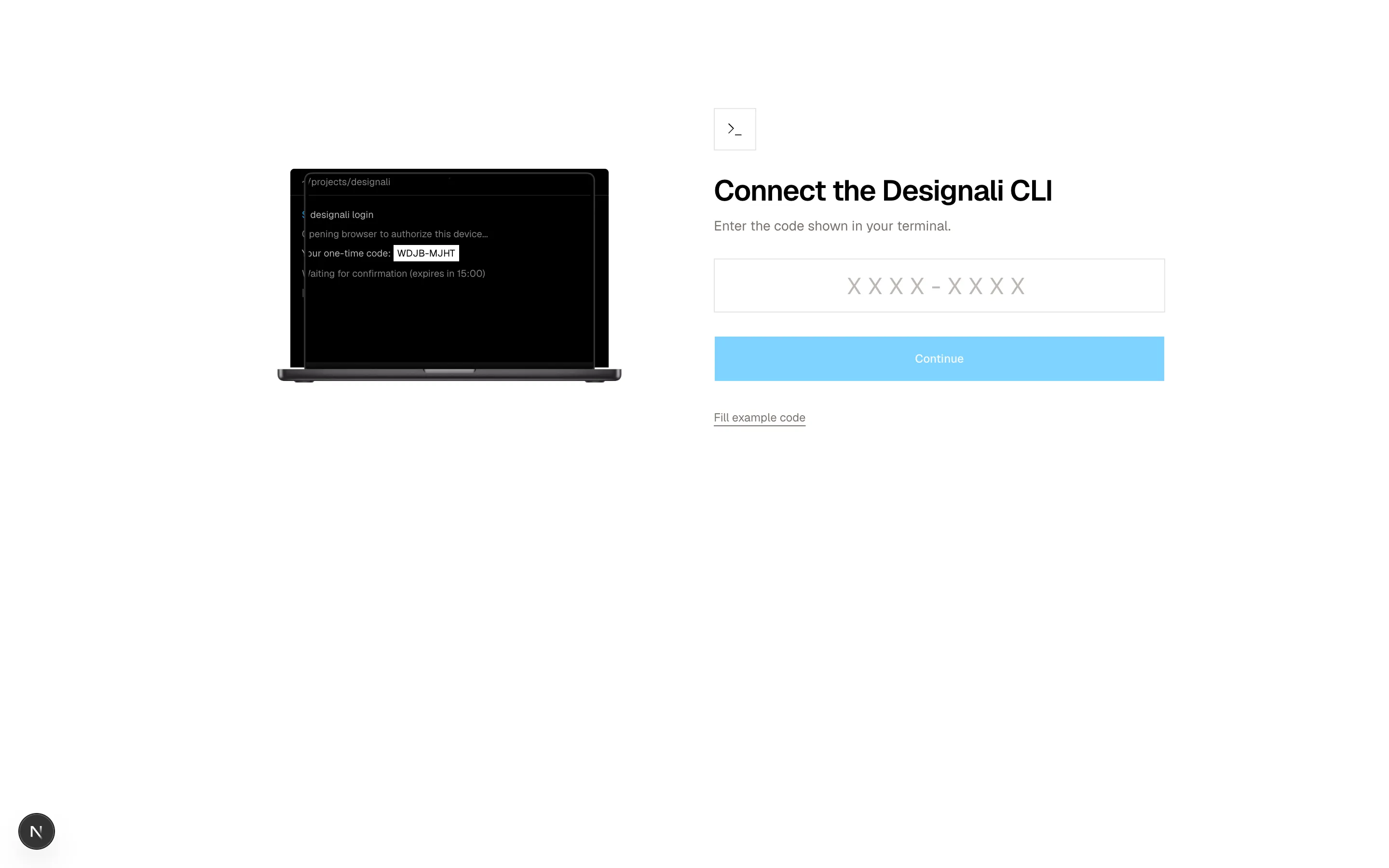
                <h2 className="text-3xl font-semibold tracking-tight">Connect the Designali CLI</h2>
                <p className="mt-2 text-sm text-muted-foreground">Enter the code shown in your terminal.</p>
              </div>
              <input
                aria-label="Device code"
                value={code}
                onChange={(event) => setCode(formatCode(event.target.value))}
                placeholder="XXXX-XXXX"
                autoComplete="off"
                spellCheck={false}
                className="h-14 w-full border bg-transparent text-center font-sans text-2xl tracking-[0.3em] uppercase outline-none placeholder:text-muted-foreground/50 focus:border-foreground"
              />
              <Button type="submit" size="lg" className="w-full" disabled={code.length !== 9}>
                Continue
              </Button>
              <button type="button" onClick={() => setCode("WDJB-MJHT")} className="text-xs text-muted-foreground underline underline-offset-4">
                Fill example code
              </button>
            </form>
          )}

          {stage === "confirm" && (
            <div className="mt-6 space-y-6">
              <div>
                <h2 className="text-3xl font-semibold tracking-tight">Authorize this device?</h2>
                <p className="mt-2 text-sm text-muted-foreground">
                  Only continue if you just ran <code className="bg-muted px-1">designali login</code> yourself.
                </p>
              </div>
              <dl className="divide-y border text-sm">
                {[
                  ["Device", "MacBook Pro, macOS 15"],
                  ["Location", "Bengaluru, IN (approx.)"],
                  ["Access", "Install blocks, icons and templates"],
                ].map(([term, value]) => (
                  <div key={term} className="flex justify-between gap-4 p-3">
                    <dt className="text-muted-foreground">{term}</dt>
                    <dd className="text-end">{value}</dd>
                  </div>
                ))}
              </dl>
              <div className="flex gap-3">
                <Button variant="outline" size="lg" onClick={() => setStage("enter")}>Deny</Button>
                <Button size="lg" className="flex-1" onClick={() => setStage("done")}>Authorize device</Button>
              </div>
            </div>
          )}

          {stage === "done" && (
            <div className="mt-6 space-y-4">
              <h2 className="flex items-center gap-2 text-3xl font-semibold tracking-tight">
                <Check className="size-7 text-primary dark:text-primary" />
                Device connected
              </h2>
              <p className="text-sm text-muted-foreground">You can close this window and return to your terminal.</p>
              <Button variant="ghost" className="-ms-4" onClick={() => { setStage("enter"); setCode("") }}>
                Start over
              </Button>
            </div>
          )}
        </div>
      </div>
    </section>
  )
}
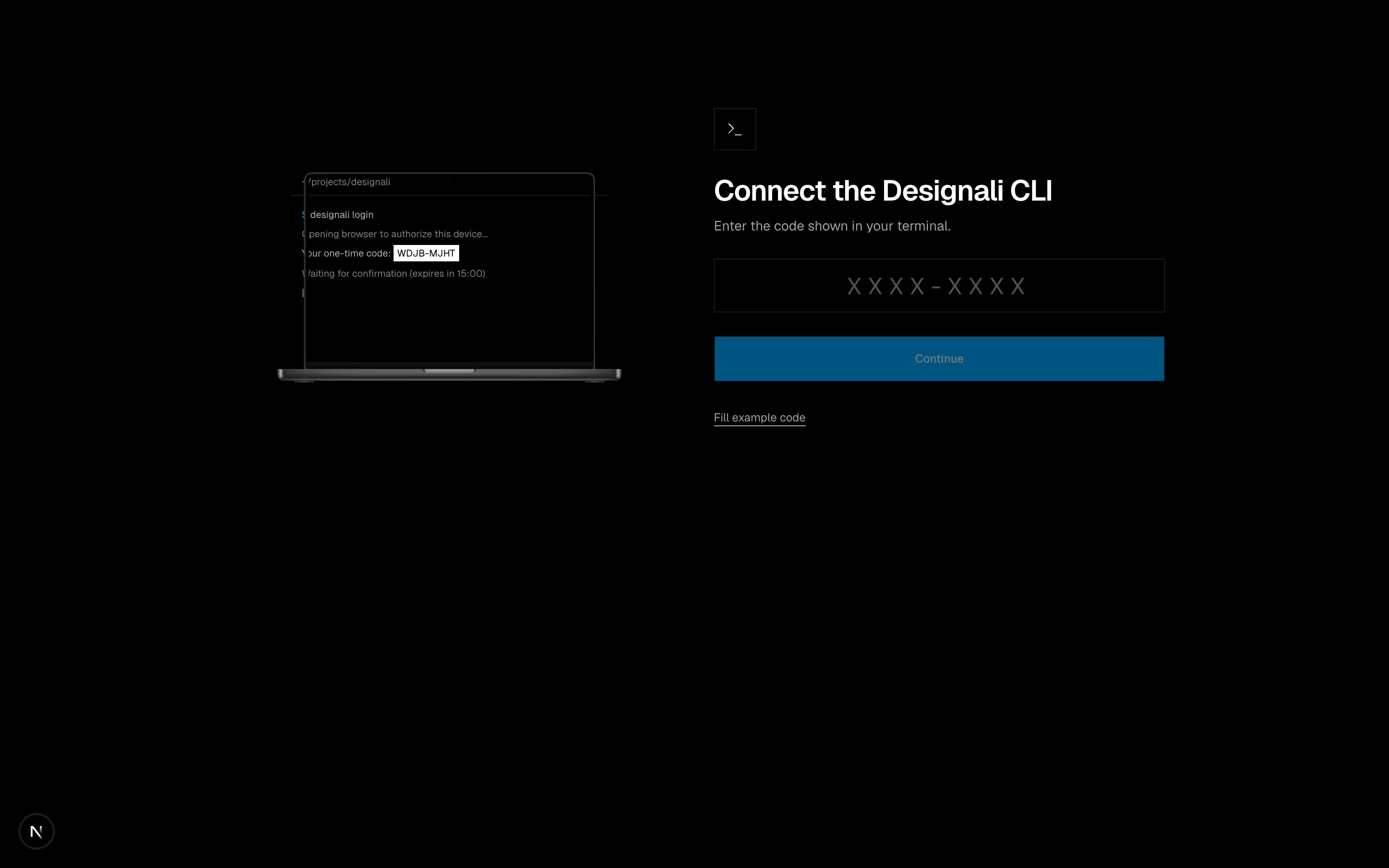
CLI device authorization pairing a terminal mockup with a browser code confirmation card.
authentication-17
Files
"use client"
import { useState } from "react"
import {
FingerprintPattern as Fingerprint,
Globe,
KeyRound,
Laptop,
ShieldCheck,
Smartphone,
Tablet,
} from "@designali/icons"
import { Button } from "@/components/ui/button"
import { Switch } from "@/components/ui/switch"
const initialSessions = [
{ id: 1, icon: Laptop, device: "Chrome on macOS", location: "Toronto, CA", ip: "142.112.8.20", seen: "Active now", current: true },
{ id: 2, icon: Smartphone, device: "Designali app on iPhone", location: "Toronto, CA", ip: "142.112.8.41", seen: "2 hours ago", current: false },
{ id: 3, icon: Tablet, device: "Safari on iPad", location: "Montreal, CA", ip: "70.81.3.112", seen: "4 days ago", current: false },
{ id: 4, icon: Globe, device: "Firefox on Windows", location: "Lisbon, PT", ip: "85.240.19.7", seen: "12 days ago", current: false },
]
export function Authentication18() {
const [sessions, setSessions] = useState(initialSessions)
const [twoFactor, setTwoFactor] = useState(true)
const [alerts, setAlerts] = useState(true)
const others = sessions.filter((session) => !session.current).length
return (
<section className="w-full bg-background py-16 md:py-24">
<div className="mx-auto max-w-5xl px-6">
<div className="flex flex-col gap-2 border-b pb-6 md:flex-row md:items-end md:justify-between">
<div>
<p className="text-sm text-muted-foreground">Settings / Security</p>
<h2 className="mt-1 text-3xl font-semibold tracking-tight">Sign-in and security</h2>
</div>
<p className="flex items-center gap-2 text-sm text-chart-3 dark:text-primary">
<ShieldCheck className="size-4" />
Security checkup complete
</p>
</div>
<div className="grid gap-px border-b bg-border sm:grid-cols-3">
{[
{ icon: KeyRound, title: "Password", value: "Changed 3 months ago", action: "Change" },
{ icon: Fingerprint, title: "Passkeys", value: "2 registered", action: "Manage" },
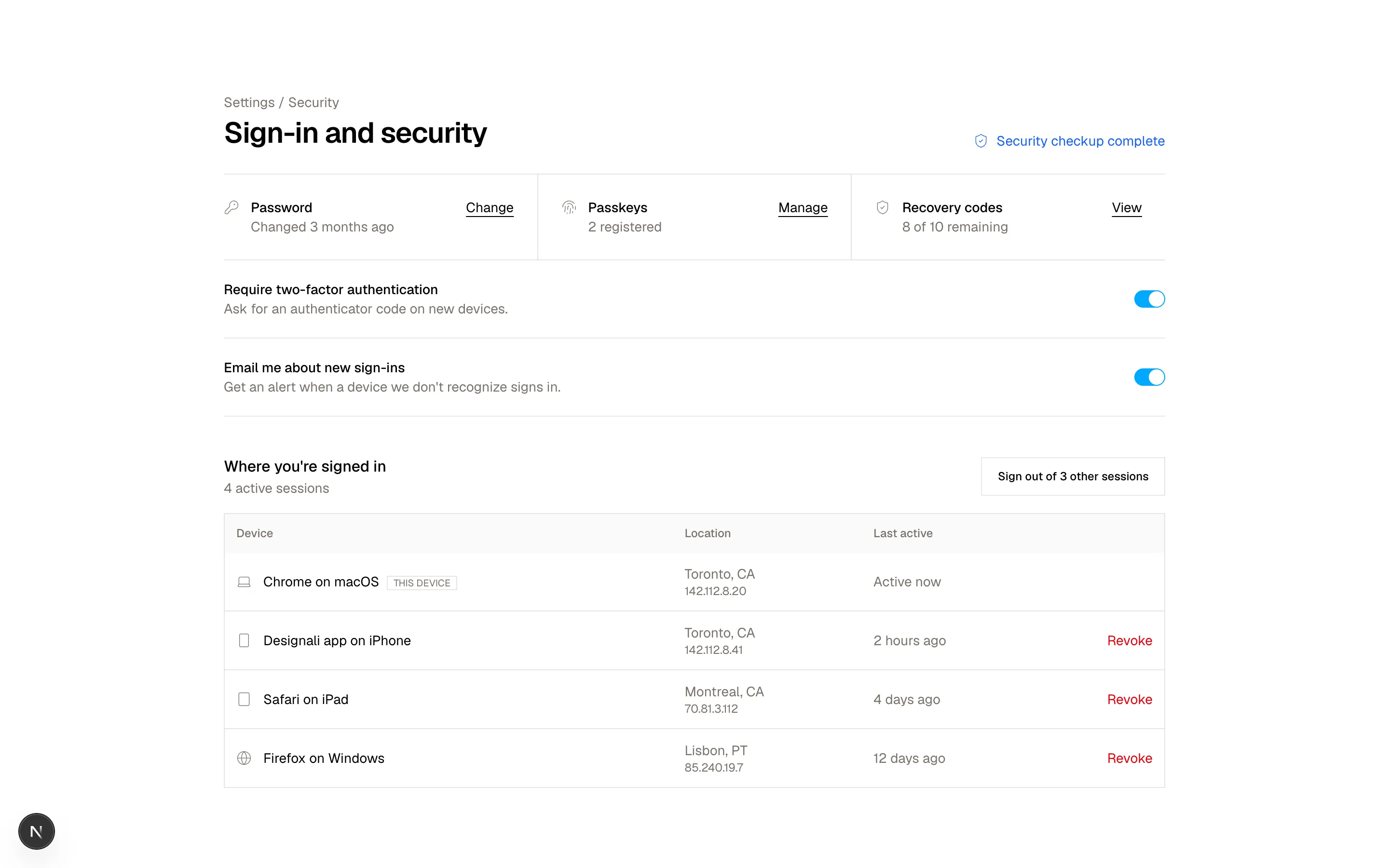
{ icon: ShieldCheck, title: "Recovery codes", value: "8 of 10 remaining", action: "View" },
].map((item) => (
<div key={item.title} className="flex items-start gap-3 bg-background py-6 sm:px-6 sm:first:ps-0">
<item.icon className="mt-0.5 size-4 shrink-0 text-muted-foreground" />
<div className="flex-1">
<p className="text-sm font-medium">{item.title}</p>
<p className="text-sm text-muted-foreground">{item.value}</p>
</div>
<a href="#" className="text-sm underline underline-offset-4">{item.action}</a>
</div>
))}
</div>
<div className="divide-y border-b">
<label className="flex items-center justify-between gap-6 py-5">
<span>
<span className="block text-sm font-medium">Require two-factor authentication</span>
<span className="block text-sm text-muted-foreground">Ask for an authenticator code on new devices.</span>
</span>
<Switch checked={twoFactor} onCheckedChange={setTwoFactor} />
</label>
<label className="flex items-center justify-between gap-6 py-5">
<span>
<span className="block text-sm font-medium">Email me about new sign-ins</span>
<span className="block text-sm text-muted-foreground">Get an alert when a device we don't recognize signs in.</span>
</span>
<Switch checked={alerts} onCheckedChange={setAlerts} />
</label>
</div>
<div className="mt-10 flex flex-col gap-3 sm:flex-row sm:items-center sm:justify-between">
<div>
<h3 className="font-medium">Where you're signed in</h3>
<p className="text-sm text-muted-foreground">{sessions.length} active sessions</p>
</div>
<Button
variant="outline"
disabled={others === 0}
onClick={() => setSessions(sessions.filter((session) => session.current))}
>
Sign out of {others} other {others === 1 ? "session" : "sessions"}
</Button>
</div>
<div className="mt-4 overflow-x-auto border">
<table className="w-full min-w-[560px] text-sm">
<thead className="bg-muted/50 text-start text-xs text-muted-foreground">
<tr>
<th className="p-3 text-start font-medium">Device</th>
<th className="p-3 text-start font-medium">Location</th>
<th className="p-3 text-start font-medium">Last active</th>
<th className="p-3" />
</tr>
</thead>
<tbody className="divide-y">
{sessions.map((session) => (
<tr key={session.id}>
<td className="p-3">
<span className="flex items-center gap-3">
<session.icon className="size-4 text-muted-foreground" />
<span>
{session.device}
{session.current && (
<span className="ms-2 border px-1.5 text-[10px] text-muted-foreground uppercase">This device</span>
)}
</span>
</span>
</td>
<td className="p-3 text-muted-foreground">
{session.location}
<span className="block font-sans text-xs">{session.ip}</span>
</td>
<td className="p-3 text-muted-foreground">{session.seen}</td>
<td className="p-3 text-end">
{!session.current && (
<button
type="button"
onClick={() => setSessions(sessions.filter((item) => item.id !== session.id))}
className="text-sm text-destructive hover:underline dark:text-destructive"
>
Revoke
</button>
)}
</td>
</tr>
))}
</tbody>
</table>
</div>
</div>
</section>
)
}
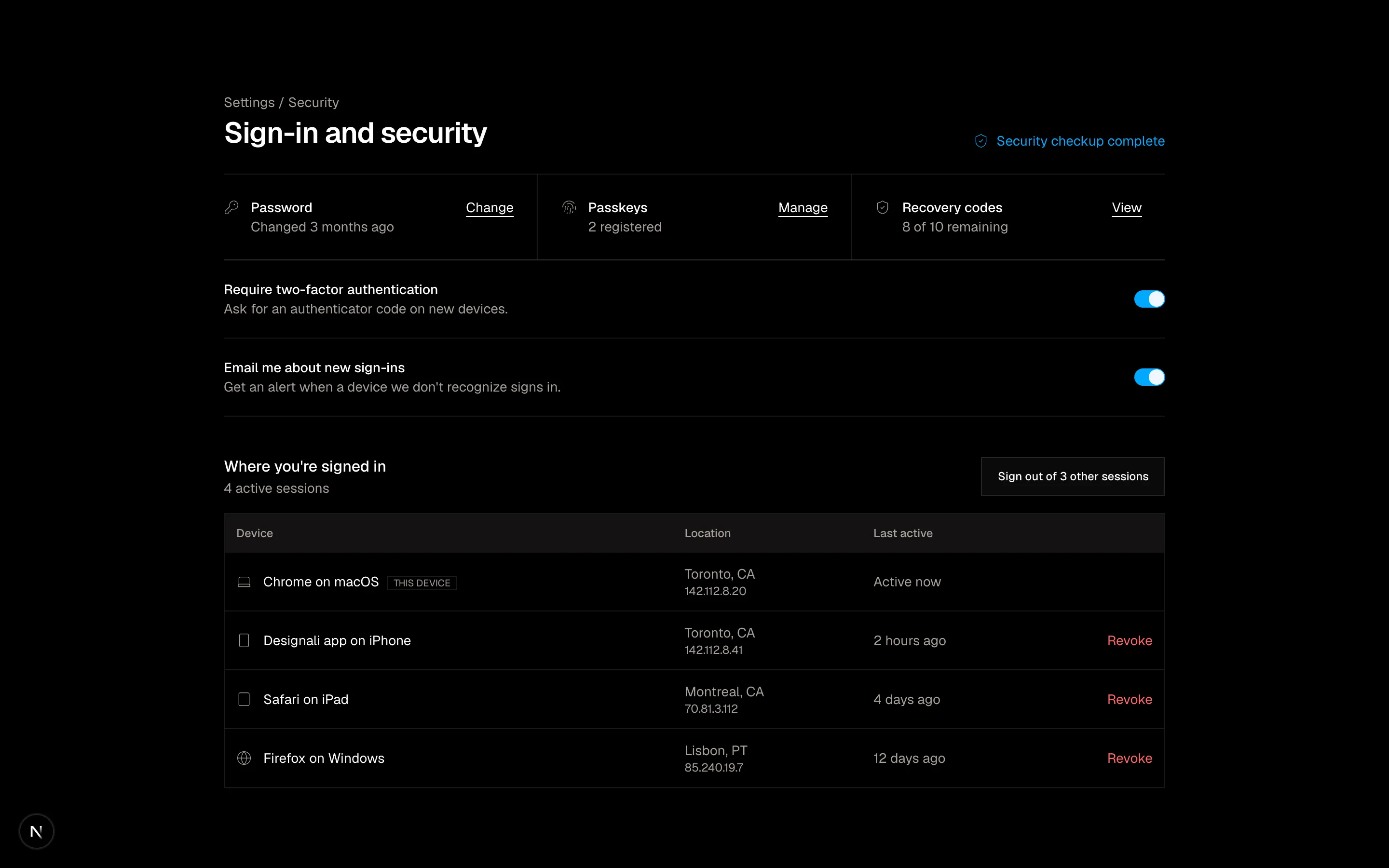
Security settings with two-factor and alert switches above an active sessions device table.
authentication-18
Files
"use client"
import { useEffect, useState } from "react"
import {
MailCheck,
Pencil,
RotateCw,
} from "@designali/icons"
import { Button } from "@/components/ui/button"
const COOLDOWN = 45
const providers = [
{ label: "Open web mail", href: "#" },
{ label: "Open desktop mail", href: "#" },
{ label: "Open mobile mail", href: "#" },
]
export function Authentication19() {
const [remaining, setRemaining] = useState(COOLDOWN)
const [resends, setResends] = useState(0)
useEffect(() => {
if (remaining <= 0) return
const timer = setTimeout(() => setRemaining((value) => value - 1), 1000)
return () => clearTimeout(timer)
}, [remaining])
const progress = ((COOLDOWN - remaining) / COOLDOWN) * 100
return (
<section className="w-full border-y bg-background">
<div className="mx-auto grid max-w-6xl md:grid-cols-[1.1fr_1fr]">
<div className="flex flex-col justify-center px-6 py-16 md:border-e md:px-14 md:py-24">
<span className="flex size-12 items-center justify-center bg-foreground text-background">
<MailCheck className="size-5" />
</span>
<h2 className="mt-8 text-4xl font-semibold tracking-tight">Verify your email</h2>
<p className="mt-3 max-w-md text-muted-foreground">
We sent a confirmation link to{" "}
<span className="font-medium text-foreground">you@designali.com</span>. Click it to activate your Designali account.
</p>
<button type="button" className="mt-3 flex w-fit items-center gap-1.5 text-sm text-muted-foreground hover:text-foreground">
<Pencil className="size-3.5" />
Wrong address? Change it
</button>
<div className="mt-10 grid gap-2 sm:grid-cols-3">
{providers.map((provider) => (
<Button key={provider.label} variant="outline" nativeButton={false} render={<a href={provider.href} />}>
{provider.label}
</Button>
))}
</div>
</div>
<div className="flex flex-col justify-center gap-8 border-t bg-muted/30 px-6 py-16 md:border-t-0 md:px-14">
<div>
<p className="text-sm font-medium">Didn't get the email?</p>
<ul className="mt-3 space-y-2 text-sm text-muted-foreground">
<li>Check your spam or promotions folder.</li>
<li>Search your inbox for “Designali”.</li>
<li>Corporate filters can delay mail by a few minutes.</li>
</ul>
</div>
<div className="space-y-3">
<Button
size="lg"
className="w-full"
disabled={remaining > 0}
onClick={() => {
setResends(resends + 1)
setRemaining(COOLDOWN)
}}
>
<RotateCw />
{remaining > 0 ? `Resend available in 0:${String(remaining).padStart(2, "0")}` : "Resend email"}
</Button>
<div className="h-1 bg-muted">
<div className="h-full bg-foreground transition-[width] duration-1000 ease-linear" style={{ width: `${progress}%` }} />
</div>
{resends > 0 && (
<p className="text-xs text-muted-foreground">
Sent again {resends} {resends === 1 ? "time" : "times"}. The newest link replaces older ones.
</p>
)}
</div>
</div>
</div>
</section>
)
}
Verify your email screen with inbox shortcuts and resend or change email beside delivery tips.
authentication-19
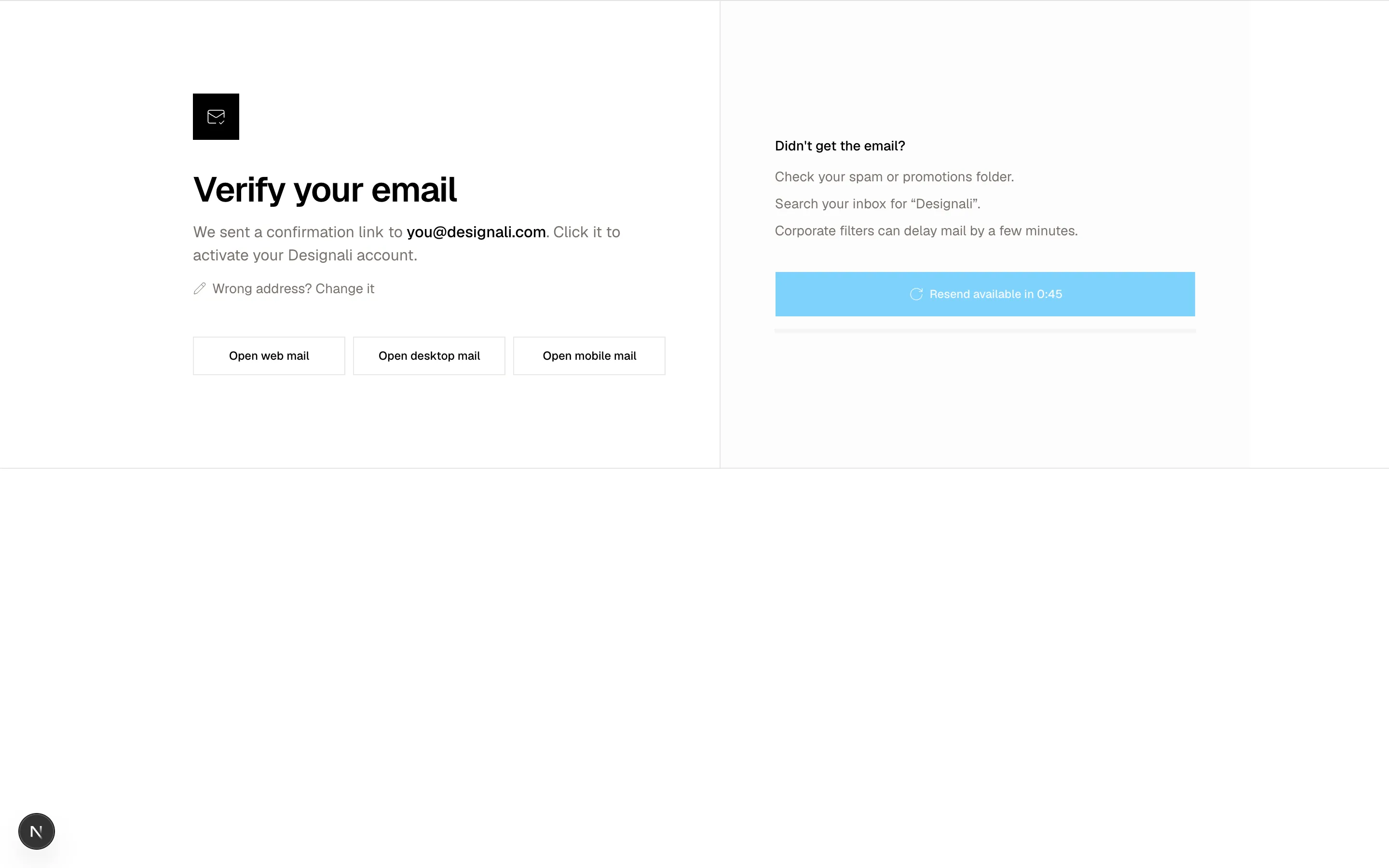
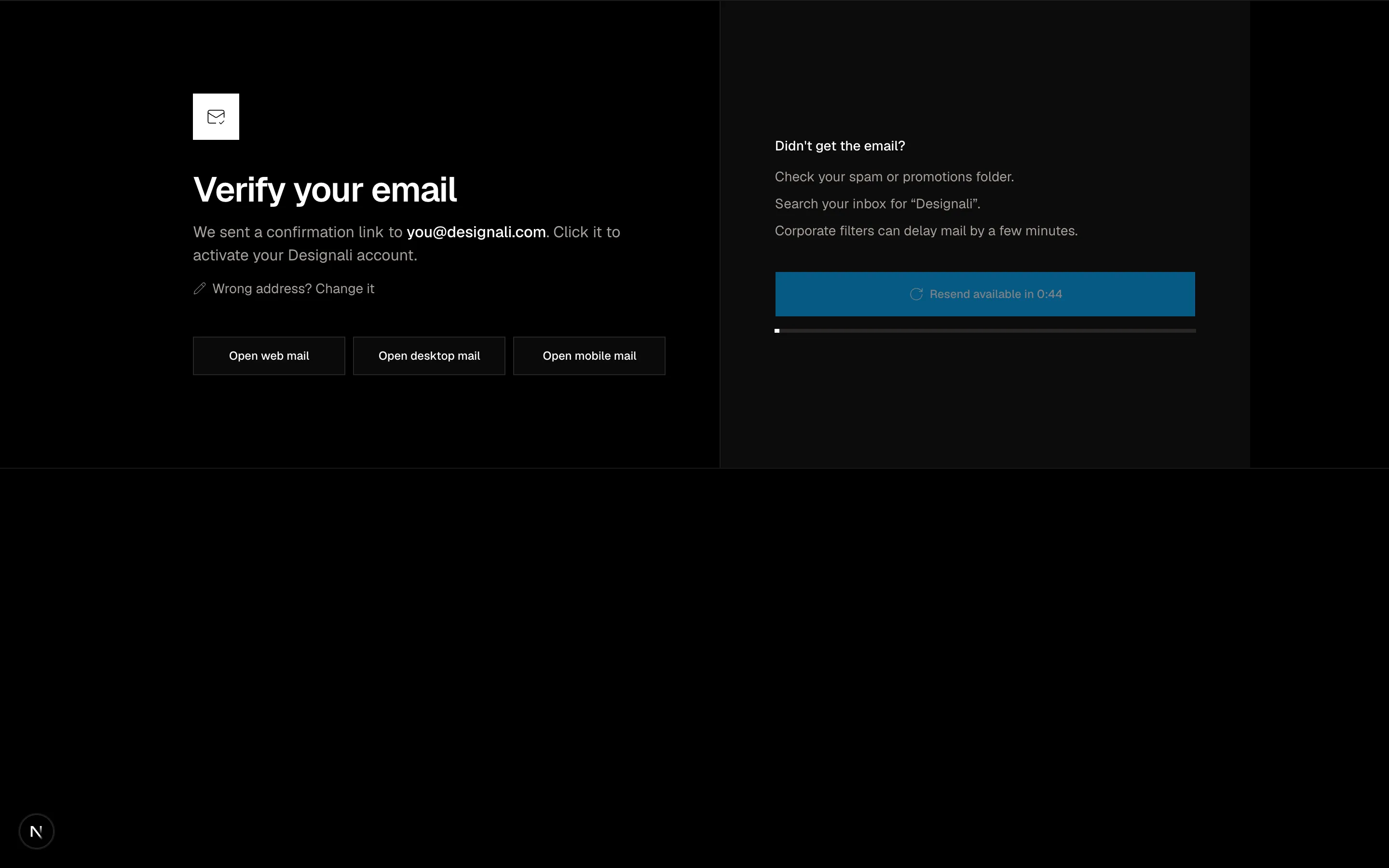
Files
"use client"
import { useState } from "react"
import {
ArrowRight,
Lock,
Plus,
Search,
} from "@designali/icons"
import { Button } from "@/components/ui/button"
import { cn } from "@/lib/utils"
const workspaces = [
{ name: "Designali Studio", slug: "designali", role: "Owner", members: 42, color: "from-primary to-chart-2", sso: true },
{ name: "Designali Templates", slug: "designali-templates", role: "Admin", members: 9, color: "from-primary to-chart-2", sso: false },
{ name: "Dalim Works", slug: "dalim-works", role: "Member", members: 128, color: "from-primary to-chart-3", sso: true },
{ name: "Ali Imam Portfolio", slug: "aliimam", role: "Owner", members: 3, color: "from-primary to-chart-2", sso: false },
{ name: "Client Projects", slug: "clients", role: "Guest", members: 61, color: "from-primary to-chart-3", sso: false },
]
export function Authentication20() {
const [query, setQuery] = useState("")
const [selected, setSelected] = useState(workspaces[0]!.slug)
const filtered = workspaces.filter((item) => item.name.toLowerCase().includes(query.toLowerCase()))
return (
<section className="w-full bg-background py-20 md:py-24">
<div className="mx-auto max-w-4xl px-6">
<div className="flex flex-col gap-6 md:flex-row md:items-end md:justify-between">
<div>
<p className="text-sm text-muted-foreground">Signed in as ali@designali.com</p>
<h2 className="mt-1 text-3xl font-semibold tracking-tight">Pick a workspace</h2>
</div>
<label className="flex h-10 items-center gap-2 border px-3 md:w-64">
<Search className="size-4 text-muted-foreground" />
<input
value={query}
onChange={(event) => setQuery(event.target.value)}
placeholder="Filter workspaces"
className="w-full bg-transparent text-sm outline-none placeholder:text-muted-foreground"
/>
</label>
</div>
<div role="radiogroup" aria-label="Workspaces" className="mt-8 grid gap-3 sm:grid-cols-2 lg:grid-cols-3">
{filtered.map((item) => (
<button
key={item.slug}
type="button"
role="radio"
aria-checked={selected === item.slug}
onClick={() => setSelected(item.slug)}
className={cn(
"flex flex-col items-start gap-4 border p-5 text-start transition-colors",
selected === item.slug ? "border-foreground bg-muted/40" : "hover:bg-muted/30"
)}
>
<span className="flex w-full items-start justify-between">
<span className={cn("flex size-11 items-center justify-center bg-gradient-to-br text-sm font-bold text-white", item.color)}>
{item.name.split(" ").map((word) => word[0]).join("").slice(0, 2)}
</span>
{item.sso && (
<span className="flex items-center gap-1 border px-1.5 py-0.5 text-[10px] text-muted-foreground uppercase">
<Lock className="size-3" />
SSO
</span>
)}
</span>
<span className="min-w-0">
<span className="block truncate font-medium">{item.name}</span>
<span className="block truncate font-sans text-xs text-muted-foreground">{item.slug}.designali.com</span>
</span>
<span className="flex w-full justify-between text-xs text-muted-foreground">
<span>{item.role}</span>
<span className="tabular-nums">{item.members} members</span>
</span>
</button>
))}
<button
type="button"
className="flex min-h-[176px] flex-col items-center justify-center gap-2 border border-dashed p-5 text-sm text-muted-foreground hover:bg-muted/30 hover:text-foreground"
>
<Plus className="size-5" />
Create a new workspace
</button>
</div>
{filtered.length === 0 && (
<p className="mt-4 text-sm text-muted-foreground">No workspaces match “{query}”.</p>
)}
<div className="mt-8 flex flex-col-reverse gap-3 border-t pt-6 sm:flex-row sm:items-center sm:justify-between">
<a href="#" className="text-sm text-muted-foreground hover:text-foreground">Sign in with a different account</a>
<Button size="lg" className="w-full sm:w-auto">
Continue to {workspaces.find((item) => item.slug === selected)?.name}
<ArrowRight />
</Button>
</div>
</div>
</section>
)
}
Workspace picker with search, a grid of workspace cards showing role and SSO lock, and a create option.
authentication-20